Prototyping before specification
Specification documents have a failure mode: they get signed off long before anyone can see whether the described application matches what the customer actually needs. CYPEX Rapid Prototyping inverts that order. Instead of writing a specification and building from it, the admin creates an application directly from a PostgreSQL database and puts it in front of the customer immediately.
The point is speed of discovery. A prototype built through a conventional specification can take weeks or months, which means a basic misunderstanding may go undetected until a large amount of work sits on top of it. A live prototype surfaces that misunderstanding in the first review, when correcting it is still cheap.
The workflow
Rapid Prototyping follows a fixed sequence of admin tasks:
- Import your data. Tables and schemas must be created in the database first — this step happens outside of CYPEX and is a basic prerequisite.
- Show structure. The admin user visualizes the data model in CYPEX.
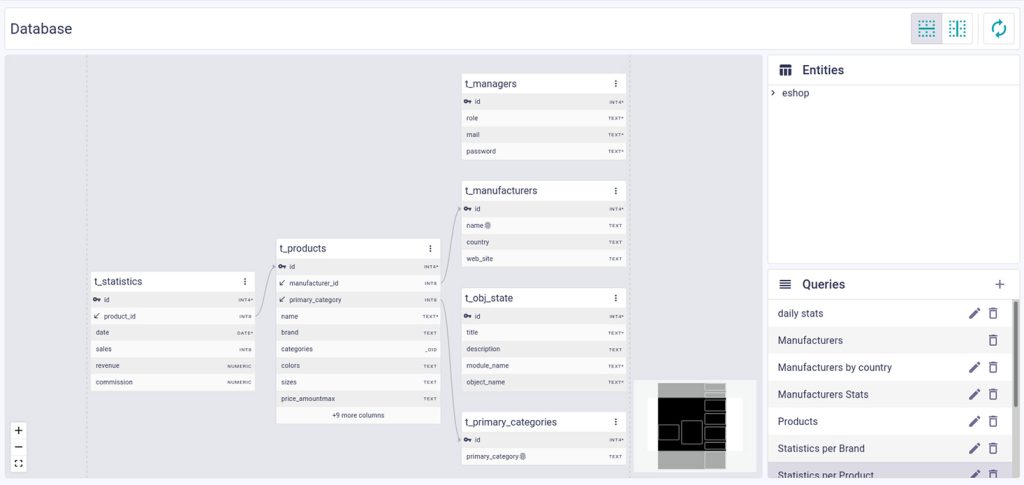
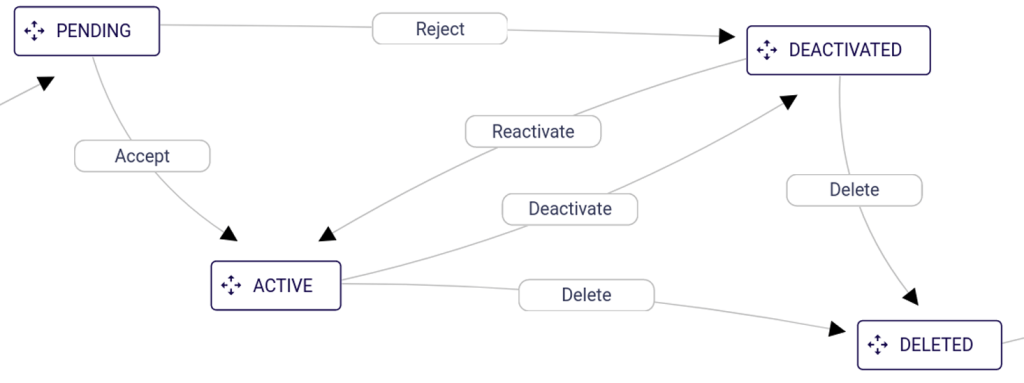
- Define workflows. The admin user defines workflows, which CYPEX can visualize.
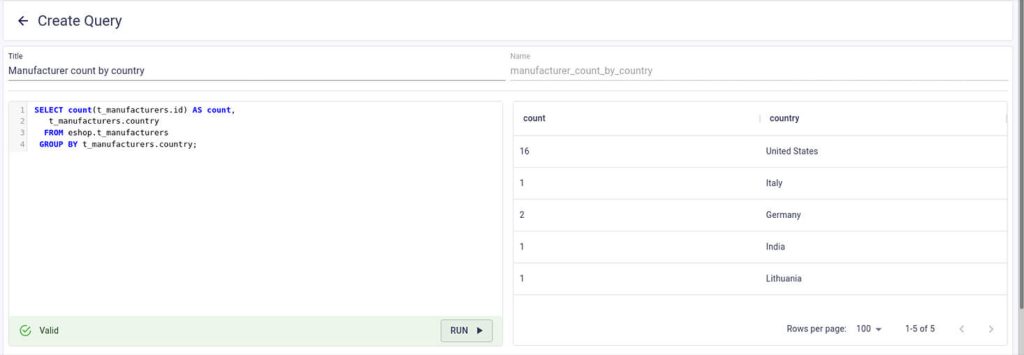
- Create queries. The admin user defines how the data model is accessed — for example, how the data is displayed to managers.
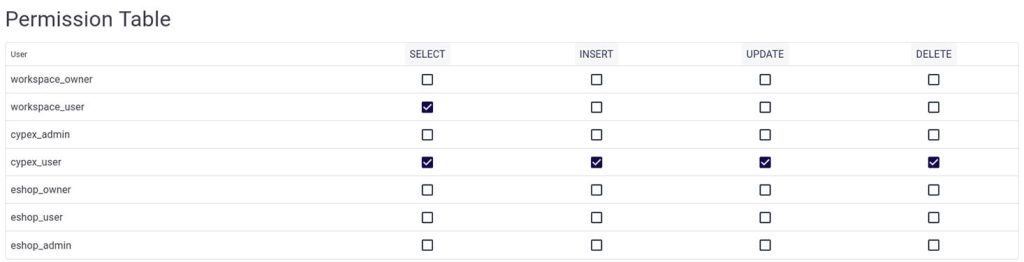
- Define permissions. The admin user declares which users can access which queries.
- Generate the application. More than one application can be generated from the same data, and generation depends on permissions.
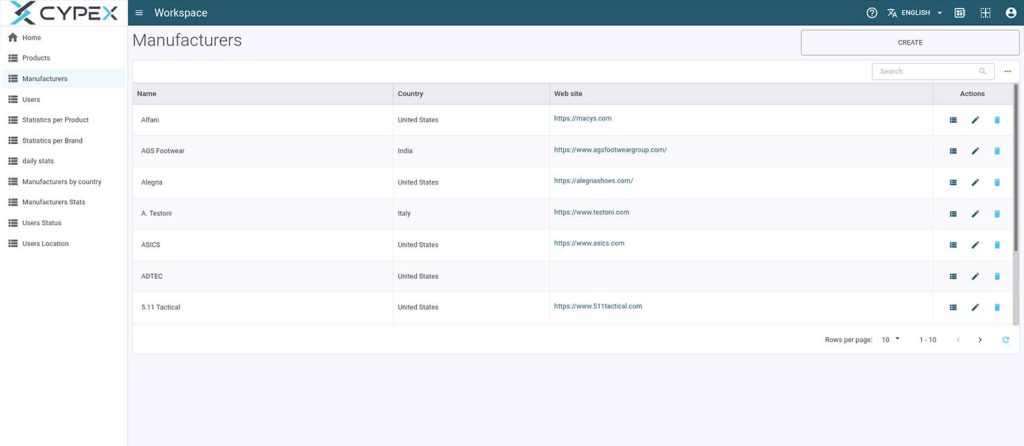
- Customer review. The admin reviews the application with the customer and collects feedback.
- Finalize the data model. The admin edits the data model, updates workflows, queries and permissions, and generates the final application.
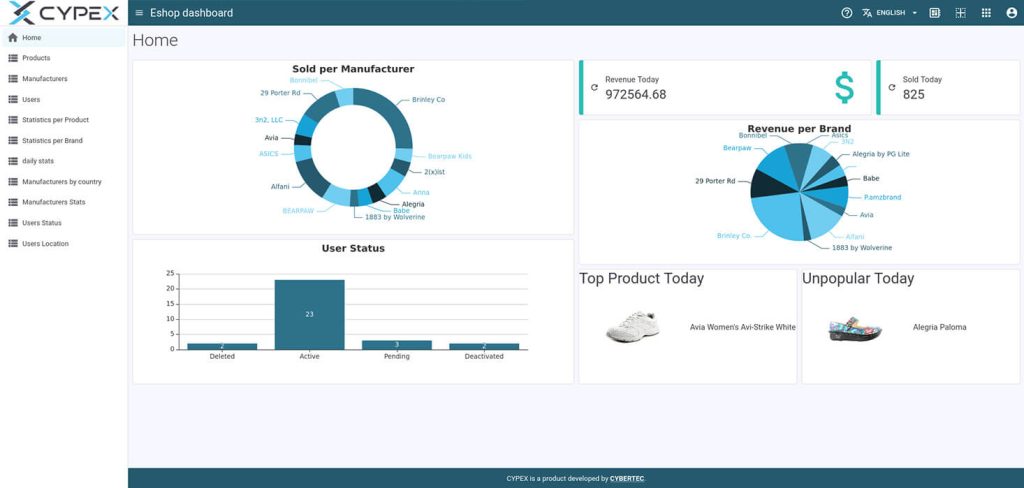
- Make it beautiful. Once the customer has reviewed the data model, the application can be enhanced with charts, graphs, maps and similar elements.
What the feedback loop buys you
Customers frequently cannot articulate what they want until they see something running. A clickable prototype is easy to understand, so the discussion moves from abstract requirements to concrete behavior. Talking directly to the customer in short iterations keeps the communication chain short and reduces the chance that information is lost between links in it.
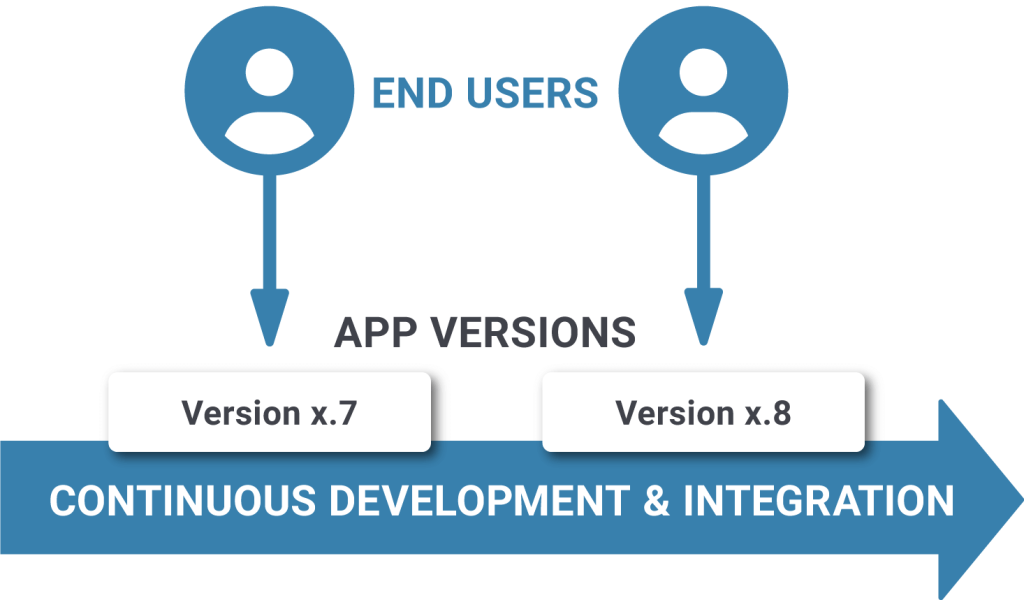
Both sides save effort. Misunderstandings are caught early instead of after hours have been spent building the wrong thing, and there is no need for a specification at all. The same short loop also supports quick versioning: new versions can be circulated and reviewed at the same pace as the initial prototype.
Default lookups and auditing
Two additional features extend a generated application:
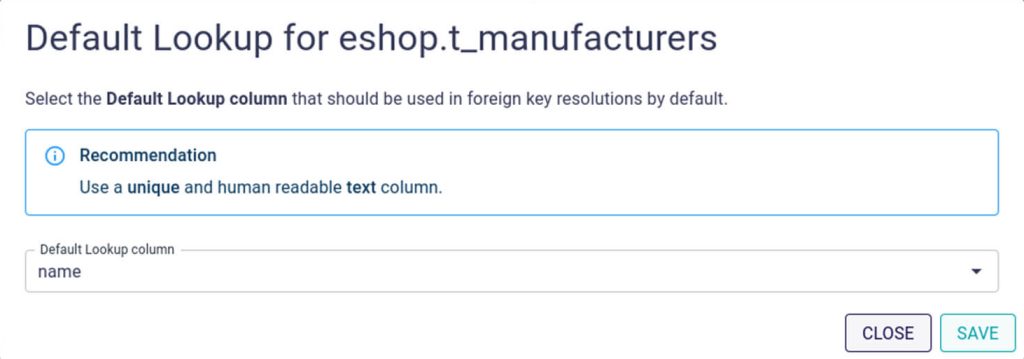
- Setting Default Lookups. Admins define exactly how a particular entity should be displayed — for example, whether the name of a company or the company's address appears in the app.
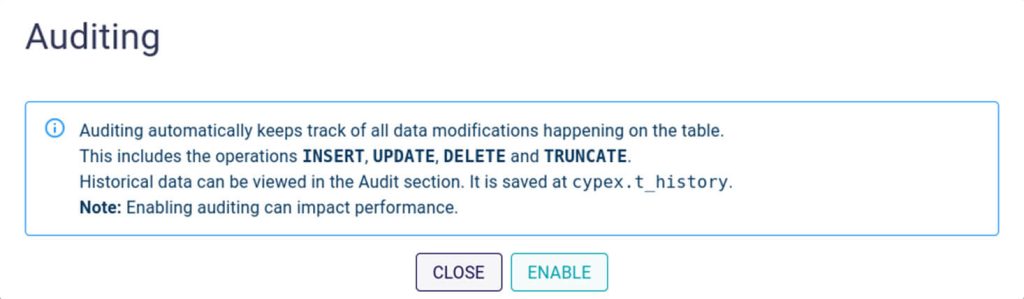
- Auditing. Auditing prevents data loss and lets you create a data trail, keeping track of all data modifications.