Why Accessibility Awareness Is Hard
Most computer science curricula don't cover accessibility in depth, so engineers rarely encounter these best practices unless they've directly affected someone's life. Organizations like Teach Access are working to change that, but the gap remains. Resources such as the W3C's Web Content Accessibility Guidelines (WCAG 2.0) and the BBC's Mobile Accessibility Guidelines offer solid technical foundations, but knowing the standards and internalizing them as part of daily engineering practice are different things.
At Dropbox, we've spent years building a culture where accessibility is part of the engineering process, not an afterthought. The approaches below have helped us spread knowledge and enthusiasm across the organization.
Getting People Interested
Awareness is often the biggest barrier, so the first step is generating genuine excitement about accessibility work. A few tactics have worked well for us.
Form a Cross-Functional Working Group
Early in our efforts, we assembled an accessibility working group with representatives from engineering, design, research, communications, and legal. The group organized events, started company-wide initiatives, and sparked conversations across disciplines. It also created the opening for Dropbox's first dedicated accessibility role.
Run an Assistive Technology Lab
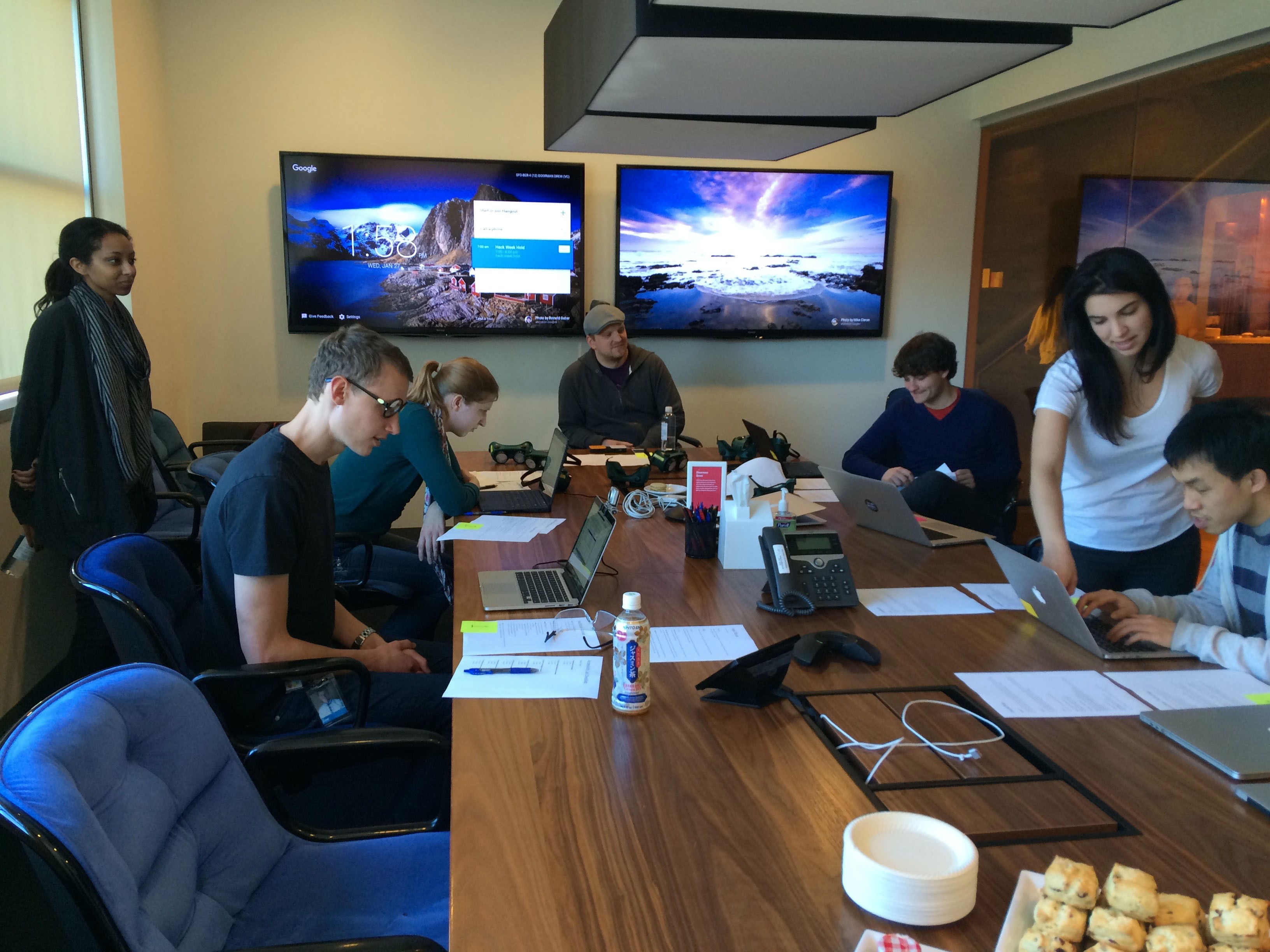
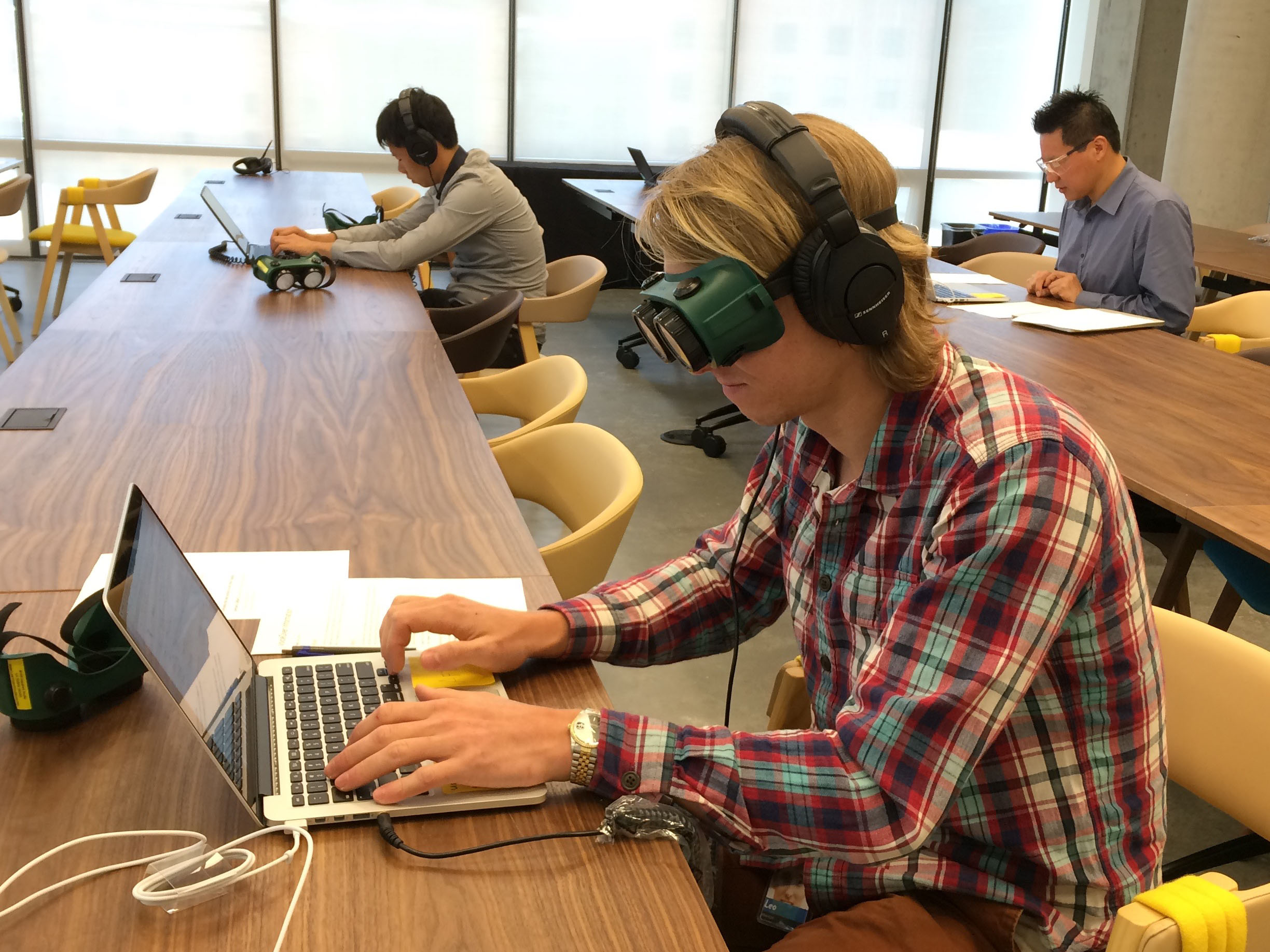
Assistive technology (AT)—screen readers, speech recognition software, screen magnifiers, and switches—dramatically changes how users experience a UI. In 2016, our working group started running Assistive Technology Labs so product teams could get hands-on experience exploring their own features with these tools.
Our pop-up labs feature several stations, each dedicated to a type of AT. At every station, participants get three tasks: an easy one to learn the tool's mechanics, a slightly more involved task, and an extremely challenging one designed to highlight UX gaps. We deliberately want people to get frustrated by that last task—it helps them understand user pain points and channel that frustration into fixes. Many tasks from our first lab are no longer challenging, thanks to steady UI improvements.
If you run your own lab, a few tips:
- The goal is to learn about the technology people use with your product, not to simulate anyone's personal experience of disability.
- When someone struggles with an AT, it's hard to tell whether the problem is unfamiliarity or a genuinely broken experience. Have facilitators on hand who can guide participants, and remind everyone that real proficiency comes with practice and conversations with regular AT users.
- Consider skipping speech recognition software in the lab. During setup, the dictation software had trouble recognizing voices other than the person who trained it, especially in a room with multiple conversations. Screen readers, switch controls, head mice, color modes, and zoom tools work much better—set them up on a range of operating systems and devices.
Reward Accessibility Champions
Everyone on our engineering, product, and design teams is expected to include accessibility in their work, but we also recognize people who go further. Our badge system lets anyone nominate a colleague—or themselves—for an "Accessibility Advocate" badge, which appears on their employee directory profile.

Making Knowledge Stick
When I joined as Dropbox's first full-time accessibility engineer, I wrote extensive documentation, assuming that would turn everyone into experts. It didn't take long to realize that long documents, especially ones living outside engineers' usual workflows, aren't an engaging way to learn. We've since shifted to more dynamic knowledge-sharing methods.
Bring Accessibility Feedback into Development
To give advice relevant to what people are actually working on, we built an accessibility debug tool and added it to the footer of our website, visible only to Dropboxers. The tool runs accessibility checks on the current page. The first iteration included custom checks for buttons and links without accessible names, keyboard-inaccessible links, unlabelled input fields, images without alternative text, and low contrast text.
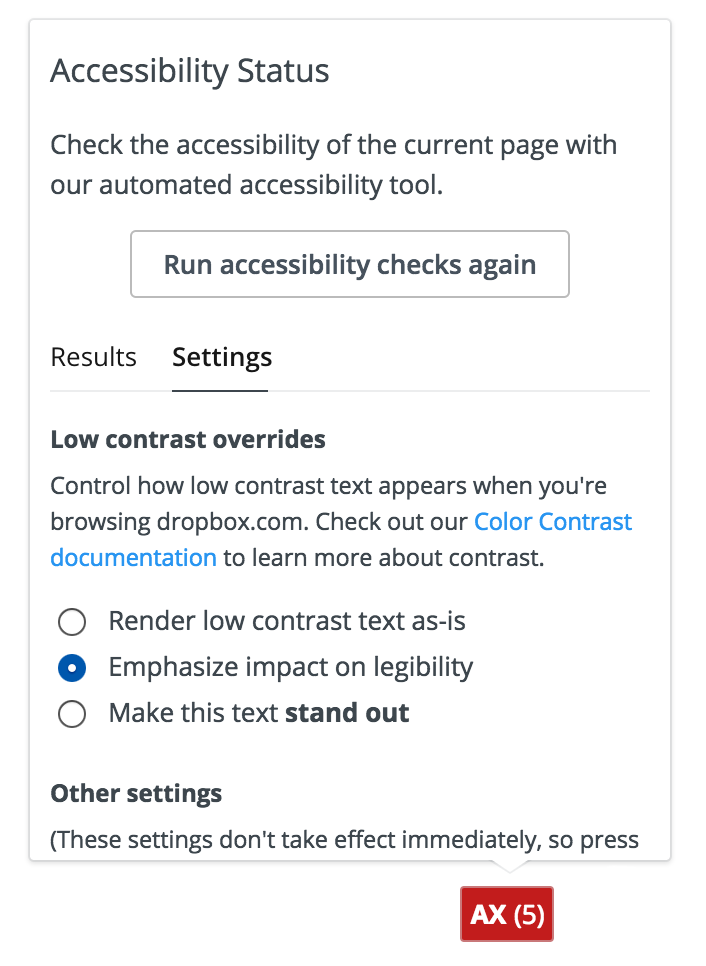
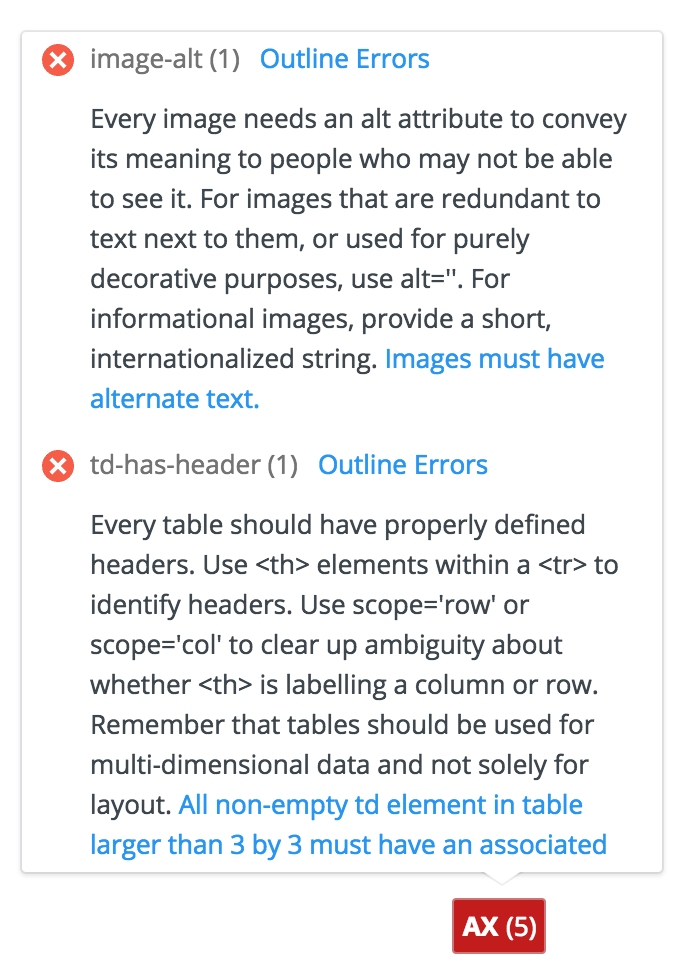
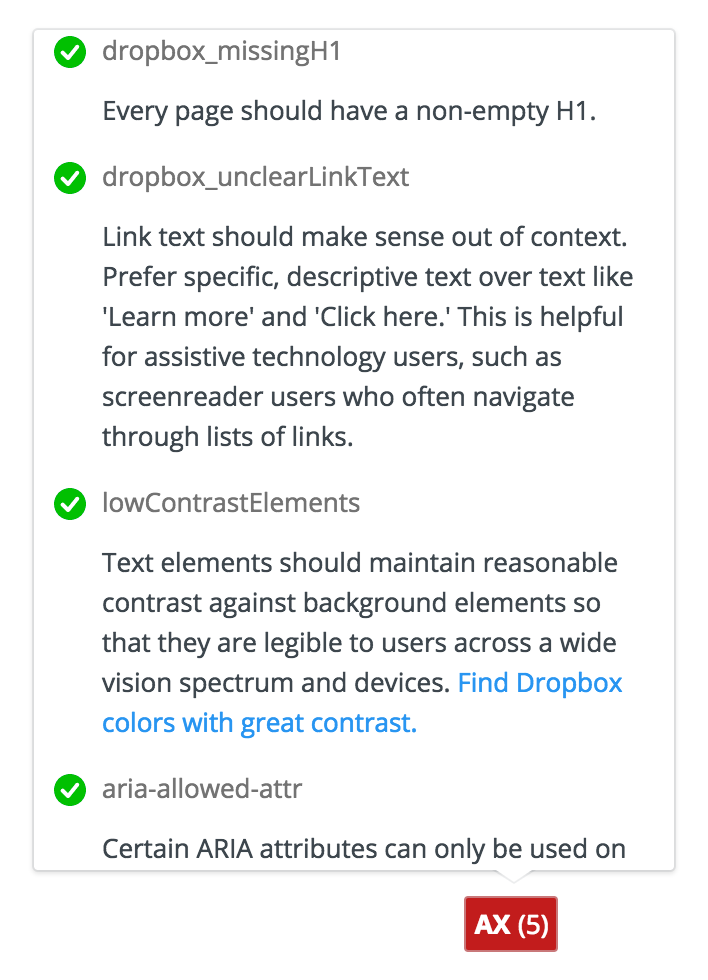
Since then, the tool has expanded to 51 checks, most drawn from Deque's open-source aXe framework. Front-end developers can consult it while building new UIs to see if they're introducing errors, get fix suggestions, and find contact info for the Accessibility Team if they need help. Similar automated checks can plug into code linters and unit tests at various stages of the engineering process.
Run Accessibility Bug Bashes
Dropbox teams hold "bug bashes"—meetings during UI development when engineers, designers, and product managers manually test features and hunt for bugs. These are ideal moments to check accessibility on in-progress work. Have a few people try each core flow using only a keyboard, a free screen reader, or the OS's built-in zoom controls. Can they complete every task? Do they get lost?
Accessibility-specific bashes are useful for deep exploration, but weaving accessibility into regular bashes matters more—it reinforces that accessibility is integral to usability, not a separate concern.
Make One Feature Fully Accessible
When a whole product suite isn't accessible, starting can feel overwhelming. Pick one feature—ideally something brand new you can build correctly from the start, or a pre-existing high-traffic area—and commit to making it accessible. The team learns by doing, and that knowledge carries into future projects.
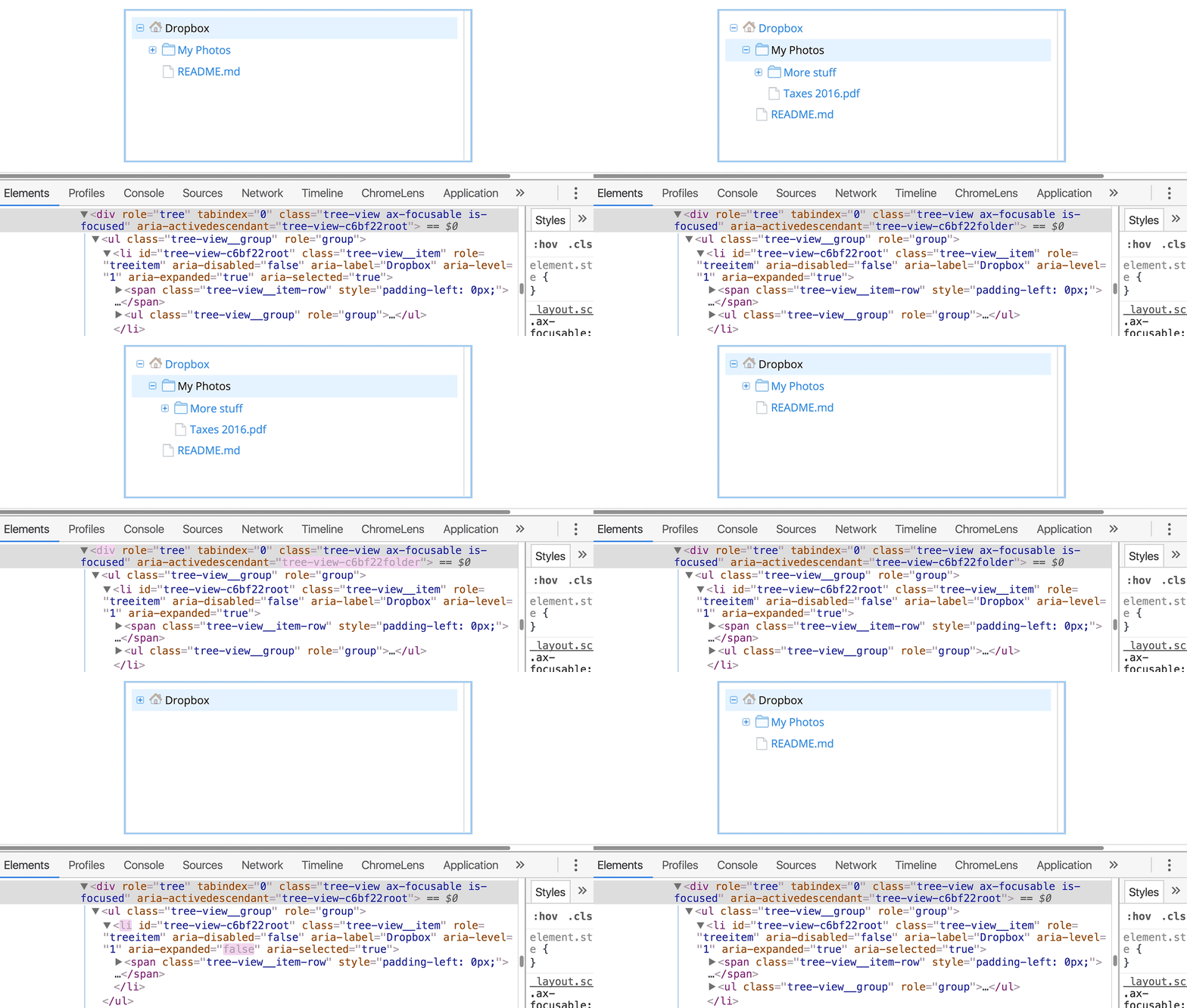
Accessibility work on one feature often benefits others. During a refresh of our file browsing web UI, we focused on the screen reader and keyboard experience and built new React components with accessibility built in, including dropdown menus and tree views. Because our React components are reusable, those enhancements spread to other parts of the web UI.
Share Through Talks and Guest Speakers
Internal tech talks keep accessibility knowledge fresh, especially as you hire more UI engineers and designers. Aim for one per quarter. Topics we've covered include:
- Accessibility improvements to a specific feature, and lessons learned
- Automated test frameworks for accessibility
- Writing tips for accessibility
- Manual accessibility testing techniques
- Screenreader 101
Guest speakers add valuable outside perspective. Invite accessibility experts from other companies to discuss their processes, and consider speakers with disabilities who can speak to why accessible technology matters from personal experience. Record talks so colleagues can reference them later.
Accessibility is a habit, not a checklist
Following guidelines and automated checks is a solid baseline, but it doesn't guarantee a good experience. Accessibility ultimately comes down to users, and the only way to truly understand their needs is to involve them in your process. A UI can pass every automated test and still feel clunky, inefficient, or simply frustrating to someone who relies on assistive technology.
User research is where those gaps become visible. When we ran usability tests with screen reader users on dropbox.com, we found concrete ways to improve the keyboard flow. In a separate focus group with low-vision users, we heard firsthand how color contrast directly affects the speed and ease of managing files. That kind of insight is impossible to get from a code audit—it comes only from watching real users struggle and succeed with your product.
If your team already runs research studies for new products, make a point of including participants with disabilities. If you need deeper insight into a specific user group, run a dedicated focus group. Always compensate participants for their time, and make sure engineers are present—or at least review recordings—so they see the impact of their work on real people.
Learn from the community
The accessibility community is one of the most collaborative corners of the tech world. It's driven by a shared goal of making technology usable for everyone, and members are remarkably open about what works and what doesn't. Staying connected to that community is one of the best ways to keep pace with evolving best practices, get advice on tricky design or development questions, and contribute to building consistent patterns across the web.
There are two easy ways to get involved. First, attend events. Most major cities have an accessibility meetup or interest group. In San Francisco, Dropbox engineers regularly attend Bay Area Accessibility Camp and Bay Area Accessibility & Inclusive Design meetups. Larger industry events like the CSUN Assistive Technology Conference are also worth the trip. Second, join online communities: the Web Accessibility Slack is active and helpful, and the #a11y hashtag on Twitter is a solid feed for news, questions, and discussion.
Make it stick
Building a culture of accessibility doesn't happen by decree. The techniques that tend to work are the ones that make accessibility tangible: hosting events that demonstrate usability impact, giving developers lightweight tools that surface easy fixes, and celebrating teams and projects that get it right. These small, repeated touchpoints do more to change behavior than any single policy document.
A natural moment to try some of these ideas is Global Accessibility Awareness Day, held annually on the third Thursday of May. It's a good excuse to run a workshop, do a team audit, or just start a conversation about how your product serves all users. The goal is to find the tactics that resonate with your team and make them a regular part of your workflow.


