

Ambient Animation: Motion That Doesn’t Demand Attention
Motion design usually falls into two camps: timeline-based sequences that tell a story, and interaction animations triggered by user input. Ambient animations occupy a third space. They are passive, barely noticeable movements — a slow color shift, a gentle rotation, a feather swaying — that make a design feel alive without ever competing for the user’s attention.
Andy Clarke, who recreated the cover of a 1971 Quick Draw McGraw comic as a CSS/SVG animation to demonstrate the concept, describes ambient animation as a way to add depth to a brand’s personality. These are not call-to-action elements. They are playful details that reward a closer look, adding atmosphere to a page or graphic without disrupting the task at hand.
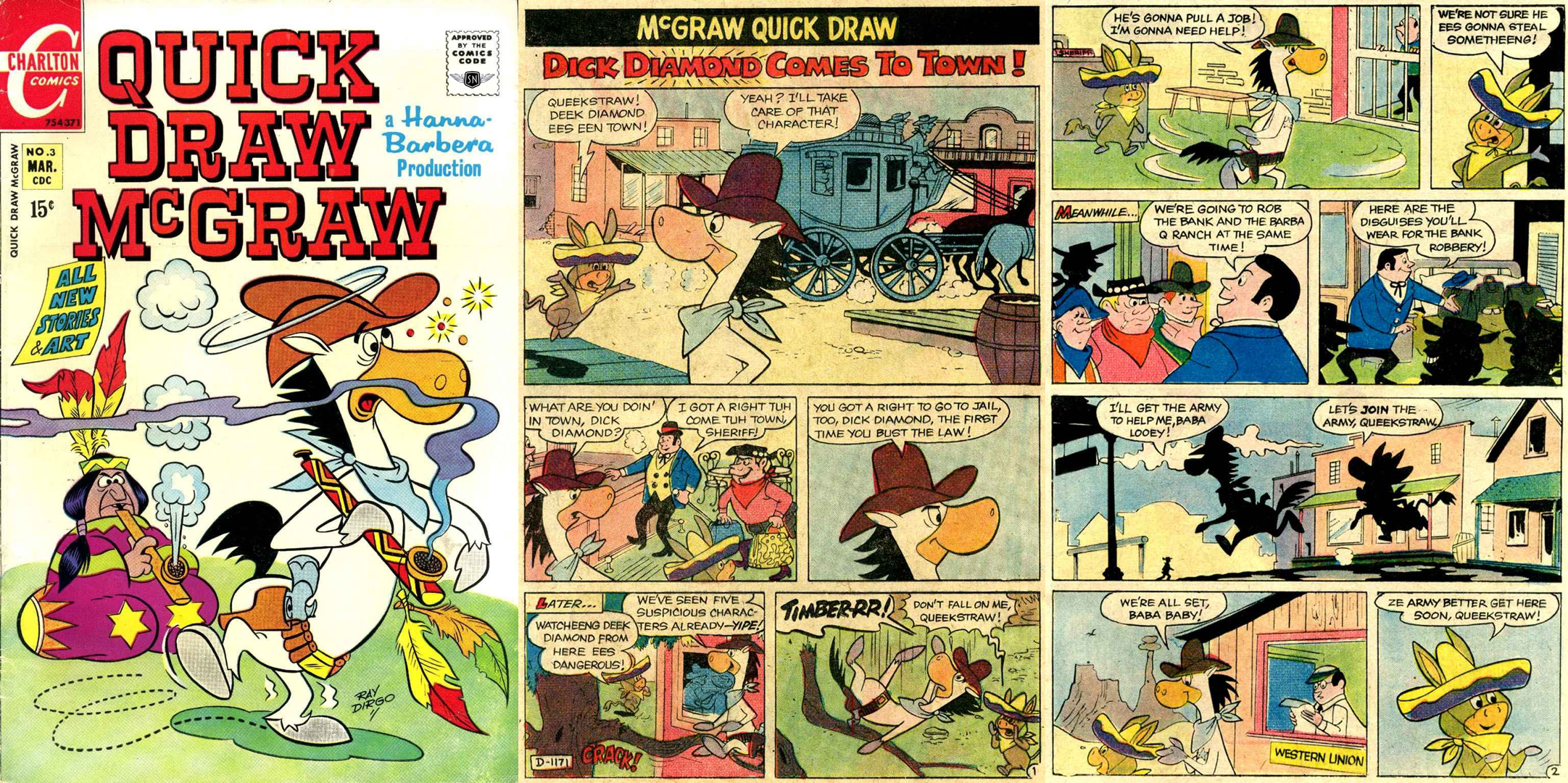
You can view the complete example and its code on CodePen.
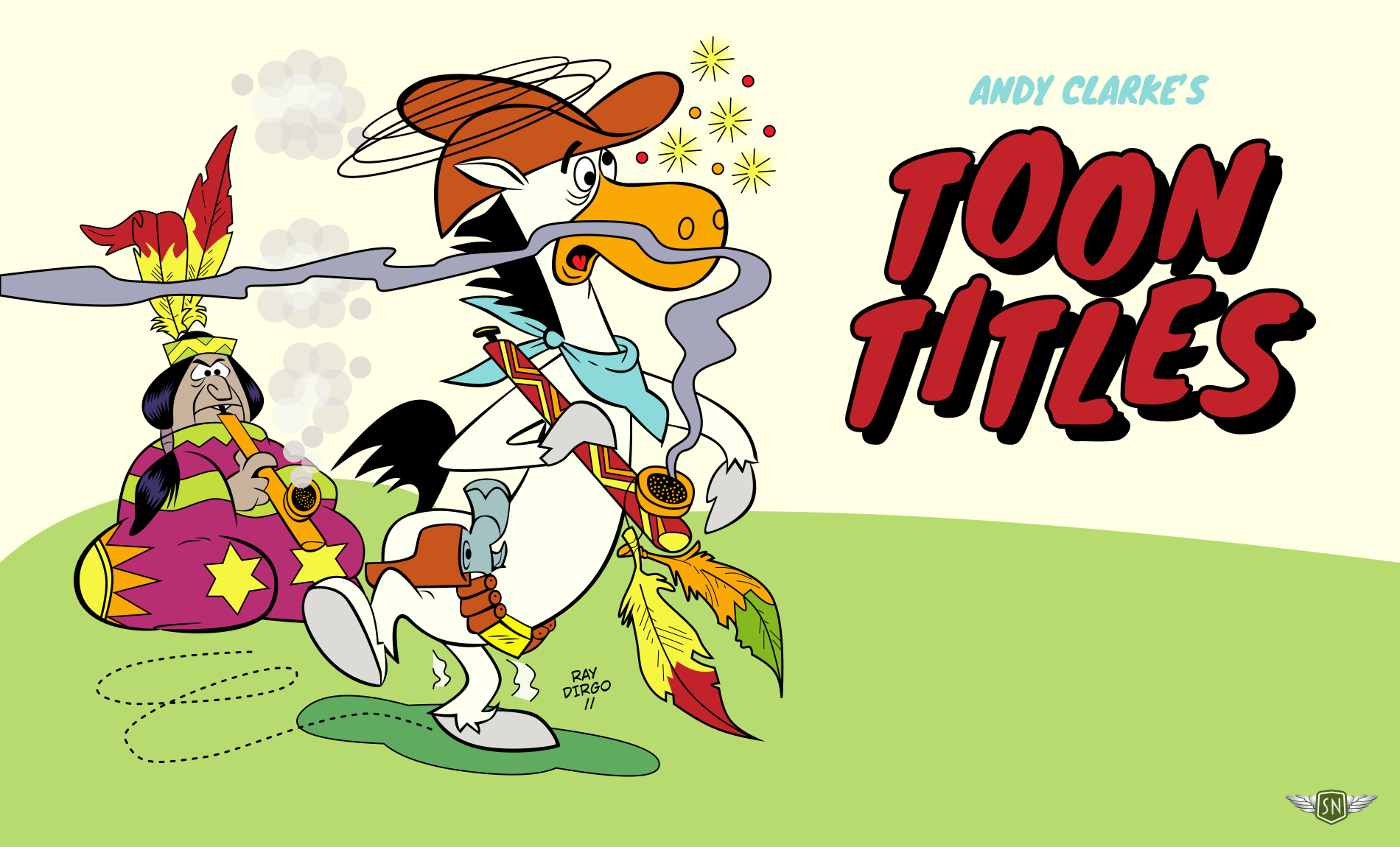
Selecting the Right Elements to Animate
Part of designing an ambient animation is knowing when to stop. Not everything needs to move. The key is to identify elements that suggest their own motion, rather than forcing movement where it doesn't belong.
Natural Motion Cues
Ask whether an object has weight, is flexible, or would move in the real world. If the answer is yes, animating it will likely feel right. In the comic book cover, the feathers hanging from Quick Draw’s peace pipe swing slightly, by three degrees, as the pipe moves — just as they would in life.
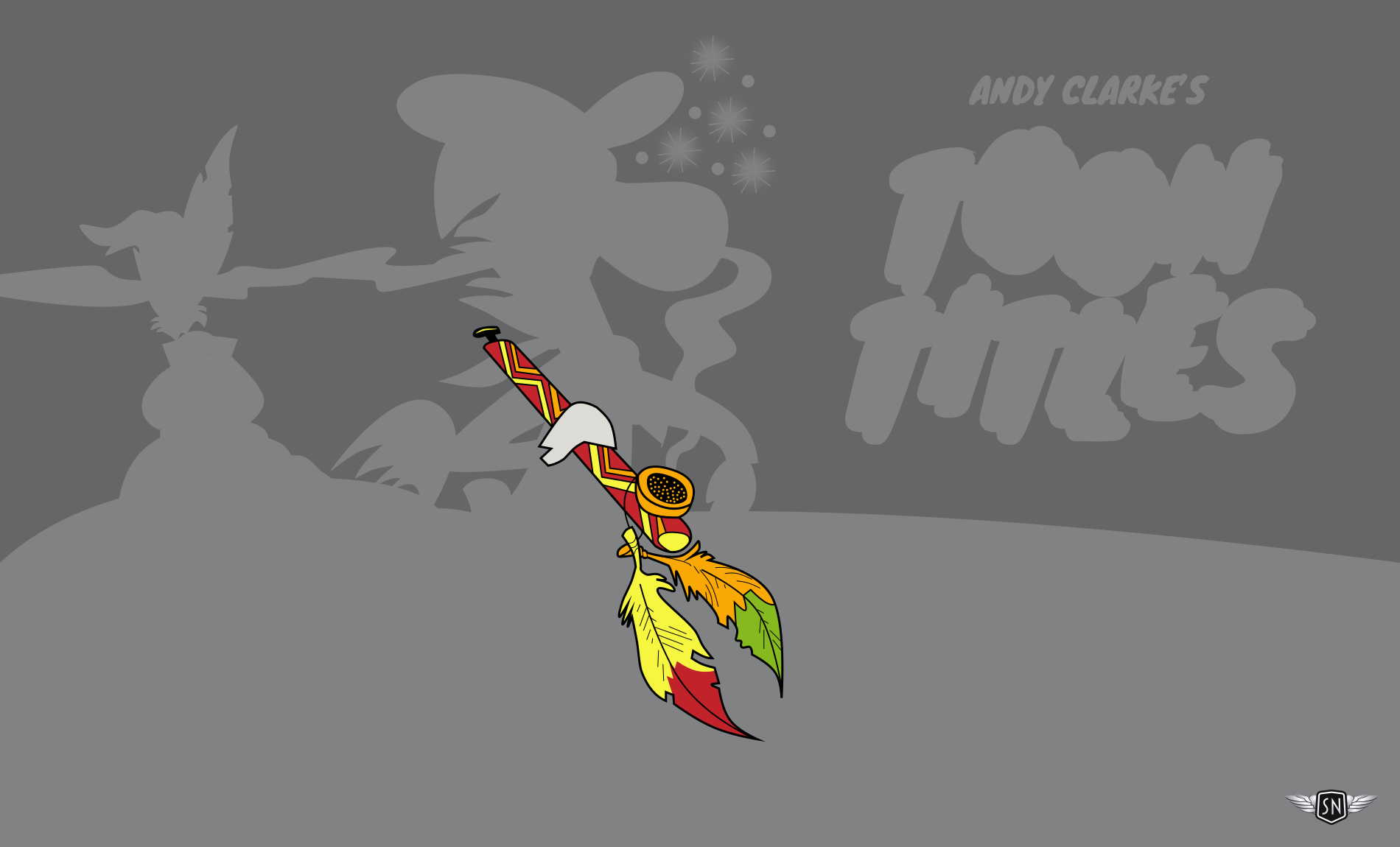
#quick-draw-pipe {
  animation: quick-draw-pipe-rotate 6s ease-in-out infinite alternate;
}

@keyframes quick-draw-pipe-rotate {
  0% { transform: rotate(3deg); }
  100% { transform: rotate(-3deg); }
}

#quick-draw-feather-1 {
  animation: quick-draw-feather-1-rotate 3s ease-in-out infinite alternate;
}

#quick-draw-feather-2 {
  animation: quick-draw-feather-2-rotate 3s ease-in-out infinite alternate;
}

@keyframes quick-draw-feather-1-rotate {
  0% { transform: rotate(3deg); }
  100% { transform: rotate(-3deg); }
}

@keyframes quick-draw-feather-2-rotate {
  0% { transform: rotate(-3deg); }
  100% { transform: rotate(3deg); }
}
Atmosphere Over Action
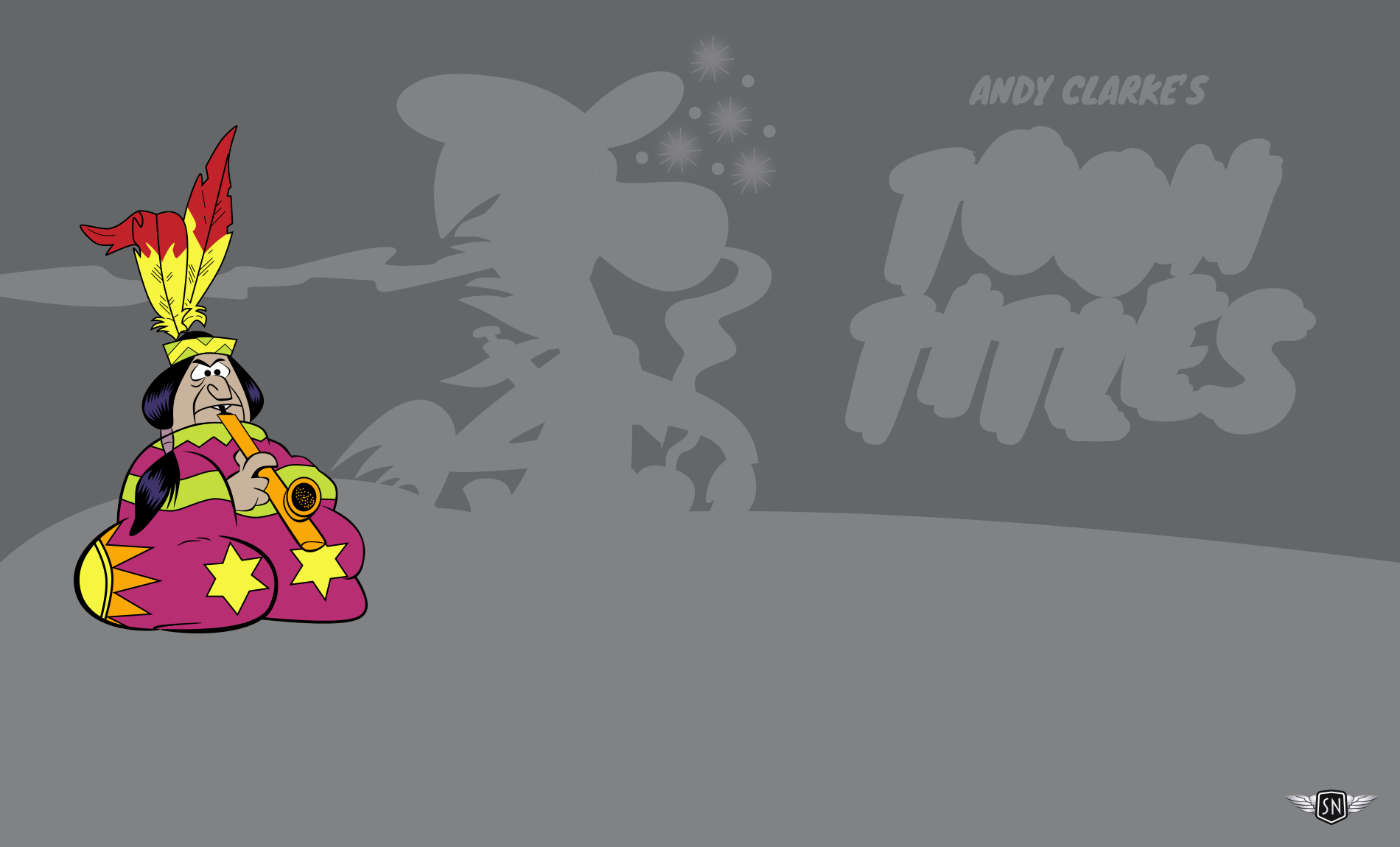
Ambient animations are about creating a mood, not signalling where the user should look. Elements like a character rising and falling slowly as they puff on a pipe, with a feather moving in time, add to the vibe without fighting for attention.
#chief {
  animation: chief-rise-fall 3s ease-in-out infinite alternate;
}

@keyframes chief-group-rise-fall {
  0% { transform: translateY(0); }
  100% { transform: translateY(-20px); }
}
#chief-feather-1 {
  animation: chief-feather-1-rotate 3s ease-in-out infinite alternate;
}

#chief-feather-2 {
  animation: chief-feather-2-rotate 3s ease-in-out infinite alternate;
}

@keyframes chief-feather-1-rotate {
  0% { transform: rotate(0deg); }
  100% { transform: rotate(-9deg); }
}

@keyframes chief-feather-2-rotate {
  0% { transform: rotate(0deg); }
  100% { transform: rotate(9deg); }
}
Personality Through Playfulness
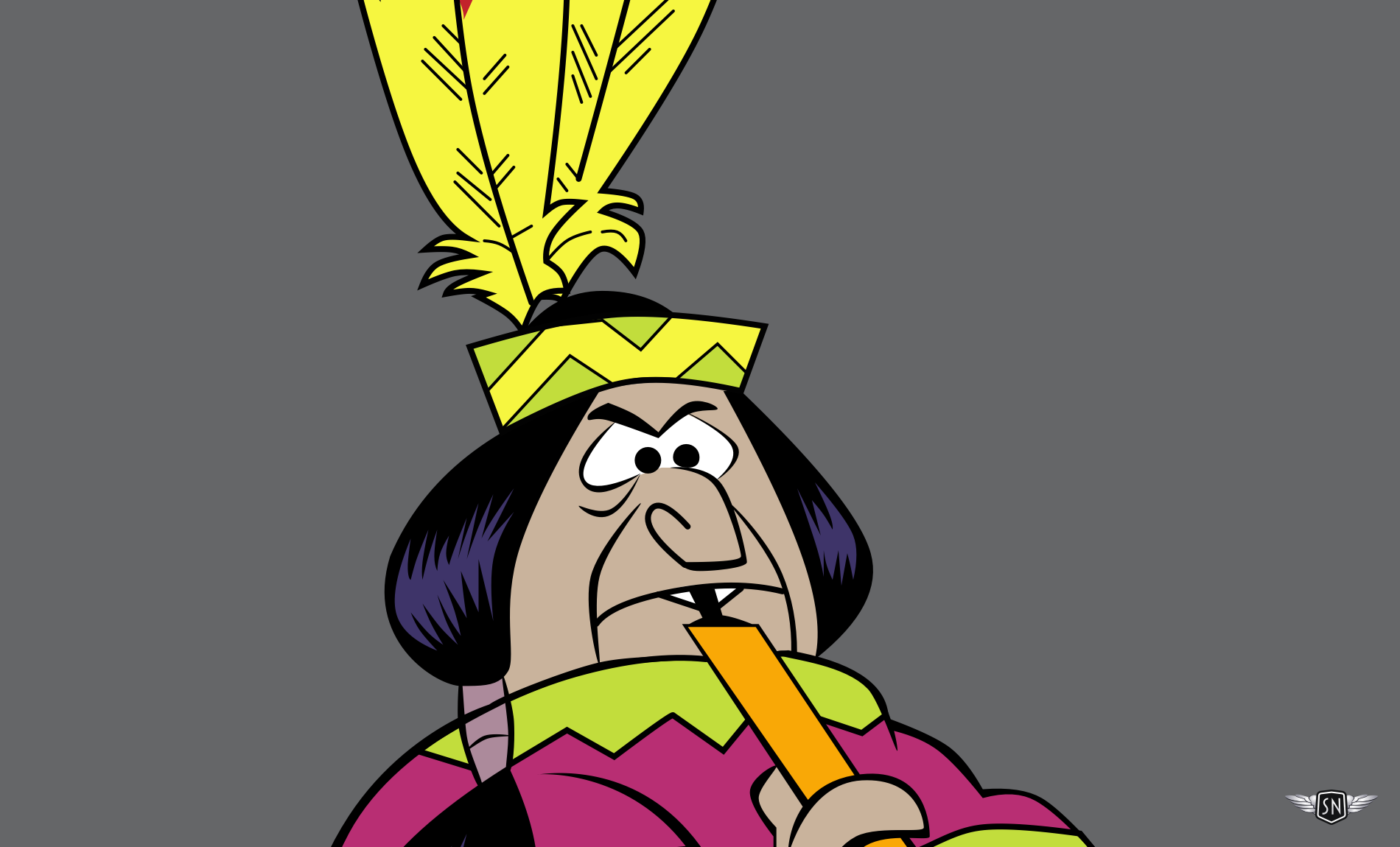
Ambient animation is an opportunity to demonstrate personality through playful details. In the example, the chief’s eyebrows raise and his eyes cross as he puffs hard on his pipe. Quick Draw’s eyebrows bounce at seemingly random intervals, and sparkles twinkle. These are the touches that make someone smile when they catch them.
#quick-draw-eyebrow {
  animation: quick-draw-eyebrow-raise 5s ease-in-out infinite;
}

@keyframes quick-draw-eyebrow-raise {
  0%, 20%, 60%, 100% { transform: translateY(0); }
  10%, 50%, 80% { transform: translateY(-10px); }
}
Animating with Hierarchy in Mind
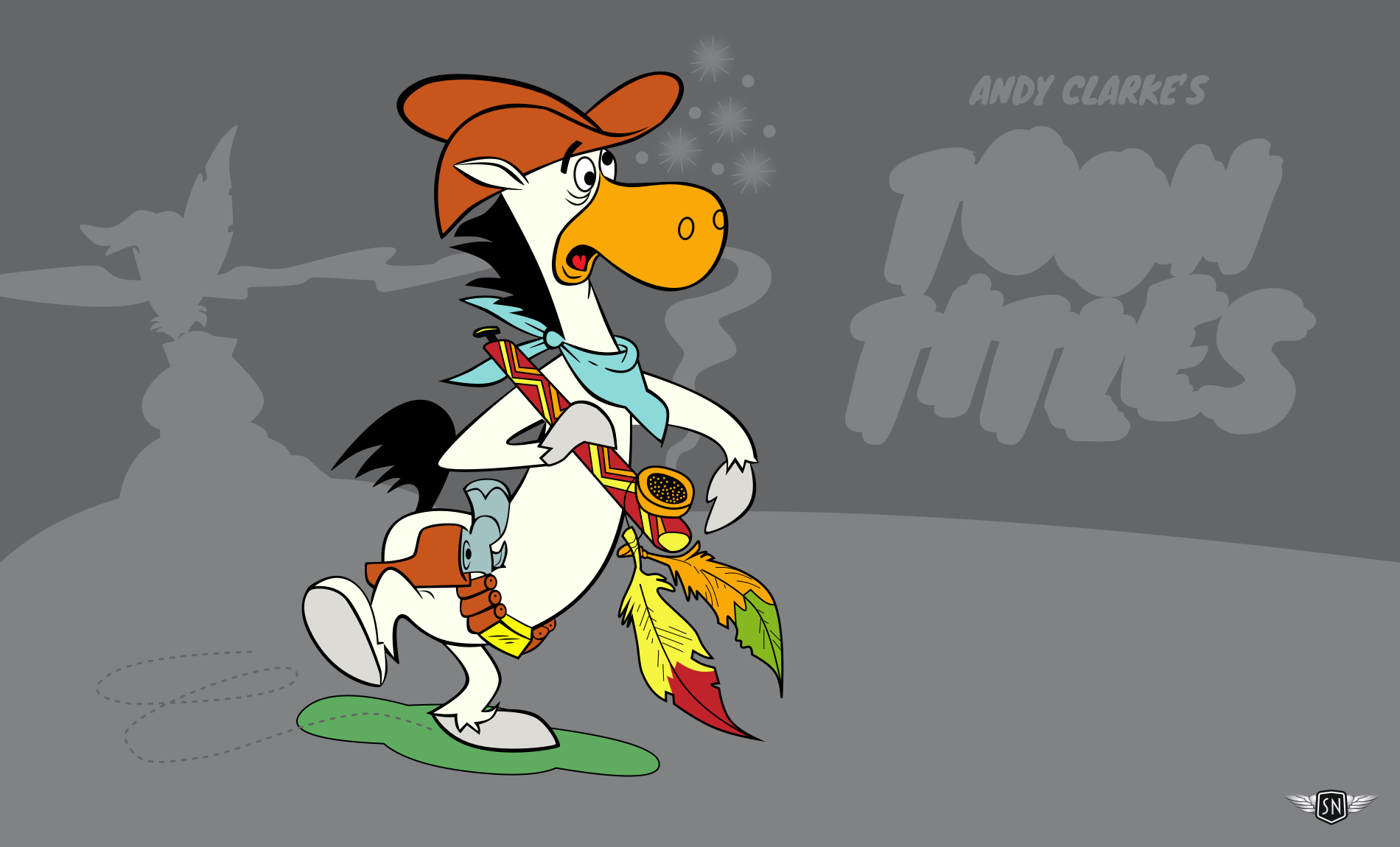
Motion carries visual weight, so the most obvious animations should be reserved for elements with the biggest impact. In the example, smoking the pipe has a profound effect on Quick Draw. To convey that, his elements—including the pipe and its feathers—are grouped in an SVG and animated to wobble. The shadow mirrors those values to reinforce the motion.
#quick-draw-group {
  animation: quick-draw-group-wobble 6s ease-in-out infinite;
}

@keyframes quick-draw-group-wobble {
  0% { transform: rotate(0deg); }
  15% { transform: rotate(2deg); }
  30% { transform: rotate(-2deg); }
  45% { transform: rotate(1deg); }
  60% { transform: rotate(-1deg); }
  75% { transform: rotate(0.5deg); }
  100% { transform: rotate(0deg); }
}
#quick-draw-shadow {
  animation: quick-draw-shadow-wobble 6s ease-in-out infinite;
}

@keyframes quick-draw-shadow-wobble {
  0% { transform: rotate(0deg); }
  15% { transform: rotate(-2deg); }
  30% { transform: rotate(2deg); }
  45% { transform: rotate(-1deg); }
  60% { transform: rotate(1deg); }
  75% { transform: rotate(-0.5deg); }
  100% { transform: rotate(0deg); }
}
The Role of Restraint
Just because an element can be animated doesn’t mean it should be. When designing, consider the story being told and where movement adds to it versus where it might distract. Restraint isn’t about doing less; it’s about doing the right things less often.
Structuring SVGs for Animation
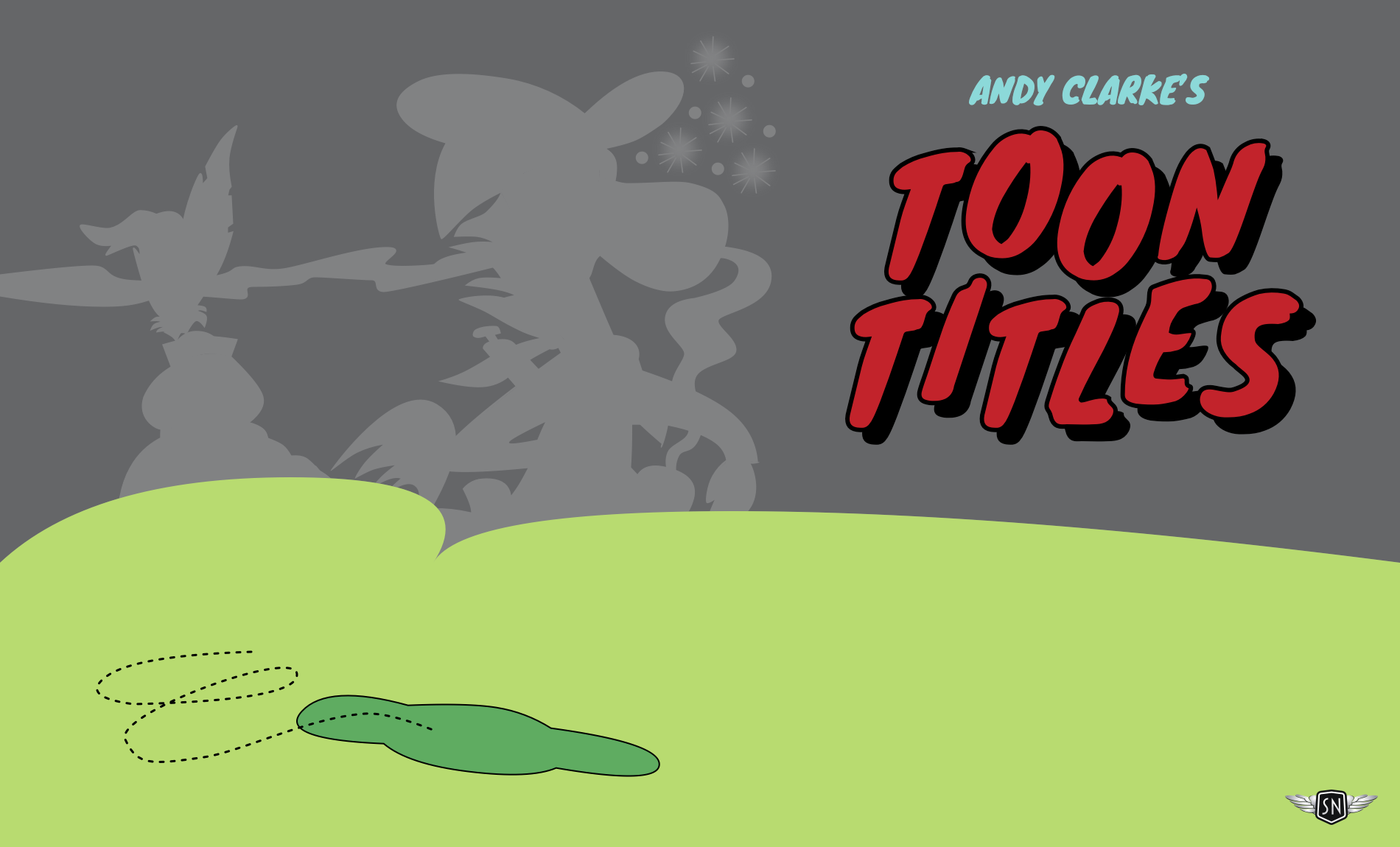
Preparing an SVG for animation is a critical step. When elements are crammed into a single file, they are difficult to navigate. The recommended approach is to develop SVGs in layers, exporting and optimising one set of elements at a time, always in the order they will appear in the final file.
The process starts with exporting background elements, then optimising them and adding class and ID attributes before pasting their code into the master SVG file.
Next, export elements that will remain static or move as groups.
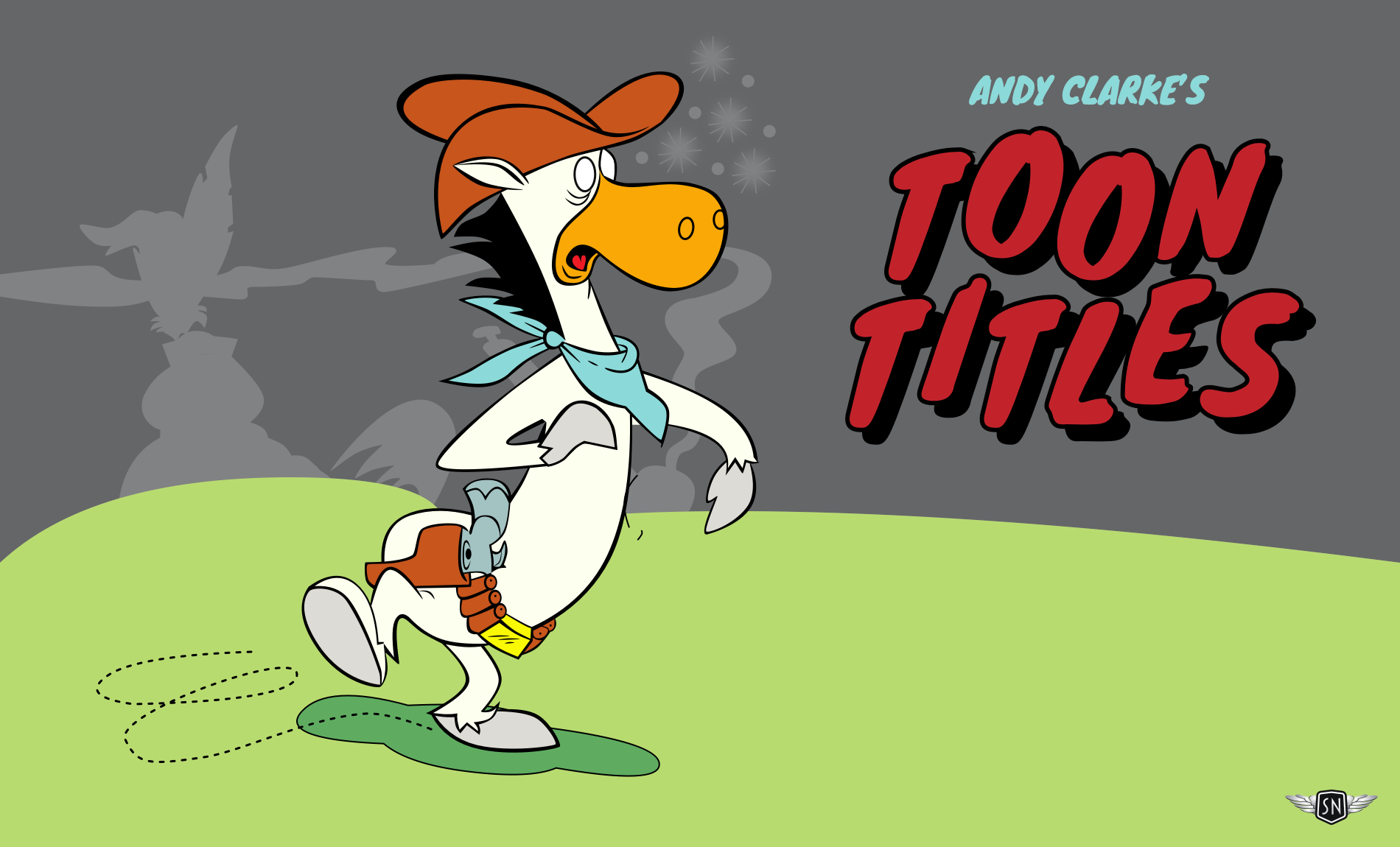
Finally, export and name the details that move on their own.
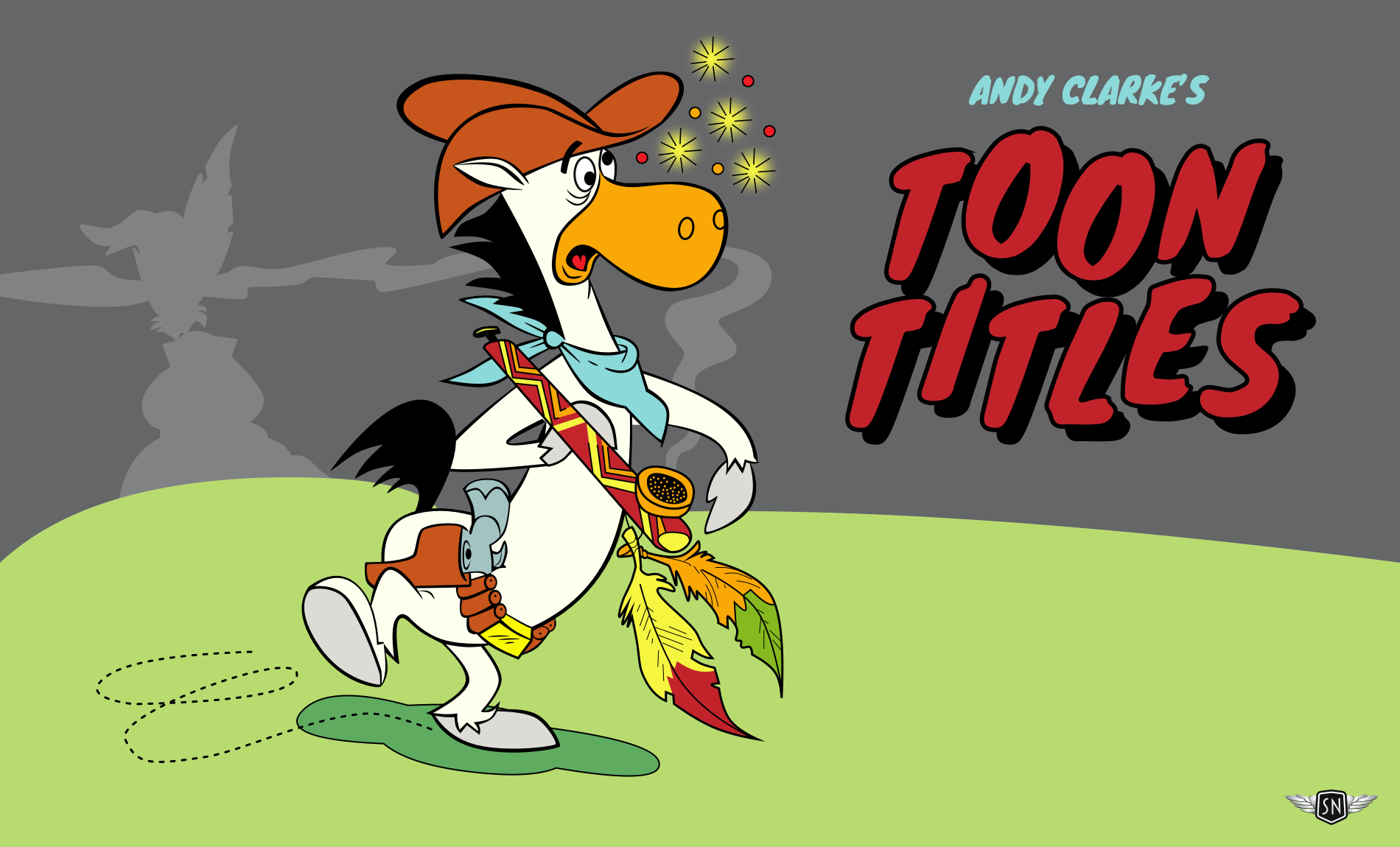
Because each layer is exported from the same-sized artboard, alignment and positioning are handled automatically.
Implementation with CSS and SVG
No animation framework is required. A well-prepared SVG and thoughtful CSS are sufficient. The SVG must group elements logically and use meaningful identifiers, such as #quick-draw-tail or #chief-smoke-2, to act as hooks for CSS selectors.
CSS @keyframes provide expressive movement, while animation-delay can stagger timings and simulate randomness. The animation should remain lightweight and performance-friendly, especially since ambient animations loop continuously. It is good practice to wrap the animations in an @media prefers-reduced-motion query so they only run for users who are comfortable with them.
@media (prefers-reduced-motion: no-preference) {
  #quick-draw-shadow {
    animation: quick-draw-shadow-wobble 6s ease-in-out infinite;
  }
}
This small touch is easy to implement and makes the design more inclusive.
Principles for Truly Ambient Motion
These principles are guidelines, not rules, informed by experience animating smoke, sparkles, and other subtle elements.
Go Slow and Smooth
Ambient animation should feel relaxed. Use longer durations and easing curves that feel organic, such as ease-in-out or custom cubic Bézier curves, to mimic natural movement.
Loop Seamlessly
Abrupt jumps will break the mood. If an animation loops, ensure it cycles smoothly by matching start and end keyframes or using the animation-direction: alternate property to play forward and then back.
Build Complexity with Layers
A single animation can be boring, but five subtle ones on separate layers can feel rich. Variation in rhythm, tone, and timing is key. In the comic animation, sparkles twinkle at different intervals, smoke curls, feathers sway, and eyes move, but nothing dominates.
Stay in the Background
If a user’s attention is drawn to a raised eyebrow, the animation is too much. Dial it back until it’s only noticeable when someone is really looking. These animations are background elements, not calls to action.
Consider Accessibility and Performance
Respect the prefers-reduced-motion setting and be mindful of device performance. While SVG and CSS are light, filters, drop shadows, and complex animations can still tax lower-powered devices. If the animation is purely decorative, adding aria-hidden="true" prevents it from cluttering the accessibility tree.
Knowing What Would Move
Ambient animation is about adding personality through subtle, natural movement. To implement it, consider the underlying illustration and ask: what would move if this were real? Then animate only that, making it slow and soft.
The technique is not limited to cartoon characters; it applies to any client project where a design needs a richer, more alive atmosphere. The full ambient animation example is available on CodePen.



