

Nine hands-on spaces define GitHub Universe 2025
GitHub Universe 2025 returns to Fort Mason Center in San Francisco this October, and the on-site experience now spans nine dedicated spaces beyond the 100+ expert-led sessions. The full session catalogue arrives in early September, but the interactive areas—ranging from open source networking to hardware hacking—are already mapped out. If you are attending, here is how those spaces break down and where your time might be best spent.
Get hands-on with GitHub tools
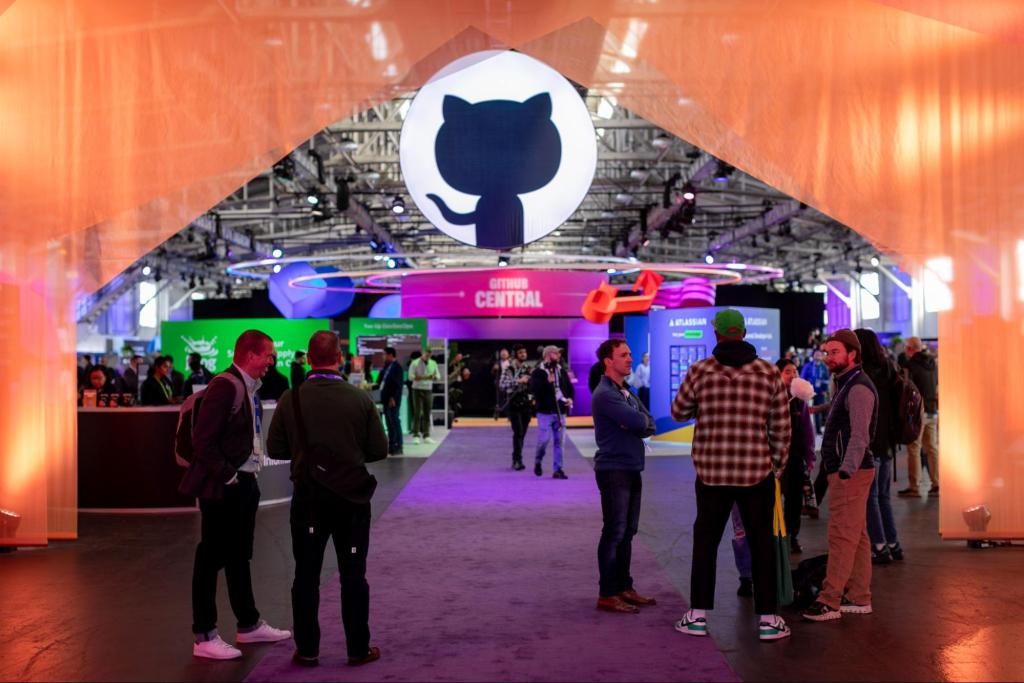
GitHub Central
GitHub Central opens after the morning keynotes and anchors the product-side experience. It pairs self-guided stations with live sessions and customer stories aligned to the event’s three content tracks: building efficiently, securely, and creatively. Expect coverage of GitHub Copilot, GitHub Actions, and GitHub Advanced Security, with GitHub experts on hand for live walkthroughs. The space is intended for both enterprise architects and developers new to automation, with takeaway strategies rather than just feature overviews.
GitHub Expert Center
For more targeted questions, the GitHub Expert Center offers 1:1 conversations with specialists across AI, GitHub Actions, security, and scaled adoption. You can book an appointment in advance or drop by between sessions for quick technical advice. This is the space to bring product-specific questions that do not fit a keynote or a general session.

Career growth and community connections
Open Source Zone
The Open Source Zone brings together contributors, maintainers, and community leaders from the GitHub Accelerator program and the Maintainer Community. It is a chance to see rising open source projects directly from the people building them. Last year’s zone featured ten highlighted projects, and this year’s lineup will be announced closer to the event.

Career Corner
If you are job hunting or preparing for a move, the Career Corner offers booked 1:1 sessions with career coaches. Topics include resume polishing, GitHub and LinkedIn profile optimization, and interview preparation—practical help for developers looking to make their next career step with more confidence.

GitHub Learn
Learning at Universe is not limited to the main stage. GitHub Learn aggregates tutorials, certifications, and role-based paths from GitHub and Microsoft Learn, letting you build job-ready skills at your own pace. The content is designed to suit developers at any level.
Play, tinker, and make
Recess
Recess is an unstructured break from the technical track. It is a space for meeting other attendees over shared non-dev interests—think LEGO building and gelato with executives—rather than yet another networking mixer with a work agenda.

Makerspace
For a more creative outlet, Makerspace blends code with art, music, and robotics. No formal training is required; the area is designed for exploration and for seeing what code can produce outside a typical software workflow.
Badge hacking
Every in-person ticket includes a hackable badge. The badge is meant to be customized and coded, with tutorials and inspiration from other attendees available on-site. It is a hardware keepsake you build yourself, not a passive lanyard accessory.
The Shop
If you want event-exclusive merchandise, The Shop carries GitHub Copilot gear, developer-focused collectibles, and in-person-only items. Expect fan favorites and a few surprises that are not available online.

Registration and pricing
In-person passes are available now, with several discount tiers:
- Early Bird: $400 off, available until September 8.
- Group discount: 25% off for three or more passes.
- Larger group discount: 35% off for eight or more passes.
Group discounts can be combined with Early Bird pricing, and passes are limited. Additional resources include a customizable email template for convincing your manager, a signup for speaker and session announcements, last year’s session archive, and an FAQ for outstanding questions.



