
A Closer Look at Sandpack for Interactive Code Examples
Interactive code playgrounds have become a staple of developer documentation and educational blogs. Sandpack, an open-source framework from CodeSandbox, offers a pragmatic solution for embedding live, editable code examples. It's the engine behind CodeSandbox itself, making it a battle-tested choice for this purpose.
Sandpack is distributed as two main packages. sandpack-client is the lightweight core client that interfaces with the bundler. sandpack-react provides a full set of React components built on top of the client, which is the focus here.
Flexible Component Architecture
One of Sandpack's biggest strengths is its tiered API, which gives you options between quick setup and complete control.
At the most basic level, a single <Sandpack> component renders an entire, functional playground. It comes with a default responsive layout and ready-made templates, including full React and Vue starter projects with multiple virtual files. You can customize the initial code by passing a files prop, with each file appearing in a tabbed interface. A handful of predefined themes are available, including the popular "Night Owl" by Sarah Drasner.
function App() {
  return (
    <>
      <h1>
        I'm a playground!
      </h1>
      <p>
        You can edit this text. 😄
      </p>
    </>
  );
}

export default App;
When the one-size-fits-all component doesn't cut it, Sandpack's modular design lets you compose your own layout. Components like SandpackProvider, which manages the core state and bundling, can be combined with others such as SandpackFileExplorer, SandpackConsole, or SandpackTests to create a custom interface.
For deep customization, custom hooks provide access to the internal state. For instance, the useSandpack hook gives you data about the currently selected file. More importantly, it exposes action functions that let you programmatically trigger events, like a custom refresh button. This dispatch system provides an impressive level of control over the playground's behavior.
Walking Through a Custom Wrapper
Practical applications for this flexibility include building custom UI elements that fit a specific site design. This could mean adding actions such as a "format" button, a "reset" feature, or an inline console to display error messages. On a dedicated blog, you might build a fully custom wrapper around these lower-level pieces.
function App() {
  return (
    <>
      <h1>
        I'm a playground!
      </h1>
      <p>
        You can edit this text. 😄
      </p>
    </>
  );
}

export default App;
This same architecture allows for more advanced features on a course platform, including automatic saving of code to localStorage, integrated lint warnings, or a "fullscreen" editor mode. The modular nature of Sandpack makes it possible to implement almost any desired feature.
The Editor and the Bundler Architecture
Sandpack defaults to CodeMirror for its editor. While CodeSandbox's main product uses VS Code, the lightweight CodeMirror is often a good fit for a web-based example snippet. It is extensible, and the React documentation team even used the @codemirror/lint package to add linting tools directly within the editor.
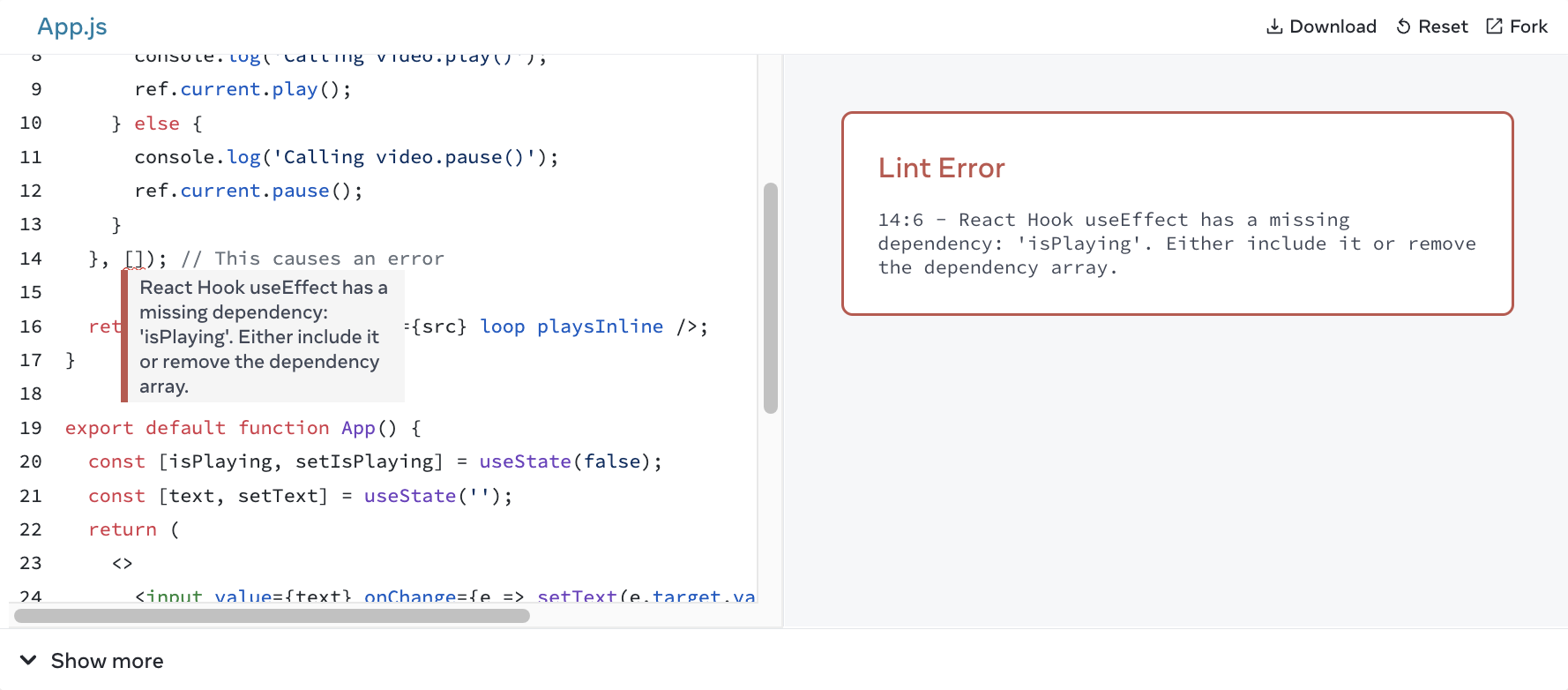
If CodeMirror isn't to your liking, the modular design means you aren't stuck with it; official guides exist for swapping in the Monaco editor.
A crucial architectural detail is that the code bundling doesn't happen on your machine. By default, the preview renders in an iframe hosted on CodeSandbox's domain. This setup provides a security sandbox, isolating malicious or erroneous user code from your main site.
This external dependency can make some developers wary. For those wanting complete control, Sandpack can be self-hosted. You can deploy the bundler code to your own domain and point Sandpack instances to it via a configuration prop. This approach maintains the security benefits of an external iframe while removing the hard dependency on the CodeSandbox service.
<Sandpack
  options={{
    bundlerURL: 'https://my-hosted-bundler.com',
  }}
>
A mobile-friendly aspect of the service is the built-in "Open in CodeSandbox" button. This feature helps users share their exact code state by generating a full URL, simplifying debugging and collaboration. It can also be disabled with a simple prop if you'd like to minimize references to the platform.
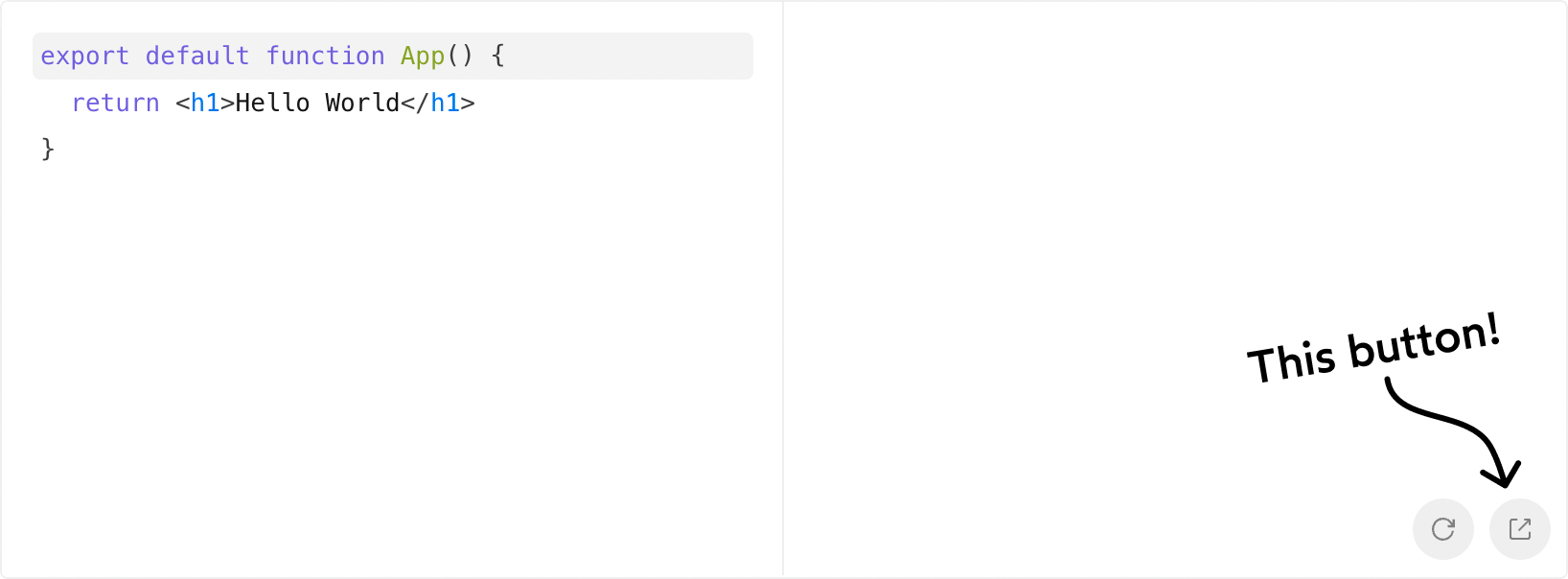
<SandpackProvider template="react">
  <SandpackCodeEditor />
  <SandpackPreview
    showOpenInCodeSandbox={false}
  />
</SandpackProvider>
MDX Integration and Limitations
Sandpack's React components fit seamlessly into MDX-based blogs. By creating a custom Playground component within your MDX scope, you can reuse your preferred variant of Sandpack throughout your articles.
import Playground from '@/components/Playground';

export default function BlogPost() {
  return (
    <MDXRemote
      source={/* Pass in the raw MDX content here */}
      components={{
        // Specify the Playground here:
        Playground,
      }}
    />
  )
}
This makes it easy to add a live example directly in a blog post by calling the Playground component.
This is an example of how you’d render a _playground_ inside MDX:

<Playground
  preset="react"
  files={{
    '/App.js': 'Code goes here',
  }}
/>
Despite its strengths, Sandpack has a few drawbacks. While it excels at running bundled JavaScript like React or Vue, it's not ideal for simpler, unbundled HTML/CSS/JS snippets. The team has since added a "Static" template for this use case, but the results are mixed. It relies on Service Workers, which can be blocked by strict privacy settings that prevent the preview from running. Users have also reported that the preview can disconnect after a period of inactivity, only recovering after a full page reload. For purely static, codepen-style examples, it's probably best to look elsewhere. For projects built with modern frameworks, it's a solid choice.



