
Why Flaky Tests Are a Trust Problem
Flaky tests — tests that produce inconsistent results across identical runs — are one of the most corrosive problems in automated testing. A build passes one time, fails the next, and passes again with no changes in between. The failure is intermittent, which makes it easy to dismiss, but that dismissal comes at a cost.
The dynamic echoes Aesop's fable "The Boy Who Cried Wolf." When a test cries failure often enough without being a real problem, developers stop believing it. The moral — "A liar will not be believed, even when he speaks the truth" — applies directly: when a genuinely important test failure occurs, it may be ignored because everyone has learned to treat the test suite's alarms as noise.
Flaky tests are not merely annoying. They can block continuous deployment pipelines, slowing feature delivery. They are expensive to debug, often requiring hours or days to diagnose. And they breed a dangerous attitude among developers: "just kick it off again, it will eventually pass." That response is a red flag. If a flaky test is merged without investigation, the problem gets baked into the product permanently.
Where Flakiness Comes From
Flakiness has three broad sources: problems inside the tests themselves, problems in the execution environment, and problems in the product under test. Each requires a different response.
Test-Side Causes
Many flaky tests are self-inflicted. The first common mistake is hardcoding IDs in test fixtures. IDs generated by an application can change between builds, installations, or environments. A test that assumes a specific ID will be present — believing an ID looks "unique enough" to be stable — fails when the application regenerates it.
Randomly generated demo data presents a similar problem. Random data makes debugging difficult: when a test fails, you cannot easily tell whether the bug is in the test logic or in the unpredictable input data.
Cross-dependencies between tests are another frequent culprit. When tests cannot run independently or in random order, one test's execution can interfere with another's, introducing side effects that cause intermittent failures.
Flawed assumptions are a deeper issue. Assumptions about time are common — particularly fixed waiting times in UI tests, such as a hardcoded pause in a Nightwatch.js test. But even more subtle time-related failures occur: one PHPUnit test failed only during nightly builds because the time shift between yesterday and today broke an assumption. Time zone differences can introduce the same kind of flakiness.
Assumptions about data ordering are equally dangerous. If a test assumes that "Czech koruna" will always appear as the first entry in a currency list, it will fail whenever alphabetical order, sorting logic, or data generation places another currency first.
Environment-Side Causes
Environmental factors — CI systems, Docker dependencies, and everything outside direct test control — form the second category. Resource leaks are common: an application under heavy load produces varying loading times or unexpected behavior. Large tests can consume significant memory. A lack of cleanup compounds the problem.
Dependency incompatibilities are particularly painful. One example: Nightwatch.js depends on WebDriver, which depends on Chrome. When Chrome shipped an update, the three components no longer worked together, causing builds to fail intermittently. npm issues — missing permissions, or npm being down — are a related source of environmental flakiness.
UI tests are especially vulnerable because they require the entire application stack. Every added component increases the potential for error. For this reason, JavaScript tests in web development are among the hardest to stabilize — they exercise a large amount of code and infrastructure.
Product-Side Causes
The final category is the most serious. Flaky tests can reveal genuine bugs in the product itself, most notably race conditions. When the application has a race condition, the test is not the problem — the code is. Fixing the test or the environment will not help. The fix belongs in the product.
The Cost of Ignoring Flakiness
None of these causes exist in isolation, and none should be ignored. A flaky test is not merely a nuisance; it is a signal. It may point to poorly written tests, to unstable infrastructure, or — most importantly — to a real bug in the application. Ignoring the signal erodes confidence in the entire test suite, and a suite nobody trusts fails to protect the product it was built to verify.
Building a Team-Level Strategy
Beyond knowing what causes flakiness, you need a plan for handling it. The first step is acknowledging the problem within your team. If everyone agrees flaky tests matter, you can decide collectively how to respond. In practice, teams tend to adopt one of four approaches:
- Do nothing and accept the failures. This makes the test worthless, since you can never trust its result. It is not a real strategy.
- Retry until green. Common years ago, this hides the underlying symptom and slows your suite further. There are narrow exceptions, discussed below.
- Delete the test. This removes the immediate hassle but costs you coverage and masks potential product bugs. The test exists because it guards real behavior.
- Quarantine and fix. The most effective approach. Skip the test temporarily, but keep the suite reminding you it is skipped. Schedule a ticket for the next sprint or set up bot reminders. Fix the root cause, then unskip the test. You lose coverage briefly, but it returns with the fix.
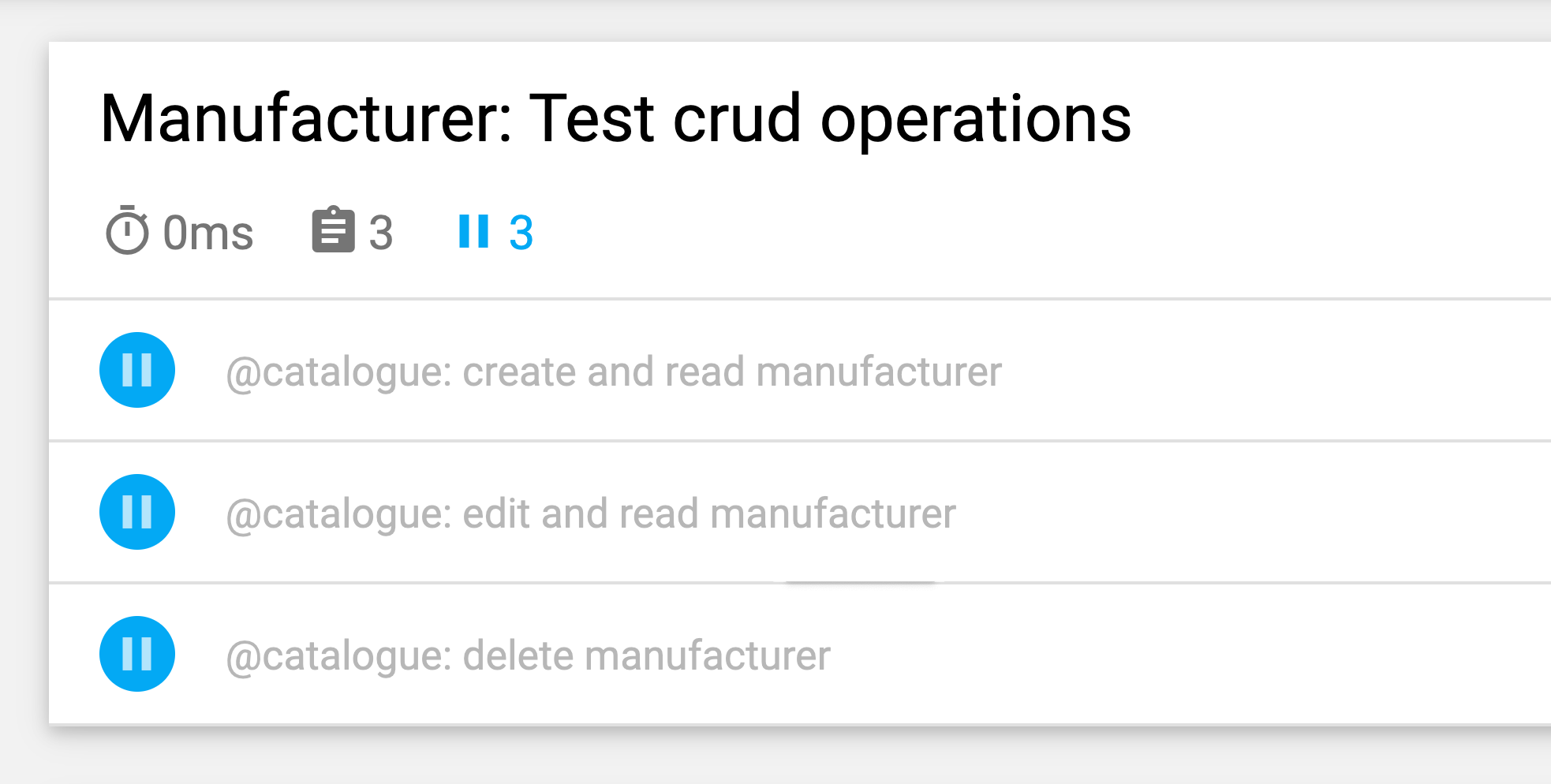
These options work at the workflow level, but in day-to-day engineering you need more concrete tactics.
Designing Tests That Don’t Interfere
Keep each test independent: it should run on its own in any order. The critical step is restoring a clean state between tests — no leftover data, no session carryover. Only exercise the single workflow under test and create mock data scoped to that test. This isolation also improves performance, since there are no side effects to clean up.
This UI test from an e-commerce storefront shows the pattern. Written in JavaScript with Cypress, it first resets the application in the beforeEach hook, then creates a customer via a custom command, and only then tests login:
// File: customer-login.spec.js
let customer = {};

beforeEach(() => {
    // Set application to clean state
    cy.setInitialState()
      .then(() => {
        // Create test data for the test specifically
        return cy.setFixture('customer');
      })
}):
Small structural tweaks further reduce risk. Prefer smaller tests: the more steps in one test, the more can fail. Avoid assuming entry order in lists or grids. Instead of CSS like nth-child(3), assert on content — for example, “find the element containing this text string in this table.”
When Retrying Is Acceptable
Blindly retrying tests is an anti-pattern, but there are edge cases. When the failure comes from something you cannot control — an external dependency or environment issue — a retry may be the only option. If you use it, stay alert: never use retries to ignore real flakiness, and set up notifications so you know when a retry happens.
This GitLab CI configuration retries the whole job only when a runner-level error occurs (for example, a Docker setup failure):
test:
    script: rspec
    retry:
        max: 2
        when: runner_system_failure
Note that this retries the entire job. To retry an individual test, use your test framework’s built-in mechanism. Cypress has supported per-test retries since version 5 via its configuration file, cypress.json, where you can set attempts separately for the test runner and headless mode:
{
    "retries": {
        // Configure retry attempts for 'cypress run`
        "runMode": 2,
        // Configure retry attempts for 'cypress open`
        "openMode": 2,
    }
}
Replace Fixed Waits With Dynamic Ones
Fixed waiting times are the most common source of flakiness, especially in UI tests. Choose too long a wait and the suite slows down; choose too short and the test fails because the app is not ready. The answer is dynamic waiting.
Cypress handles this well. Every command already polls the DOM for the target element’s existence for a configured duration. But existence alone is often not enough — wait for the visible change a real user would notice, such as an animation finishing or a panel appearing. This explicit wait on the .offcanvas element only continues once it becomes visible:
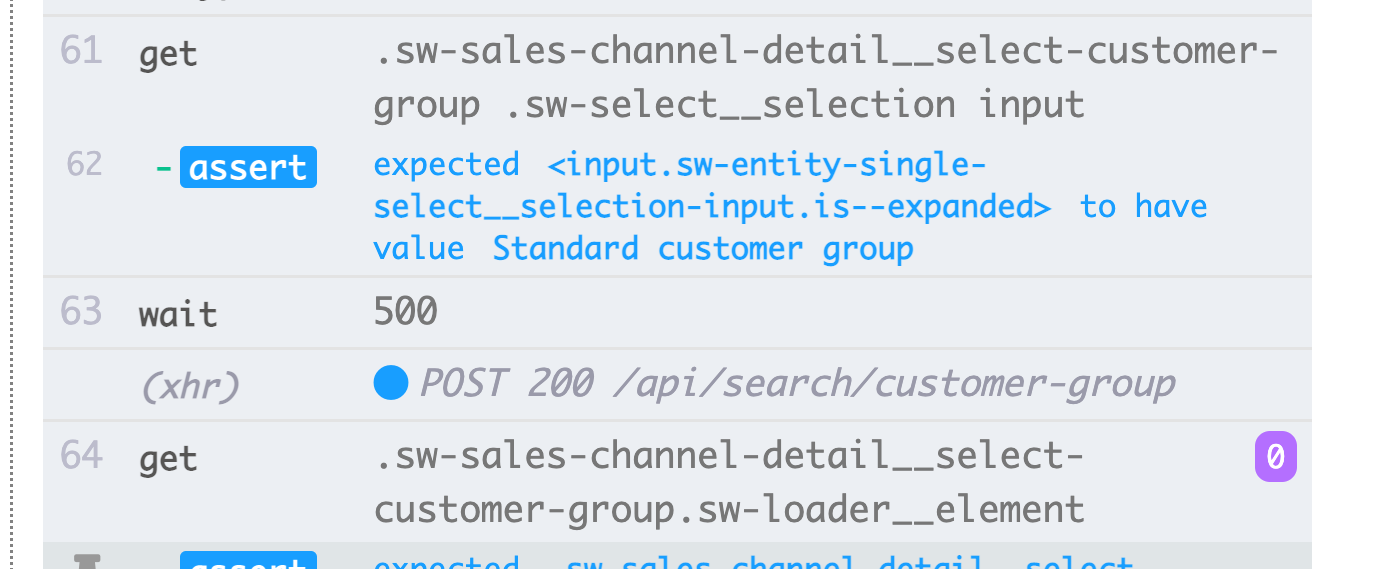
The timeout is configurable:
// Wait for changes in UI (until element is visible)
cy.get(#element).should('be.visible');
Another effective dynamic technique is waiting on network requests. Define the API call, wait for its response, and assert the status code:
// File: checkout-info.spec.js

// Define request to wait for
cy.intercept({
    url: '/widgets/customer/info',
    method: 'GET'
}).as('checkoutAvailable');

// Imagine other test steps here...

// Assert the response’s status code of the request
cy.wait('@checkoutAvailable').its('response.statusCode')
  .should('equal', 200);
This synchronizes the test with the application’s actual timing, making runs stable regardless of resource load or machine speed.
Debugging an Existing Flaky Test
Prevention aside, when a test is already unreliable, you need to expose the root cause. Running the test in a loop helps: if it passes 50 consecutive times after a fix, you have reasonable confidence. If it fails intermittently, repeated runs give you more data on when and how it breaks.
// Use in build Lodash to repeat the test 100 times
Cypress._.times(100, (k) => {
    it(`typing hello ${k + 1} / 100`, () => {
        // Write your test steps in here
    })
})
In CI, the lack of interactivity makes this harder. Use your framework’s logging. In a Jest unit test, a console.log can reveal the component’s rendered HTML:
it('should be a Vue.JS component', () => {
    // Mock component by a method defined before
    const wrapper = createWrapper();

    // Print out the component’s html
    console.log(wrapper.html());

    expect(wrapper.isVueInstance()).toBe(true);
})
In Cypress’s test runner, you can inspect such output in the developer tools. In CI, a plugin can surface the logs. Also check framework features: most UI testing tools take a screenshot automatically on failure, and some record video — both are invaluable for seeing what actually happened.
Signs a Test Will Become Flaky
Certain test characteristics should raise immediate flags:
- Large, complex tests with heavy logic.
- UI tests covering too much code.
- Use of fixed waiting times.
- Dependency on other tests running earlier.
- Assertions on non-deterministic data — IDs, timestamps, or randomized demo data.
Constant vigilance is required: prevent flakiness by design, and debug it quickly when it appears. Flaky tests are more than a nuisance — they often signal an actual flaw in the application. Acting on them keeps your suite trustworthy and your confidence intact.