

Why Email Testing Often Fails
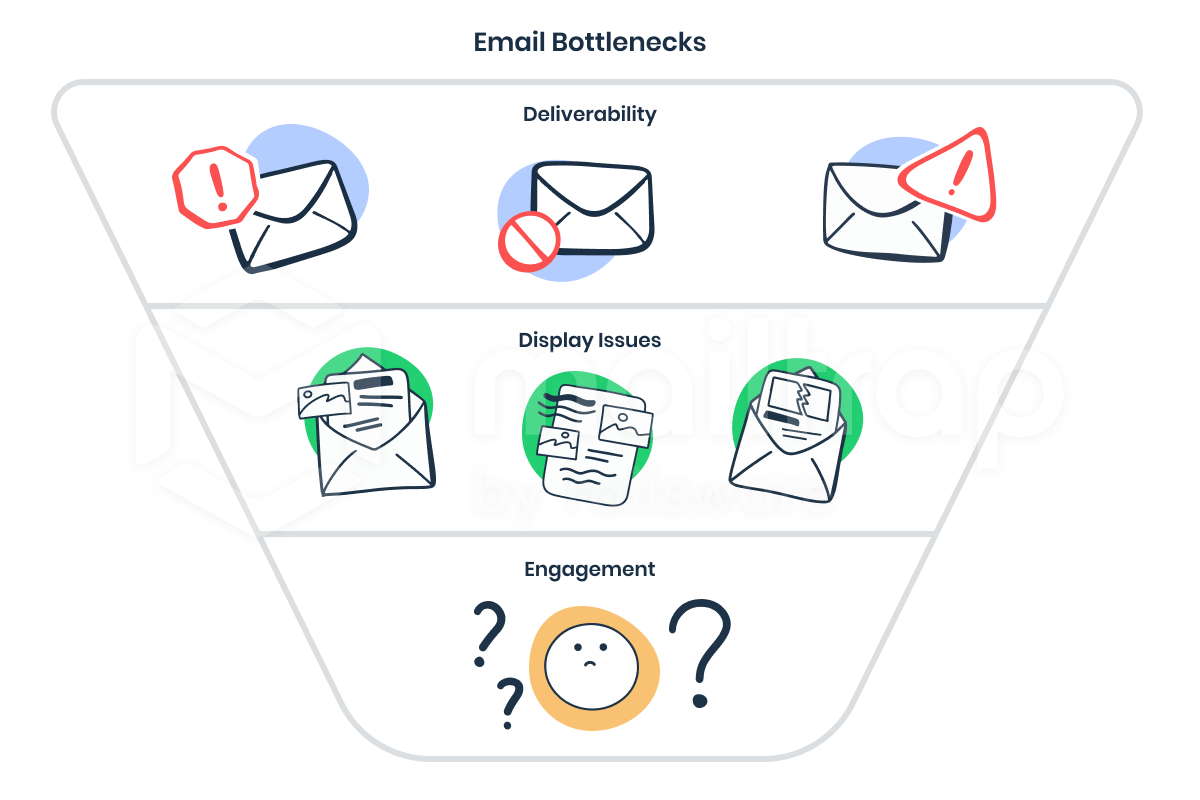
Email remains one of the most brittle channels in digital product development. For all the tooling available, three persistent bottlenecks plague every campaign: deliverability (messages land in spam), display issues (broken or poorly rendered content), and engagement (vague subjects or weak copy that fails to prompt action).
Following established best practices for building and sending emails is the standard advice, but it only helps if you verify those practices actually hold up in practice. That verification step — comprehensive testing — is too often skipped or done haphazardly. The consequences are wasted effort on sequences that never reach their audience or fail to convert.
The first step toward fixing email testing is understanding the baseline. For marketing messages, industry benchmarks like those from HubSpot give a rough target: open rates between 19% and 26%, click-through rates from 6.82% to 9.31%, hard bounce rates under 1%, and unsubscribe rates around 0.3–0.6%. Constant Contact's research is slightly less optimistic across the board: average open rate of 17.13%, click-through of 10.25%, and bounce rates hovering around 10.28%.
Transactional emails cut against these numbers. A password reset email should be opened by the vast majority of recipients — aiming for up to 90%. Confirmation emails for orders won't hit that mark, but they still vastly outperform marketing campaigns. The real challenge with transactional mail is timing and correctness. A confirmation email sent hours later, addressed to the wrong name, can destroy trust in a service entirely. If John signs up for a financial tool expecting to file a tax report and receives an email welcoming "Jack" after his workday ends, he won't proceed.
Universal Testing Checklist
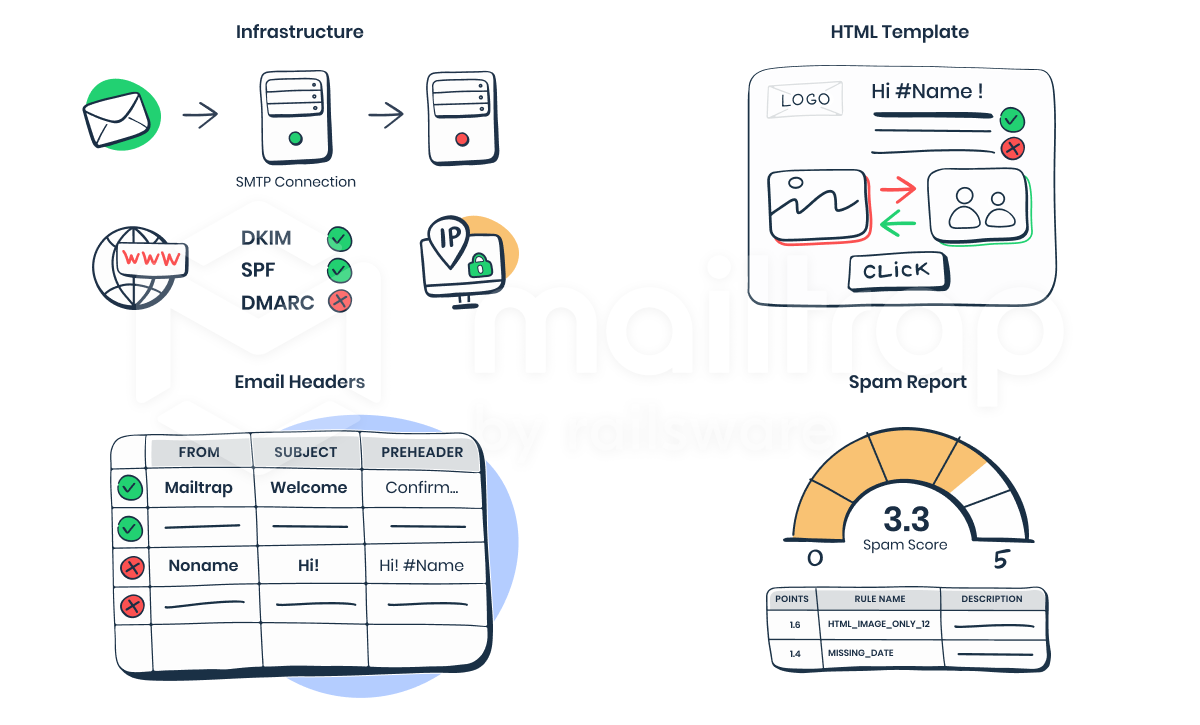
Regardless of email type, several aspects always require scrutiny. These categories cover the infrastructure, the content, and how both are received on the other end.
Infrastructure And Delivery Configuration
- Domain: Confirm the correct sending domain is used, particularly when managing multiple projects.
- Authentication: SPF and DKIM are mandatory; DMARC is strongly recommended even if technically optional.
- SMTP connection: Verify connectivity with appropriate tools for your role.
- IP and feedback loops: Check dedicated versus shared IP settings and related configurations.
Template Integrity
- HTML rendering: Different email clients run different rendering engines with no universal standard. A
<table>layout that looks perfect in Gmail can break in Outlook. Imagery and more advanced elements like video behave unpredictably. - Copy and links: Check for typos and clarity, then validate every URL — especially auto-generated personal links for confirmation or password reset flows.
- Personalization: Test dynamic variables thoroughly. Incorrect merge tags produce errors like
Hello %FirstName%!or worse, leak one recipient's data to another.
Headers And Subject Lines
- From, To, Cc: Verify these technically and consider experimenting with the "From" address, which impacts open rates independently.
- Pre-header: The preview text is the third thing recipients see. If unset, the first characters of the email body are used instead. To control it when your sending tool lacks native support, append an invisible
at the start of your HTML to prevent client defaults from kicking in. - Metadata: Headers like
X-SMTPAPIcarry categories for tracking and debugging. Raw message inspection is useful for advanced SMTP users.
Spam Filter Checks
No precise list of spam trigger criteria exists — for obvious reasons. Instead, use reputation-analysis services that review your IP history, header structure, HTML validity, and content phrasing. Important to remember: transactional messages also get classified as spam.
Transactional Versus Marketing Focus
Testing needs diverge when you step into triggered emails sent directly from your application.
Transactional Email Specifics
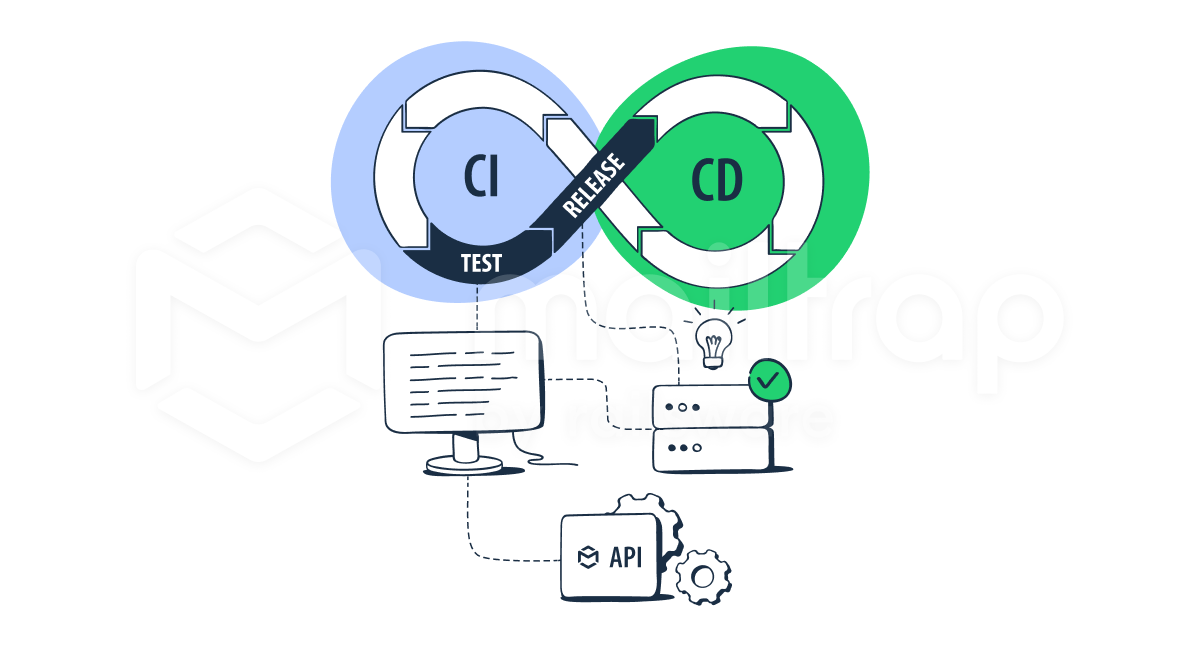
- Code correctness: Confirm integration with event triggers. Every user action should map to the correct notification — this logic needs automated UAT.
- Load testing: When 2,000 users simultaneously request a password reset, will the system handle the SMTP queue and timeliness in under acceptable latency limits?
Marketing Email Blind Spots
Bulk email tools bundle basic automation and testing, but two manual checks often slip through. First, verify the recipient database selection. Test campaigns commonly fire to real customers, and segments sometimes receive irrelevant offers. In a famous incident, the US embassy in Australia sent a test message — subject "Meeting," with a picture of a cat in blue pajamas holding cookies — to their real email database instead of a small test list. It went viral on Twitter; the fallout was PR, not code, failure.

Similarly, make sure your visible list naming doesn't embarrass you during double opt-in or unsubscribe flows. Second, double-check Bcc and Cc ordering. A software developer digest once shipped its subscriber addresses to the entire list after confusing the two fields — a privacy leak that proves the most basic mistakes persist in the industry.
| Open rate | How many messages you sent vs. how many of them were opened. |
| Bounce rate | How many emails were returned to you? |
| Click-through rate | For those emails that contain links, how many links were clicked? |
| Unsubscribe rate | For marketing email campaigns, the unsubscribe option is required. |
Why Email Testing Goes Wrong
Most teams reduce email testing to sending a handful of test messages to their own inboxes or to shared public test addresses. That approach verifies little more than that the sending service works and the template renders in one or two clients. It says nothing about deliverability, other mail clients, or the merge logic that determines whether data lands in the right recipient's mailbox.
The consequences of skipping those checks can be serious. Under regulations such as GDPR and CCPA, emailing unsubscribed users or people who never opted in can create legal exposure. Wrong links in a promo campaign are embarrassing; a broken script that leaks billing data or crashes a system is another matter entirely.
The two recurring failure modes are:
- Ignoring important email aspects, or
- Setting up the testing infrastructure incorrectly.
Testing 5 emails out of 5,000 is the classic trap. When a merge is involved, one malformed database field can route one customer's billing statement to another customer. The only reliable way to catch that is automated testing (for example, with Selenium) that inspects the content of every generated email.
Principles of a Sound Testing Process
A dependable flow rests on a few basics:
- Use a checklist covering all important email aspects.
- Automate whatever you can to reduce human error.
- Restrict access to sending servers and deployment processes.
- Test in staging with a fake SMTP server. A
/dev/nullserver won't imitate production, and testing in production risks exposing test data to real users. - Monitor the servers. Monitoring tools flag abnormal activity so you can respond quickly.
There is no one-size-fits-all flow. The right process depends on campaign type, the sending method (a marketing service versus in-house email code), and the team. Development and QA teams building transactional email typically run automated tests with framework integrations like Selenium. Marketing teams more often rely on a custom checklist built around the aspects covered below.
Testing Sending Infrastructure
Infrastructure testing matters whenever you stand up a new integration, change your setup, or maintain your own sending servers. Developers are the usual audience, though some tools are approachable for marketers too.
Telnet, a command-line utility pre-installed on most systems (Windows, Mac, Linux), can verify server connections, open ports, supported SMTP commands, and relaying rules for specific addresses or domains. You run it by issuing SMTP commands from a telnet client.
For a more guided approach, Wormly is an uptime monitoring service that also offers an SMTP/mail-server test. You provide your server address, a recipient address, and a port; Wormly sends a test message and logs the SMTP conversation so you can debug errors. Results are shareable via link, which makes it easy for a marketer to hand a failing test to the dev team.
Gmass, a mail-merge and cold-email tool inside Gmail, includes a set of free tests alongside its paid service:
- SMTP tester
- Email tester (SPF, DKIM, blacklisting)
- Inbox, Spam, or Promotions placement
- Email verifier for contact lists
- Email deliverability wizard (campaign statistics for any Google account within the last 24 hours, for campaigns with at least 1,000 recipients)
If you expect high loads on your mail server, run load tests with a tool such as Apache JMeter or an email sandbox service.
Testing Email Content and Deliverability
Tool choices are broad here, so this is a practical starting kit rather than an exhaustive list.
Template and Client Rendering
If you build HTML emails in a template builder or drag-and-drop editor, the built-in preview shows rendering across devices. For a standalone preview solution, PilotMail offers an email builder, a layout viewer, and test sending to up to 10 addresses; it has a free plan and a paid tier at $3/month.
Because email clients have no rendering standards, client testing is essential. Litmus and Email on Acid generate previews across many clients so you can manually compare layouts. Both have 7-day free trials; paid plans start at $73/month.
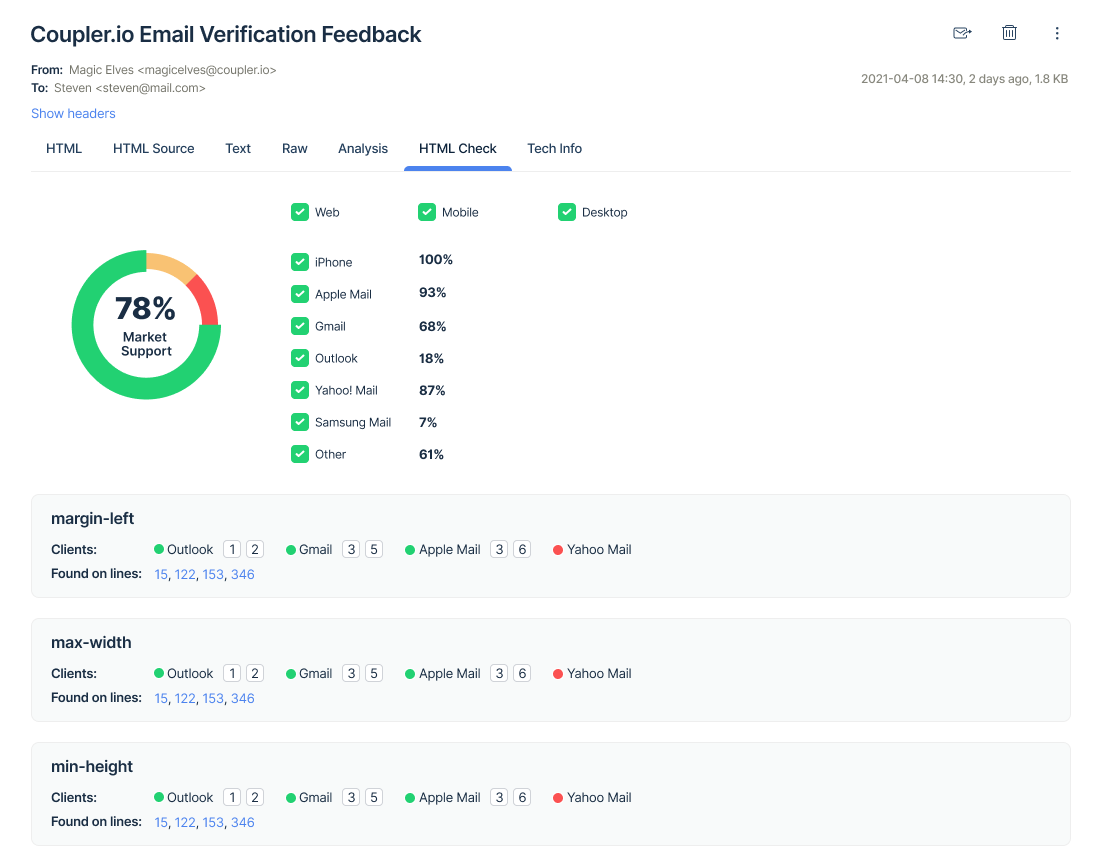
An alternative approach, used by HTML Email Check and Mailtrap, analyzes the template's HTML and CSS validity and produces a per-client list of actionable errors. Free plans exist for both; paid plans start at $10/month.
Content, Subject Line, Preheader
Spell checkers and readability tools apply here as well. Grammarly and ProWritingAid (both with free plans) catch copy errors; Hemingway Editor offers readability suggestions; Conversion.ai can generate email copy.
Email marketing services typically preview the subject line and preheader. For device-specific previews, TESTSUBJECT by Zurb and the Preheader Testing Tool both display how those elements appear on various mobile devices. CoSchedule's Subject Line Tester and Send Check It focus on optimizing subject lines for opens.
Deliverability
Deliverability is the hardest variable because sender reputation, authentication, and content all contribute to the spam score.
Mail Tester is a free entry point: you send a message to a provided address, then review your spam score (via SpamAssassin), authentication results, body analysis including HTML size, blacklisting reports, and link validation.
Postmark's free Spamcheck is similar but doesn't require sending a test message — paste the HTML with headers for an instant result. It also exposes a JSON API for integrating automated spam checks into your application.
For a heavier solution, GlockApps offers a 14-day trial and subscriptions from $79/month. Its own materials note that:
"On average 51% of emails never reach the inbox! So where do they go? 26% go to the spam or junk folder and 25% are never delivered."
GlockApps produces detailed reports covering inbox placement, reputation, DMARC analytics, bounce analytics, automatic tests, monitoring and alerts, plus a template editor. It also provides standalone free tools: a domain checker, inbox tester, inbox insight, DMARC analytics, and uptime monitor. Many full-featured email platforms bundle deliverability testing as well.
Treat Email Testing As A First-Class Process
The point of setting up a deliberate testing process is to stop treating email as an afterthought. Every message in a user's inbox is a direct extension of your product's experience. Whether it's a marketing blast or a transactional notification, a poorly rendered or mistimed email reflects on the whole service.
Ideally, email testing should involve more than just the developer who writes the templates. Marketers know the audience, QAs know the edge cases, and product managers know the broader customer journey. Getting all of them to review a campaign before it ships is the best way to catch issues that a purely technical review would miss.
That said, you don't need a large org chart to benefit from a structured approach. Small projects and solo operators can still build a lightweight but repeatable workflow. The tooling available today covers the spectrum — from quick preview tools to full automation suites — and finding the right fit for your stack is worth the time spent experimenting.
Investing in that workflow early pays off in two ways. First, it reduces the time spent fixing problems on each individual send. Second, it raises the overall quality bar with every iteration, because you're not starting from scratch each time you create a new campaign. The results are fewer user complaints, better conversion, and less stress during release.
Dig Deeper
- A Complete Guide To HTML Email
- Design Your Mobile Emails To Increase On-Site Conversion
- Level-Up Email Campaigns With Customer Journey Mapping
- Everything You Need To Know About Transactional Email But Didn’t Know To Ask
- HTML Email with Rémi Parmentier (webinar/video)