
From chat to canvas: Claude-generated diagrams land in FigJam
Figma has expanded its MCP integration with Claude, powered by Anthropic, allowing designers, developers, and product managers to generate editable FigJam diagrams directly from a Claude conversation. The new connector turns written prompts, PDFs, images, and screenshots into structured diagrams, moving AI-assisted ideation beyond the chat window and into a shared workspace.

With the integration, idea generation and visual structuring no longer require manual copy-pasting between tools. Figma's goal is to let teams build on conversational insights as a group, transforming a private AI exchange into collaborative artifacts. The feature is available in Claude on browser and desktop with Claude Opus 4.5 and Sonnet 4.5.
Turning abstract thinking into structured flows
The core value of this integration is making dense ideas more concrete across roles. For product managers, Claude can generate Gantt charts from a PRD to map dependencies and milestones in FigJam. Engineers can have Claude create system architecture diagrams from existing documentation or uploaded code files, compare patterns across services, and bring the results into FigJam for refinement with the team.
For product designers, user journey mapping can be quickly plotted with multi-turn AI context, allowing teams to iterate on states and sequences as the project evolves. In each case, the goal is to reduce friction between ideation and diagramming, letting AI handle first drafts while humans focus on the design decisions.
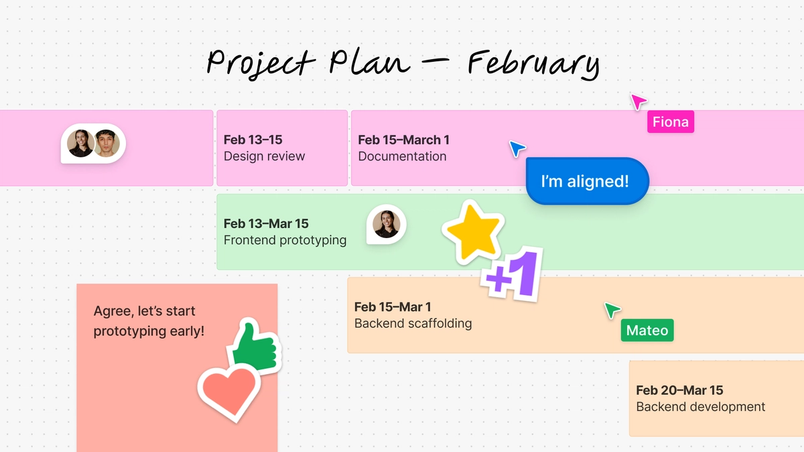
A shared space for AI-assisted thinking
Once a Claude-generated diagram is in FigJam, teams can continue its evolution within the broader Figma ecosystem. Diagrams can be polished in Figma Design, incorporated into Figma Slides, or used as references in development. The connector also complements ongoing improvements in FigJam's native diagramming features, such as advanced shape collections and connector types, which give users greater control when converting early concepts into precise system designs.
On the design side, Anthropic has released a UI kit for MCP apps in Claude that aims to simplify the process of designing AI experiences in Figma and building with MCP servers before deploying in Claude.
AI becomes part of the team's visualization workflow
The Figma MCP server accomplishes two things: it closes the loop between thinking in a chat tool and working in a visual tool; and it makes AI output part of a team's operating rhythm rather than a one-off answer. As teams mature in this approach, using MCP to map more complex system contexts into diagrams may become a foundation for "reason about complex systems together," as Figma research is exploring.
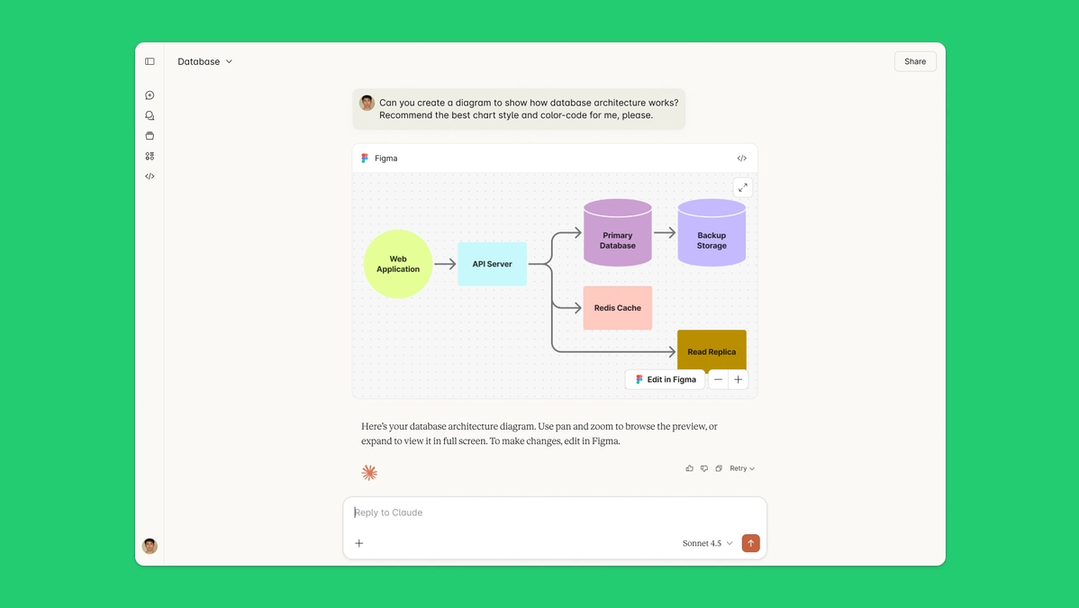
Claude can also suggest alternative chart styles for a given task, including decision trees, sequence diagrams, or state diagrams, so teams can choose the most effective representation for their flow state. The functionality is documented in Figma's help center, and the connector can be installed directly from Claude's directory.


