When Software Stops Asking You To Click
For decades, the graphical user interface has defined how we interact with software. From the Xerox Star to the original Apple Macintosh, the point-and-click paradigm has been the foundation of the digital experience. Booking a trip, buying shoes, or researching a health symptom meant navigating a labyrinth of menus, forms, range sliders, cookie pop-ups, and browser tabs. Users spent more time managing the software than achieving their actual goals.
That contract is changing. Advances in artificial intelligence and large language models are pushing a new philosophy into mainstream web tools: intent-driven design. Instead of requiring users to learn complex menus and click through elaborate funnels, these platforms capture high-level human goals and execute the underlying grunt work automatically in the background. This vision extends long-standing human-computer interaction concepts from thinkers like Golden Krishna and Don Norman.
The ultimate goal of modern web design is no longer to build prettier buttons or flashy animations; it is to eliminate the interface entirely.
At least, that is what our current experience suggests. For UX designers, understanding this shift means re-evaluating their role—moving from designing visible interfaces toward guiding transparent, intent-driven AI experiences.
The Friction We Accepted As Normal
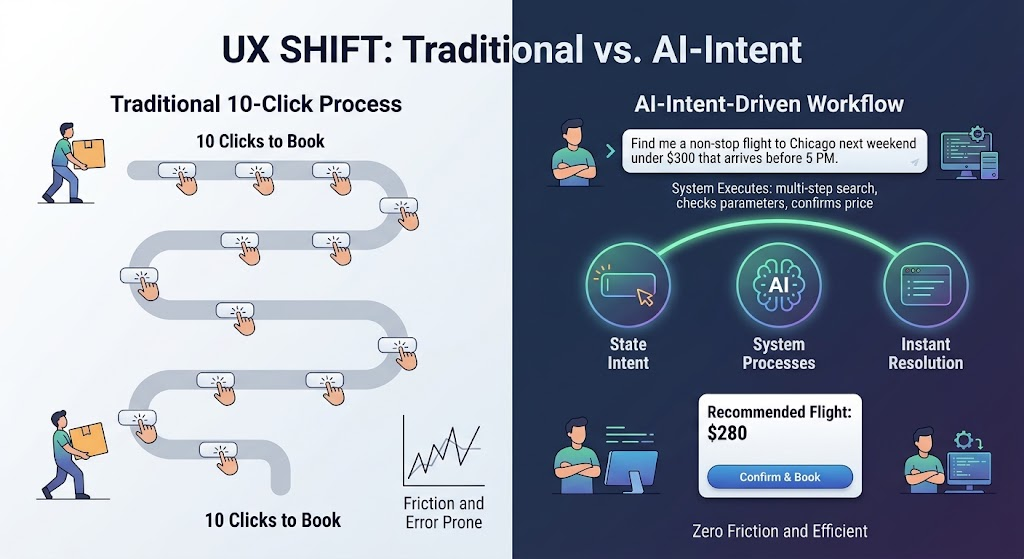
Consider the traditional workflow for buying a flight online. The user experience has been intentionally hyper-interactive: navigate to a travel site, select “Round Trip” from a dropdown, type origin and destination cities with auto-complete, toggle through calendar modals, choose passenger counts and cabin class, wait for results, filter by price and layover, sort dozens of options, and finally click through a multi-page checkout funnel while dodging upsells for rental cars and travel insurance.
This is the classic point-and-click UI paradigm. The computer acts as a passive container of data, the human as the orchestrator manually inputting parameters, interpreting raw outputs, and executing each micro-step.
Intent-driven design flips that dynamic. Instead of forcing users through the mechanical steps of how to find a flight, the interface asks one question: What are you trying to accomplish? Expressing a goal like “Find me a non-stop flight to Chicago next weekend under $300 that arrives before 5 PM” lets the software read intent, execute the multi-step search behind the scenes, compare options, and present a single actionable resolution. Ten clicks dissolve into one clear intent outcome.
Live Examples: Intent Replacing Buttons
This shift is not a distant theory. Several highly accessible websites already demonstrate intent-capturing systems in production.
Search Without The Open Tabs
Traditional search engines like Google were built as directories. A keyword returned ten blue links, and the real work—opening five tabs, skimming articles, dodging ads, manually assembling an answer—fell to the user. While AI content is now creeping into search results, platforms like Perplexity AI go much further.
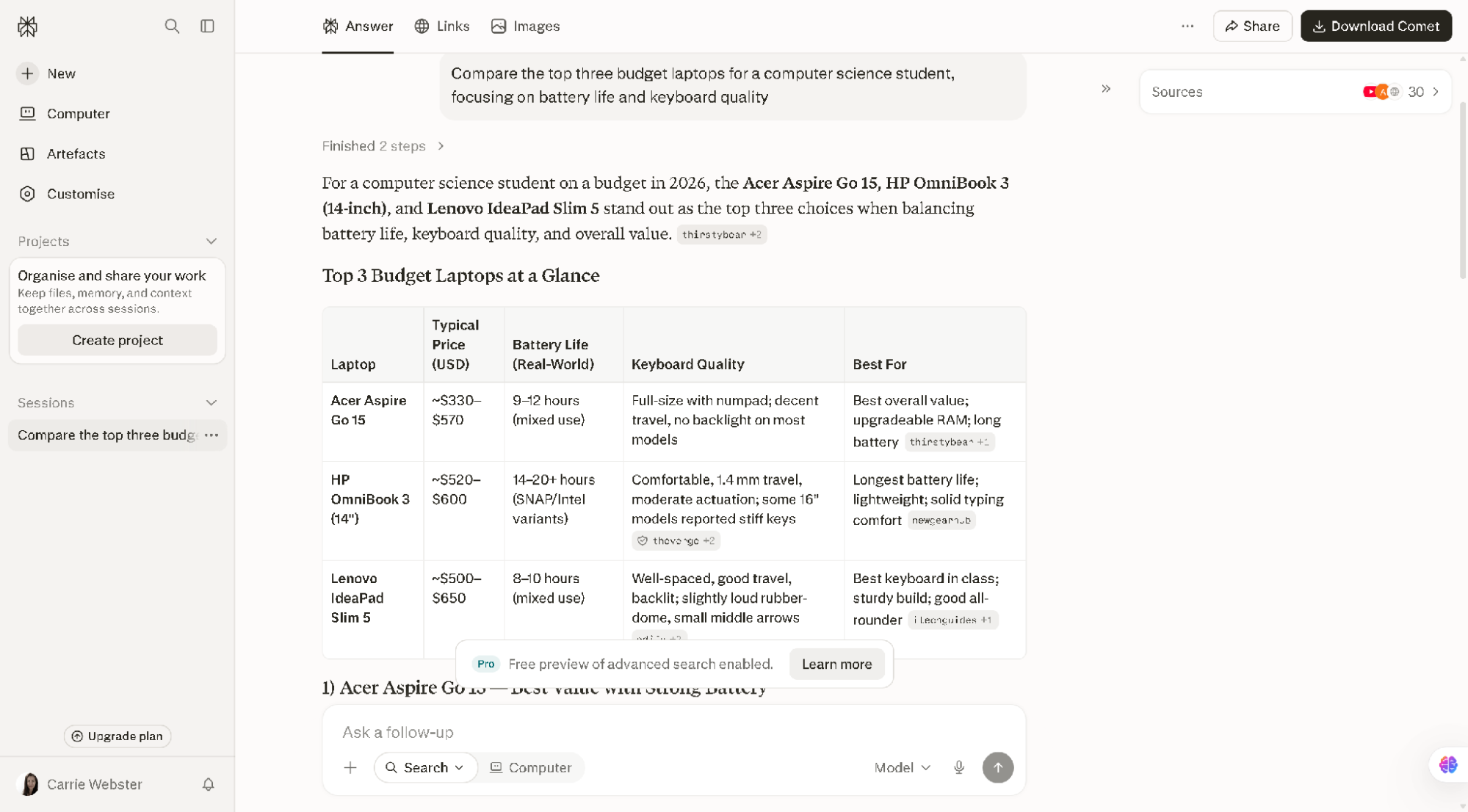
The interaction is a plain-English query: “Compare the top three budget laptops for a computer science student, focusing on battery life and keyboard quality.” Behind the scenes, the platform searches the web, reads dozens of articles, evaluates hardware specs, and cross-references user reviews in under two seconds.
- The result: Instead of throwing web pages at you, Perplexity synthesises a custom answer with comparison tables, pros and cons lists, and concise inline citations. The outcome of thirty clicks arrives in one.

Designing Without Dragging And Dropping
Creating a website has traditionally meant visual builders like Figma or drag-and-drop editors—hours of drawing rectangles, picking hexadecimal colour codes, and adjusting padding values. Vercel v0 lets anyone test its generative interface builder directly from the home page without signing in.
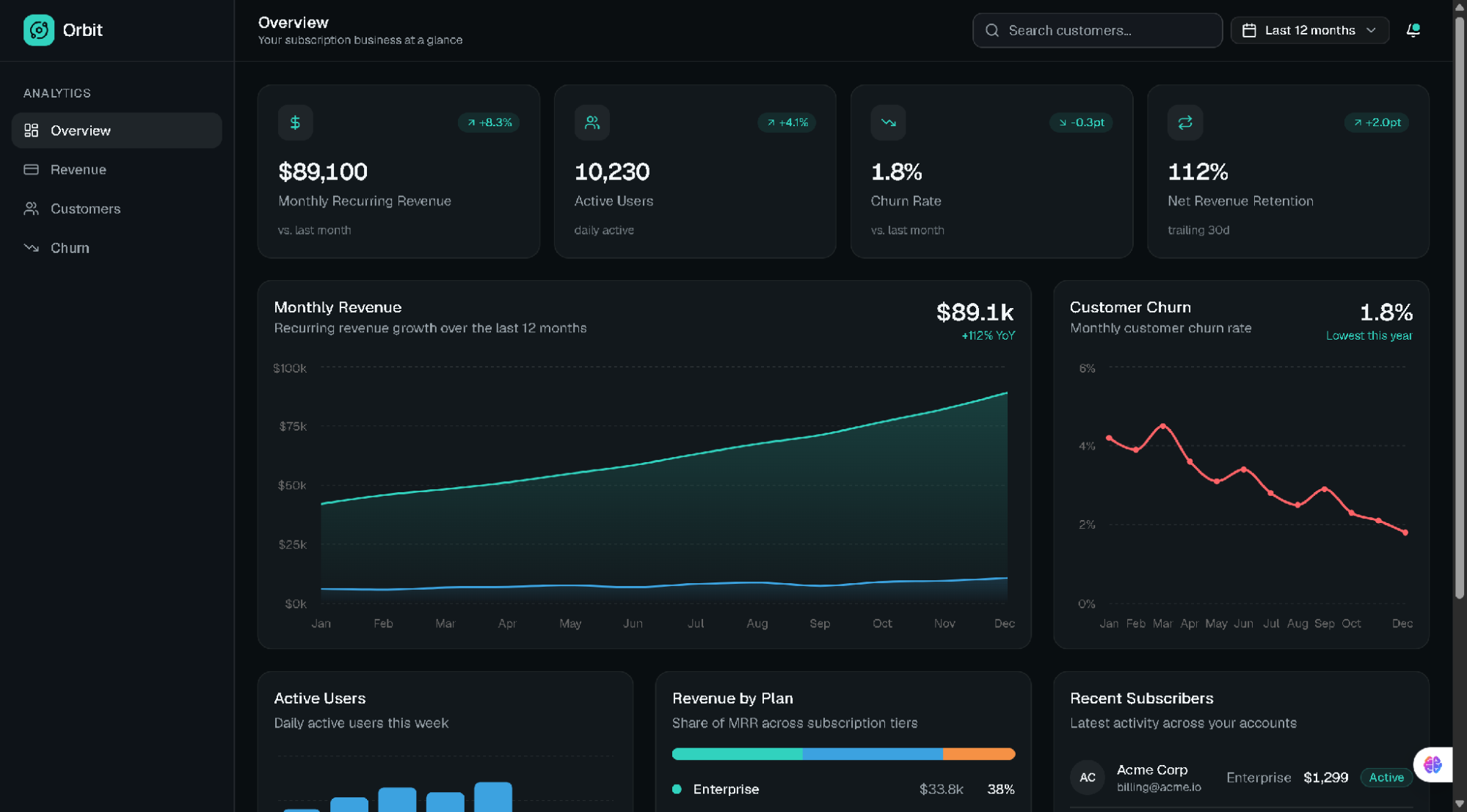
- The interaction: A descriptive prompt such as “Create a modern dark-mode dashboard for a subscription SaaS app showing monthly revenue, active users, and a customer churn chart” is all it takes.
- The invisible work: The AI understands layout principles, accessibility guidelines, UI component libraries, and responsiveness, writing clean HTML, Tailwind CSS, and React code in real time.
- The result: A fully functional UI appears in seconds instead of an afternoon of manipulation. The visual design tool itself disappears, replaced by raw human intent.
Breaking Down Overwhelming Tasks
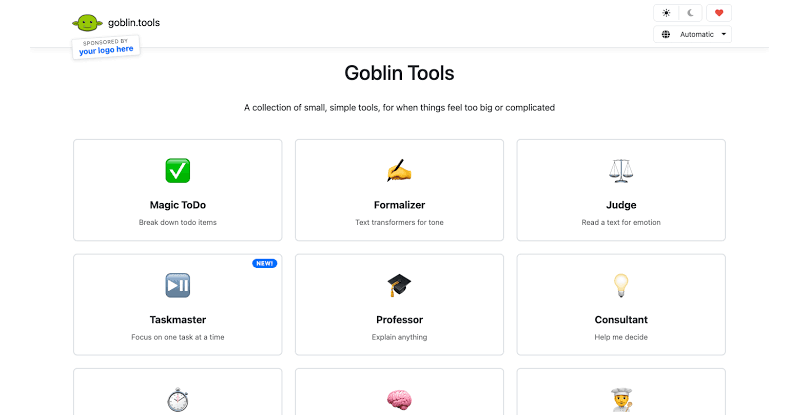
Traditional productivity tools force users to manually construct task lists, drag items across Kanban boards, and assign micro-deadlines. Goblin.tools, a free single-page suite of single-task AI tools, targets neurodivergent users and anyone feeling overwhelmed—with zero sign-ups required.
- The interaction: Vague goals like “Prepare for a job interview” go into the Magic Todo tool.
- The invisible work: The system analyses cognitive load and breaks the goal into small, actionable sub-tasks adjusted to a preferred level of detail.
- The result: The stressful task-planning phase is eliminated, replaced by a clean checklist tailored to the exact goal.
 Goblin.tools dashboard.">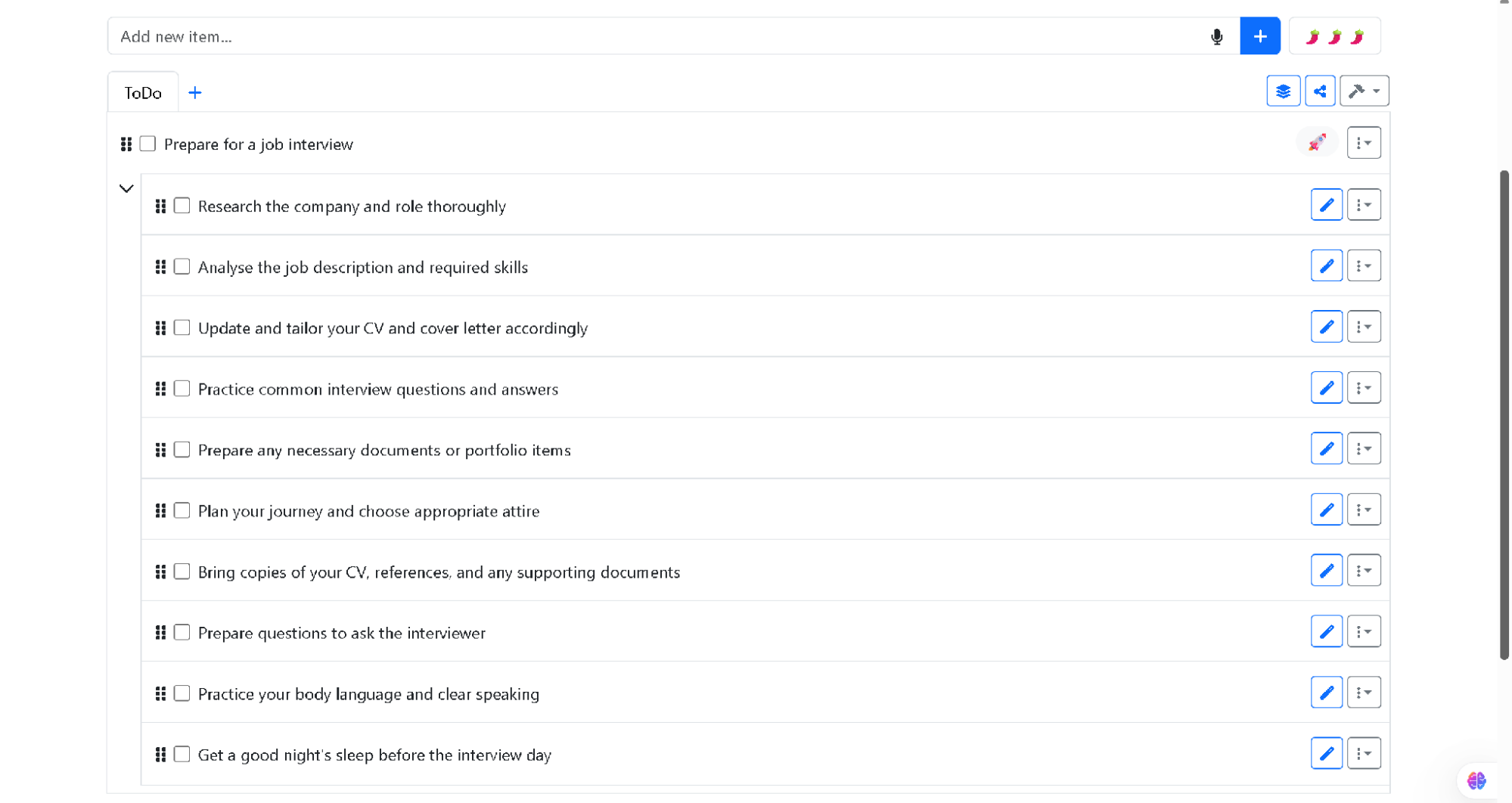
Designing for Intent, Not Interaction
Removing menus, sidebars, and forms from the web experience raises a fundamental question: how do you keep a website usable? Designers exploring this space rely on three pillars to structure intent-driven interfaces.
| Pillar | Traditional UX approach | Intent-driven UX approach |
|---|---|---|
| User input | Micro-actions (Clicks, dropdowns, toggles) | 1. High-level goals (Natural language, context, habits) |
| Interface state | Static layouts (Everyone sees the same page) | 2. Generative UI (Layouts created dynamically on the fly) |
| Task execution | Manual execution by the user | 3. Autonomous execution by background AI agents |
Context as the New Command Line
An invisible interface does not always require an explicit prompt. By leveraging context, it can anticipate what a user needs before they ask. Reading device state, location, and patterns from past behavior, systems can trigger proactive actions in line with Apple’s Human Interface Guidelines on contextual and ambient design.
- Time and location: A food delivery app that automatically prioritizes your saved home address and dinner choices at 6:30 PM on a weekday.
- Cross-app history: A calendar that scans an email about an upcoming appointment and offers a one-click “Add to Schedule” card, removing the copy-and-paste step.
Interfaces Rendered on Demand
Traditional layouts force every visitor through the same navigation, whether they are a first-time buyer seeking help or a returning customer tracking a package. As computing shifts from command-based interaction to outcome-specification, Generative UI renders interfaces dynamically based on the immediate task. Vercel v0 demonstrates this principle by turning raw intent into functional code components on the fly: express a need to analyze complex financial data, and the interface generates a calculator widget that disappears once the goal is met.
From Prevention to Reversibility
Classic interfaces rely on confirmation dialogs to prevent errors. Intent-driven systems instead adapt Jakob Nielsen’s usability heuristics by replacing prevention with easy reversibility. Since autonomous agents act on the user’s behalf, frictionless rollback becomes the primary safety mechanism: a prominent “Undo” button, simple revision prompts like “Make this summary shorter”, and transparent audit logs take the place of intrusive warning modals.
The Risks of Invisible Controls
Stripping away visual controls may reduce friction, but it also introduces significant design challenges. When software acts on inferred intent, it requires navigating several ethical and technical pitfalls that point-and-click interfaces never faced.
Perceived Loss of Control
When a website makes decisions for you, it can feel patronizing or invasive. The Stanford HCI Group’s work shows that automation must keep clear boundaries to prevent user frustration. Frameworks from the Center for Humane Technology further warn designers against manipulative defaults. This requires balancing automated routine tasks with explicit prompts for high-stakes actions — including financial transactions, publishing public content, or modifying privacy settings.
Diagnosing the Black Box
In a conventional interface, an unexpected result can usually be traced back to a specific filter or selection. An intent-driven interface removes these visual breadcrumbs, making troubleshooting more difficult. Google’s PAIR Guidebook counters this with transparent feedback loops. The system should state its interpretation clearly — “Searching for non-stop flights to Chicago under $300…” — so that users can correct the system’s understanding before it goes too far. This turns trust into a calibration exercise rather than a leap of faith.
Beyond Engagement Metrics
The industry has historically rewarded software based on engagement: time spent in app, click-through rates, and page views. Websites were intentionally structured to encourage visual interaction. The philosophy behind Golden Krishna’s book The Best Interface Is No Interface, and the Center for Humane Technology’s Time Well Spent movement, challenges those assumptions directly.
The measure of success is shifting from the usability of a screen to the effectiveness of an outcome. Modern web products will be evaluated by how quickly they solve a problem and remove themselves from the user’s path. Generative components, ambient feedback, and clear AI status indicators are the design patterns that keep these agent-driven tools intuitive without falling back into old command-and-control mechanics.
The future of the web is not about more interaction — it is about seamless, invisible completion.