

Canvases: a visual workspace for agent collaboration
Agent-based workflows are usually driven by conversation, but not every task is best handled through a long chain of prompts. When you need to triage issues, explore a codebase, or pull context from multiple tools, a visual surface often works better than a chat thread.
Canvases in the GitHub Copilot app give you exactly that: a shared, interactive workspace where both you and the agent can operate in real time. The agent can update the canvas as it works, and you can interact with the same space directly. Actions you take—clicks, edits, and other gestures—are sent back to the agent or handled locally by the canvas itself.
You can iterate on the experience by asking Copilot to refine the canvas, adding features or adjusting existing ones as your needs evolve.
Creating your first canvas
To get started, use the /create-canvas command in your agent session and describe what you want to build and what capabilities it should support. Because canvases start from a prompt, they can be shaped into a wide range of tools: some visualize information, others support direct action, and some make routine work more engaging.
Issue triage helper
For a fast, visual way to work through a repository's backlog, try:
/create-canvas Create an interface that allows me to easily swipe through issues in a repo in card format. Can swipe right to ship, left to reject.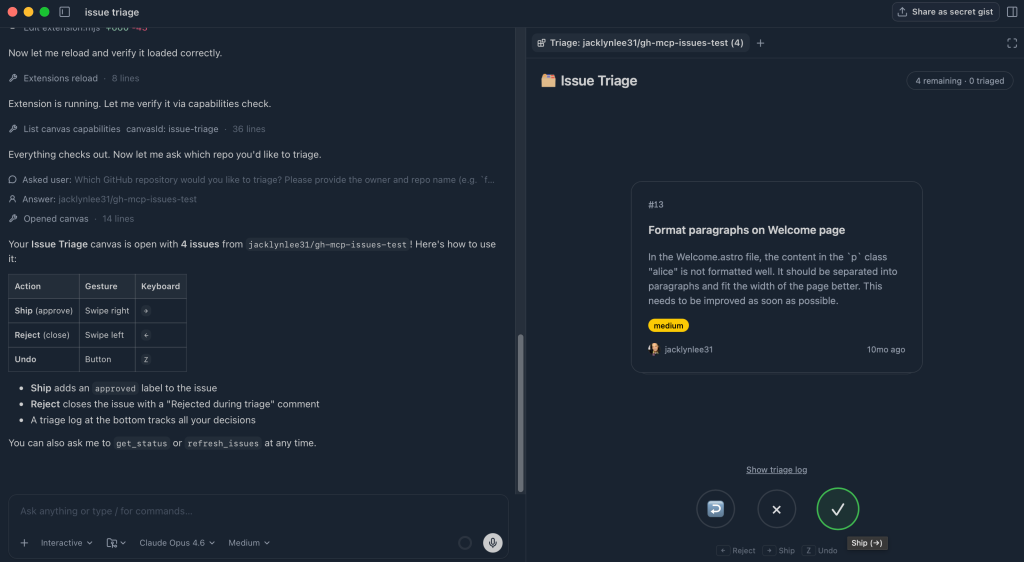
The result is a card-based interface presenting one issue at a time. You take action directly from the UI, and the canvas tracks your decisions in real time, moving each item into the appropriate bucket.
Interactive codebase diagram
To understand how a project's components relate, ask for a visual map:
/create-canvas Render a colorful, interactive diagram showing how the code in this project is working together, show how things are related, etc.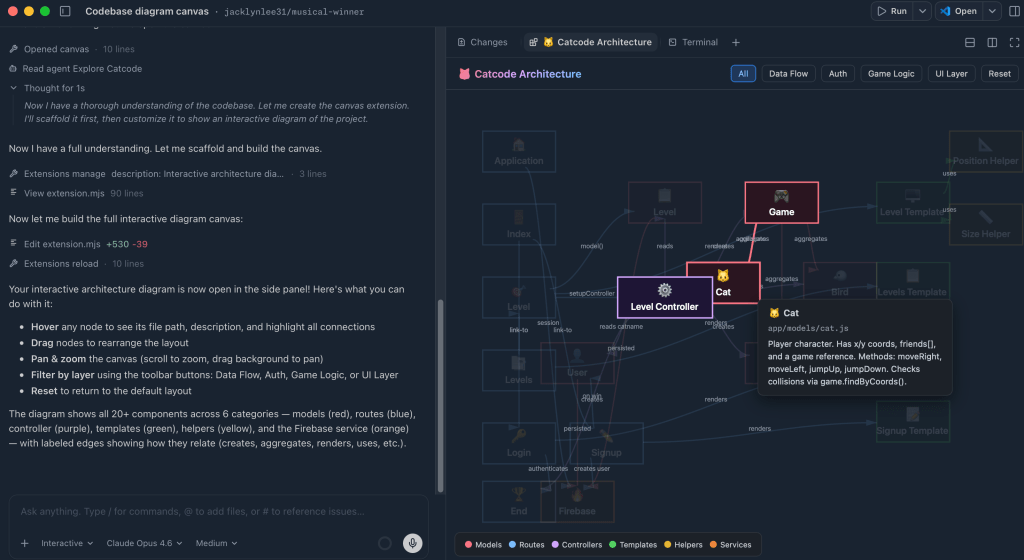
This yields a dynamic diagram where each node represents a part of the system. You can hover, drag, and filter to explore different layers, turning a static codebase overview into something you actively navigate.
Sessions worktree view
To keep track of active and orphaned git worktrees across Copilot sessions:
/create-canvas Create a worktree view that will help me see all of my current sessions and whether or not they are active or orphaned. Allow me to clean them up with a few clicks where needed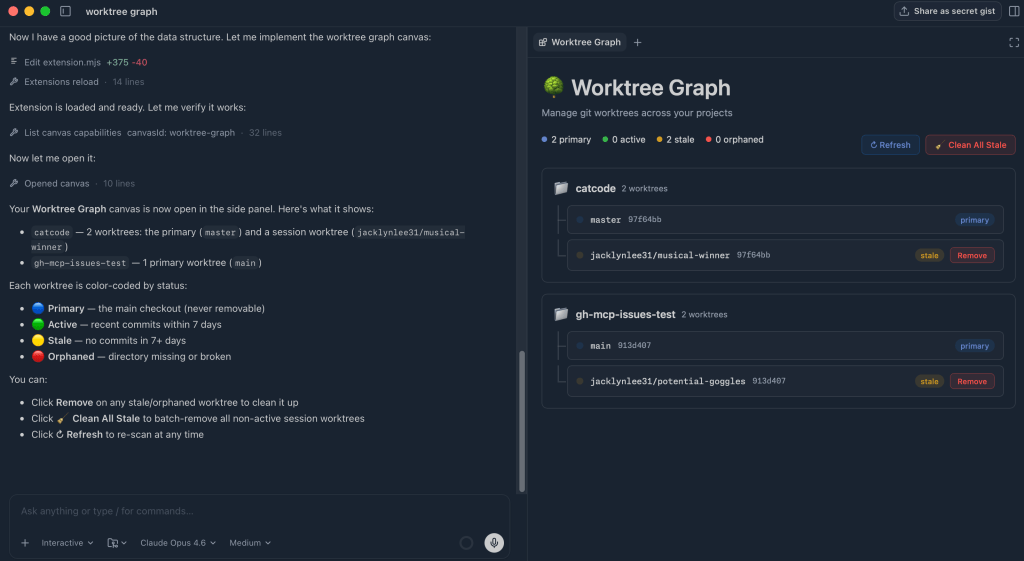
The canvas builds a visual list of your worktrees, clearly marking which are active and which are stale. Cleanup is a single click away.
Agent prompt coach
To sharpen the way you write prompts, ask for feedback on previous interactions:
/create-canvas Create an interactive prompt coach that suggests to you how you could have improved your previous prompts in your sessions with skills, mcp servers, etc. Make note of any spelling errors, syntax errors, etc.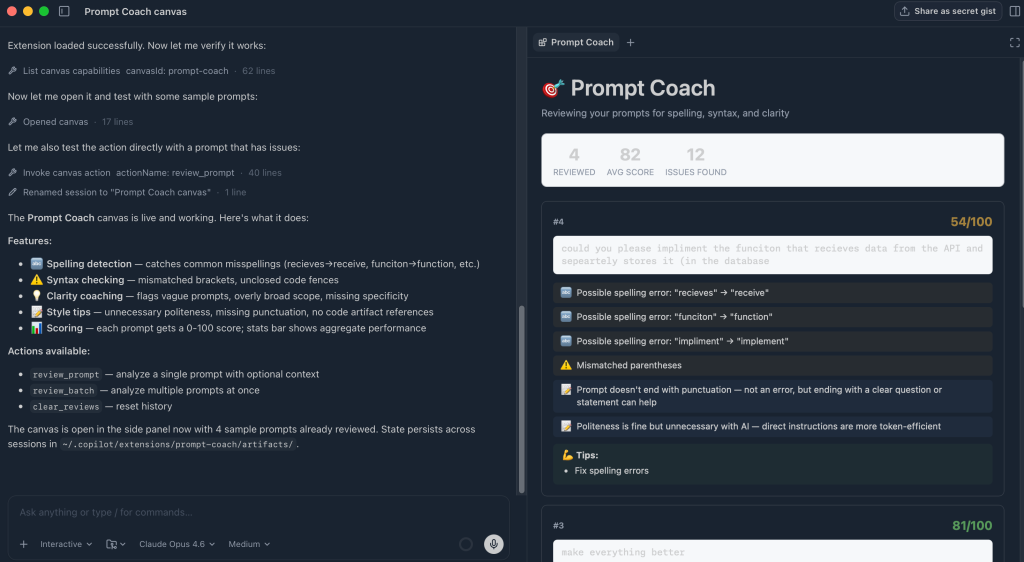
This canvas lists past prompts, analyzes each one, and suggests improvements like missing context or spelling mistakes. Those tips help you write clearer prompts and get more consistent answers.
Knowledge finder
To locate someone with context on a file or topic across your organization's tools:
/create-canvas Create a way that I can search across Slack, Teams, Email and docs to find people with knowledge of a specific file or someone that would have more context.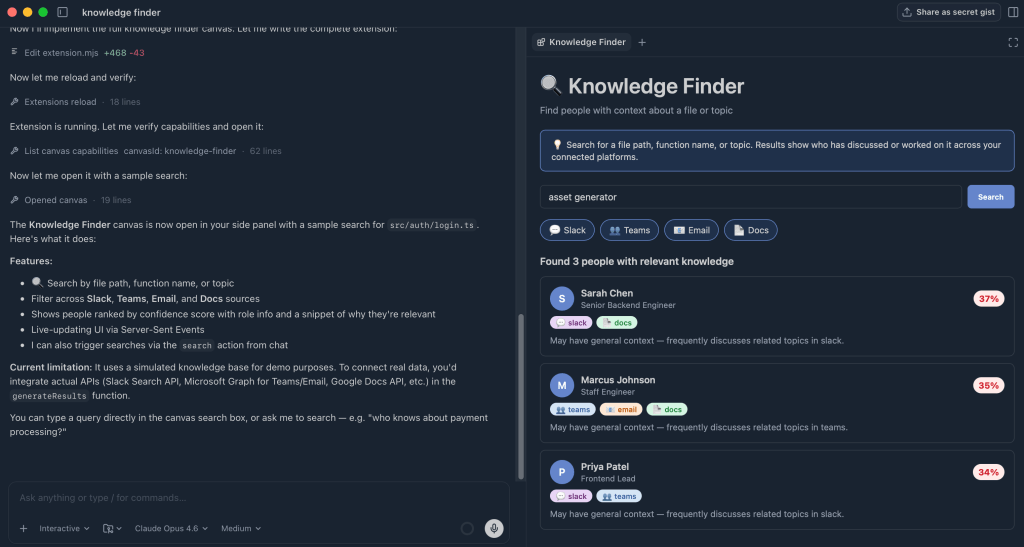
After a search, the canvas surfaces the people most connected to the file or subject, showing who they are and where the connection came from. That makes it easier to reach out for more context.
Beyond conversation
These examples cover only a fraction of what canvases can do. They give AI a visual dimension, so you can explore workflows, see patterns, and act on information directly. Canvas extensions are available in the GitHub Copilot app; the documentation covers the full setup.


