

The Testing Problem
Testing is essential to software development, but it has historically been tedious — especially as codebases grow. GitHub Copilot can automate a meaningful portion of that work, letting developers focus on the parts of coding they actually enjoy.
Before jumping into Copilot workflows, it helps to understand the basics. Testing is how you confirm code behaves as expected. The discipline takes several forms:
- Acceptance tests: Ensure the app meets defined functionality requirements.
- Integration tests: Verify the app can communicate across systems like databases and APIs.
- Unit tests: Focus on small, isolated pieces of code to confirm each unit does exactly what it should.
Unit tests are particularly valuable because they can be automated at scale. Once a battery of tests exists, thousands can run with a single command — giving a reliable health check for the application and catching regressions when code changes.
Generating Unit Tests with Copilot
Copilot simplifies unit-test creation through a straightforward workflow:
- Open the code and highlight the section to test — for example, a specific function.
- Open Copilot Chat, where Copilot will suggest the
/testsslash command. - Send Copilot the following prompt:
/tests add unit tests for my code- If Copilot offers to configure a test framework, select
Dismiss. - Review the plan and code suggestions to verify you understand the changes.
- Click Add to new file at the top of the code suggestion.
- Save the new file.
- Run the tests with the following terminal command:
python -m pytestRed, Green, Refactor
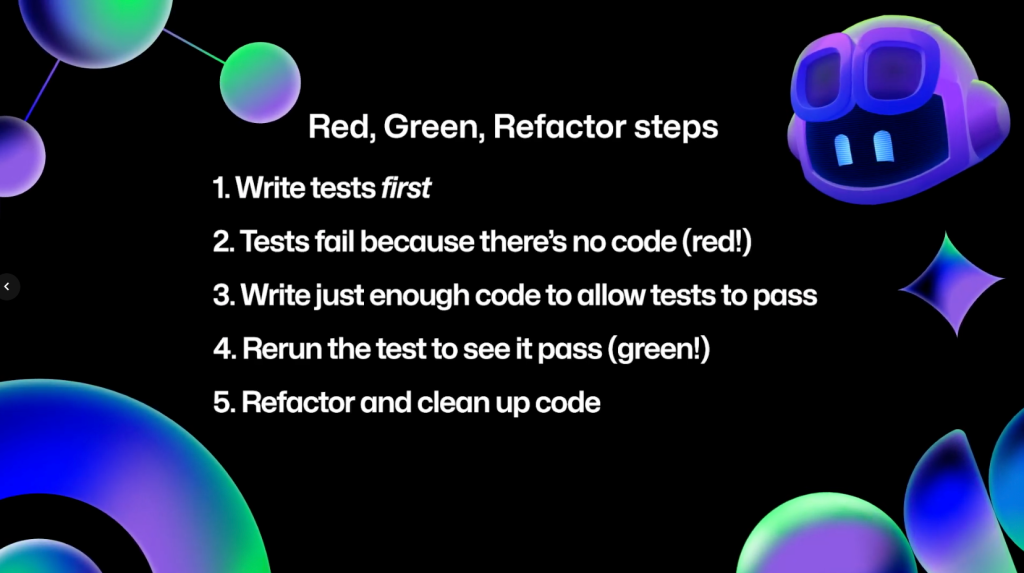
Test-driven development (TDD) flips the order: write tests first, then create the implementation. The process requires a mental shift, but it offers a clear view of how code should behave before the code exists.
TDD is often described as "red, green, refactor." In the red stage, you create tests that fail — they may not even build. In the green stage, you write just enough code to make the tests pass. For instance, a test that expects an error when a number is below zero requires only enough logic to throw on that condition. Finally, in the refactor stage, you clean up the code — running the tests throughout to ensure nothing breaks.
Copilot for TDD
One lesser-known capability of Copilot is that it can generate tests for code that doesn't exist yet. Describe intended behavior in a prompt, and Copilot will produce unit tests that validate it.
For an email validation app, you could send this prompt to Copilot Chat:
I'm going to be adding a new validator function for usernames. Usernames must be between 3 and 16 characters, start with a letter or an underscore, not use multiple underscores to start, and after the first character chan have letters, numbers, and underscores. Just create the new test functions.Copilot responds with tests covering that functionality. If you run them immediately, they fail — the red stage. To enter the green stage, send this prompt:
Create the implementationCopilot now generates the implementation needed to make the tests pass. Add the generated code to the validators and rerun the tests, which now succeed.
Test Code Is Still Code
Unit tests deserve the same care as production code. Follow these practices to keep them maintainable:
- Add documentation to your tests
- Keep tests organized
- Create utility functions to write tests faster
- Update tests as you modify your code
Testing is a deep topic with far more nuance than any single article can cover, and numerous resources on TDD and Copilot-based testing are available for deeper exploration. But tools like Copilot that reduce the burden of writing tests lead to better code and more time for the work developers find most engaging.


