
GitHub Copilot lands in Visual Studio 2022
GitHub has extended its Copilot technical preview to Visual Studio 2022, making the AI pair programmer available in the most requested IDE since the preview began. Developers still need an invitation to the preview before the extension will function; GitHub says it is steadily widening access as service capacity grows.
Installation and activation
Access is still gated through the waitlist at copilot.github.com. Once GitHub confirms your spot by email, the extension can be pulled from inside Visual Studio 2022 via Extensions > Manage Extensions, where you search for GitHub Copilot. Downloading the extension will prompt you to close Visual Studio; choose Modify to complete the install, then reopen the IDE.
On first launch, Visual Studio asks you to authorize the Copilot service. A browser window opens with an authorization code; paste it with Ctrl-V, click Continue, then Authorize GitHub Copilot Plugin. After the browser confirms the connection, return to Visual Studio and agree to the telemetry terms when prompted to activate Copilot in the preview.
Working with suggestions
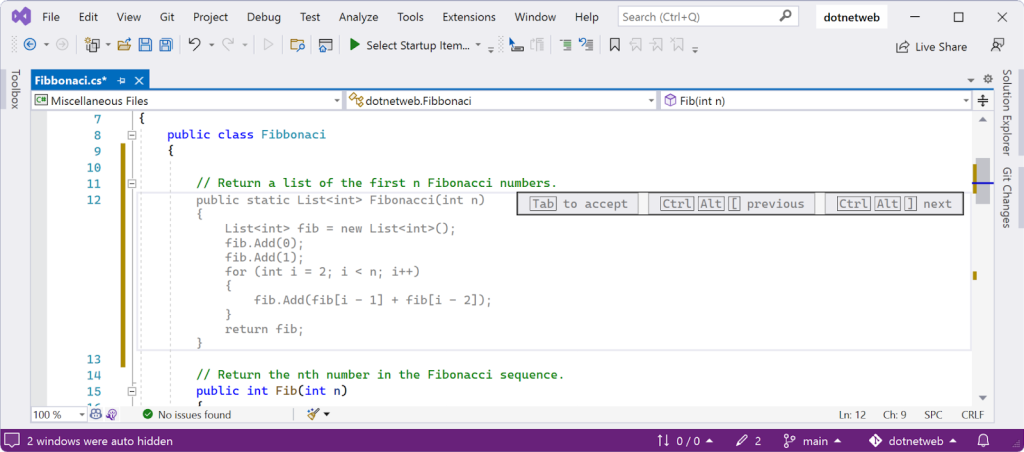
Copilot generates suggestions automatically as you type. Press Tab to accept the current recommendation, or keep typing to bypass it and let Copilot refine its guesses against your new input. The Esc key dismisses a suggestion that is getting in the way.
Although Copilot defaults to its strongest recommendation, you can cycle through the alternatives it has already generated with Ctrl+Alt+] and Ctrl+Alt+[.
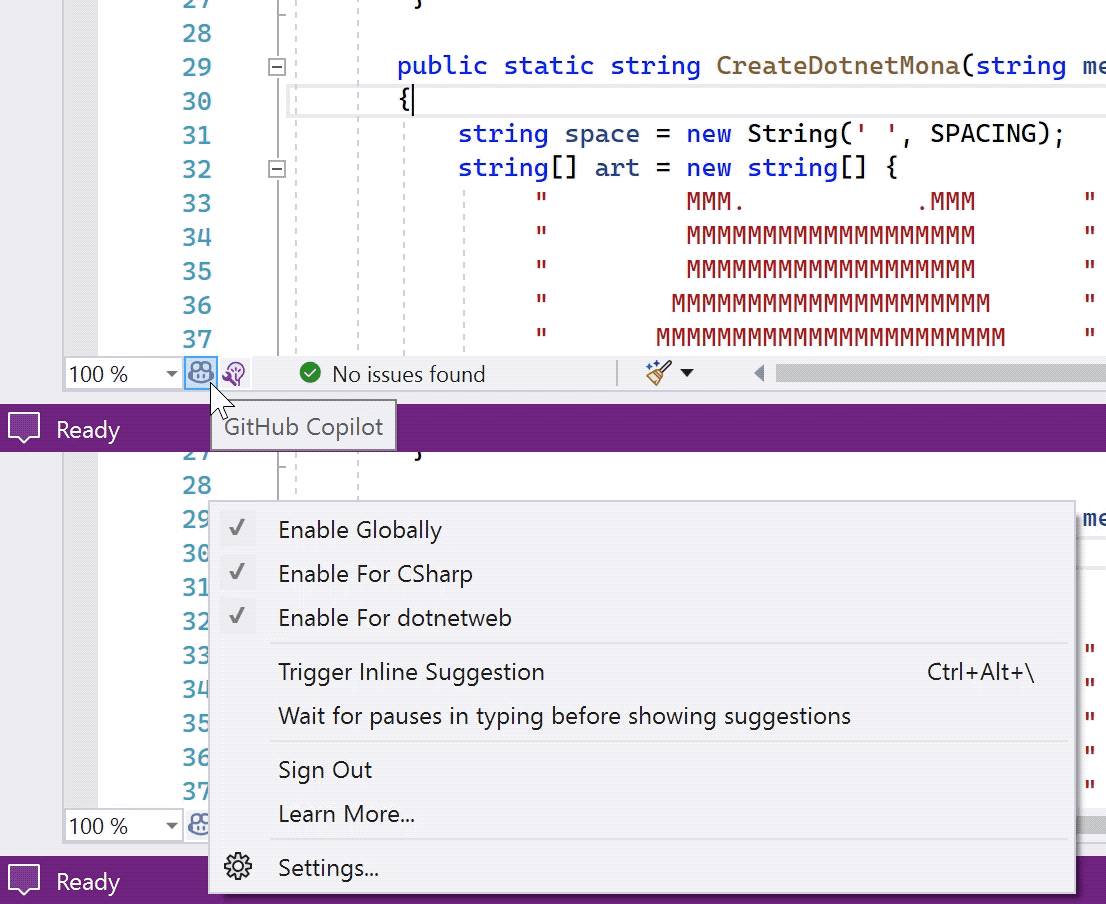
Behavior is managed from the GitHub Copilot icon at the bottom of the editor window, where you can toggle the extension on and off globally or for particular solutions and programming languages.
The Visual Studio extension is especially aimed at .NET developers. GitHub is soliciting feedback on how the pair programmer performs with .NET languages, from writing unit tests against common frameworks to implementing new methods. As with other Copilot surfaces, the quality of suggestions improves with the specificity of the code comments you provide.
Preview participants can start using the extension immediately and can share impressions through the GitHub feedback discussions. Developers still on the waiting list can register at copilot.github.com for future slots.


