

GitHub's Copilot coding agent brings automation to issue triage
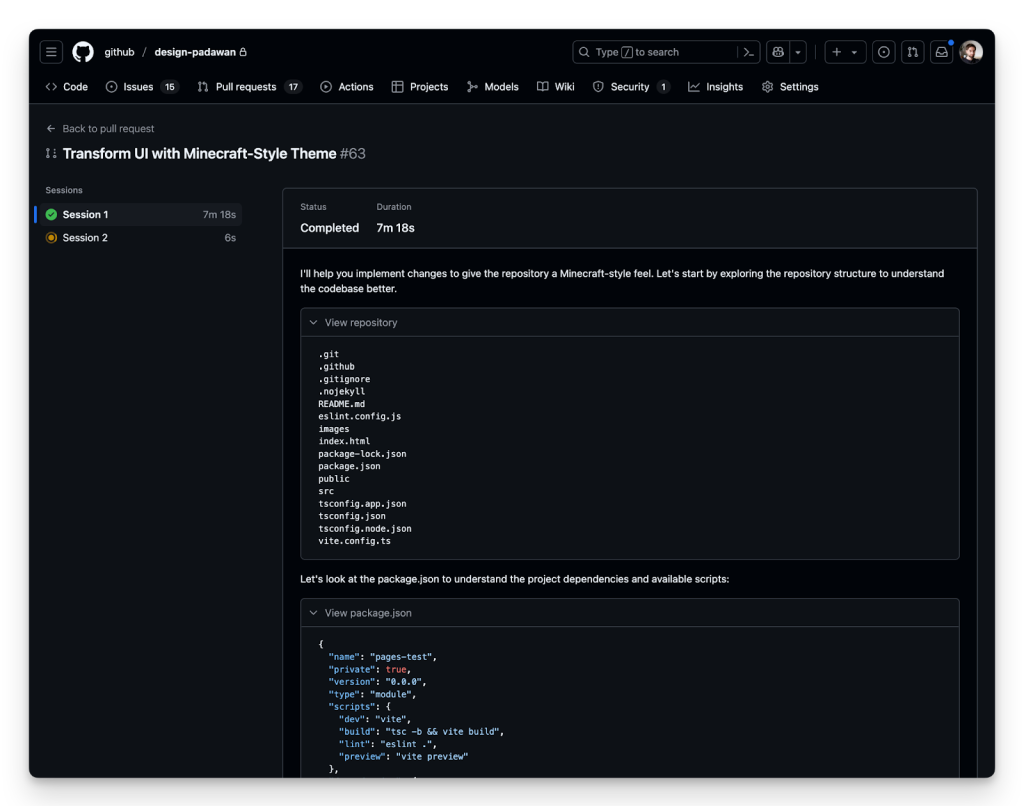
GitHub has launched a new coding agent for Copilot that lives directly within the platform. When you assign an issue to Copilot or prompt it from VS Code, the agent spins up a secure, customizable development environment backed by GitHub Actions, works through the task, and pushes commits to a draft pull request. Agent session logs let you follow every step as it operates.
The agent is built for low-to-medium complexity work in codebases with solid test coverage: adding features, fixing bugs, extending tests, refactoring, and updating documentation. It's positioned as a way to offload routine tasks while keeping developers focused on higher-value work.
How the agent works
Assigning an issue to the coding agent is like assigning it to a teammate. You can do so from github.com, GitHub Mobile, or the GitHub CLI, or you can prompt it directly from Copilot Chat to open a pull request.
> @github Open a pull request to refactor this query generator into its own classOnce an issue lands on its plate, the agent acknowledges with an 👀 emoji reaction and gets to work in the background: booting a VM, cloning the repository, configuring the environment, and analyzing the codebase using retrieval augmented generation (RAG) with GitHub code search. Progress appears in real time as git commits pushed to a draft pull request, with the PR description updated as the agent works. Session logs expose its reasoning and validation steps, making it easier to trace decisions and catch issues early.
The agent extends beyond GitHub data through Model Context Protocol (MCP). MCP servers can be configured in repository settings, and all GitHub data is accessible from the official GitHub MCP Server. Vision models also let the agent interpret images attached to issues, such as bug screenshots or feature mockups.
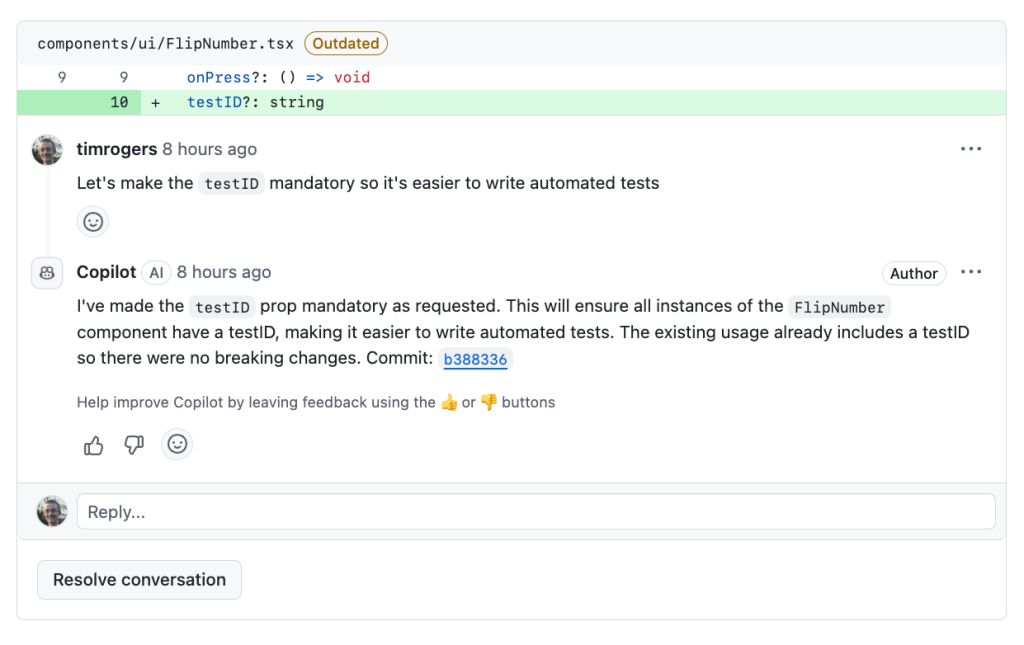
When the agent finishes, it tags you for review. Leave comments requesting changes, and it picks them up automatically and pushes new code. The agent also considers context from related issue discussions and PR conversations, and follows custom repository instructions, so it understands project conventions alongside task intent.
Security and policy controls
A key design decision was using GitHub Actions for compute, giving the agent access to the largest CI/CD ecosystem on the market, with over 25,000 Marketplace actions and millions of daily jobs on hosted and self-hosted runners. But with that power comes a set of default guardrails:
- The agent only pushes to branches it created, leaving your default branch and team-owned branches untouched
- The developer who requested the pull request can't approve it, so any required review rules remain effective
- Internet access is restricted to a trusted, customizable destination list
- GitHub Actions workflows don't execute until a human approves, adding a checkpoint before any CI/CD runs
Existing repository rulesets and organization policies are also respected. Branch protections work as expected, and the extra approval step for workflows creates an additional control around build and deployment environments.
Availability and rollout
The coding agent is available to Copilot Enterprise and Copilot Pro+ customers. Repositories must have the agent enabled, and Enterprise administrators need to turn on the organization policy. Starting June 4, 2025, each model request made by the agent will count as one premium request against your plan. In addition, agent mode—the interactive, editor-based workflow—is expanding to Xcode, Eclipse, JetBrains, and Visual Studio in public preview.


