
How an LLM Actually Completes Text
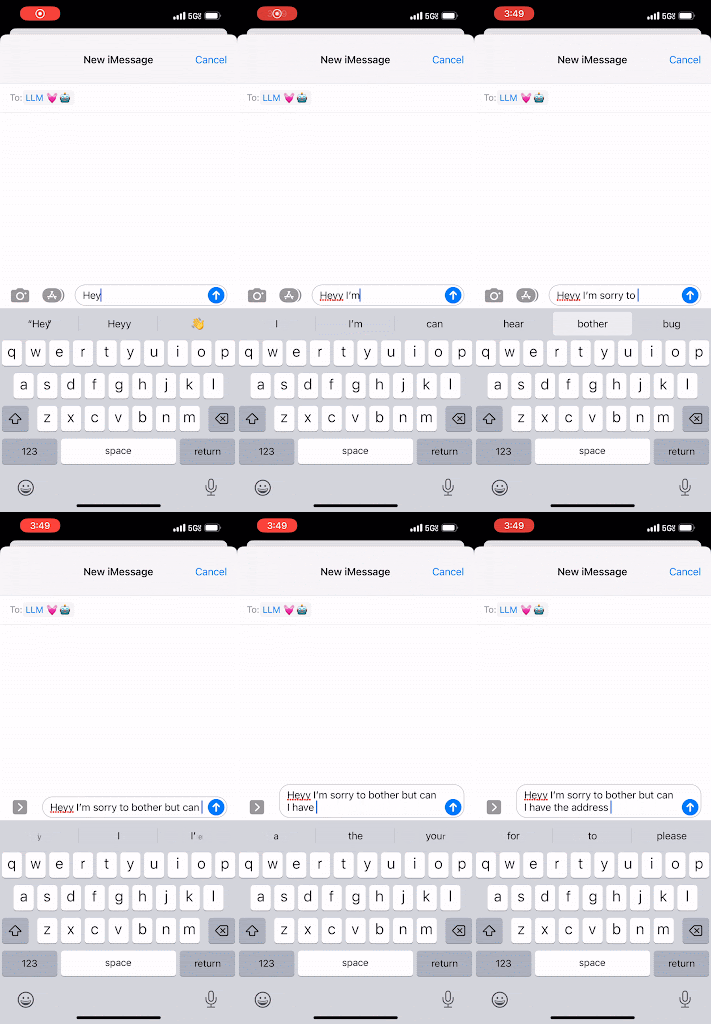
Under the hood, an LLM is a turbocharged version of the word-suggestion bar on your phone’s keyboard. Where that bar guesses the next word based on the last couple of inputs, an LLM predicts the next “token”—a small group of letters—based on the full context of your document, drawing on patterns learned from a huge corpus of public text. It keeps generating tokens until it hits a maximum limit or a special “stop” token.
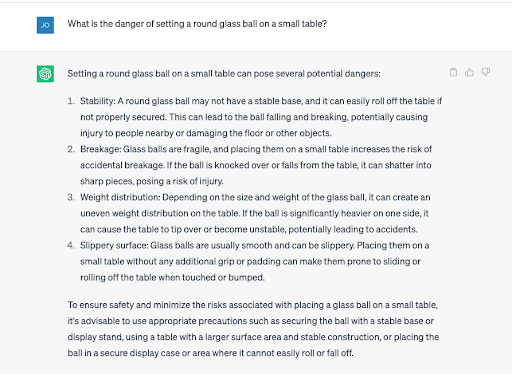
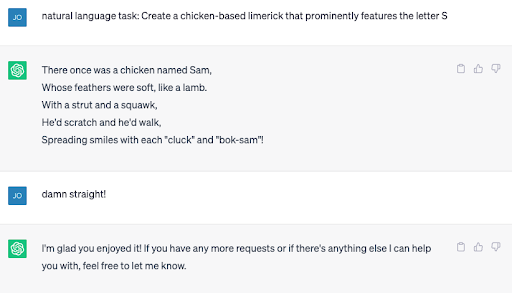
The scale changes everything. Because the model has effectively absorbed an enormous amount of written language, it can behave as if it has common sense—it knows, for instance, that a glass ball on a table edge is likely to roll off and break. It can also appear to acquire skills it was never explicitly trained for, letting developers ask it to perform novel tasks in addition to one-off jobs like sentiment classification or entity extraction.
That power comes with a caveat: LLMs can confidently fabricate information that doesn’t exist, a failure mode commonly called a hallucination or fabulation.
The Secret Behind Every LLM App
From conversational search to automated support to code completion, every LLM-based application is doing the same underlying trick: mapping between two domains. There’s the user’s domain, where a person has a messy, real-world problem, and the document domain, where the LLM does its thing—predicting the most plausible next token in a text stream. The application’s job is to translate between the two.
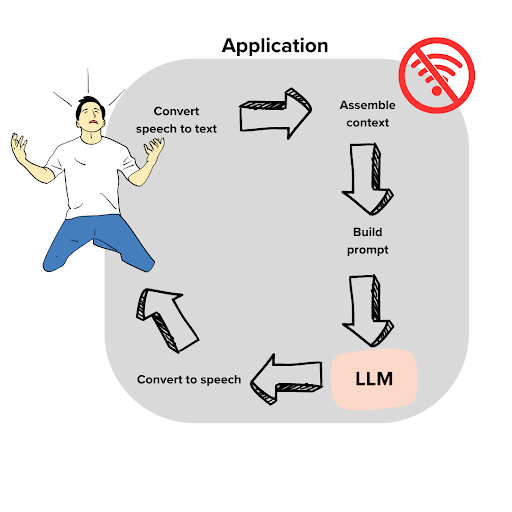
Say a user named Dave calls his internet provider’s automated assistant because his Wi-Fi router broke just before the World Cup final. The assistant transcribes his spoken complaint into text, but raw text alone isn’t useful to the model. Fed just the transcript, the LLM would continue Dave’s story as if it were a narrative, not a support ticket.
### ISP IT Support Transcript:

The following is a recorded conversation between an ISP customer, Dave Anderson, and Julia Jones, IT support expert. This transcript serves as an example of the excellent support provided by Comcrash to its customers.

*Dave: Oh it's awful! This is the big game day. My TV was connected to my Wi-Fi, but I bumped the counter and the Wi-Fi box fell off and broke! Now we can't watch the game.
*Julia:
The fix is to establish the document type and context. If you read a fragment describing a conversation between Dave and a fictional IT expert named Julia, you would expect the next line to be Julia offering practical troubleshooting advice. The LLM works the same way: frame the prompt as a partial script with a knowledgeable helper, and the model will complete it in character. The persona need not be real; it simply provides the context for an appropriate completion.
*Julia:(rifles around in her briefcase and pulls out the perfect documentation for Dave's request)
Common internet connectivity problems ...
<...here we insert 1 page of text that comes from search results against our customer support history database...>
(After reading the document, Julia makes the following recommendation)
*Julia:
You can push this further by injecting relevant documentation directly into the prompt. If the model lacks domain-specific knowledge—say, cable troubleshooting—searching for known good solutions and weaving them into the pseudo-document conditions the model to use that material in its reply. After the model generates its response, the application converts that text back into the user’s domain—in this case, speech—and the cycle repeats as the conversation grows.
This, in a nutshell, is prompt engineering: crafting a text context robust enough to steer the model toward the best possible output. It’s a technique GitHub has refined extensively in building Copilot’s code completion, which we’ll look at next.
Prompt engineering in practice: how GitHub Copilot builds context
Prompt engineering is fundamentally about translating between the user's intent and the document domain the model was trained on. After over two years building GitHub Copilot, we've formalized a pipeline for this translation that we believe offers a useful template for other applications. The key insight is that Copilot's underlying LLMs—built on OpenAI Codex models—are trained to complete code files as they exist in a repository at commit time. That distribution is very different from what a developer is actually doing while typing.
Finished files on main typically compile. Incremental code being typed usually doesn't. Developers often write in hierarchical order—signatures before bodies—and they jump around, making edits above the cursor that affect what should come next. If Copilot merely predicts the most likely continuation from the text in front of the cursor, it ignores a wealth of contextual signals: metadata, code below the cursor, imports, the rest of the repository, even issues. Software development is an interconnected challenge, and the more of that complexity we can present to the model, the better the completions.
Step 1: Gathering context fast
Copilot operates inside an IDE like Visual Studio Code, and it can use whatever the IDE can tell it—but only if the IDE is quick about it. In an interactive environment, every millisecond matters. Our rough heuristics suggest that for every additional 10 milliseconds we take to produce a suggestion, the chance it arrives in time decreases by one percent.
Some context is trivial to obtain. Consider a simple piece of Python:

That suggestion is wrong if the user actually wanted Ruby:

The syntaxes are similar enough that early file boilerplate can be ambiguous. Modern IDEs usually know the language, though, so language mix-ups are particularly jarring. We add the language and filename as low-cost context: the filename typically implies the language anyway and sets expectations for the file's content.
On the other end of the spectrum is the rest of the repository. If you're writing a new SqlReader subclass, you'll likely want the DataReader base class and the existing CsvReader subclass open in tabs. If that content is useful to you, it's likely useful to the model. The IDE knows which repository files are open as tabs, and that's a strong signal of relevance—so we use it, considering no more than the 20 most recent tabs.
Step 2: Snippeting for relevance
Irrelevant information in an LLM's context degrades accuracy. Source code is also long, and even a single file may not fit into the context window—a problem that occurs roughly a fifth of the time. We cut files into natural overlapping snippets of at most 60 lines, then score them for relevance using the Jaccard similarity, which is both fast to compute and effective for gauging similarity between sample sets. Only the best-scoring snippets are kept.
Step 3: Dressing up context as code
Codex and similar models don't offer an API for passing auxiliary files or metadata. They complete one document. So the context must be injected into that document in a natural way. We start with the file path, adding a line at the top like # filepath: foo/bar.py or // filepath: foo.bar.js, matching the comment syntax of the language.
For unsaved files where the path is unknown, we can still specify language via shebang lines like #!/usr/bin/python or #!/usr/bin/node. This works well at preventing language misidentification, though it's risky for long files since shebang lines are a biased subpopulation of all code. We use them only for short files where language ambiguity is most dangerous.
Comments serve as delivery vehicles for deeper context too—commented-out code is abundant on GitHub, ranging from old code to lifted examples. Our snippets aim to emulate the documentation and lifted-code patterns in particular:
# compare this snippet from utils/concatenate.py:

# def crazy_concat(a, b):

# return str(a) + str(b)[::-1]
Including the snippet's source file path alongside the current file's path can even guide completions around imports.
Step 4: Prioritization within a tight window
From all these sources—text above and below the cursor, other files, metadata—we typically have far more context than we can include, in about 95% of cases. We treat each candidate context piece as a "wish" with a priority and a desired position in the document. Shebang lines carry low priority; low-similarity snippets barely rank higher; the text directly above the cursor is always maximum priority and must directly precede the completion.
Selection is straightforward: sort the wishlist by priority, drop the lowest-priority wishes until everything fits in the context window, then re-sort by intended document order and paste together.
Step 5: Choosing the right model
Once the prompt is assembled, the tradeoff is delicate: quality makes the difference between a useful suggestion and a distraction, but speed makes the difference between a useful suggestion and none at all. OpenAI and GitHub collaborated on a fleet of models to test this. Developers got the most mileage—measured in accepted and retained completions—from the much faster model, even at some cost in raw accuracy. Subsequent optimizations have increased model speed enough that the current Copilot is backed by an even more capable model.
Step 6: Knowing when to stop
The model will keep generating until it predicts the end of the file if left unchecked—wasting time and compute. The simplest stop criterion is the first line break: often developers just want the current line finished. But Copilot's most impressive contributions are multi-line suggestions covering a single semantic unit: a function body, an if-branch, or a class.
Copilot detects when such a block is being started—either the developer just wrote the header, guard, or declaration, or is in the middle of it—and if the body appears empty, it attempts a suggestion, stopping when the block looks complete. That's when the suggestion surfaces to the developer. The rest is history—or, as they say, 10x development.


