
Run AI models without a powerful local GPU
Machine learning workloads like Stable Diffusion typically demand serious graphics processing power. That's a non-starter for developers working on older or budget laptops. Since a codespace runs on a remote virtual machine, you can specify machine types ranging from 2-core to 32-core, and even request GPU-backed instances when needed. That means a machine learning engineer could drive heavy deep-learning tasks from an iPad or Chromebook.
Stable Diffusion itself is a text-to-image model that works by:
- Receiving an image
- Adding noise until the image is unrecognizable
- Removing noise to produce a clear image
- Learning from image-text pairs in the LAION-Aesthetics database
from torch import autocast

# Change prompt for image here!
prompt = "a cartoon black girl with cotton candy hair and a pink dress standing in front of a pink sky with cotton candy clouds"
with autocast(device):
  image = pipe(prompt, height=768, width=768).images[0]
image

Take control of codespaces from your terminal
Closing a codespace preserves your work even if you never committed, but when you're done with one you should delete it to avoid clutter. By default, inactive codespaces are removed automatically after 30 days. Managing them from the command line via the GitHub CLI gives you quick access to creation, removal, and configuration tasks:
- Create a codespace
gh codespace create -r OWNER/REPO_NAME [-b BRANCH] - List all your codespaces
gh codespace list - Delete a codespace
gh codespace delete -c CODESPACE-NAME - Rename a codespace
gh codespace edit -c CODESPACE-NAME -d DISPLAY-NAME - Change the machine type
gh codespace edit -m MACHINE-TYPE-NAME
Do remote pair programming without the friction
Pair programming with a remote teammate is much smoother inside a codespace than juggling screen shares. Two built-in options cover the common scenarios.
Share forwarded ports
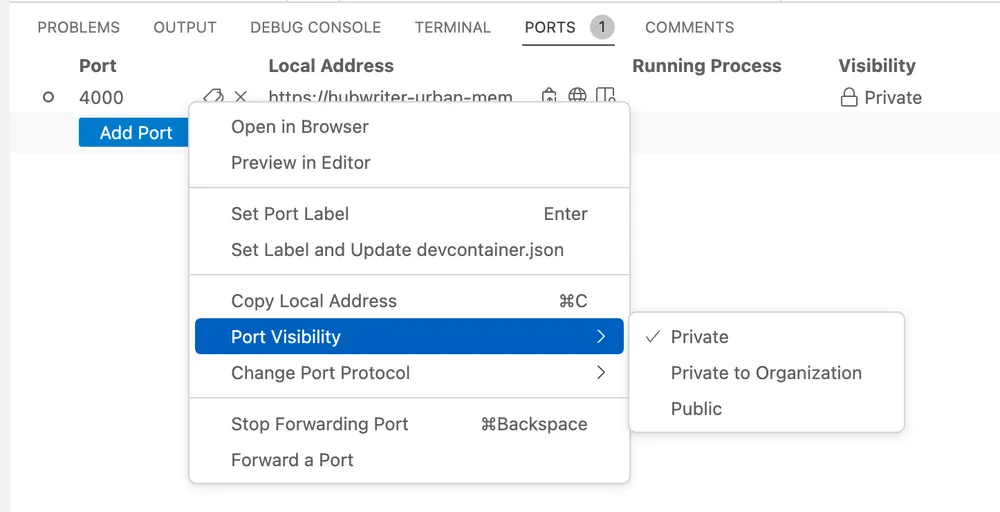
If you're running a locally hosted web app, right-click on its port in the codespace UI and change the visibility from "Private" to "Public." Share the copied local address with collaborators and they can open, test, and debug your app as if it were hosted on a shared server.
Use Live Share for collaborative editing
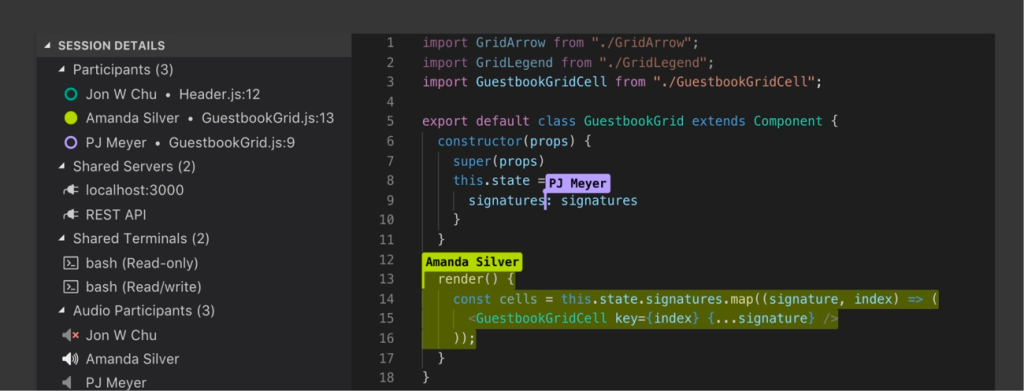
The Live Share extension lets you and teammates type in the same project simultaneously. Each person's cursor gets a distinct color so it's easy to see who is changing what, and the session stays secure.
Turn AI into a coding partner
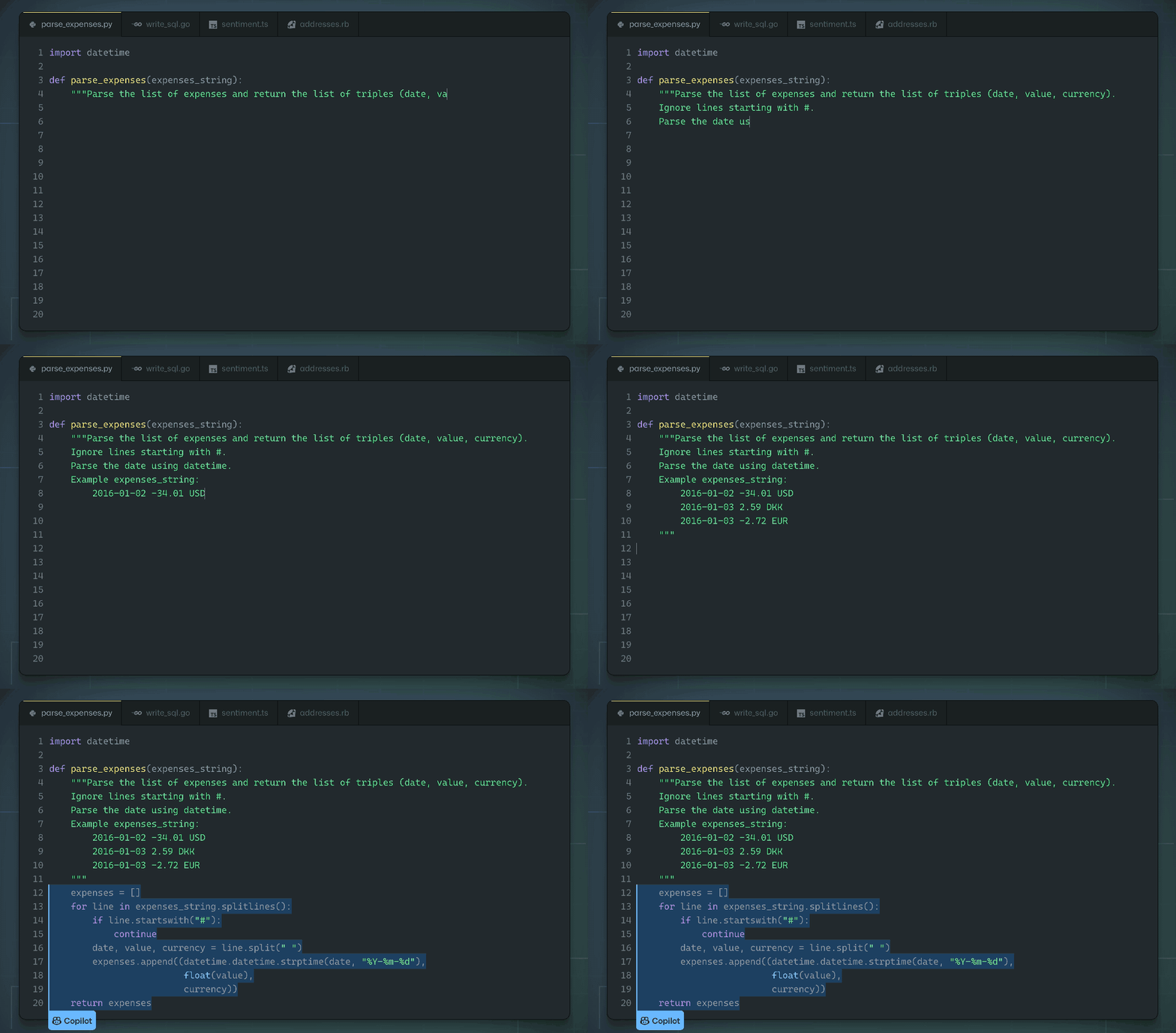
The Visual Studio Code marketplace works with Codespaces, so GitHub Copilot can operate inside a browser-based environment. Copilot speeds up development with snippet completions, but it also has an accessibility angle. The "Hey, GitHub" feature enables hands-free voice-activated programming, which can open up development to people with limited physical dexterity or visual impairments.
Remove the setup tax from workshops and classrooms
Teach a coding workshop and attendees often spend more time configuring local environments than actually learning. With Codespaces, an instructor can define a complete development environment ahead of time. Beginners skip repository cloning and dependency setup and instead click to open a fully configured workspace. Everyone starts from the exact same state, which cuts confusion dramatically.
For educators, GitHub offers 180 free hours of Codespaces usage per month, equivalent to about five assignments for a class of 50. The CodeTour extension can turn boilerplate code into a self-guided walkthrough. CS50, Harvard's largest course, uses this approach for student assignments.
Spin up quickstarts to learn a framework
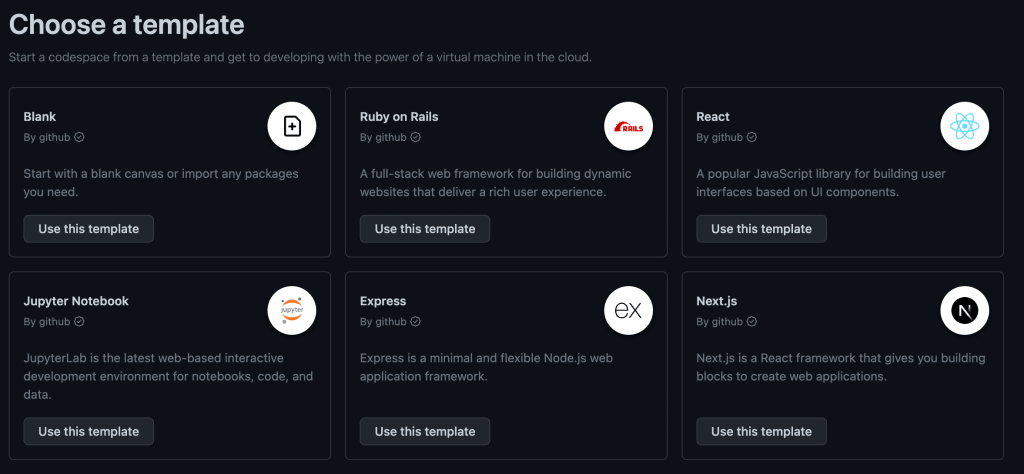
Tutorials only get you so far; building real projects is where retention happens. Codespaces quickstart templates give you a sandbox with boilerplate code, forwarded ports, and a configured dev container for frameworks like Next.js, React.js, Django, Express, Ruby on Rails, Preact, Flask, and Jupyter Notebook. One click opens a working environment for experimentation. Trying out an unfamiliar framework this way lets you explore its structure without polluting a local system or slogging through a manual install.
Keep environment variables out of the wrong hands
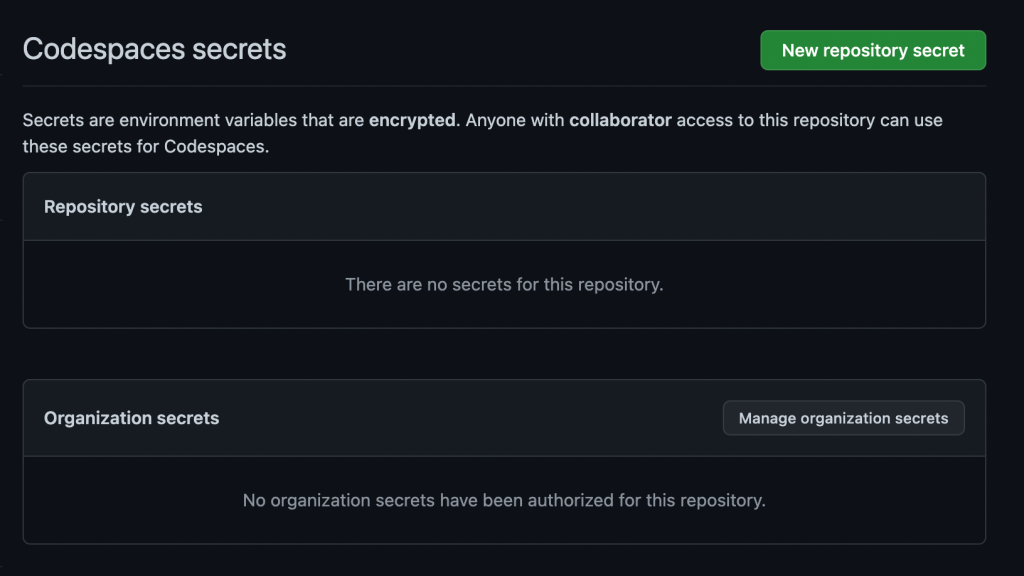
Live demos and accidental pushes are dangerous places for API keys. Codespaces secrets store environment variables securely at the account level and make them available only to the codespaces you allow. In code, you reference them just like normal environment variables:
process.env.{SUPER_SECRET_API_KEY}
Make onboarding a matter of minutes
Setting up a new machine can consume a day or a week when documentation is weak. Organizations avoid the local setup bottleneck by shipping a dev container that includes every required extension, dependency, and environment variable. A new hire just opens a codespace and starts contributing.
GitHub's own engineering team made this shift away from macOS-based development in 2021. The github/github repository had grown to roughly 13 GB on disk over 14 years and took around 45 minutes to clone and bootstrap. Migrated to Codespaces, this drops to 10 seconds before the environment launches preconfigured.
Other companies confirm the pattern. Ketan Shah, Manager of Information Services at TELUS, says Codespaces "shaves off entire days from the new employee onboarding process" because new developers have everything they need in one place.
Run technical interviews in a controlled environment
Take-home assignments and live coding tests get a lot of negative attention, but much of the pain stems from environment setup. A preconfigured codespace means the candidate worries about the code, not the install. Reviewers get the same tooling to evaluate work with real-time feedback easily through Live Share. Sessions stay isolated and secure for both sides.
Individual teams can reuse a consistent template for every candidate through the whole hiring pipeline, which makes comparisons fairer and keeps sensitive project data contained.
Beyond VS Code: Editor Flexibility
Visual Studio Code is the default choice for many developers, but it is not the only option in Codespaces. The service supports a range of JetBrains IDEs directly, allowing you to work in the environment you are already comfortable with. Supported editors include:
- Jupyter Notebook
- IntelliJ IDEA
- RubyMine
- GoLand
- PyCharm
- PhpStorm
- WebStorm
This flexibility means your tooling preferences do not have to change just because you are working in the cloud.
Consistent Environments, Anywhere
The core advantage of Codespaces is the ability to launch a standardized development environment from any internet-connected device. This removes the friction of local setup and ensures every team member works with the same configuration. The platform also includes built-in features that streamline common workflows beyond simple code editing.
Free tier access includes 60 hours per month for GitHub users and 90 hours per month for GitHub Pro users, which is ample time to explore the platform’s capabilities. You can get started with a pre-configured template through the Codespaces templates page.


