

GitHub’s terminal CLI now reaches into Actions
With GitHub CLI version 1.9.0, the gh command line tool has expanded from pull requests, issues, and gists into GitHub Actions. Two new top-level commands—gh run and gh workflow—let developers inspect, monitor, and trigger workflow runs from their local terminal, without bouncing between shell and browser.
Inspecting and watching workflow runs
The gh run list command provides a repository-wide overview of workflow runs, including those triggered by pushes, pull requests, webhooks, or manual events. This is broader than the existing gh pr checks, which only shows checks tied to a specific pull request.

For in-progress runs, gh run watch lets you follow along as a run executes. The command can be chained with other shell utilities to notify you when a run finishes, useful for stepping away while automation churns through the queue.


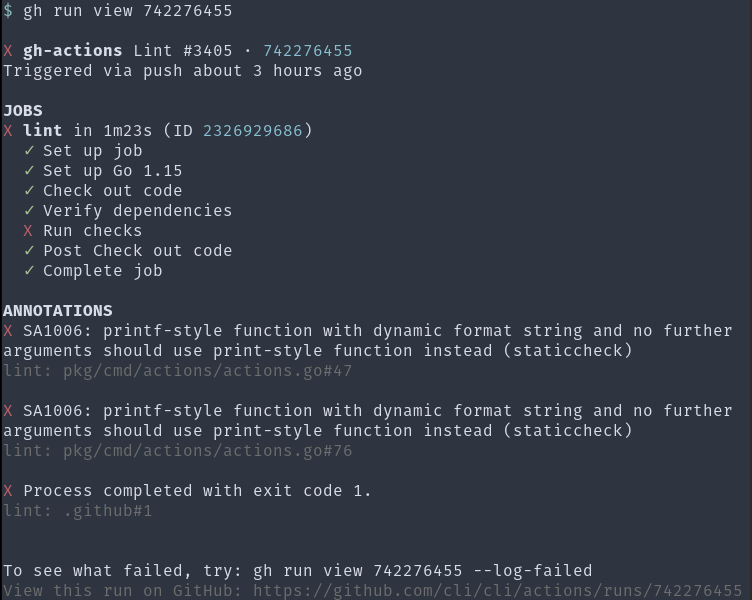
When you need to drill into a specific run, gh run view offers details down to individual job steps. This is handy when diagnosing why a linter flagged something in a recent commit.
For more elusive failures, the --log flag on gh run view dumps an entire run’s log output. Piped through grep, this can reveal patterns across a build matrix. In one example, a panic shows up on Ubuntu and macOS but not on Windows.

If full logs are overkill, --log-failed narrows output to only those steps that failed, cutting out log noise from successful parts of the run.

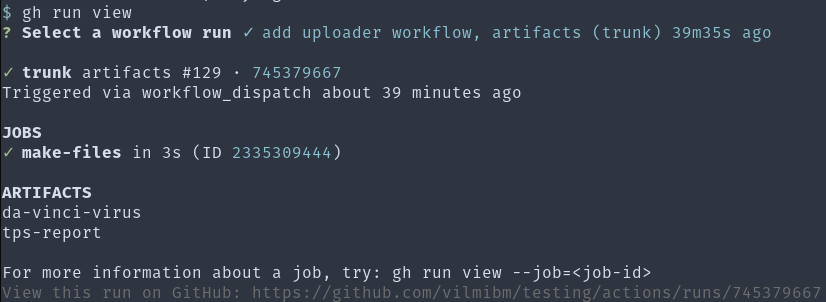
The command also understands workflow artifacts. You can list what a run produced and fetch artifacts by name or interactively.

Suspicious of flaky failures or simply want to force a retry? gh run rerun triggers another attempt directly from the terminal.

Managing workflow definitions
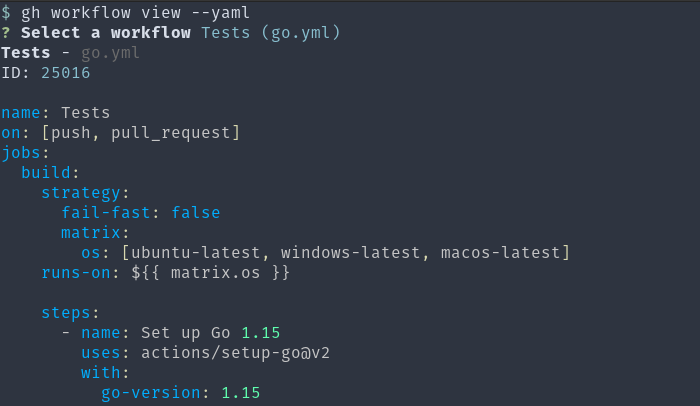
Workflow runs are driven by YAML files in .github/workflows, which declare the workflow’s name, behavior, and triggering events. gh workflow view gives a quick summary of recent runs for a given workflow, while gh workflow view --yaml prints the full workflow file in color.

Broken or unfinished workflows don’t require digging through repository settings to silence. gh workflow enable and gh workflow disable toggle workflows on and off from the command line.

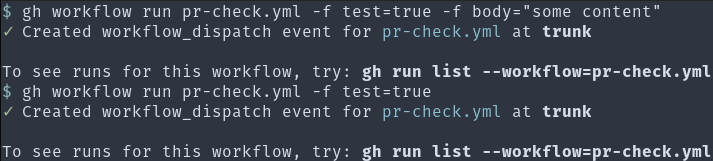
Workflows that declare a workflow_dispatch event can be invoked on demand, which is useful for cleanup tasks or for testing a workflow still under development. gh workflow run ties into this, letting you kick off such workflows manually and integrate them into scripts.
Consider a pr-check.yml workflow that validates incoming pull requests include a body:
name: Pull Request Check

on:
  workflow_dispatch:
    inputs:
      body:
        default: ""
      test:
        default: "false"
  pull_request_target:

jobs:
  check-body-length:
    runs-on: ubuntu-latest
    steps:
      - name: check
        env:
          PRNUM: ${{ github.event.pull_request.number }}
          PRBODY: ${{ github.event.pull_request.body }}
          TESTBODY: ${{ github.event.inputs.body }}
          TEST: ${{ github.event.inputs.test }}
        run: |
          if [ "$TEST" = "true" ]
          then
            PRBODY=$TESTBODY
          fi

          commentPR () {
            if [ "$TEST" = "true" ]
            then
              echo "would comment: '${1}'"
            else
              gh pr comment $PRNUM -b "${1}"
            fi
          }

          if [ "$PRBODY" = "" ]
          then
            commentPR "Thanks! Please add a body so we can better review your contribution."
          fi
The workflow triggers on both pull_request_target and workflow_dispatch, so when run manually it accepts a test input to simulate a pull request body for verification.
Using gh run view --log afterwards confirms the expected behavior, and the experience lends itself to further scripting or aliases. Iterating on the workflow’s conditional logic becomes more manageable when the whole loop—edit, run, inspect—is available from the terminal.



