
Debugging Mysteries, One Choice at a Time
Debugging a tricky networking problem often means working through possibilities one by one, narrowing things down with tools like dig, curl, and tcpdump. Julia Evans has turned that process into a series of interactive puzzles that play out like choose-your-own-adventure stories.
Two debugging mysteries are currently live and playable in about five minutes each: The Case of the Connection Timeout and The Case of the Slow Website. Rather than offering a flowchart with a fixed path to the answer, the format simulates sitting down with a knowledgeable coworker to work through a real problem together: the user picks a tool, sees the command output, and has to interpret it before moving on.
Designing for How Debugging Actually Works
The fundamental design choice was to make each mystery center on one specific bug, ideally one that Evans has encountered before. Solving it requires the user to pick the right diagnostic step and make sense of the results. That led to another key decision: always show the real output of the tools someone would run.
Interpreting command output is often the hardest part of using networking tools, so the puzzles don’t just summarize what a command means. Instead, a typical flow looks like this:
- Choose a tool to run.
- See the command and its actual output.
- Type an interpretation of that output into a freeform text box.
- Reveal the correct reading with the relevant parts of the output highlighted.
A related decision was to make every bit of output realistic. To do that, Evans reproduces each bug in a VM or on a laptop, then runs diagnostic commands the same way she would in a live debugging session and pastes the actual results into the puzzle. That's more reliable than guessing what tcpdump would print in a given scenario.
The games also include red herrings. If a piece of output looks odd but turns out to be a dead end, it's in the mystery. That renders the debugging process more honestly, showing how to prove what the cause is not.
Knowledge the Player Collects
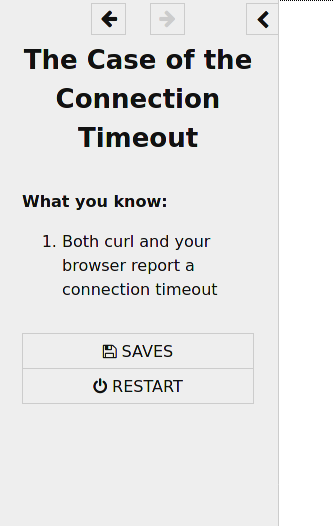
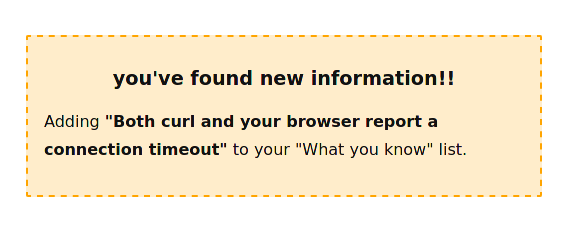
Each time the player figures something out, a small box notes that new piece of knowledge. That progress accumulates in a sidebar that works like an inventory of every clue found so far.
No Punishment for Guessing Wrong
The mysteries let players always get to the bottom of the bug. A wrong guess costs time, not a game over, which is more representative of real debugging.
What the player enters in the freeform text boxes doesn't change what happens next. Typing anything—or saying "I don't know"—leads to the same page, which spells out the correct answer and explains the reasoning. Evans notes this choice was partly because it's trivially easy to implement, but it also keeps the tone non-judgmental.
There's also a short epilogue after each mystery that describes how common that particular bug is in the wild, offering some context around what was just practiced.
Building the Puzzles in Twine
The implementation is a Twine story using the SugarCube engine. Although Evans hadn't used Twine before this project, the workflow consists of writing .twee source files and running them through tweego to produce a single HTML game. Keeping the source in plain text files makes it possible to use version control instead of the visual editor.
The final output for each puzzle is a single HTML file of about 800K, which includes all CSS and JavaScript inline. Images are base64-encoded and embedded directly in that file, so nothing external needs to load.
The source for one mystery and several shared components is available on GitHub for anyone who wants to see how the pieces fit together.
Feedback and Hard Questions
The most common complaint so far has been from players who want to try a tool or approach that isn't offered, such as pinging the problematic host or reading a log file. The fix is straightforward when the bug is real: run the suggested command in the reproduction VM and wire the output into the story. Playtesters who flag missing options will likely directly drive future additions.
Other feedback concerns how linear some paths feel, along with some UI notes (submitting answers with a button, clearer reading on mobile, better readability of certain images). Some players were also confused that the text boxes never act on what they type—the response doesn't indicate whether the guess was right or wrong, which can feel odd. Evans acknowledged that this needs further thought.
A couple more projects are on the horizon: more mysteries are being built, with a likely direction of many short puzzles rather than one long one. The code for the existing games is public, so any of the interactive decisions can be examined or reused for building additional cases.



