

Authentication: What Happens After “Login Successful”?
The browser submits the login form, the backend checks the credentials… and then the real ambiguity begins. That grey zone between a confirmed password and the granting of access rights is where most of the complexity of web authentication lives. It is also where conversations about tokens, cookies, and CORS tend to go off the rails.
Authentication, at its core, is the act of attributing a request to a specific entity. That attribution then enables authorization: the decision of whether that entity is allowed to reach a given resource. The hard part is not verifying the password — it’s proving who you are on every subsequent request you make.
Two dominant design patterns answer that question differently: stateless JSON Web Tokens (JWT) and server-side sessions. Neither is universally “better”; they are trade-offs in control, storage needs, and scalability. Understanding the mechanics of each is essential whether you are consuming an API or designing one.
JWT: The Banknote Model
With JWT-based authentication, a successful login results in the server handing the client a token. That token carries a payload — typically a user identifier, possibly permissions — and is signed by the server. On later API calls, the client sends this token along with the request. The server checks the signature, trusts the payload, and decides accordingly.
JWTs are structural analogues to banknotes. A central authority, the bank, prints them. To pay for goods, you hand over a banknote and the merchant verifies its authenticity, then reads its face value to determine what the note buys. The token is the same: the server confirms it was emitted by the same authority, then reads the embedded claim to establish who you are. This is why the token itself carries trust — there is no other lookup needed.
That independence is also the weakness. If a thief walks in with a valid banknote, you cannot “unstrike” the money; you have to compile a list of known counterfeit or stolen serial numbers. With JWTs, invalidating a token before its natural expiry requires the server to maintain a blacklist of revoked token signatures, which adds friction and weakens the stateless ideal.
Session-Based Authentication: The Credit Card Equivalent
Session-based flows take the opposite stance, and the difference is instantly visible in what the server returns upon login. Instead of a user-bearing token, the response is a plain session id — an opaque string referencing a server-side state object.
The server table that stores sessions (typically with a user id and an expiration date) is where the control lies. When you authenticate in this model, an act like opening an account at a bank, you receive a credit card: the id. The card itself is valueless plastic — its only purpose is to point back to an account. When you attempt a transaction (or an authenticated API call), the merchant phones the bank, which checks that the card is current and has the right balance.
This architecture makes revocation trivial. Logging a user out, or cancelling a compromised session, is a simple deletion in the database. An attacker who steals a session id has borrowed your card, but the bank immediately stops honouring it once the record is gone. You cannot remotely kill a JWT the same way — the server never saw it again until it arrives in a request.
In the end, the choice of token strategy shapes more than the login handler. It dictates how logout must behave, how stateless your API can be, and how a browser is configured to hold that credential in the first place. Knowing whether you are working with banknotes or credit cards is a prerequisite for the fine print of CORS, cookie policies, and authorization headers.
Where Should Authentication Tokens Live?
Authentication tokens — whether JSON web tokens or session IDs — are the digital equivalent of cash or credit cards. They must be presented with every request to prove identity, which means they need to be stored somewhere on the client side. The tricky part is that when the client is a web browser, you’re working in an environment where JavaScript, third-party scripts, and browser behavior all interact in ways you don’t fully control.
Many tutorials conflate server-to-server communication with browser-to-server communication. They are fundamentally different contexts. Server-to-server is a controlled environment with dedicated security infrastructure. Browser-to-server means your token lives in an environment where any script running on the page can potentially access it, and where browsers impose their own rules about how requests are sent.
Two Distinct Protection Needs
Before choosing a storage mechanism, you need to distinguish between two scenarios:
- Securing the web page itself. Unauthenticated users should not be able to see the page structure, HTML, or files.
- Securing API calls from the web page. Anyone can view the page structure, but data cannot be retrieved without authentication.
These are different technical problems with different solutions. If both apply, unauthenticated users get neither the page nor the data.
Securing Web Page Access: Cookies Are the Only Option
For protecting web pages, cookies are the standard mechanism. A cookie is a piece of data attached to every request sent to a specific domain, as defined by the HTTP protocol. The server can instruct the browser to store a cookie via the Set-Cookie header in its response.
This is how the login response authenticates the client. The server sets an HTTP-only, secure cookie in response to the login request, and the browser automatically includes it with subsequent requests to that domain. HTTP-only cookies cannot be read by JavaScript, and secure cookies are only transmitted over HTTPS.
This approach comes with a security caveat worth noting explicitly:
HTTP-only cookies prevent XSS attacks, where script injection would otherwise steal the token. However, they do not prevent CSRF attacks, where an attacker forges requests on behalf of an authenticated user. Both threat models require their own mitigation strategies.
Securing API Calls: Comparing Cookies and Web Storage
When your goal is to protect API endpoints that serve data to your web page, you have two viable options. The first is the cookie approach described above. The second is web storage, meaning localStorage or sessionStorage.
Cookies for API Authentication
Cookies work for API calls, but there is a catch. While browsers automatically send cookies with navigation requests and form submissions, programmatic requests from JavaScript require explicit configuration.
Because the cookie is HTTP-only, JavaScript cannot read its contents or inject the token into an Authorization header manually. The token travels as a cookie or not at all. You must therefore configure your HTTP client to include cookies:
- For
fetch, set thecredentialsoption. - For
XMLHttpRequest, setwithCredentialsto true.
There is also a server-side requirement. The server must confirm it accepts credentials by including the Access-Control-Allow-Credentials header with a value of true in its responses. This setting is symmetrical: it controls both sending cookies to the server and accepting Set-Cookie headers from it. Without it, the browser silently ignores any attempt by the server to set a cookie — no warning, no error. If cookies appear not to work after a login request, this header and the credentials option are the first places to look.
Web Storage for API Authentication
With web storage, the flow is more direct and more explicit. The login response contains the token in its payload. JavaScript reads the token, stores it in localStorage or sessionStorage, and later inserts it into the Authorization header of subsequent requests. You maintain full control over the process rather than relying on implicit browser behavior.
This approach offers protection against CSRF attacks. Because tokens in web storage are not automatically attached to requests, an attacker cannot force a browser to send them. The token stays out of reach unless the attacker can actually execute JavaScript on the page.
That is also its weakness. Web storage is fully accessible to JavaScript. If an attacker manages to inject a script into the page, they can read the token directly from storage. Choosing web storage means prioritizing robust XSS prevention strategies.
JWT Design and Refresh Handling
Regardless of where the token is stored, avoid putting sensitive information inside a JSON web token. Even if a token is stolen from an HTTP-only cookie and decrypted, the attacker gains authentication but not access to personal data that might otherwise be embedded in the payload. Limiting what a token contains limits the damage of a leak.
JWTs should also have a short lifespan. They are designed to be short-lived — five-minute lifetimes are a reasonable target — because they are difficult to revoke before expiration. A stolen token with a five-minute window is a minor problem compared to a stolen token that stays valid for days.
Short-lived JWTs create a usability problem, however: users don’t want to log in every five minutes. The solution is a refresh token, which is longer-lived and used exclusively to obtain new JWTs.
A sound pattern is to store the refresh token in a cookie restricted to a specific path like /refresh, so it is not transmitted with every request. Making it a one-time-use token adds another layer of security. The refresh token plays the role of an ID card: you present it rarely, only when you need to get more money, and it should be stored more carefully than the banknotes themselves.
The Browser as Cashier
CORS (Cross-Origin Resource Sharing) is how servers tell browsers to selectively relax Same-Origin Policy (SOP) restrictions on network access for trusted clients. When the browser sends a request based on the request's origin, the server decides legitimacy. If the server rejects it, the browser won't send the request at all.
Origins are specific combinations of scheme, domain, and port. https://www.foobar.com, https://qarzed.fake, and http://localhost:8080 are all distinct origins, and differences matter. An API at https://api.foobar.com will typically only accept requests from https://www.foobar.com and https://mobile.foobar.com.
Keep in mind that origins are compared as strings, not resolved IP addresses. localhost and 127.0.0.1 are different origins even though they point to the same machine. If you host the website and API under the same domain with different paths—say www.foobar.com and www.foobar.com/api—there's only one origin and no CORS needed. CORS only matters when you split things across origins like www.foobar.com and api.foobar.com.
Think of websites as shops and APIs as banks. A shop can attempt to connect to any bank, but the bank won't process payments without a company account. If a company has its own internal bank in the same office—a monolithic application—communication is trivial. But once the bank sits in another country, the same rules apply as with a third-party bank. CORS becomes necessary either way.
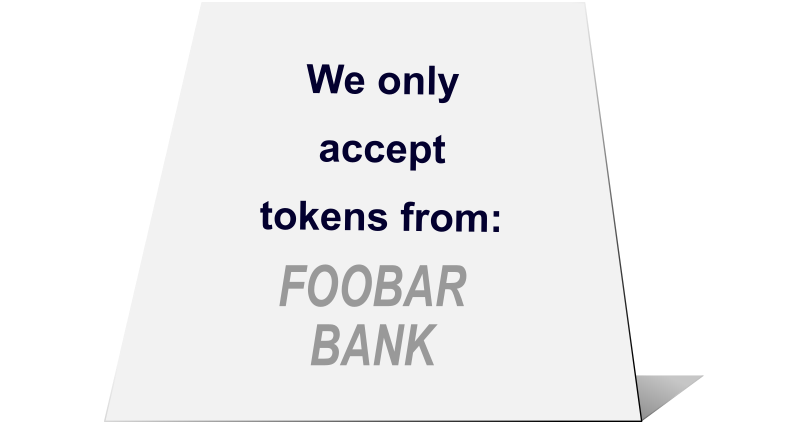
CORS is fundamentally a browser-server mechanism. Server-to-server communication isn't bound by SOP. An API can block requests with no origin, accept them freely, or filter by IP. Banks likewise use different protocols to talk to each other than they do with their own client companies.
Preflight Requests: The Polite Conversation
When a website sends a "non-simple" request to another origin, browsers first dispatch a preflight request using the OPTIONS method to the same URL. This checks whether the endpoint is actually consumable. Fetching JSON data and calling login endpoints on separate domains both fall into this "non-simple" category in standard browsers, making this step critical for authentication flows.
The server receives the preflight with its Origin header, checks its allowed list, and responds with the appropriate Access-Control-Allow-Origin header. This must match the website's origin—or use a wildcard * when the API is fully open. The wildcard only works for credential-free requests, so authentication rules out that option. If the header doesn't match, the browser aborts immediately, knowing the actual request will fail.
Several Access-Control headers exist covering accepted methods and headers. Beyond Allow-Origin, the most essential for authenticated calls is Allow-Credentials, which enables cookies and Set-Cookie headers when using fetch.
Access-control-allow-origin: https://www.foobar.com
Access-control-allow-credentials: true
Remember who enforces what: the server specifies the CORS policy, and the browser enforces it. This politeness mechanism assumes users run legitimate browsers. A custom-built rogue browser could theoretically forge requests and bypass these checks, but that's an edge case outside normal threat modeling.
This is like a cashier who refuses payment methods the store doesn't accept. The preflight is the cashier checking with the bank before finalizing a transaction. If the card won't be honored, the cashier stops the process early, sparing everyone the failed exchange at checkout.
SameSite: When Cookies Travel
Setting the credentials attribute in a fetch request alone doesn't ensure cookies get sent. That attribute only applies to programmatic requests, not page navigations. The SameSite cookie attribute governs when cookies travel based on the current site.
Site differs from domain:
https://api.foobar.comandhttps://www.foobar.comare different domains but the same site (scheme now matters too—HTTP vs. HTTPS).- Multi-tenant setups create exceptions:
foo.github.ioandbar.github.ioare different sites despite the shared underlying domain, based on server configuration.
Even with correct CORS headers and a successful preflight, a poorly configured SameSite value prevents the authentication cookie from being transmitted. The user appears logged out simply because the server never received the cookie.
The SameSite: Lax value is the usual recommendation and the current browser default. It attaches cookies for same-site requests and for top-level navigations when users arrive from external sites. With this setting, www.foobar.com automatically sends the authentication cookie to api.foobar.com, and authentication proceeds normally.
Sec-Fetch: Another Layer of Request Identification
Sec-Fetch request headers convey request context to the server. When Sec-Fetch-Site equals same-origin, there's no need to inspect the Origin header at all. A value of same-site still requires proper CORS response headers because sites and origins remain distinct concepts.
But Safari doesn't support these headers at the time of writing, so they can't be the primary defense. Think of them as a passport—identifying people works well when available, but not everyone carries one. You still need the ID-card fallback of checking Origin explicitly. When present, though, Sec-Fetch headers offer reliable context because attackers can trick users into sending unwanted requests but cannot control which browser sends them.
Subdomain takeover and similar elaborate attacks can still bypass these protections. And since CORS applies only to browser-server communication, any server can spoof an origin and call you directly. The mitigating factor is economic: an attacker hosting their own server pays real money for those API calls, and their IP traces back to them. The worst case—free attacks bouncing off victim browsers that trace to innocent users—is precisely what CORS prevents.
Web Page Access vs. API Calls: Why the Distinction Matters
Much of the confusion around authentication patterns stems from conflating two very different situations: a browser requesting a web page, and JavaScript making an API call. These requests travel different paths, are initiated by different actors, and cannot be secured in the same way. The token-handling strategy that works for one often fails for the other.
Browser Storage: Convenient, But Exposed
Storing tokens in localStorage or session storage is technically sound from a durability standpoint, but the critical weakness is that this storage is fully accessible to JavaScript. Any script running in the page context — including malicious scripts injected via an XSS vulnerability — can read those tokens and exfiltrate them.

Cross-site scripting is preventable, and some teams reasonably prefer web storage over HTTP-only cookies despite this risk. But if you choose this path, you must treat XSS prevention as a top priority. The alternative — an HTTP-only cookie — keeps the token out of JavaScript's reach entirely, though it introduces its own security considerations.
The Authorization Header Trap
Many developers default to browser storage because their API authentication flow doesn't use Set-Cookie during login, or because the client is expected to send an Authorization header with each request. Documentation for such APIs commonly shows patterns like this:
Authorization: Bearer <token>
Setting an Authorization header means the token must be available to JavaScript, which rules out HTTP-only cookies. The pattern works for programmatic requests via fetch or XMLHttpRequest, but it cannot protect the web page itself — the browser will never automatically attach this header during normal page navigation. Securing page access requires either HTTP-only cookies on the backend, or manually managing a non-HTTP-only cookie.
By adopting cookies, you're introducing a new attack vector that must be understood. Yet many public-facing sites don't need this level of protection for their pages at all — the Blitz.js motto "secure data, not pages" captures this well. When page security is genuinely required, the cookie pattern remains the standard approach your backend team should be willing to support.
If your existing API simply cannot accommodate cookies, a viable fallback is the backend-for-frontend (BFF) pattern: a small server owned by the front-end team that handles authenticated upstream calls server-side. Frameworks like Remix and Next.js with built-in server features make this approach practical.
Basic Auth: The Exception That Proves the Rule
One notable exception exists where a token travels as a request header without any JavaScript involvement: basic authentication. The browser automatically sets the Authorization header during navigation, making it behave more like a cookie than a typical header.
Basic auth is inherently unsafe because it sends the actual username and password with every request, not a revocable token. It's acceptable only in limited scenarios, such as temporarily protecting a demo site with an admin-generated password that carries no risk if intercepted. Never use it with user-set passwords that might be reused across other services.
This quirk also explains the fetch option name credentials rather than just cookies: it governs both cookie handling and basic auth header propagation in programmatic requests.
The Takeaway: Tokens, Cookies, and Real-World Analogies
Authentication patterns are easier to reason about when mapped to everyday objects. The two dominant patterns—JWT and session IDs—behave like banknotes and credit cards, respectively. Both need to be stored safely on the client, and each has distinct trade-offs regarding revocation, state, and where they live in the browser.
For browser-based storage, an HTTP-only and secure cookie set via the Set-Cookie header of the login response is a robust choice. This approach prevents malicious JavaScript from stealing the token. Web storage is another option, but it is only appropriate when you are securing API calls and not full page access; if you choose it, you must be vigilant against XSS attacks. Cookies are automatically attached to every request when configured correctly with the path and SameSite attributes—like carrying a wallet you only take out in safe surroundings.
Navigating via URL lets the browser handle cookie transmission automatically. However, when your JavaScript code needs to call authenticated APIs, you must explicitly configure the credentials option in fetch or withCredentials in XHR so cookies accompany those programmatic requests. The server must then respond with the Access-Control-Allow-Credentials header for the exchange to succeed.
Practical Rules For Secure Authentication
- Tokens in web storage need XSS protection. If you store auth tokens in web storage, treat it like putting your savings in a mailbox with a camera on it—extra vigilance is required to guard against script injection attacks.
- Server-side headers are non-negotiable. Authentication requires polite cooperation from the server in the form of correctly set headers. For cross-origin requests, this is especially true, as the browser enforces CORS. Ensure
Access-Control-Allow-OriginandAccess-Control-Allow-Credentialsare explicitly defined. - Webpage and API patterns differ. Banks treat individuals differently from other financial institutions. Browser-based pages rely on cookies and built-in browser features, while APIs typically use headers managed through client-side JavaScript. Do not confuse these patterns when designing your architecture.
- Basic auth crosses the line. It uses an
Authorizationheader like API patterns, yet it can also protect web pages. However, it is inherently insecure and intended for a narrow set of constrained use cases. The header-based nature of basic auth explains whyfetchand XHR options are branded "credentials" rather than merely "cookies."
References For Deeper Exploration
The bibliography below consolidates essential reading on the mechanics discussed throughout this analysis, from token standards to CORS misconfigurations:
- Fetch and programmatic requests:
- Using the Fetch API, Mozilla docs
- fetch(), Mozilla docs
- Token standards and debates:
- Intro to JWT token — note the ambiguity: JWTs are described as unsuitable for browser storage, yet passing them via headers implies client-side persistence. HTTP-only cookies are an alternative, and the "best" approach remains contested.
- Web Storage: the lesser evil for session tokens, James Kettle — argues against HTTP-only cookies in favor of web storage.
- Standard RFC for JWT
- "The Current State of Authentication: We Have A Password Problem", Drew Thomas — covers non-password authentication methods; the principles in this article apply equally to magic links and OpenID Connect.
- HTTP-only cookies and storage limitations:
- OWASP limits of tokens in browser storage
- How
Access-Control-Allow-Originworks, Stack Overflow - XHR
withCredentialsin Axios, Stack Overflow
- CORS and cross-origin requests:
- About CORS and "simple requests", Mozilla docs, including the Wildcard exception
- The OPTIONS HTTP verb in CORS preflight requests
- Breaking CORS preflight constraints
- "Exploiting CORS misconfigurations", James Kettle — explains why the scheme (HTTP/HTTPS) matters for CORS; see also exploit examples.
- "Cache your CORS, for performance & profit", Tim Perry — caching preflight requests to reduce API load (non-standard but useful at scale).
- Security threats and mitigations:
- CSRF — especially relevant when using cookies for API authentication.
- SameSite cookie configuration
- Explaining SameSite cookies, web.dev
- Subdomain takeover
- "Protect your resources from web attacks with Fetch Metadata", Lukas Weichselbaum — covers
Sec-Fetchheaders.
- Architecture and useful background:
- Backend For Front-end definition — a decentralized counterpart to a centralized API gateway.
- What is "top-level navigation" in browser terminology
- Fetch standard definition of a "client"
- Reflections on the REST architectural style, Fielding et al. (2017) — discusses how session management was historically overlooked in REST design, causing confusion and poor solutions.
- Redirecting in Next.js
- Smashing Magazine related articles:
- "Dynamic Data-Fetching In An Authenticated Next.js App", Caleb Olojo
- "How To Implement Authentication In Next.js With Auth0", Facundo Giuliani
For a hands-on implementation, the article's companion open-source demo of authentication with Deno and HTMX applies all these concepts using the cookie approach in a minimal setup.
 (yk, il)


