

SSH Authentication Gains Hardware Key Support on GitHub
GitHub has added support for hardware security keys in SSH-based Git operations. The move extends the platform's existing support for Universal 2nd Factor (U2F) and WebAuthn authentication into the SSH workflow, letting developers authenticate Git over SSH with a physical key rather than a software-only private key.
Security keys such as the YubiKey connect over USB, NFC, or Bluetooth, and store sensitive credential material on the device itself where it cannot be extracted or modified by external software. When used for SSH, the private key material never leaves the security key. Instead, the private key file stored on the local machine serves as a reference to the security key device—if that file is stolen, it is useless without the physical key in hand.
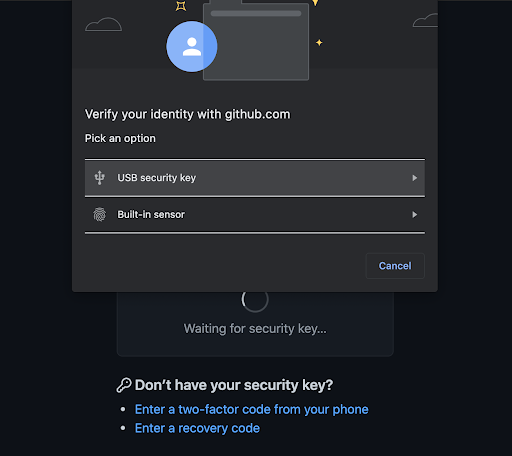
How Security Keys Work for SSH
With security keys, the sensitive portion of an SSH key shifts from the computer to the external hardware. Each remote operation requires a physical gesture—typically a tap—which establishes "user presence" and confirms you intend to authorize the operation. This guards against malware initiating requests without your knowledge.
Security keys are not application-specific. The same key used for web authentication can be used for SSH, so no separate hardware is required per use case. Notably, two-factor authentication is not required when using a security key for SSH authentication, though GitHub still recommends strong passwords, 2FA enrollment, and recovery mechanisms. Security keys also serve as a recovery option for two-factor-enabled accounts if you lose access to your phone or backup codes.
New SSH Key Types
GitHub's data indicates most users currently employ RSA or ed25519 keys. The new support adds two key types: ecdsa-sk and ed25519-sk, where "sk" signifies "security key."
$ ssh-keygen -t ecdsa-sk -C <email address>
Generating public/private ecdsa-sk key pair.
You may need to touch your authenticator to authorize key generation.
Generating and using these keys follows the familiar SSH workflow. You still create a public and private key pair, but the private key is generated and stored on the security key, while the public part remains on your machine as usual. The local private key file is essentially a device reference. Once generated, these keys are added to your GitHub account just like any other SSH key.
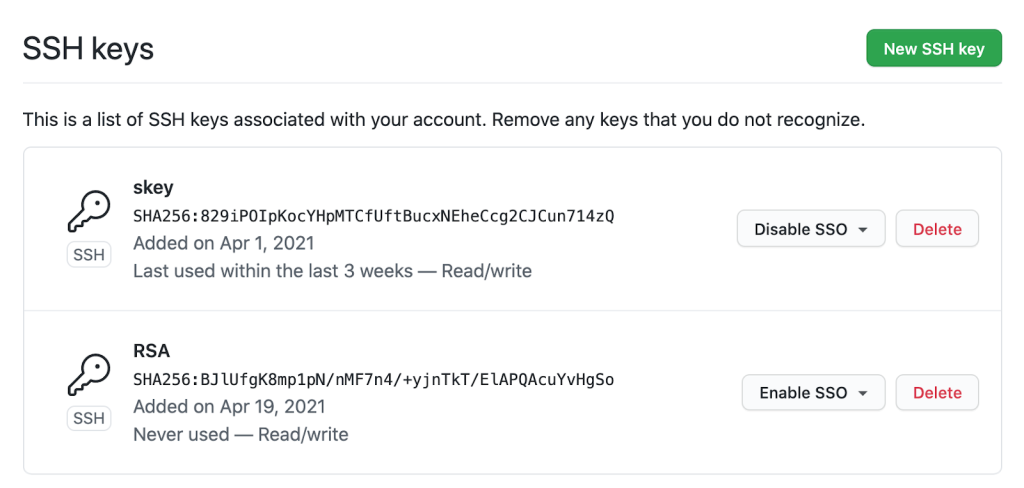
Stronger Account Protection and Simpler Key Management
Adopting security keys raises the bar against account takeover. You can remove previously registered SSH keys and rely exclusively on security-key-backed keys, giving stronger assurance that only you can pull your Git data over SSH—provided you safeguard the physical key.
Security keys also ease key management in less controlled environments. If you perform Git operations across many unfamiliar systems, you can generate and leave SSH keys on any machine without worrying about later revocation should the machine be compromised. GitHub will remove unused keys from your account, so periodically use keys you wish to retain to avoid automatic deletion. Each remote Git operation—push, fetch, pull—will require a tap on the key. Local operations such as checkout, branch, and merge proceed without interruption.
$ git clone [email protected]:github/secure_headers.git
Cloning into 'secure_headers'...
Confirm user presence for key ECDSA-SK SHA256:xzg6NAJDyJB1ptnbRNy8UxD6mdm7J/YBdu2p5+fCUa0
User presence confirmed
Users already familiar with security-key-backed SSH keys may wonder why GitHub requires a tap rather than allowing operations while the key is merely present. GitHub determined that requiring presence and intention strikes the best balance between usability and security.
Passwords Fading for GitHub Git Access
Currently, GitHub users can authenticate Git operations with a password, a personal access token (PAT), or an SSH key. Later this year, password support for Git operations will be discontinued. GitHub argues passwords are a persistent source of account security challenges, and the future lies in stronger alternatives like PATs, which are gaining fine-grained access controls and more expiration options. The password removal follows a similar precedent set with the GitHub API.
The combination of password elimination and SSH security key support aims to raise security hygiene across the ecosystem. GitHub acknowledged Yubico as an early collaborator on this feature, providing feedback on the implementation.



