

One view of your open source risks
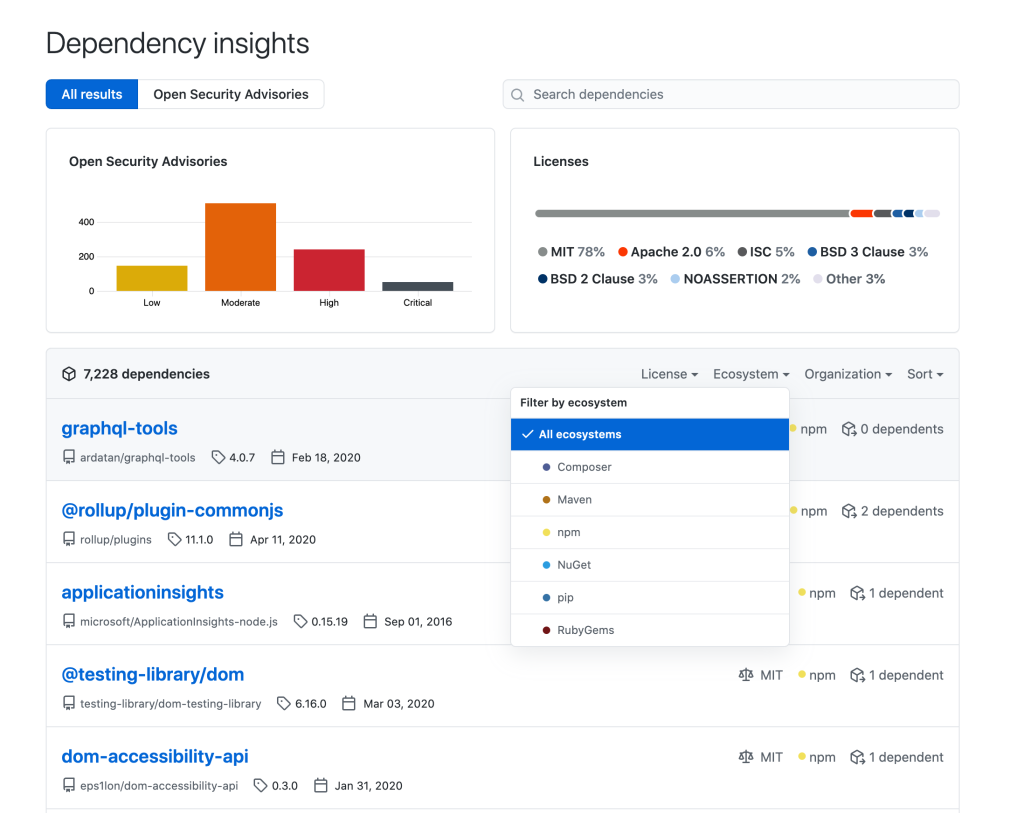
Keeping track of open source dependencies across an organization is rarely a single-team problem. Engineering teams need to know which versions they are running, security teams need to see exposure to known CVEs, and compliance teams need license visibility. GitHub’s dependency insights attempts to consolidate all of that into one pane of glass.
The view aggregates dependency data from the Dependency Graph across the repositories in your GitHub organizations. Currently that covers JavaScript, Ruby, Python, Java, Scala, PHP, and .NET dependencies on GitHub.com. From the summary screen you can filter by ecosystem, license type, or organization, which helps when you need to isolate a particular stack or business unit.
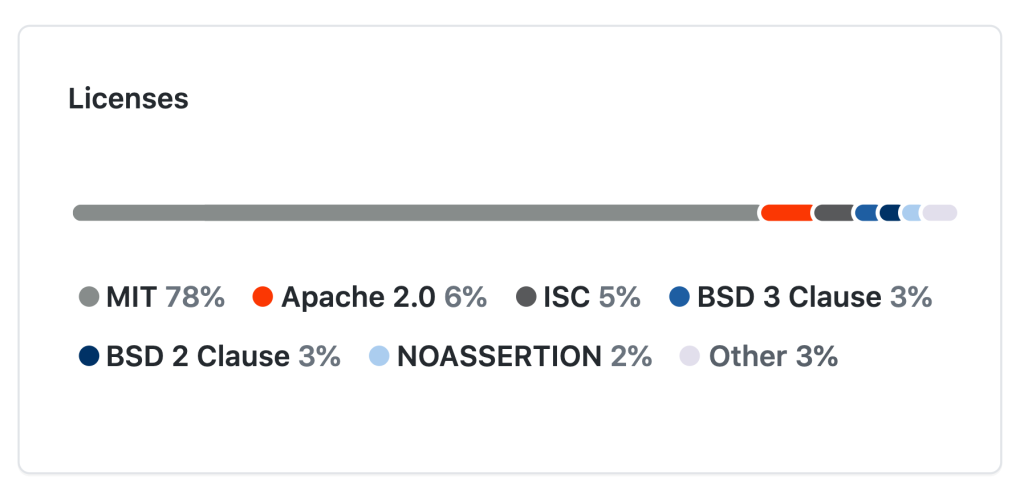
License exposure at a glance
License compliance is a growing concern, especially in regulated industries where using a non-compliant OSS license introduces real legal risk. Dependency insights compiles every license in use across your repositories and shows the frequency breakdown of each license type. The resulting histogram makes it straightforward to see what licenses you already have and to spot any new license usage that could add risk to the business.
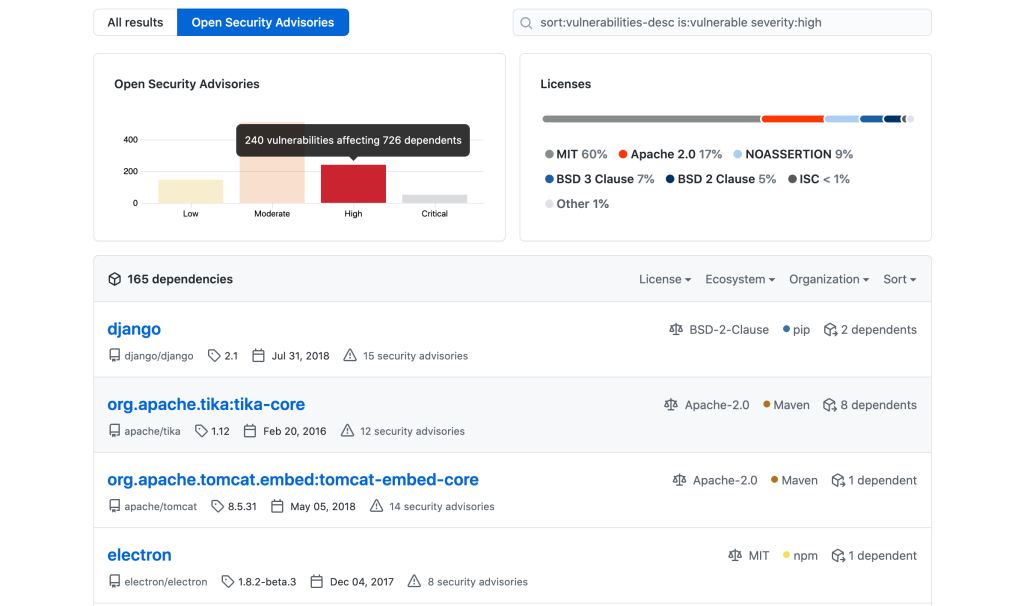
Security advisories and affected versions
The same Insights area doubles as a security dashboard. By drilling into the GitHub Security Advisories section, you can see the advisories your organization is vulnerable to. Clicking on a high-risk advisory filters the dependency list to show the affected package versions and the number of advisories associated with each. This gives security teams a natural triage order: handle the most severe advisories first, while developers can check how their current package versions fare.
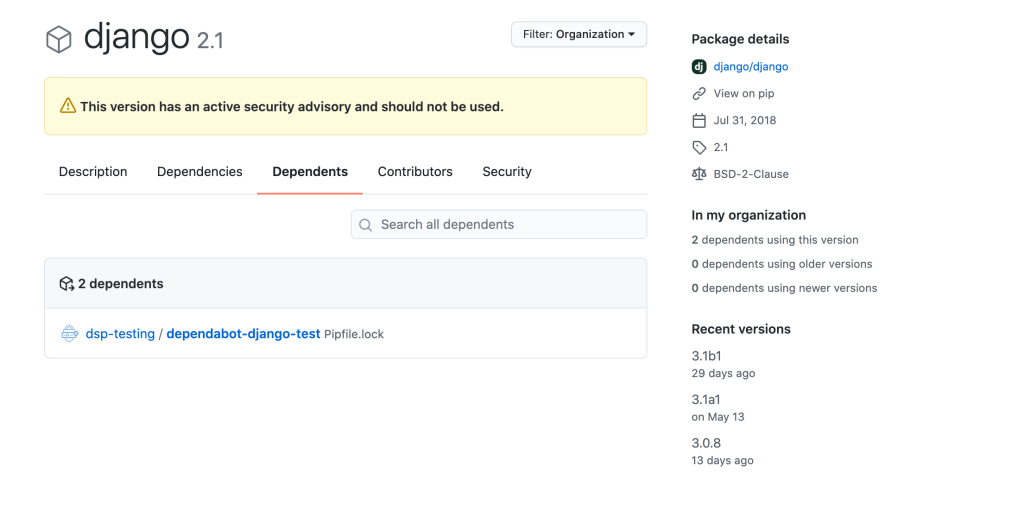
Selecting a specific dependency from that advisory list takes you to a detail page for the package. There you get a description of what the dependency does, the versions affected by CVEs, and recent maintainer activity. Crucially, you can also see which of your own repositories consume the vulnerable version, which closes the loop between “we have a problem” and “we know exactly where it lives.”

From detection to remediation
Once you have identified a repository using a vulnerable version, the fix path is largely automated. In the example of a Django dependency with multiple associated CVEs, navigating to the affected repository shows a pull request that Dependabot generated automatically. These pull requests include the OSS contributors’ release notes, changelog entries, and relevant Git commits.
Dependabot also provides a compatibility score for each proposed update. A high score indicates that merging the pull request is unlikely to introduce breaking changes in your project; combined with the attached release notes, that gives you enough context to merge with confidence and remediate the underlying CVE risk.
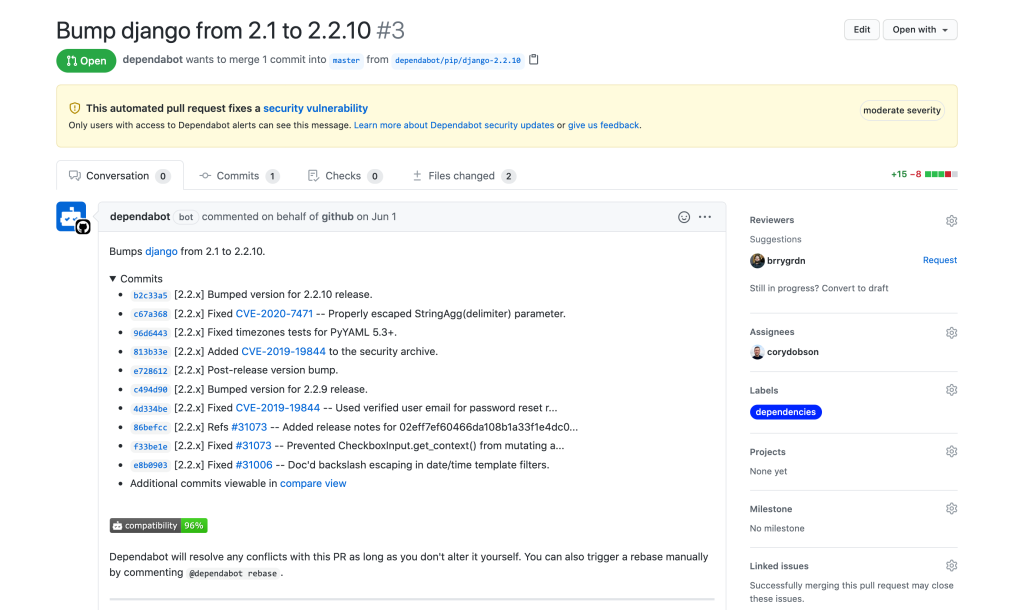
The full workflow—surveying over 7,000 dependencies, drilling down through advisories, locating the affected repository, and merging a Dependabot fix—takes only a few clicks. The key is that each step is anchored in the same data source, so the transition from organizational overview to specific remediation is seamless. No manual CVE tracking, no spreadsheet of licenses, no guesswork about which repo is pulling in a vulnerable version.



