
Phishing campaign targets GitHub accounts with fake login pages
GitHub is warning users about an ongoing phishing campaign that impersonates its login page to steal credentials. Over the past week, the company has received multiple reports of the attacks and is publishing details to help users identify and avoid the threat.
The lure messages claim that a repository or account setting has changed, or that unauthorized activity was detected, and direct recipients to click a link to review the issue. Many different lure messages are in circulation, but a typical example looks like this:

How the attack works
The link leads to a phishing site that mimics the GitHub login page. Any credentials entered are captured by the attacker. For accounts protected by TOTP-based two-factor authentication, the phishing site also relays TOTP codes to the attacker and to GitHub in real time, which lets the attacker compromise accounts that rely on those codes. Accounts using hardware security keys are not vulnerable to this attack.
The attacker varies their approach, but observed tactics include:
- Sending emails from legitimate domains by abusing compromised email servers or stolen API credentials for legitimate bulk email providers.
- Targeting active GitHub users across tech companies and multiple countries, using email addresses associated with public commits.
- Hiding the malicious destination behind URL-shortening services, sometimes chaining multiple services together.
- Using PHP-based redirectors on compromised websites to send victims from a benign-looking URL to the phishing site.
- Creating personal access tokens or authorizing OAuth applications on compromised accounts, preserving access even if the user later changes their password.
- Downloading private repository contents accessible to the compromised user, including repositories owned by organizations and other collaborators.
Protecting your account
Users who believe they may have entered credentials on a phishing site should take these steps immediately:
- Reset your password.
- Generate a new set of two-factor recovery codes.
- Review and revoke any personal access tokens.
- Audit account settings and activity for unauthorized changes.
To reduce the risk of phishing attacks that harvest two-factor codes, GitHub recommends using hardware security keys or WebAuthn-based two-factor authentication. A browser-integrated password manager also provides a degree of protection, since it will only autofill credentials on domains where a password was previously saved. If the password manager does not recognize the site being visited, it may be a phishing site.
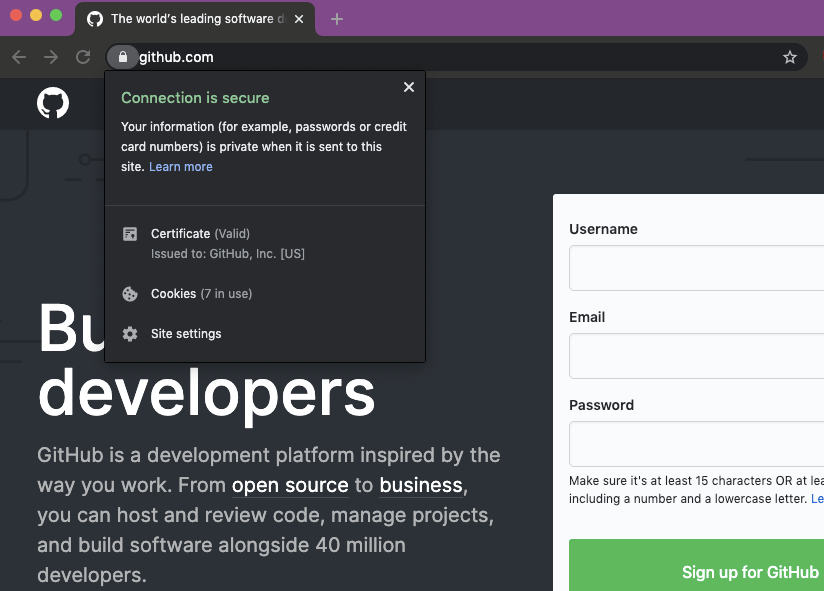
Before entering credentials, verify that the address bar shows https://github.com/login and that the TLS certificate is issued to GitHub, Inc.

Reporting and known domains
GitHub Security is actively monitoring for new phishing sites and filing abuse reports and takedown requests. Users who receive phishing emails related to this campaign should contact GitHub Support with the sender's email address and the malicious URL to help with the response.
The following domains have been observed in this campaign. Most are already offline, but the attacker is expected to register new domains:
- aws-update[.]net
- corp-github[.]com
- ensure-https[.]com
- git-hub[.]co
- git-secure-service[.]in
- githb[.]co
- glt-app[.]net
- glt-hub[.]com
- glthub[.]co
- glthub[.]info
- glthub[.]net
- glthubb[.]info
- glthube[.]app
- glthubs[.]com
- glthubs[.]info
- glthubs[.]net
- glthubse[.]info
- slack-app[.]net
- ssl-connection[.]net
- sso-github[.]com
- sts-github[.]com
- tsl-github[.]com
- data-github[.]com
- gilthub[.]com
- gïthub[.]com
- githube[.]app
- githubs[.]info
- gltgub[.]net
- glthhubs[.]net
- gthub[.]co
- xn--gthub-cta[.]com



