
Building a Secure GraphQL API with FaunaDB
GraphQL has become a go-to choice for modern APIs, but building one that is both fast and secure often requires significant boilerplate. FaunaDB's native GraphQL support removes much of that overhead by letting you define your entire API — including authentication and fine-grained authorization — directly through a schema. As a practical example, we'll build an API that handles user registration and login, with protected access to confidential files.
The core advantage here is that FaunaDB automatically generates the necessary indexes and compiles each GraphQL query into a single FaunaDB query. This eliminates the classic N+1 problem without requiring additional query optimization on your end.
Getting started requires only a free FaunaDB account at https://dashboard.fauna.com. With the schema in place, your GraphQL API is immediately operational.
Defining the Data Model
Our schema defines two collections — users and confidential files. The User type stores credentials plus a reference to the files the user owns. The ConfidentialFile type stores the file metadata and a pointer to its owner.
type User {
  email: String! @unique
  password: String!
  files: [ConfidentialFile!] @relation(name: "OwnedFiles")
}

type ConfidentialFile {
  name: String!
  owner: User! @relation(name: "OwnedFiles")
}
The @unique directive on email creates a unique index automatically. FaunaDB's generated queries respect these constraints, so we don't need to write resolvers manually.
Handling Authentication
FaunaDB's GraphQL layer supports two common authentication flows: password-based and token-based. We'll use token-based auth, where each successful login returns a secret that the client provides in subsequent requests.
First, we define the mutation for registration. The client sends an email and password, which are hashed server-side before storage. The response is the created user record. Login is slightly more involved — we need a custom resolver that calls FaunaDB's Login function with the provided credentials.
type Mutation {
  register(email: String!, password: String!): User!
  login(email: String!, password: String!): String!
}
The actual implementation lives in FaunaDB's query language (FQL). The login resolver invokes the built-in Login function with an instance of the user matching the supplied email. If successful, it returns a token that acts as the session secret.
In practice, this means a client authenticates by exchanging email and password for a secret, which is then included as a bearer token in the Authorization header for every request.
Enforcing Access Control
Fine-grained authorization requires FaunaDB's attribute-based access control (ABAC). You define rules that govern which roles can read or write which fields, and you attach those roles to users via membership.
For our file API, the critical rule is that a user may only access files they own. FaunaDB expressions let us write this check directly against the document's owner reference.
{
  name: "FileAccess",
  privileges: {
    data: {
      read: "resource.data.owner == identity()",
      write: false
    }
  },
  membership: [
    { resource: Collection("User") }
  ]
}
This rule makes two guarantees: only logged-in users (members of the User collection) can read any file, and they can only read files whose owner field matches the logged-in user's document reference. The same logic extends to queries that filter or paginate — FaunaDB's query layer applies the rule before returning results, so there is no risk of leaking data through list operations.
Write access to a file is also restricted. Only the owner can create or update files within their collection, enforced by writing similar rules on the parent user document.
Schema-Driven Setup
The entire API is defined declaratively. FaunaDB's GraphQL schema import handles type creation, indexes, and relation wiring. A custom resolver for login is the only piece that touches FQL directly, and that is required only because authentication inherently involves credential validation.
For secure credential handling, the password is hashed before being stored. FaunaDB hashes passwords with SHA-256 internally before saving them to the database, preventing plaintext exposure.
Role and membership definitions are also part of the data model, so no external policy server or middleware is involved. This yields an architecture where every request path — direct document lookup, list queries, nested relations — enforces the same rule set uniformly.
The speed benefit is nontrivial for production traits: each GraphQL query compiles to one FQL query, and all security checks happen inside that single document transaction. Sharding and indexing are handled automatically, so as data grows, performance remains close to intrinsic database limits.
In essence, FaunaDB reduces the entire GraphQL API design process — schema, auth, and field-level permissions — to a few declarative definitions. This reduces the amount of custom code you need to write and audit while letting the database enforce security invariants at the parent level, not just at the API boundary.
Securing a GraphQL API with Attribute-Based Access Control
Security in a GraphQL API has to be more than a yes/no check at the endpoint. In this example, we protect a schema that models users and files: some files are public to everyone, others belong to a confidential tier that only managers may read on weekdays. The access model is FaunaDB's Attribute-Based Access Control (ABAC), implemented through database roles.
type User {
  username: String! @unique
  role: UserRole!
}

enum UserRole {
  MANAGER
  EMPLOYEE
}

type File {
  content: String!
  confidential: Boolean!
}

input CreateUserInput {
  username: String!
  password: String!
  role: UserRole!
}

input LoginUserInput {
  username: String!
  password: String!
}

type Query {
  allFiles: [File!]!
}

type Mutation {
  createUser(input: CreateUserInput): User! @resolver(name: "create_user")
  loginUser(input: LoginUserInput): String! @resolver(name: "login_user")
}
Schema import and custom resolvers
Notice that createUser and loginUser in the schema carry the @resolver directive. This FaunaDB GraphQL directive tells the importer that those Mutations are not yet implemented; instead, they will defer to a User-defined function (UDF) that we write in FQL. UDFs behave like stored procedures and allow us to use FaunaDB's built-in authentication, which plain GraphQL cannot express.
To begin, create a new FaunaDB database in the Cloud Console:

Give the database a name:

Next, store the schema above in a schema.gql file and import it via the GRAPHQL tab:

The importer generates the backing collections and indexes, and stubs out template UDFs for each @resolver. When invoked, those stubs return an error until we provide a real implementation.
From the Shell tab (accessible from the left sidebar), we will replace the stubs using FQL's Update function:

Update(Function("create_user"), {
  "body": Query(
    Lambda(["input"],
      Create(Collection("User"), {
        data: {
          username: Select("username", Var("input")),
          role: Select("role", Var("input")),
        },
        credentials: {
          password: Select("password", Var("input"))
        }
      })
    )
  )
});
The create_user UDF writes a User document and stores the password inside a special credentials property. FQL functions cannot read that value back, so the plaintext password is never retrievable through FQL or GraphQL.
The second UDF, backing loginUser, is defined next:
Update(Function("login_user"), {
  "body": Query(
    Lambda(["input"],
      Select(
        "secret",
        Login(
          Match(Index("unique_User_username"), Select("username", Var("input"))),
          { password: Select("password", Var("input")) }
        )
      )
    )
  )
});
login_user calls the Login function. If the username and password match what is stored in credentials, the UDF returns a secret token used to authenticate in subsequent requests. The password itself is nowhere in the output.
Seed data
Run these mutations from the GraphQL Playground. First, create a manager:
mutation CreateManagerUser {
  createUser(input: {
    username: "bill.lumbergh"
    password: "123456"
    role: MANAGER
  }) {
    username
    role
  }
}
Then create an employee user:
mutation CreateEmployeeUser {
  createUser(input: {
    username: "peter.gibbons"
    password: "abcdef"
    role: EMPLOYEE
  }) {
    username
    role
  }
}
Add one confidential file and one public file:
mutation CreateConfidentialFile {
  createFile(data: {
    content: "This is a confidential file!"
    confidential: true
  }) {
    content
    confidential
  }
}
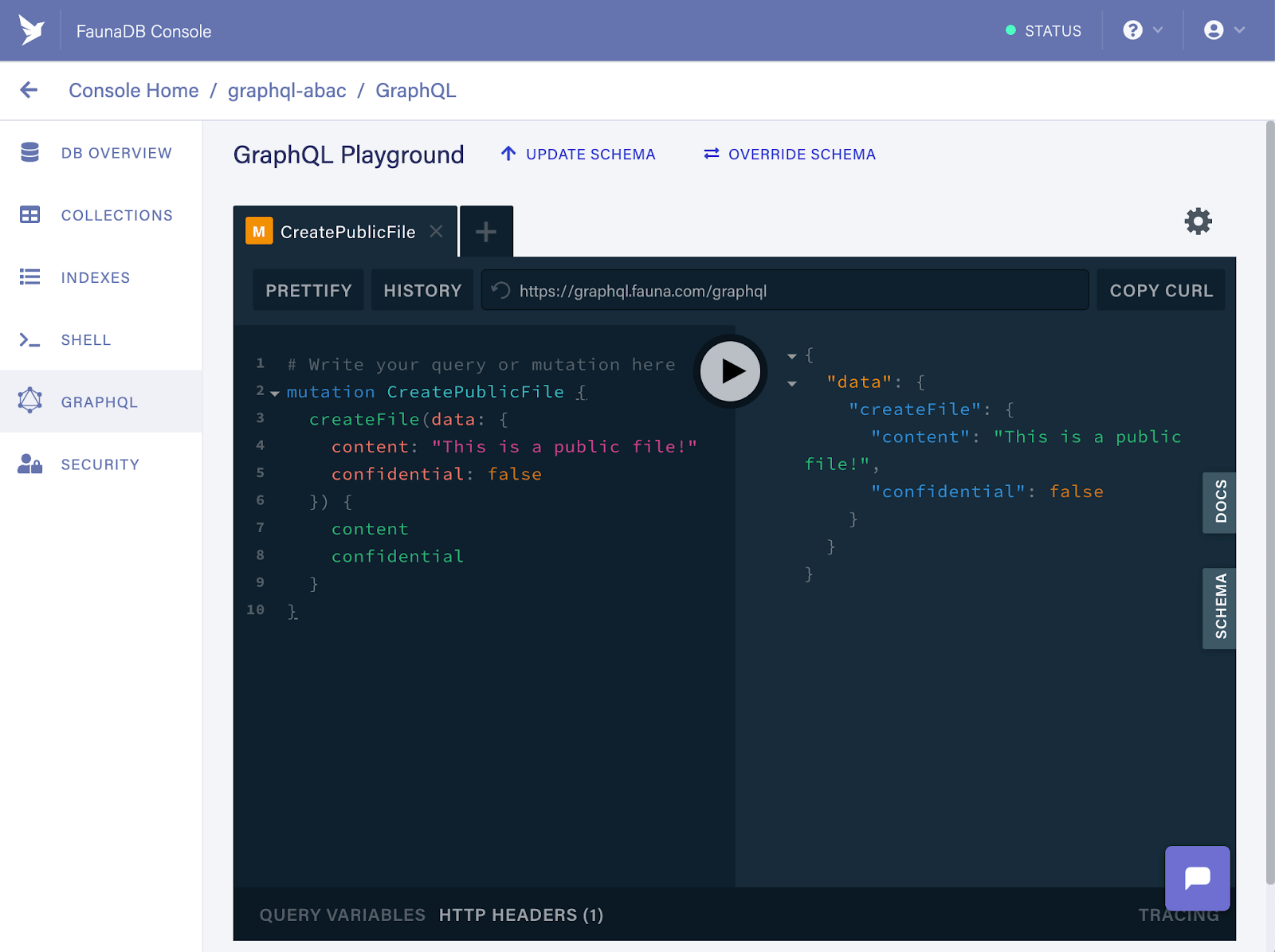
mutation CreatePublicFile {
  createFile(data: {
    content: "This is a public file!"
    confidential: false
  }) {
    content
    confidential
  }
}
By default, a user can only see its own document. To serve our two-file use case, we now need access rules for reading.
How ABAC roles work
ABAC—Attribute-Based Access Control—lets us write policies that consider any attribute of the data, including time and environmental context, not just the caller's identity. In FaunaDB those policies are expressed as roles created with CreateRole:
CreateRole({
  name: "role_name",
  membership: [     // ...   ],
  privileges: [     // ...   ]
})
A role has two key parts:
- membership — which identities hold the role's privileges
- privileges — the permitted actions on chosen collections or indexes
Membership can target all users with a function like this:
membership: {
  resource: Collection("User")
}
That gives any User the role. Its privileges are defined separately:
privileges: [
  {
    resource: Collection("File"),
    actions: { read: true }
  }
]
The {read: true} shorthand grants full read access over the File collection. But privileges can be a function instead of a predicate map. Since the privilege resource is the File collection, each file that a query touches is the function's argument:
privileges: [
  {
    resource: Collection("File"),
    actions: {
      // Read and establish rule based on action attribute
      read: Query(
        // Read and establish rule based on resource attribute
        Lambda("fileRef",
          Not(Select(["data", "confidential"], Get(Var("fileRef"))))
        )
      )
    }
  }
]
The rule above only permits reading files whose confidential flag is false. Because the predicate is simply FQL, it can also inspect the current date to restrict access to weekdays:
privileges: [
    {
      resource: Collection("File"),
      actions: {
        read: Query(
          Lambda("fileRef",
            Let(
              {
                dayOfWeek: DayOfWeek(Now())
              },
              And(GTE(Var("dayOfWeek"), 1), LTE(Var("dayOfWeek"), 5))
            )
          )
        )
      }
    }
]
Membership itself can be made conditional. A function can pick out users whose role attribute equals MANAGER:
membership: {
  resource: Collection("User"),
  predicate: Query(    // Read and establish rule based on user attribute
    Lambda("userRef",
      Equals(Select(["data", "role"], Get(Var("userRef"))), "MANAGER")
    )
  )
}
Combining these two dimensions—where you place conditions (membership or privilege) and how complex the FQL expressions get—means a fairly elaborate authorization setup can fit inside a database-native layer.
Creating the sample roles
For our use case we define two distinct rules. The first targets employee users and lets them read public files.
“Allow employee users to read public files only.”
CreateRole({
  name: "employee_role",
  membership: {
    resource: Collection("User"),
    predicate: Query(
      Lambda("userRef",
        // User attribute based rule:
        // It grants access only if the User has EMPLOYEE role.
        // If so, further rules specified in the privileges
        // section are applied next.
        Equals(Select(["data", "role"], Get(Var("userRef"))), "EMPLOYEE")
      )
    )
  },
  privileges: [
    {
      // Note: 'allFiles' Index is used to retrieve the
      // documents from the File collection. Therefore,
      // read access to the Index is required here as well.
      resource: Index("allFiles"),
      actions: { read: true }
    },
    {
      resource: Collection("File"),
      actions: {
        // Action attribute based rule:
        // It grants read access to the File collection.
        read: Query(
          Lambda("fileRef",
            Let(
              {
                file: Get(Var("fileRef")),
              },
              // Resource attribute based rule:
              // It grants access to public files only.
              Not(Select(["data", "confidential"], Var("file")))
            )
          )
        )
      }
    }
  ]
})
The other role grants managers read access for public files plus confidential files, provided the request arrives on a weekday.
“Allow manager users to read both public files and, only during weekdays, confidential files.”
CreateRole({
  name: "manager_role",
  membership: {
    resource: Collection("User"),
    predicate: Query(
      Lambda("userRef",
        // User attribute based rule:
        // It grants access only if the User has MANAGER role.
        // If so, further rules specified in the privileges
        // section are applied next.
        Equals(Select(["data", "role"], Get(Var("userRef"))), "MANAGER")
      )
    )
  },
  privileges: [
    {
      // Note: 'allFiles' Index is used to retrieve
      // documents from the File collection. Therefore,
      // read access to the Index is required here as well.
      resource: Index("allFiles"),
      actions: { read: true }
    },
    {
      resource: Collection("File"),
      actions: {
        // Action attribute based rule:
        // It grants read access to the File collection.
        read: Query(
          Lambda("fileRef",
            Let(
              {
                file: Get(Var("fileRef")),
                dayOfWeek: DayOfWeek(Now())
              },
              Or(
                // Resource attribute based rule:
                // It grants access to public files.
                Not(Select(["data", "confidential"], Var("file"))),
                // Resource and environmental attribute based rule:
                // It grants access to confidential files only on weekdays.
                And(
                  Select(["data", "confidential"], Var("file")),
                  And(GTE(Var("dayOfWeek"), 1), LTE(Var("dayOfWeek"), 5))
                )
              )
            )
          )
        )
      }
    }
  ]
})
Both roles are created through the Shell panel's FQL console. Note that rules defined as separate roles are easy to extend without rewriting a monolithic policy.
Verifying the rules against the GraphQL API
To test the employee rule, first run login as the employee from the GraphQL Playground:
mutation LoginEmployeeUser {
  loginUser(input: {
    username: "peter.gibbons"
    password: "abcdef"
  })
}
That returns a secret—an authentication artifact only. Authorization information is not baked into the token; FaunaDB resolves roles and their rules on every request. If those access rules change later, existing tokens are immediately affected, even without a new login.
The API accepts this secret in a Bearer Token. In the left sidebar panel of the Playground, click HTTP HEADERS and set it as follows:
{
  "authorization": "Bearer fnEDdByZ5JACFANyg5uLcAISAtUY6TKlIIb2JnZhkjU-SWEaino"
}
With that header in place, execute this query as the employee:
query ReadFiles {
  allFiles {
    data {
      content
      confidential
    }
  }
}
The response contains the public file only:

The confidential file was filtered out because this user's role grants read solely for non-confidential content. Now check the manager side. Return to the tab with default admin authorization and log in as the manager:
mutation LoginManagerUser {
  loginUser(input: {
    username: "bill.lumbergh"
    password: "123456"
  })
}
Take that secret into yet another tab, adjust the same Authorization header, and execute the same all-files query:
query ReadFiles {
  allFiles {
    data {
      content
      confidential
    }
  }
}
Assuming today is a weekday, the manager gets both the public and the confidential file. Both access rules work end-to-end through the GraphQL layer.
Why the database layer is the right home for this
Today access rules are authored only in FQL, but they are checked on every GraphQL request regardless of client—meaning there is no secondary gateway or service in front of the API to bypass. ABAC's strength is that conditions live in one place, can reference any number of resource and subject attributes, and are expressive enough to permit something as specific as "managers may read sensitive files on weekdays but not weekends" without leaving your data model behind. Making these rules expressible directly in a GraphQL schema definition is on the roadmap, but the current capabilities already cover typical production needs.



