

Secret placement decisions
GitHub lets you store encrypted secrets at three levels: organization, repository, or repository environment. Where a secret lives should mirror what it can access and who needs it.
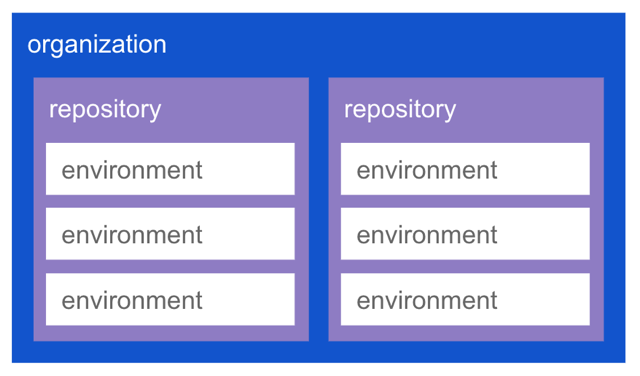
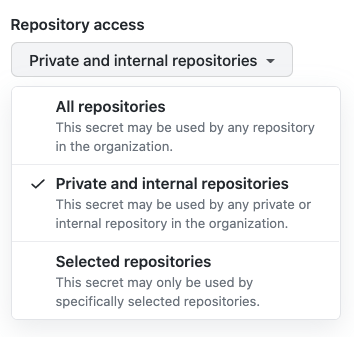
An organization-level secret makes sense when the credential is broadly useful but low-risk. A Slack bot token that can only post to company workspaces, for example, may be needed by many repositories' CI/CD workflows. When you create an organization secret, you can restrict it to all repositories, private and internal repositories only, or a selected set.
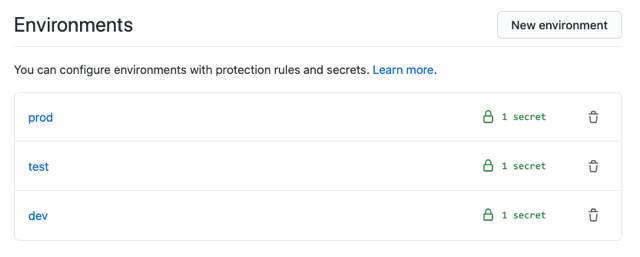
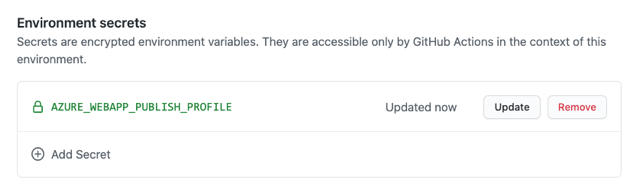
Repository-level secrets fit credentials tied to one repository's resources. If a containerized app needs a token to push images to AWS ECR, storing a unique token at the repository level keeps that credential from being usable to pull other containers. Environment-level secrets narrow access further: the same app deployed to dev, test, and prod Azure Web Apps would store a distinct publishing profile in each environment.
Restricting how secrets are invoked
Scoping limits what a secret can access, but you also need to control who can trigger its use and from where. Pairing narrowly scoped secrets with environment protection rules, CODEOWNERS, and branch protection prevents unauthorized invocation.
Consider a scenario where MonaCorp wants its production AZURE_WEBAPP_PUBLISH_PROFILE secret usable only to deploy the OctoMittens web app. Dev, test, and production environments each get their own secret with the corresponding publishing profile.
Without further controls, anyone with write access could create a branch, modify a workflow, and trigger a deploy to production. Three protections close that gap:
- An environment protection rule restricting which branches can deploy to
production— here, onlymainis allowed.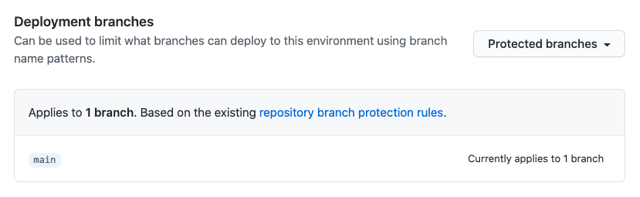
- CODEOWNERS assigning the
@monacorp/automation-reviewteam ownership of.github/workflows.### Actions workflows .github/workflows/ @monacorp/automation-review - A branch protection rule requiring CODEOWNERS review for merges into
mainand blocking force pushes.
Together, these mean the only path to use the production secret is a workflow change merged into main after review by the automation team.
Central secret store integration
Organizations often keep secrets in a central store like HashiCorp Vault or Azure Key Vault rather than duplicating them across platforms. GitHub Actions can pull from these stores while preserving the same least-privilege properties.
MonaCorp, for instance, keeps all secrets in HashiCorp Vault. They create a distinct AppRole per OctoMittens environment, with each AppRole scoped to that environment's deployment secrets. The AppRole roleId and secretId are stored as GitHub environment secrets.
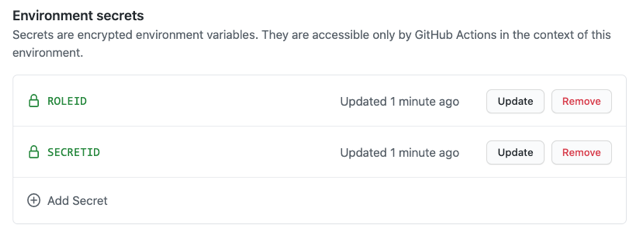
Workflow jobs target the corresponding environment and use the Vault Secrets action to authenticate as that environment's AppRole, retrieve the needed values, and set them as environment variables. The action leverages GitHub's log masking so secrets never appear in output. Azure Key Vault users can achieve the same through the Azure Key Vault – Get Secrets action.
Rotating credentials
When secrets live in Vault, rotation happens there, and each workflow run picks up fresh credentials automatically. For GitHub-stored secrets such as a Vault secretId, rotation can be automated through the Actions REST API.
GitHub's combination of placement levels, environment and branch protections, and store integrations gives teams the tools to enforce least privilege end to end.



