
Why Scope Granularity Matters
The Dropbox API uses scopes to control precisely what an app can do inside a user’s account. Developers pick which scopes to enable when registering an app, and users are shown those permissions during the OAuth authorization flow. That setup gives users visibility into what they’re approving, but it doesn’t mean an app has to request every scope it has enabled. The authorization endpoint supports a couple of parameters that let you tailor the permission request — and even expand it later — without forcing users through a full re-authorization.
Requesting a Subset of Scopes
The scopes you enable on the Permissions tab of your app’s page in the App Console define two things: the maximum set of scopes your app can ever request, and the default set that gets requested when you omit the scope parameter. For a user-linked app, account_info.read is always registered by default. Consider an app that also has files.content.read and files.metadata.read enabled:
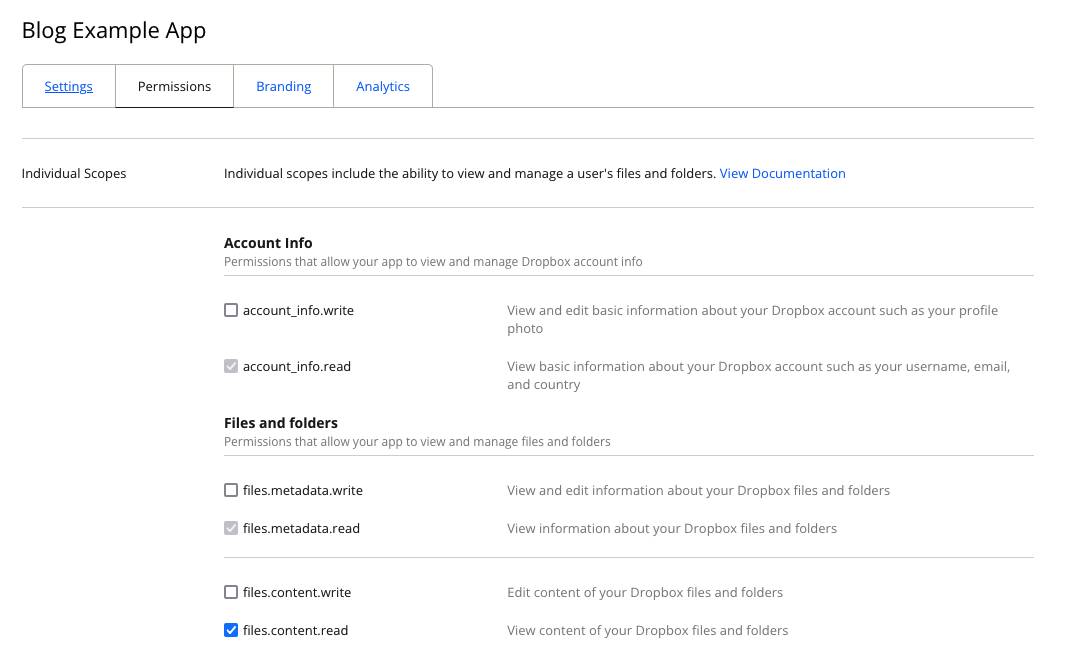
A screenshot showing the app’s scopes configuration.
If you send a user to the standard authorization URL without a scope parameter, they’ll be asked to grant all enabled scopes:
https://www.dropbox.com/oauth2/authorize?client_id=<APP_KEY>&response_type=code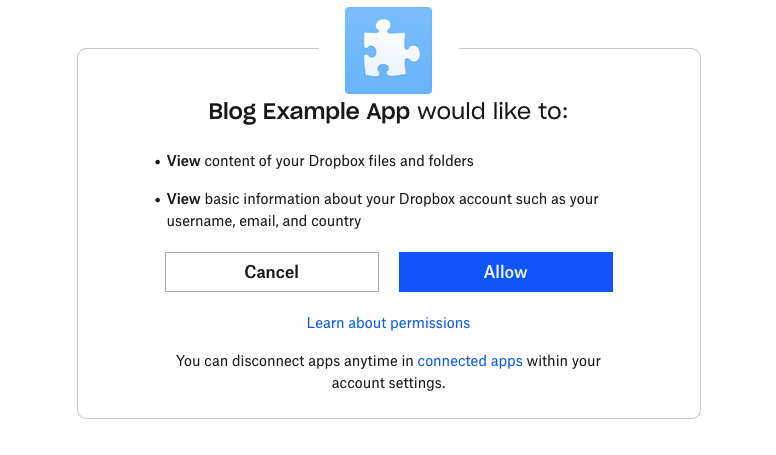
A screenshot of the app authorization page defaulting to the scopes registered to the app.
But you don’t have to request everything at once. Add a scope parameter containing a space-delimited list of the scopes you actually want for that particular authorization. This is useful when an app only needs a fraction of its potential access, or when you want to earn a user’s trust incrementally.
For example, if the app only needs to read file and folder metadata, construct the URL like this:
https://www.dropbox.com/oauth2/authorize?client_id=<APP_KEY>&response_type=code&scope=files.metadata.read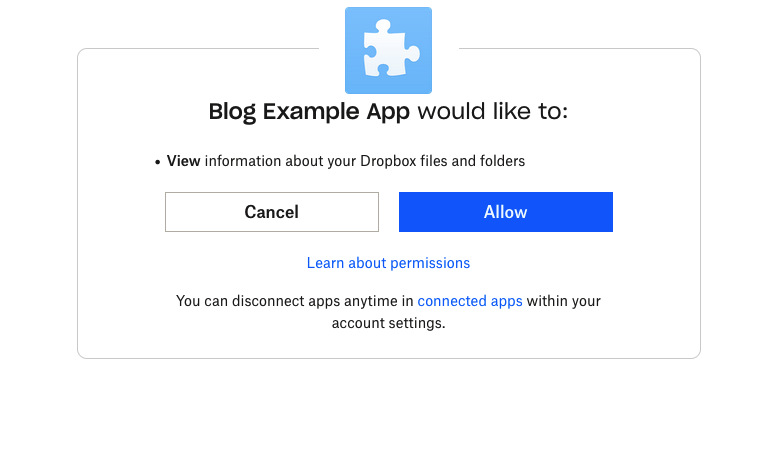
A screenshot of the app authorization page requesting a sub-set of the scopes registered to the app.
Note that even though account_info.read must be enabled on the app itself, you don’t have to include it in the authorization request. For privacy-conscious scenarios where the app has no need for account information, you can leave it out entirely.
After the user authorizes that request, the app exchanges the authorization code at /oauth2/token and receives a token carrying only the requested scope:
{
  "access_token": "<ACCESS_TOKEN>",
  "token_type": "bearer",
  "expires_in": 14400,
  "scope": "files.metadata.read",
  "uid": "<USER_ID>",
  "account_id": "<ACCOUNT_ID>"
}
Granting Additional Scopes Later
If the app’s needs grow, it can send the user back through the authorization flow with a broader scope parameter — or no scope parameter at all, to request the full set of enabled scopes. There’s also a shortcut: the include_granted_scopes parameter, set to user, tells Dropbox to keep the previously granted scopes on the same token without you having to list them again.
Suppose the app from the previous example now needs to read file contents as well as metadata. Construct another authorization URL with only the new scope and include_granted_scopes=user:
https://www.dropbox.com/oauth2/authorize?client_id=<APP_KEY>&response_type=code&scope=files.content.read&include_granted_scopes=user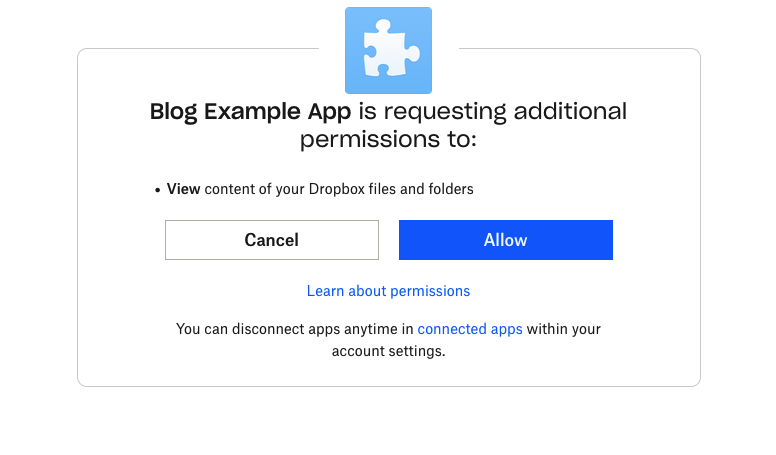
A screenshot of the app authorization page requesting additional scopes registered to the app.
The resulting token from the subsequent /oauth2/token call now grants both files.metadata.read and files.content.read:
{
  "access_token": "<ACCESS_TOKEN>",
  "token_type": "bearer",
  "expires_in": 14400,
  "scope": "files.content.read files.metadata.read",
  "uid": "<USER_ID>",
  "account_id": "<ACCOUNT_ID>"
}
For apps that need long-term unattended access, this same flow can be combined with offline access; see Dropbox’s post on OAuth 2.0 with offline access.
Scope Changes Don’t Retroactively Alter Grants
One important detail: changing the scopes enabled on an app in the App Console does not affect scopes that users have already granted. If an app owner enables a new scope after a user has authorized the app, that existing grant does not automatically pick up the new scope. Likewise, disabling a scope on the app doesn’t strip it from an existing grant. This design ensures apps can’t acquire more access than a user explicitly authorized, and that revoking or adding permissions on an app doesn’t break existing connections.
By combining the scope parameter with include_granted_scopes, you can build apps that request only the minimum permissions needed for the task at hand, while still having a clean upgrade path as requirements evolve.



