

Why your repo's security settings deserve 30 minutes
Most maintainers didn't sign up to be security engineers, and GitHub's settings pages reflect that gap. The result is that projects lean on whatever defaults exist and hope nothing important slips through. That posture leaves real automation on the table and, eventually, vulnerabilities that end up public.
Six settings close most of the easy doors. They're all free, all native to GitHub, and together take under half an hour to configure. The entire flow is packaged as Protect Your Project if you want a guided pass through all of them.
Start with a security policy
A SECURITY.md file is the cheapest possible win. Without it, someone who finds a bug in your code has two options: file a public issue (turning your vulnerability into a public exploit) or hunt down your personal email. Neither is good for you or the reporter.
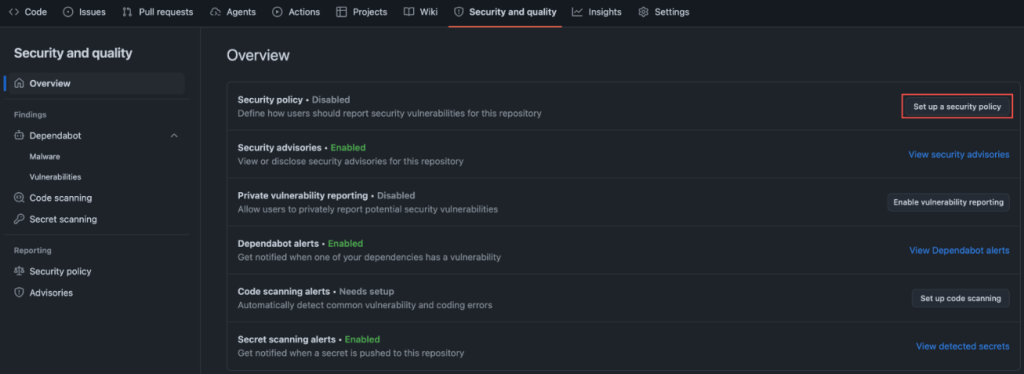
The file doesn't need to be long. Include a direct contact channel such as email so reporters never have to post publicly. State which bugs are in scope and anything else a reporter should know before reaching out. The systemd project's security policy is a solid template: it sets expectations about reproducers without pretending there's a 24/7 response team. Copy the structure, change the contact details, commit.
Give reporters a private channel
Once SECURITY.md tells people where to go, private vulnerability reporting (PVR) gives them somewhere private to actually file the report. With PVR enabled, a researcher opens a confidential advisory on your repo. You triage out of the public eye and disclose on your own schedule. The whole setup is one checkbox in Settings → Security.
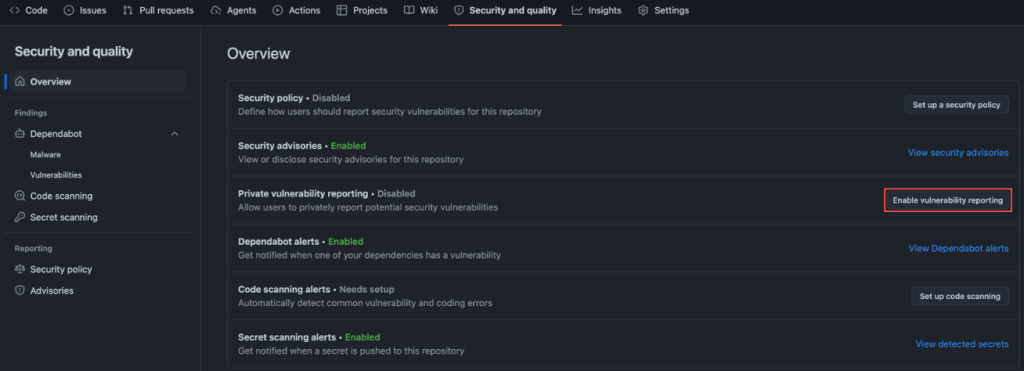
If you only make time for two things, do these first two. They're the fastest signal to your community that security reports are actually welcome.
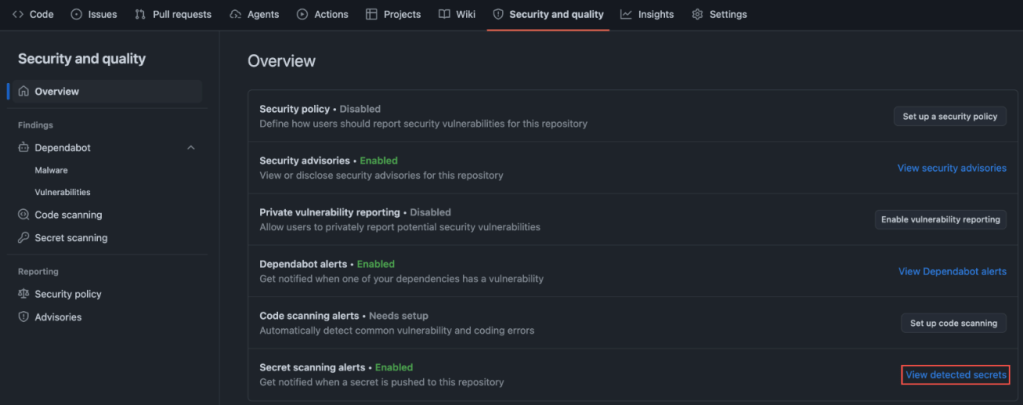
Stop secrets before they leave your machine
Leaked credentials are the failure mode with the most embarrassing cleanup. GitGuardian's State of Secrets Sprawl 2026 counted 28.65 million new secrets on public GitHub in 2025, a 34% jump over the prior year and the largest single-year increase on record. AI-assisted commits leak secrets at roughly twice the baseline rate. IBM's 2025 Cost of a Data Breach Report puts the global average breach cost at $4.44 million, and $10.22 million in the US.
Secret scanning with push protection blocks keys and tokens locally, before they ever reach the remote. The public/private status of your repo is irrelevant: once a secret leaves your machine, anyone with repo access can grab it.
Watch your dependency tree
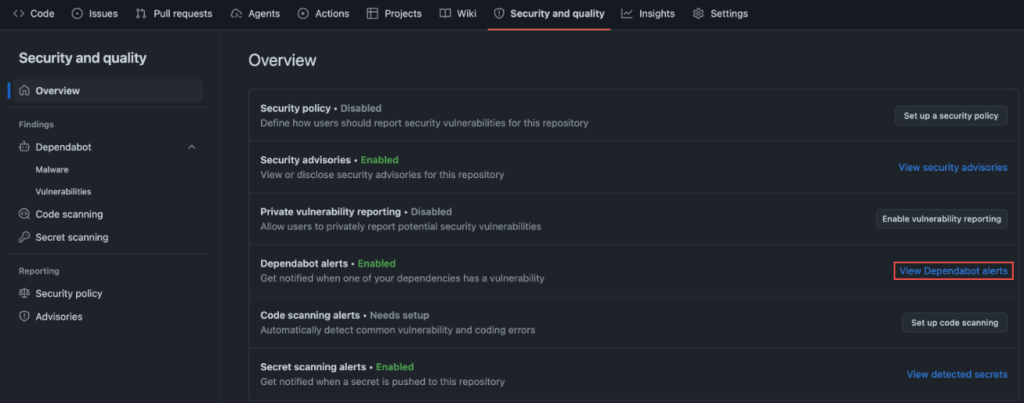
Your project is your code plus everything it pulls in. Consider WordPress: this search for reviewed critical advisories mentioning WordPress surface a long list of plugins with known vulnerabilities. Dependabot makes sure none of them are sitting in your dependency tree.
Dependabot alerts you when a package you depend on has a known vulnerability. Dependency review, running inside a pull request, shows exactly what's being added or upgraded and flags anything with an open advisory. Together they turn an opaque package.json diff into a two-minute review.
Let static analysis run itself
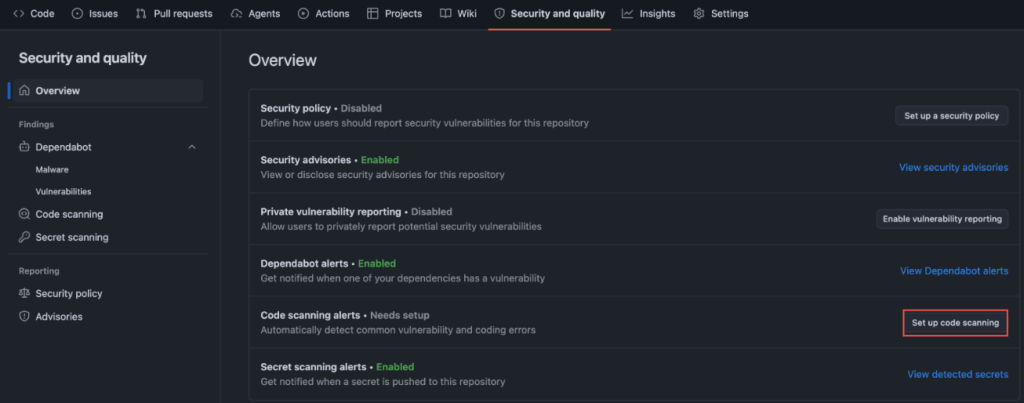
Code scanning with CodeQL flags the patterns that become real bugs: SQL injection, command injection, dangerous deserialization, and the like. It can even catch unsafe GitHub Actions workflows.
This is the setting most maintainers skip because it sounds like configuration work. It isn't. Default setup picks the right query pack for your language and runs on every pull request, no tuning required. Code scanning has been free for open source since 2019 and ships as one click from your Security and Quality tab.
Make the other settings actually matter
Branch protection on your default branch is the least flashy setting here, and the one with the biggest immediate impact. Require a pull request before anything merges to main, with at least one approval.
That rule catches compromised credentials, confused contributors, or a tired version of you pushing straight to production. It also makes the rest of this list bite: Dependabot alerts and code scanning findings now block a merge instead of sitting in a tab nobody opens.
These six settings won't make your project unhackable. Nothing will. What they do is close the doors that are being walked through right now by people scripting across public repos at scale. Turn them on, and your project becomes meaningfully harder to attack than it was this morning. So does everything that depends on it.



