
What “Most Important” Actually Means for Dependabot Alerts
Not every vulnerable dependency poses the same risk to your project. A critical CVSS score can be misleading if the affected code path is never executed or the package only exists in your development toolchain. Dependabot’s default sort order attempts to correct for that.
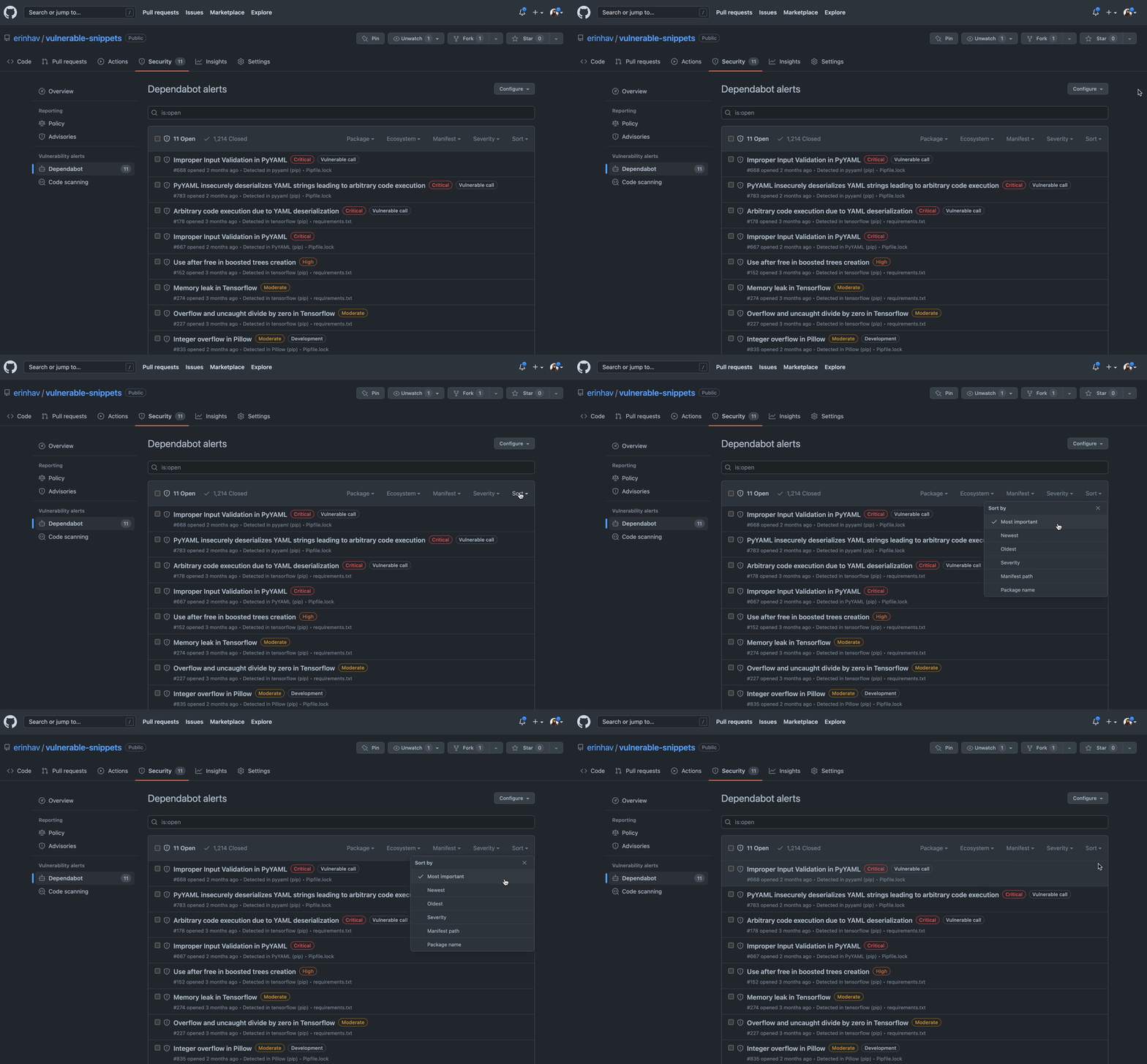
The “Most Important” ranking combines the advisory’s severity with contextual signals about how your project actually uses the dependency. Dependabot checks whether vulnerable functions are reachable from your code, whether the dependency is scoped as a runtime or development dependency, and whether an upgrade path exists. Alerts with a fix available rank higher than those without one, regardless of raw severity.
Look at the Dependency Tree, Not Just the Leaf Alerts
Teams that keep alert remediation manageable share one habit: they periodically step back and review the health of their whole dependency tree rather than triaging alerts one at a time.
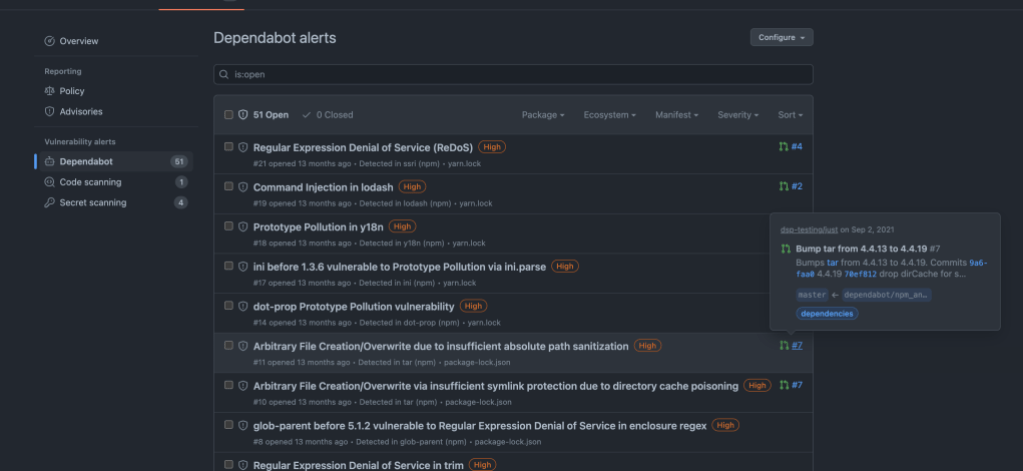
It’s common to find many alerts trace back to a single upstream package. When that happens, the fastest path is often upgrading that one dependency—or replacing it with a better-maintained alternative. On any alert’s details page, Dependabot shows you how many alerts are linked to that same package version. Clicking that link filters the alert list to show every vulnerability that the upgrade would resolve.

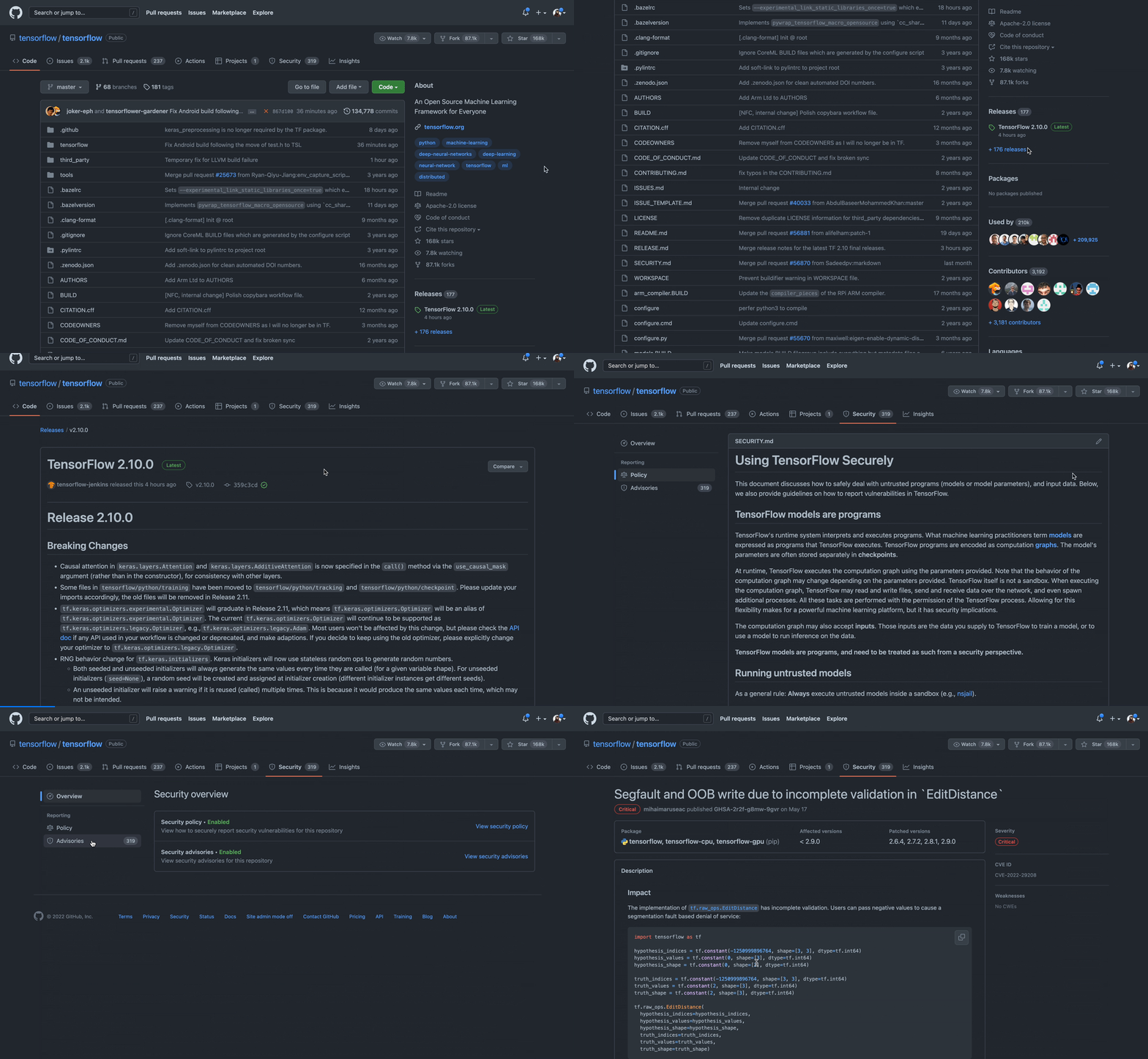
The maintenance quality of open source projects varies widely. Before adopting a dependency, check how active the project is and how recently it released. If it’s hosted on GitHub, the Security tab is a good place to look for published advisories, security policies, and usage guidance from the maintainers.
Use Version Updates to Stay Ahead of Advisories
Dependabot isn’t only for patching known vulnerabilities. Version updates continuously pull in the latest patches and bug fixes, which keeps your project healthy and reduces the accumulation of technical debt.
To enable this, you configure a dependabot.yml file that controls the pull requests Dependabot opens for routine updates. Most of the time, staying close to the latest releases means fewer security alerts to prioritize in the first place.
Separate Development and Runtime Dependencies
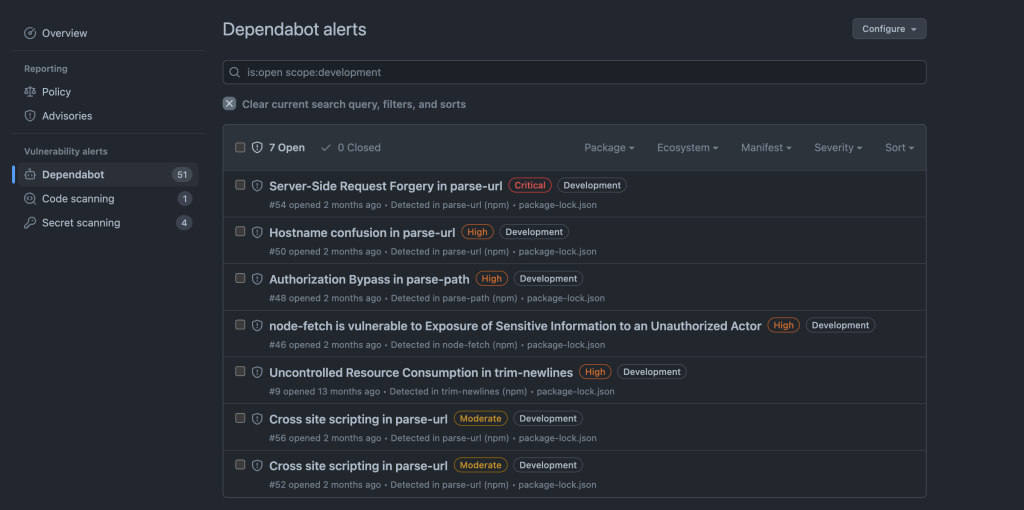
Packages installed only for development are a different risk class from dependencies shipped to production. Dependabot alerts on both, but it tags each alert with the dependency scope so you can filter and rank accordingly. Development dependencies are marked with labels and factored into the “Most Important” calculation.
As of this writing, Dependabot recognizes development dependency scope in the following ecosystems:
| Language | Ecosystem | Dependency Scope |
|---|---|---|
| Ruby | RubyGems | ✅ |
| JavaScript | npm | ✅ |
| JavaScript | Yarn | No, defaults to runtime |
| PHP | Composer | ✅ |
| Go | Go modules | No, defaults to runtime |
| Java | Maven | ✅ test maps to development, all else default to runtime |
| Python | Poetry | ✅ |
| Python | pip | ✅ for pipfile, for requirements.txt scope is development if the filename contains “test” or “dev”, else it is runtime |
| .NET | NuGet | ✅ only for .nuspec when tag != runtime; for all other cases defaults to runtime |
| Rust | Cargo | ✅ |
Even though development dependencies are lower risk, don’t ignore alerts for them completely—they can still be entry points in CI/CD pipelines or developer machines.
Dismiss Low-Risk Alerts in Bulk
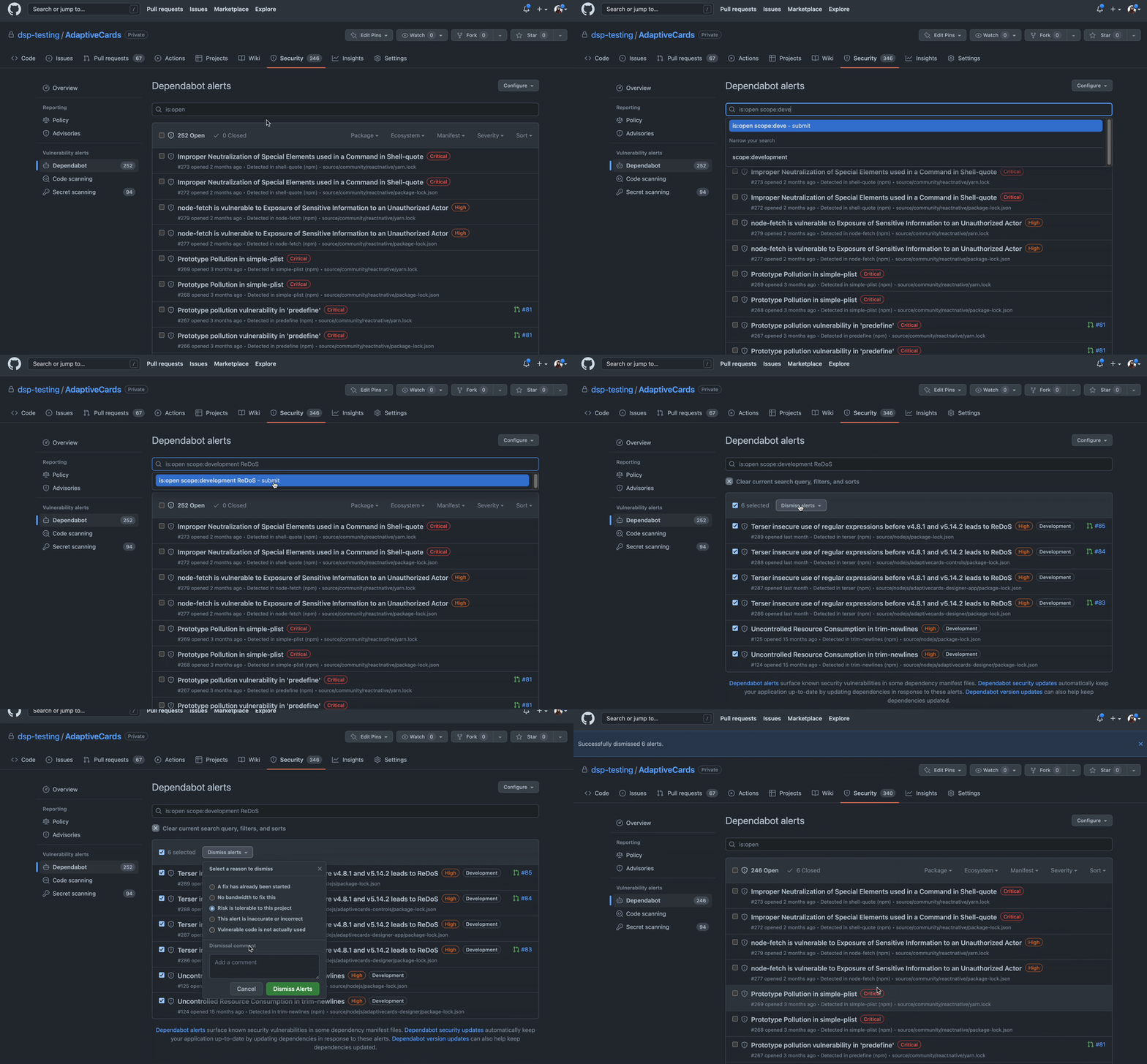
Every alert includes metadata beyond the package name and manifest: CVSS severity, vulnerability type, and dependency scope are all available as filters. Combining filters lets you quickly isolate false positives or genuinely low-risk findings and dismiss them in one action.
Bulk dismissal is a time saver, but it’s not risk-free. Dismissing an alert hides it from your default view, so make sure the rationale is sound before you clear a set of alerts.
Start With the Upgrades That Resolve the Most Alerts
When the alert backlog feels overwhelming, look for the “quick wins”: upgrades that close many vulnerabilities with a single version bump. The linked-alerts count on the details page makes these easy to spot. Generating a pull request from the alert details page will mark that PR on the alert list, letting you visually track which alerts are already being handled.
If you’d rather not create those pull requests manually, enable Dependabot security updates from your repository settings and Dependabot will open them automatically when a fix becomes available.