
Building a paid membership on WooCommerce
WooCommerce handles the commerce layer; gated content needs two commercial add-ons on top of the free plugin: WooCommerce Memberships and WooCommerce Subscriptions, at $199 each. This is the setup running on CSS-Tricks.
Plans and what they actually do
After installing Memberships, a Memberships tab appears inside the WooCommerce admin area, with a Membership Plans section for defining plans. CSS-Tricks keeps it to a single plan, CSS-Tricks Member; tiered setups (bronze, silver, gold) are equally possible.

A plan on its own is inert — it is essentially a user role. Access control comes later. Plans can be configured so only admins can add people, so anyone can register for free, or so joining requires purchasing a product. The last option is what ties a plan to an eCommerce flow.
Length is worth setting deliberately: unlimited memberships are possible, but expiring plans avoid open-ended commitments. Here the plan is tied to the sale of a product, MVP Supporter:

Buying that product grants the plan; admins can always add people manually as well.
Recurring billing needs a second plugin
Memberships does not do recurring billing out of the box, so Subscriptions is required. With it installed, any product can be configured as a subscription product:

CSS-Tricks charges $20/year, re-charged annually at $20. The billing period must match the membership plan's length — nothing enforces this, but a charge date divorced from the actual renewal would be strange.
Locking content behind the paywall
Setup to this point is two steps: create a membership plan, and create a product whose purchase subscribes the buyer to that plan. The payoff is locking content.
CSS-Tricks is selling access to a "book" that is really a collection of posts — a Custom Post Type called "Chapters." In the chapter editor, below the content, a Memberships area restricts the chapter to a plan:
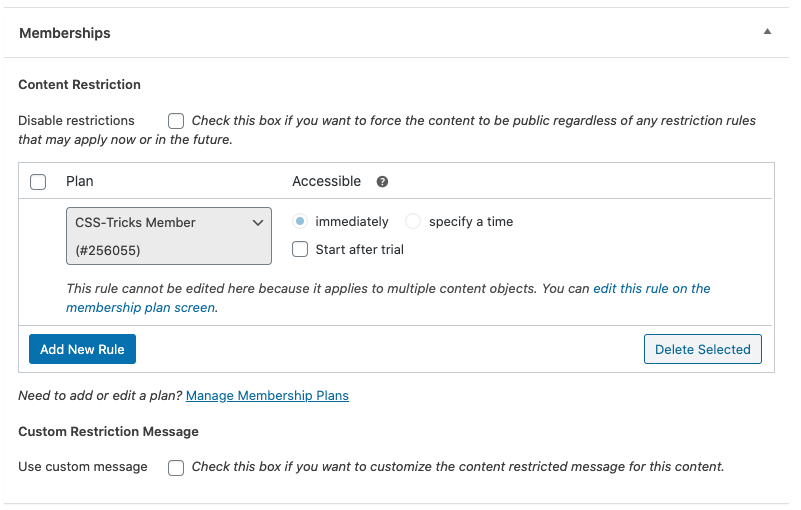
Any page or post type works the same way; putting something behind the wall is effectively a switch. A restricted post has two faces:
- Members see the content.
- Non-members see an excerpt plus a message explaining how to unlock it.

The custom CSS involved is minimal: the default output includes sensible class names to hook onto for styling.
Programmatic checks for members
Beyond the book, membership can drive other site behavior. Since advertising is the primary business model, removing ads for paying supporters is a fair trade.
The plugins expose APIs for arbitrary hooks, but template-level checks keep it simple:
<?php if ( !wc_memberships_is_user_active_member() ) { ?>
  <div>
     <!-- Show an ad if you're not a member. -->
  </div>
<?php } ?>
The same check runs before the rest of the site's JavaScript, so scripts can tell whether the user is a member:
<?php if ( wc_memberships_is_user_active_member() ) { ?>
    <script>
      window.activeMember = true;
    </script>
<?php } ?>
Some ads are JavaScript-powered, so their calls can be wrapped in !window.activeMember logic to skip requesting them entirely.
Physical products with print-on-demand
The other WooCommerce use is physical goods. Historically every order was hand-fulfilled at the post office, or produced upfront through fulfillment partners. Print-on-demand changed that; Printify sells t-shirts, hoodies, mugs and the like, and connects directly to WooCommerce. The store currently stocks posters: pick a product, upload the art, choose options — done.

The final step, "Publish product to your WooCommerce store," has worked reliably; it is the connection over which Printify receives orders and fulfills them. Products then appear on the site and can be edited from WordPress:

Orders can be tracked through each stage: ordered, produced, prepped, shipped.

A self-ordered test poster arrived in a triangular tube, undamaged, on thick bright white paper:
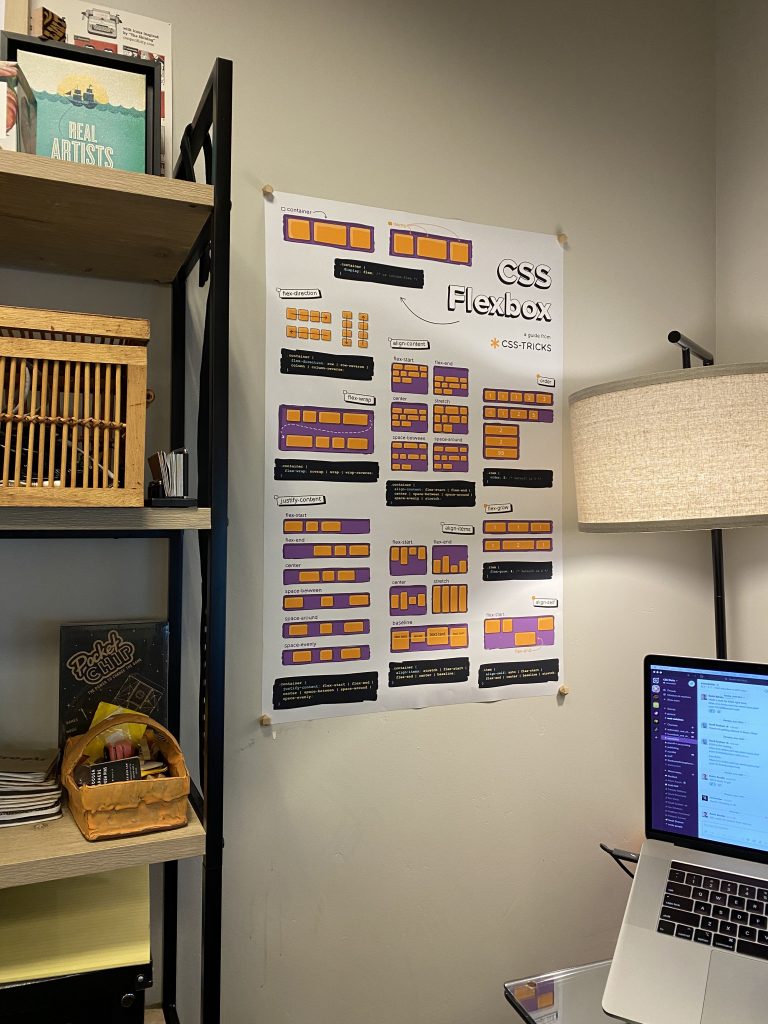
A mobile app covers store monitoring, sale notifications, order status changes and review management.


The technology stack behind this is substantial, but the time invested was not — less than writing the accompanying post. The role is that of an integrator assembling existing software, not an inventor.




