
Tracking the Whole Funnel, Not Just Pageviews
Default Google Analytics setups capture visits and pageviews, but miss the interactions that actually drive business decisions. Custom event tracking helps, and eCommerce tracking takes it further—recording sales, cart additions, removals, and product views through the enhanced eCommerce API. Implementing that manually is a serious undertaking.
WooCommerce simplifies this significantly: install the official WooCommerce Google Analytics plugin, connect your property ID, and the integration handles the full enhanced eCommerce event stream for you. No custom JavaScript, no development overhead, and it’s free.


Why Bother If WooCommerce Has Its Own Reports?
WooCommerce ships with built-in analytics dashboards that are great for sales reports, top sellers, and revenue summaries. But those reports don’t explain why sales happen. Google Analytics fills that gap with behavioral context and multi-session attribution.
Having both running here has been nearly zero-effort—a few setting clicks—and the payoff is real visibility into user flow. For instance, the sales funnel report shows where shoppers drop off. In a site like this, which is not eCommerce-first, the funnel is wide at the top and very narrow at the bottom, but the insights are still actionable. The data shows 70 of 525 visitors who added to cart actually proceeded to checkout, and 66 of those 70 completed the purchase. That checkout conversion is strong; the cart-to-checkout step is where the leakage happens.

Attribution Data the Built-In Reports Miss
Google Analytics also reveals visitor segments that WooCommerce dashboards don’t touch. Of the 66 completed sales, 56 came from returning visitors—not new ones. That means most buyers don’t purchase on their first visit, but they come back later and convert. That distinction is invisible in standard eCommerce reports, yet it shifts how you think about remarketing and new-visitor engagement.

Individual order data is also visible in WooCommerce’s own tables: order numbers, products, and time-based comparisons of top sellers are all there. Having both sources working together gives you the operational detail in WooCommerce and the behavioral/attribution layer in Google Analytics.
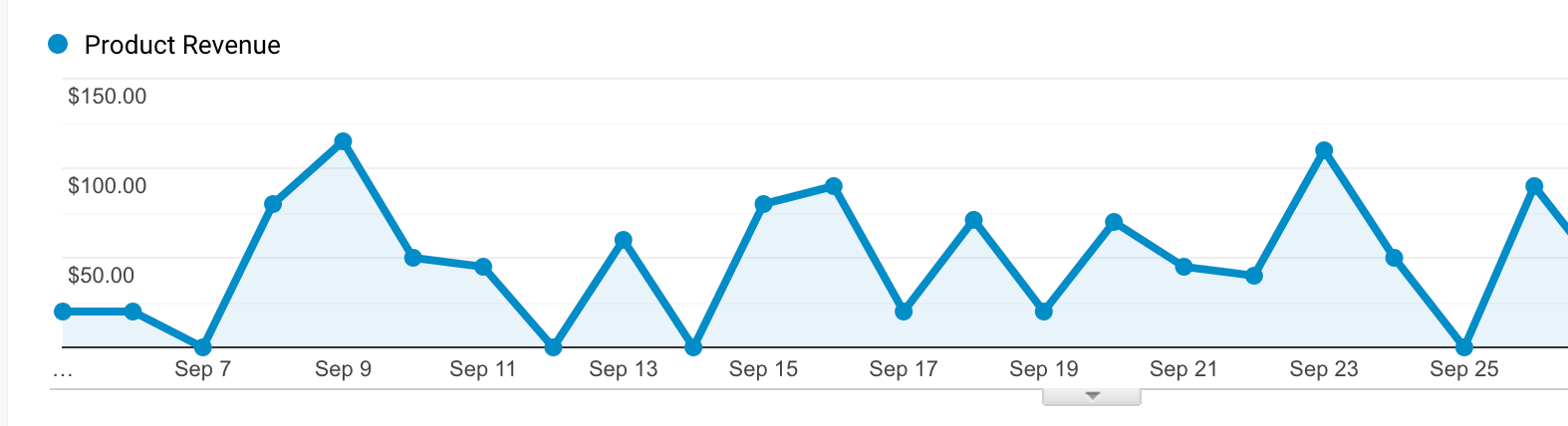
The best part is how little effort it took to get this level of data. A handful of clicks on a standard WordPress setup and the integration just worked. That’s the benefit of using the conventional path—it’s boring, reliable, and hands you insights you’d otherwise have to build yourself. Now the question isn’t whether you can see the data; it’s what you’ll do when you finally see it.


