

Form submission APIs reaching maturity
Recent browser releases have closed the remaining gaps in several form-related APIs, bringing the features to full cross-browser support and making them suitable for production.
Programmatic submission with requestSubmit()
With Safari 16 arriving, every major browser will support requestSubmit. The distinction with the older .submit() method matters: calling submit() does not fire a submit event, so any preventDefault() call in a handler has no effect and nothing is logged in this example:
const form = document.forms[0];
form.addEventListener('submit', function(event) {
  // code to submit the form goes here
  event.preventDefault();
  console.log('form submitted!');
});

document.querySelector('.btn').addEventListener('click', function() {
  form.submit();
})
The same method bypasses HTML form validation entirely. With the markup below, the form submits despite the required attribute and an empty input:
<form>
  <label for="name">Name</label>
  <input required name="name" id="name" type="text">
</form>
.requestSubmit() submits a form from JavaScript as well, but HTML validation runs first and blocks submission on failure. When the data passes, the submit event fires, so "form submitted!" appears in the console:
form.addEventListener('submit', function(event) {
  event.preventDefault();
  console.log('form submitted!');
});

document.querySelector('.btn').addEventListener('click', function() {
  form.requestSubmit();
})
Triggering a click on the form's submit button accomplished this previously; requestSubmit offers a cleaner route.
Identifying the trigger with event.submitter
Safari 15.4 completed support for the read-only SubmitEvent.submitter property, which points to the <button> or <input type="submit"> element that initiated the submission.
<form>
  <button name="foo" value="bar" type="submit">Bar</button>
  <button name="foo" value="baz" type="submit">Baz</button>
</form>
Forms with multiple submit controls already send only the clicked control's value to the server. The new capability is giving the submit event listener access to that element through event.submitter — useful for adding a class to the triggering button, reading its value, or accessing any other HTML attribute on it.
document.forms[0].addEventListener('submit', function(event) {
  event.preventDefault();
  console.log(event.submitter.value);
  console.log(event.submitter.formaction);
  event.submitter.classList.add('spinner-animation');
})
Separating submission logic with the formdata event
Cross-browser support for the formdata event only landed with Safari 15. Although its main purpose is letting custom elements participate in form submissions, it has value outside web components. Attach the listener to the form you want to intercept:
document.querySelector('form').addEventListener('formdata', handleFormdata);Both a standard HTML form submission and a call to new FormData() fire the event, and event.formData exposes all the data being submitted:
function handleFormdata(event) {
  for (const entry of event.formData.values()) {
    console.log(entry);
  }
}
Because the callback runs before the data reaches the server, it provides a hook for amending or extending the payload:
function handleFormdata(event) {
  event.formData.append('name', 'John');
}
Modifying the FormData inside a submit handler has always been possible; the formdata event lets you isolate that logic. It also replaces hidden inputs when the form is submitted through built-in HTML functionality rather than fetch.
Picking, disabling, and styling controls
showPicker() on input elements
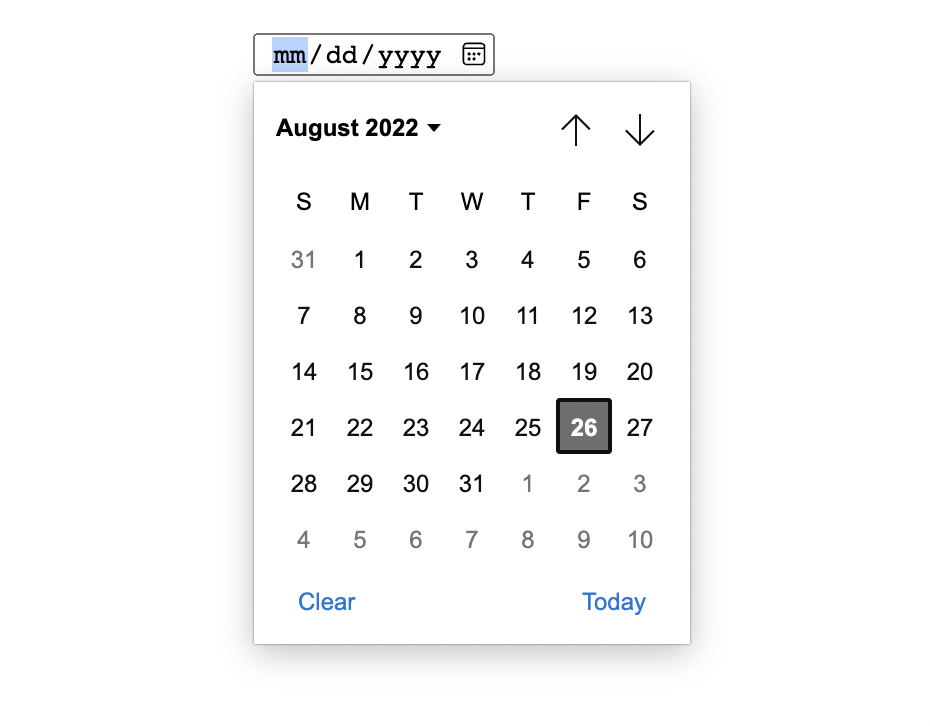
Available since Chrome 99 and Firefox 101, and arriving in Safari 16, showPicker() displays the selection UI programmatically for inputs whose type is Date, Month, Week, Time, datetime-local, color, or file. Color and file pickers were already reachable by calling .click:
document.querySelector('input[type="color"]').click();Date inputs were the gap that motivated the new API. .showPicker() also works on color and file inputs, though it offers no real advantage over .click() there.
Making forms inert
Wrapping inputs in a disabled fieldset has long been the way to disable several controls at once. The newer inert HTML attribute goes further: it applies to a form element itself, making everything inside non-focusable and non-clickable. For assistive technologies it behaves like aria-hidden="true", and unlike disabled it adds no default styling, so that part is up to you:
form[inert] {
  opacity: .2;
}
Looking ahead
Styling <select> elements remains the long-standing request, and the upcoming selectmenu element is expected to deliver it. Until then, the features above have achieved full browser support and are ready for use.




