

A more personal GitHub Projects setup
GitHub Projects has long been a way for teams to track shared work, but it's also an effective tool for managing your own tasks. Developers are using it to organize everything from pull request reviews to personal errands, and the flexibility of the projects experience makes it easy to adapt to individual workflows.
Prioritize with purpose-built views
One approach is to create a single project that collects all of the work assigned to you, then structure it with multiple views tailored to different questions you need to answer. Senior Software Engineer Jed Verity uses this pattern to manage his workload at GitHub.
His project starts with a trio of views all aimed at what can be shipped soon. These views surface the issues and pull requests that are ready to move forward, pulling in the relevant work items with key metadata so nothing slips through the cracks.
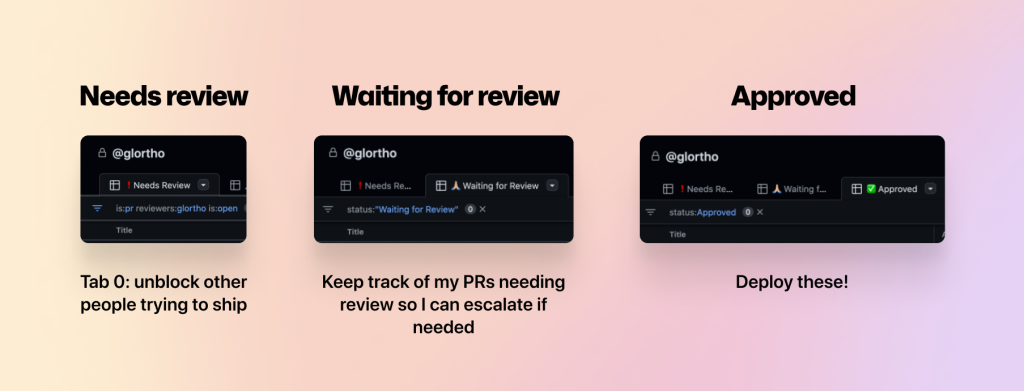
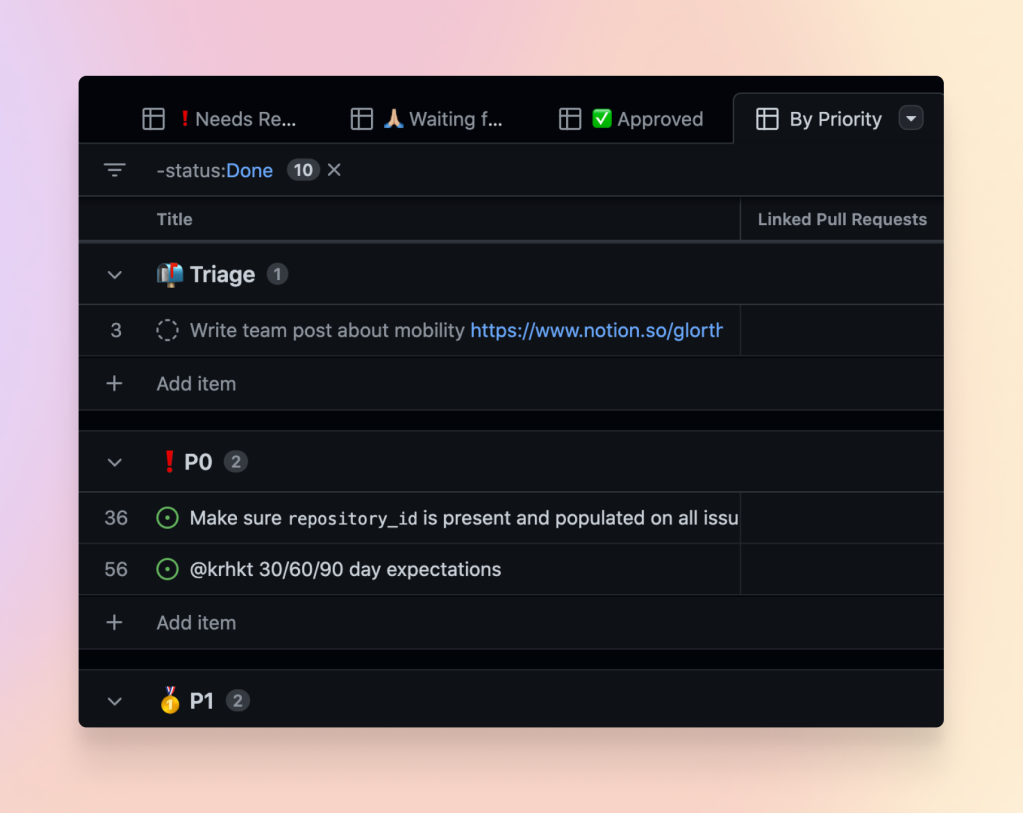
A fourth view acts as a full "punch list"—every remaining task he needs to complete, ordered by priority. This is the master list that ensures nothing is left out, even if it isn't immediately actionable.
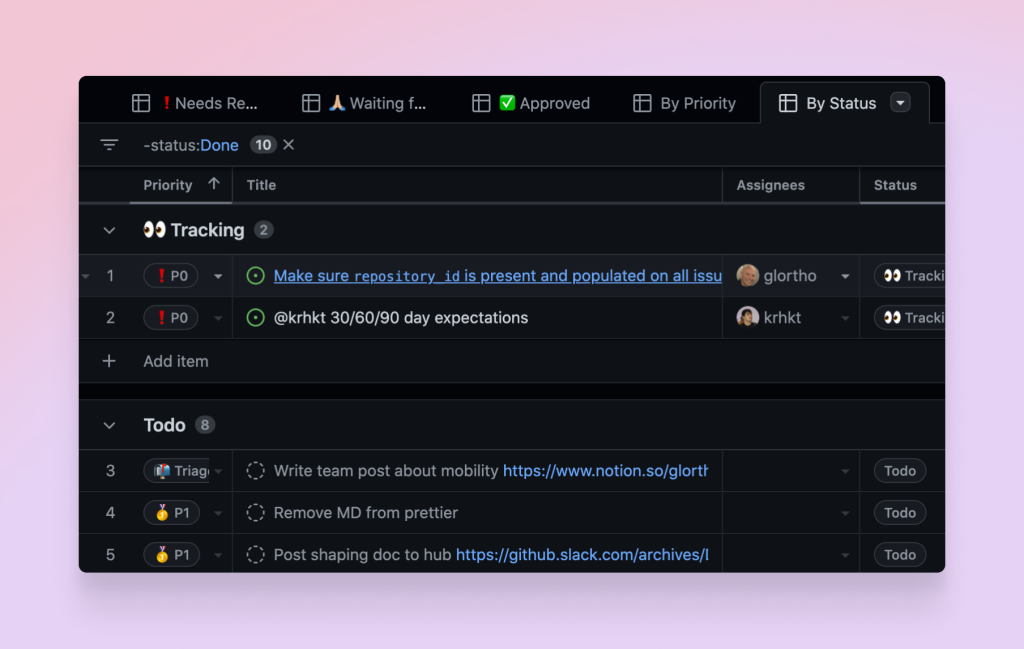
Finally, a view grouped by status gives a quick read on whether the workload is realistic. If nearly everything is sitting in the same status column, it's a clear signal that the queue needs attention or that too much is in flight at once.
A quick check on open work
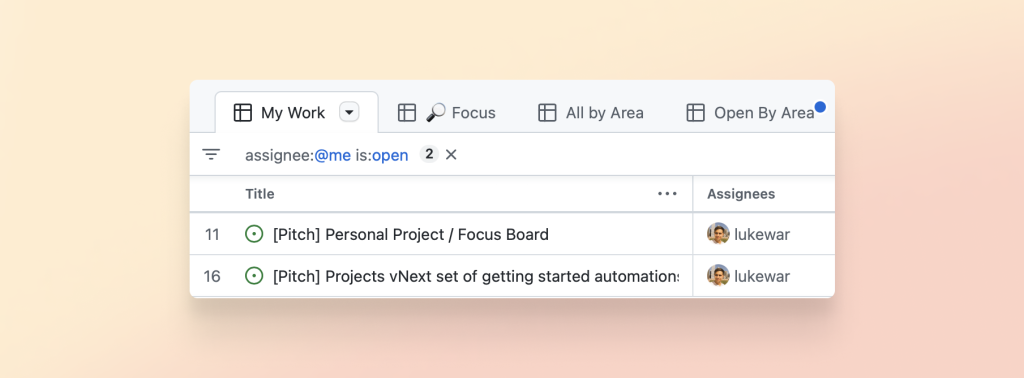
For a lighter-weight tracking setup, you can spin up a project just to keep tabs on anything open that you're involved with. Set the project's visibility to private so your work-in-progress stays out of sight, then use a filter to show only the open issues and pull requests that involve you.
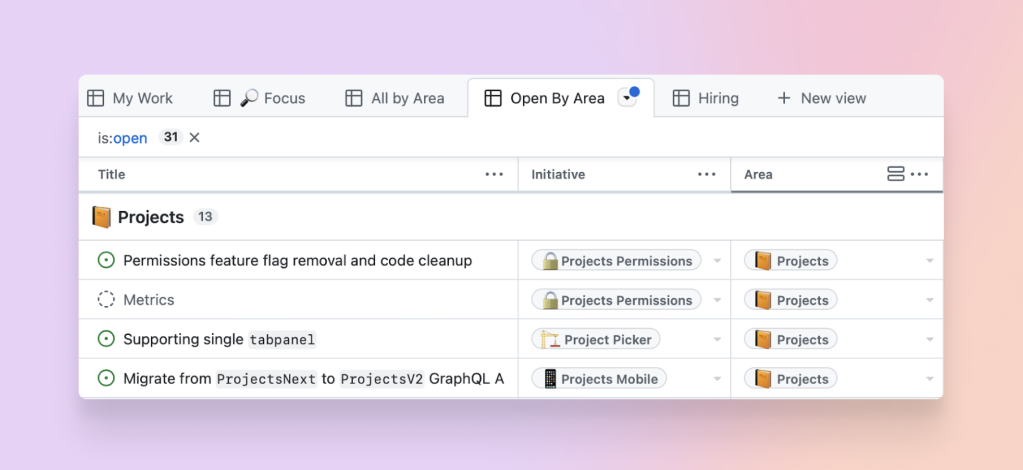
Beyond the day-to-day organization, a personal project has a professional payoff: having every issue and pull request you've touched in one place makes it much easier to prepare for performance reviews or discussions with your manager about growth. Instead of hunting through repositories, you have a single artifact that documents the work you've done.
Tip: You can use the add-to-project GitHub Action to automatically send new issues and pull requests you create into your personal project, so you never have to remember to add them manually.
Beyond engineering tasks
The same project structure that works for code can organize personal plans like travel or chores. The views, custom fields, and automation are generic enough that the only real limit is how you want to buckle down on what needs to get done. Newcomers to Projects can start with the quickstart guide and share feedback with the GitHub community as they experiment.


