Browser Bugs Are Part of the CSS Job
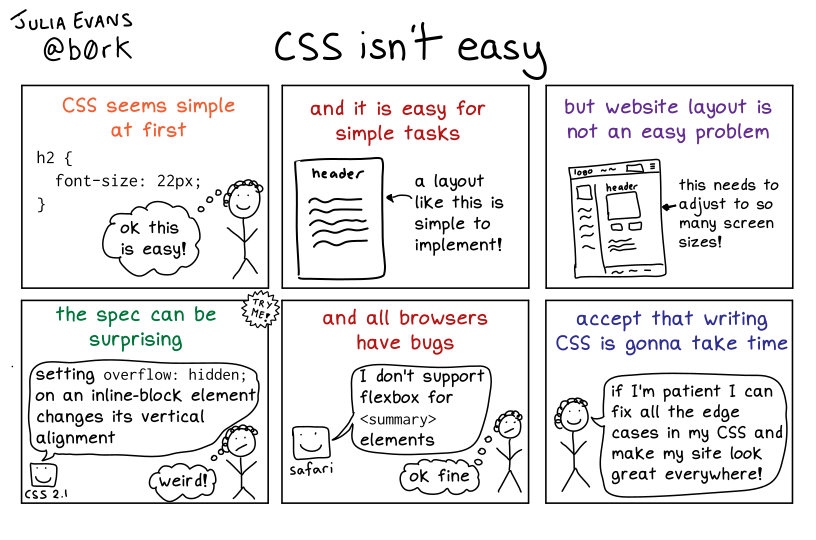
One of the more surprising things about writing CSS, at least for developers coming from other languages, is how normal it is to work around browser bugs. The flexbugs repository is a good example: it catalogs known bugs in browser implementations of flexbox. Many entries are IE-specific and can be ignored depending on your target browsers, but a substantial number affect Chrome, Safari, and Firefox.
Consider flexbug #9: in Safari, a <summary> element cannot itself be a flex container. The workaround is to insert an extra div inside the <summary> and make that the flex element. Running into this kind of issue used to be frustrating, but the shift in mindset is important. When your layout looks wrong in one browser, the cause might not be your code. After confirming the browser is at fault, implementing a targeted workaround is often a minor task.
Adopting a calmer “browser bugs happen” attitude is both healthier and more productive than fighting the browser.
Three Ways CSS Breaks
Not all CSS bugs are created equal. There are at least three distinct failure modes:
- The wrong styles are applied to an element — for example, it should have
background: bluebut instead hasbackground: red. - The correct styles are applied, but the result is unexpected because of a misunderstanding of how the CSS spec behaves.
- The styles follow the spec correctly, but the browser’s implementation itself contains a bug.
Knowing which category you are in goes a long way toward fixing the issue efficiently.
New Comics
The latest set of comics covers six CSS topics, from general mental models to specific syntax and layout features.
CSS Isn't Easy
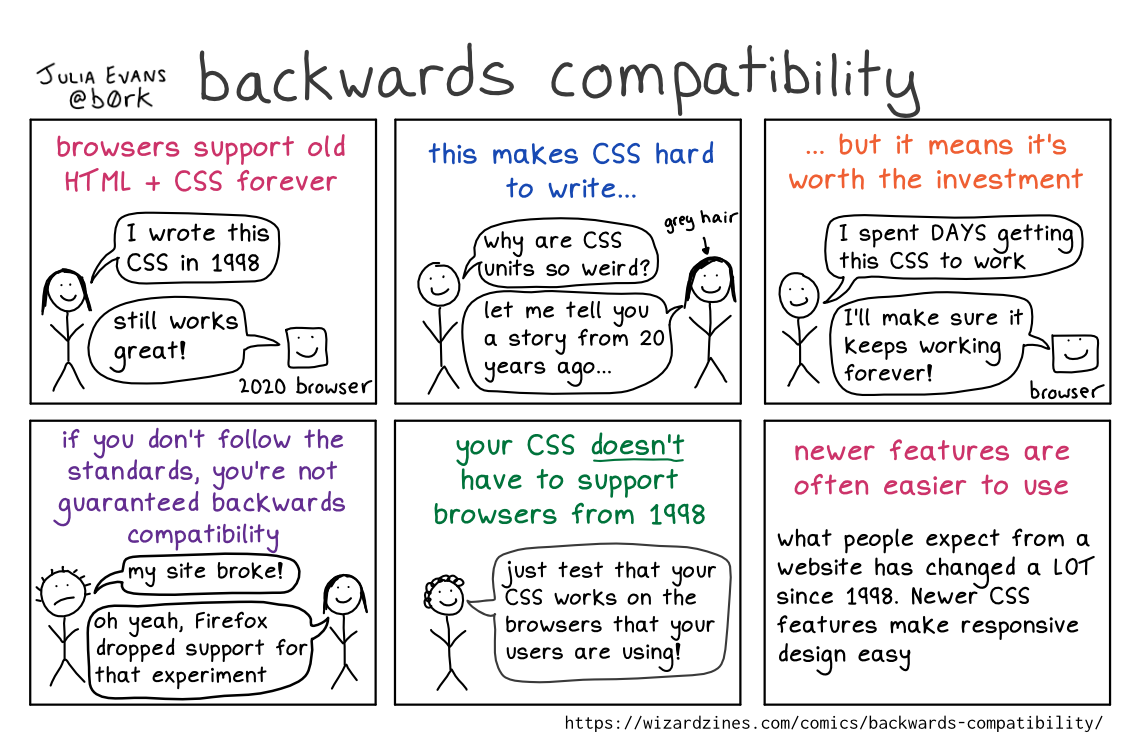
Backwards Compatibility
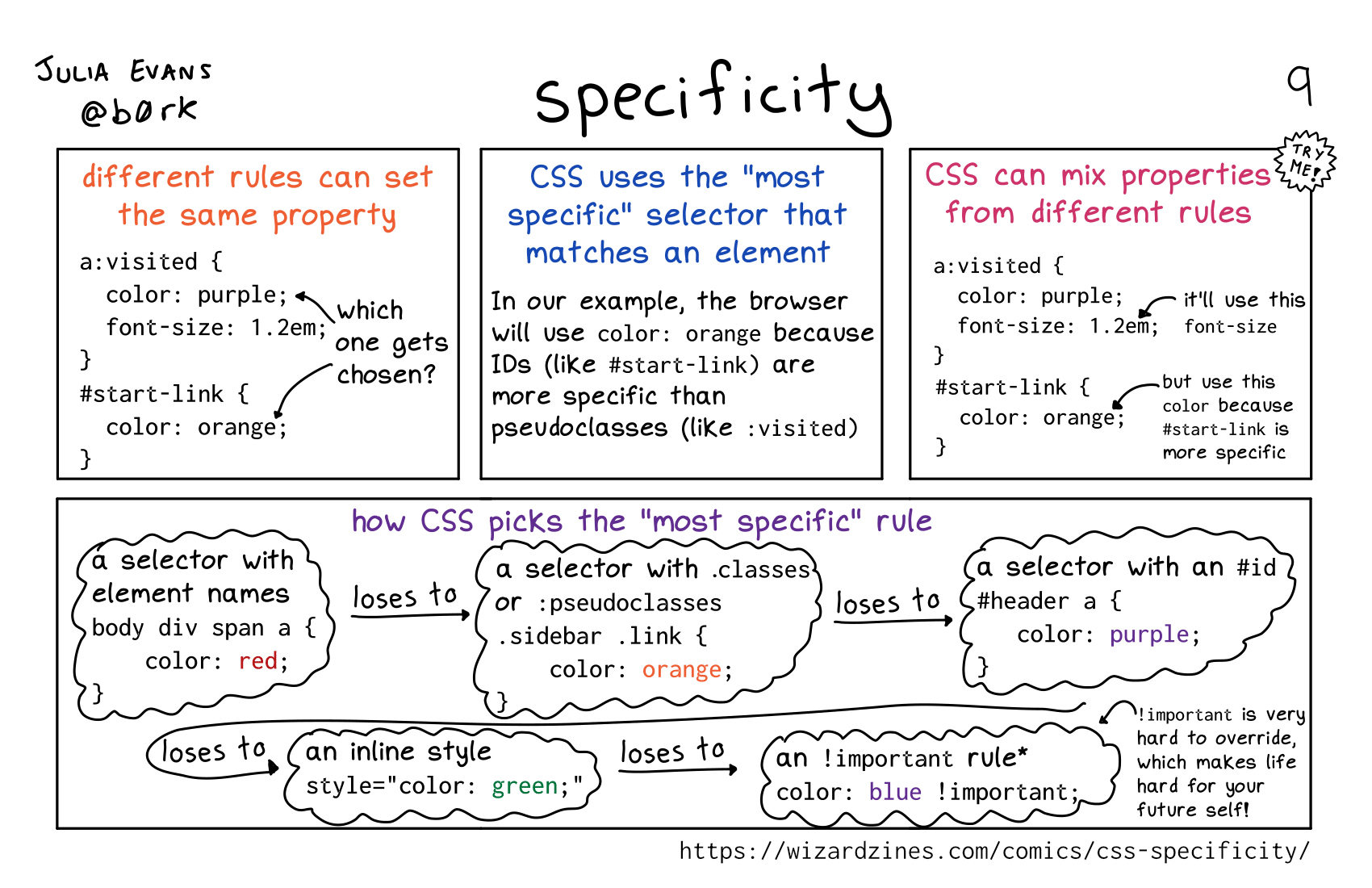
CSS Specificity
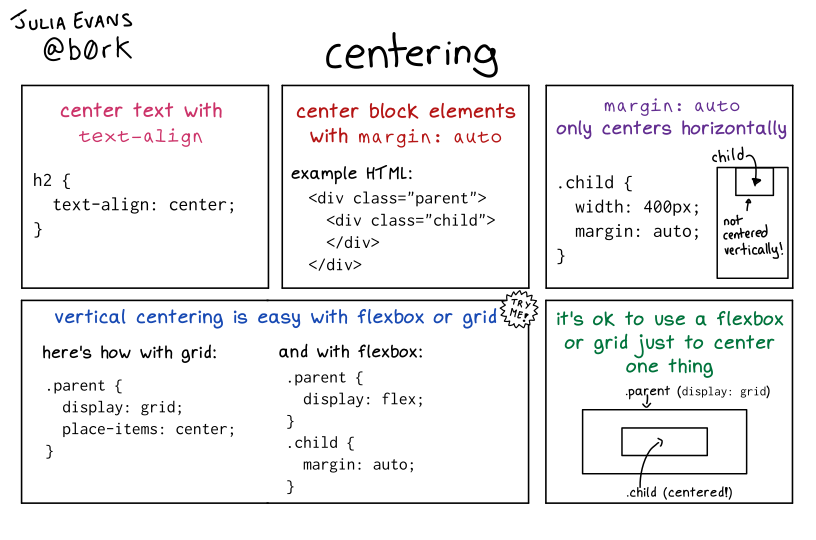
Centering in CSS
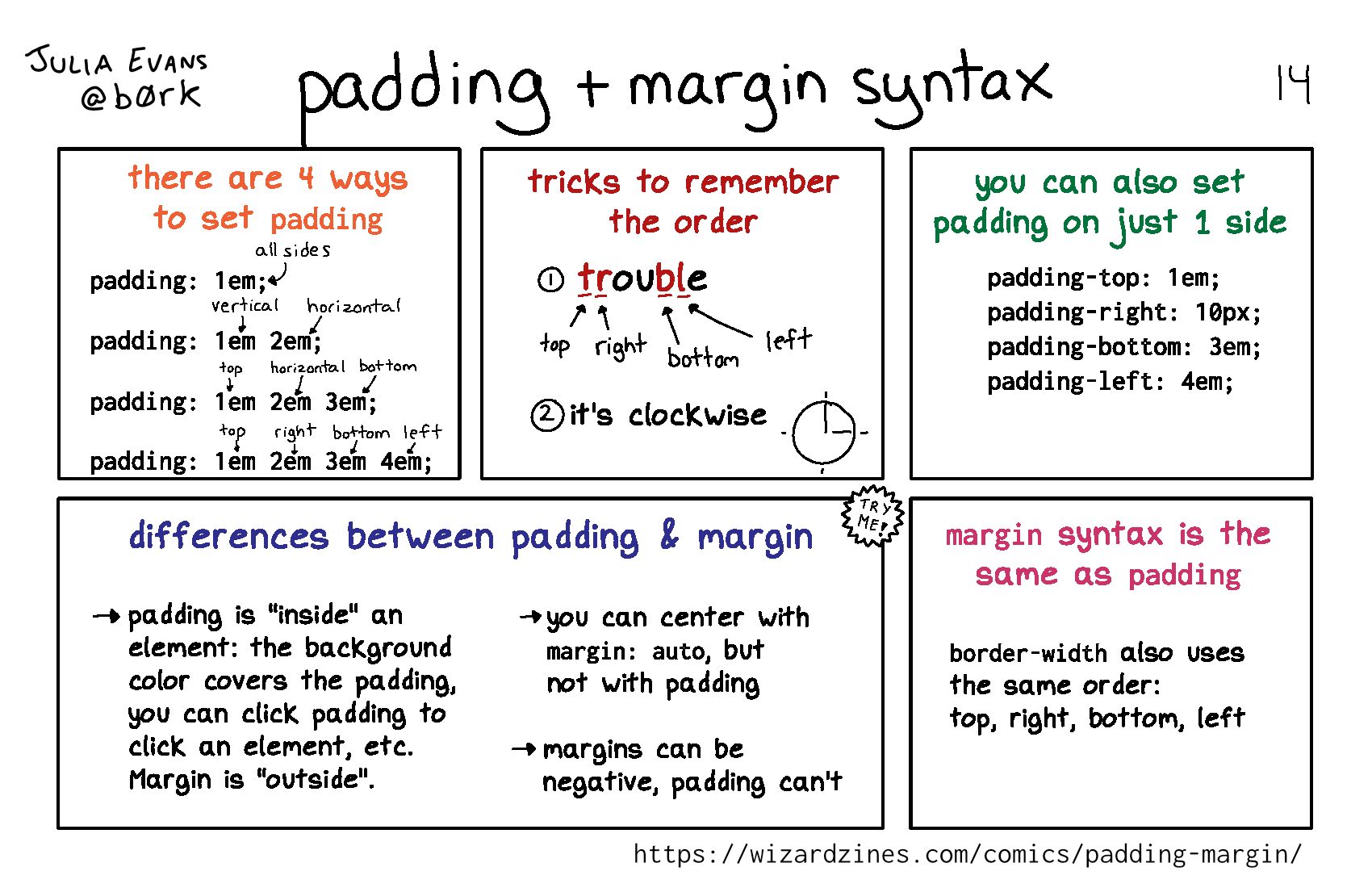
Padding Syntax
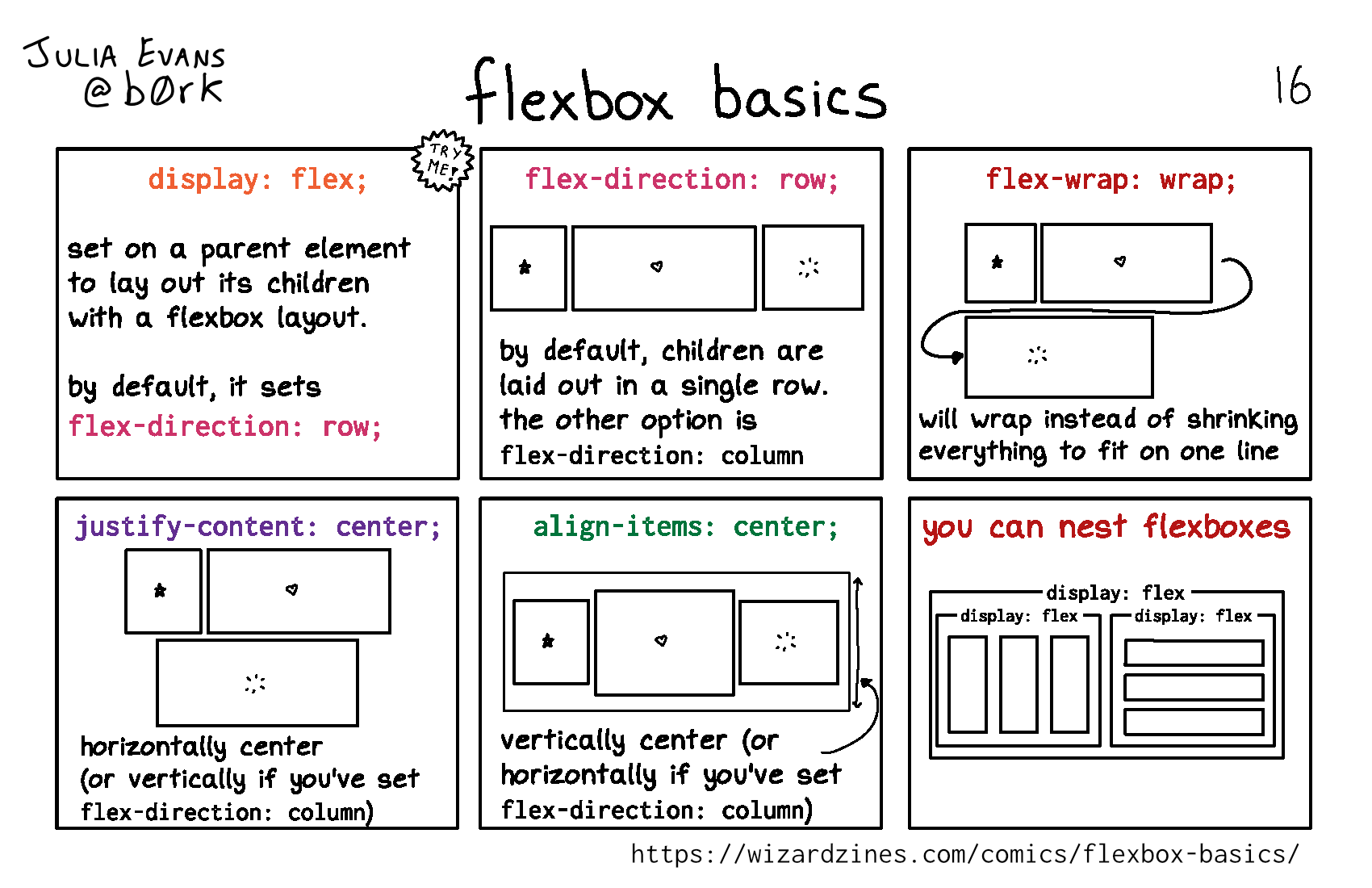
Flexbox Basics