
Learning CSS the old-fashioned way
After writing more CSS than usual lately, I decided to stop guessing and actually learn the language properly. CSS has a reputation for feeling opaque, but it shares something with systems programming: a set of counterintuitive facts that, once learned, make everything click.
Reading the specs helped more than I expected. The CSS2 specification is compact enough to digest as a whole, which makes it easier to see how the pieces fit. CSS3 split into separate modules per topic, but for well-established basics like position: absolute, the old spec still describes reality well.
One thing that surprised me: selector specificity is much less complicated than the blog posts make it sound. The primary sources are worth checking even when popular references like MDN disagree, because even the best secondary sources are occasionally wrong. Of course, the spec isn't guaranteed to match real browsers either, since implementations are inconsistent. But for older, stable parts of CSS, the written standard is a solid guide.
Here are the resources I kept coming back to:
- The CSS2 spec PDF
- CSS Snapshot 2018 for links to all current CSS3 modules
- Understanding the CSS Specifications, which explains how to approach reading the docs and points to areas like CSS sizing worth studying
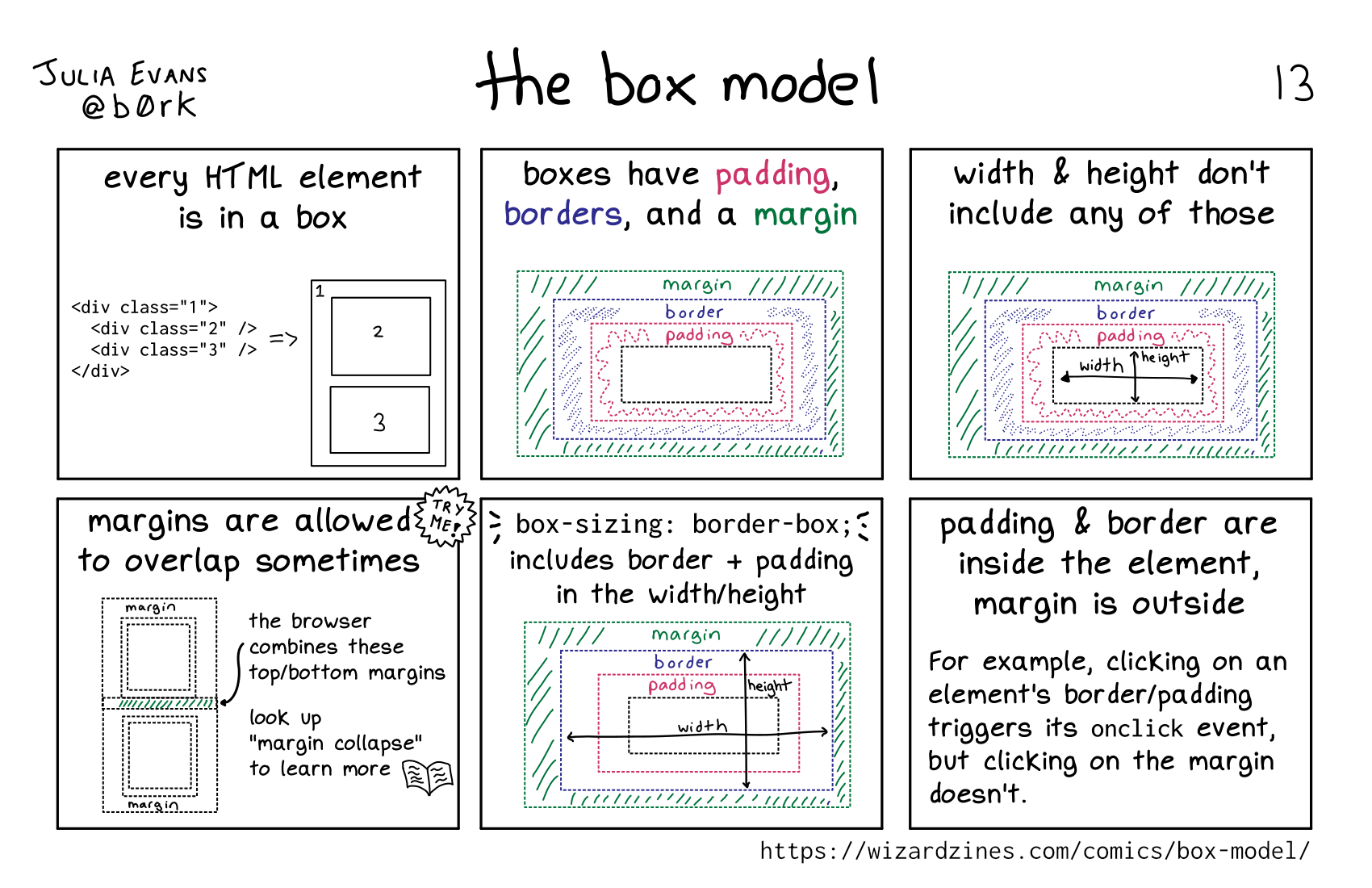
Comics: the box model
The first comic covers the foundational mental model for how elements take up space:
Comics: CSS units
CSS has more length units than most people realize, and the options can be confusing:
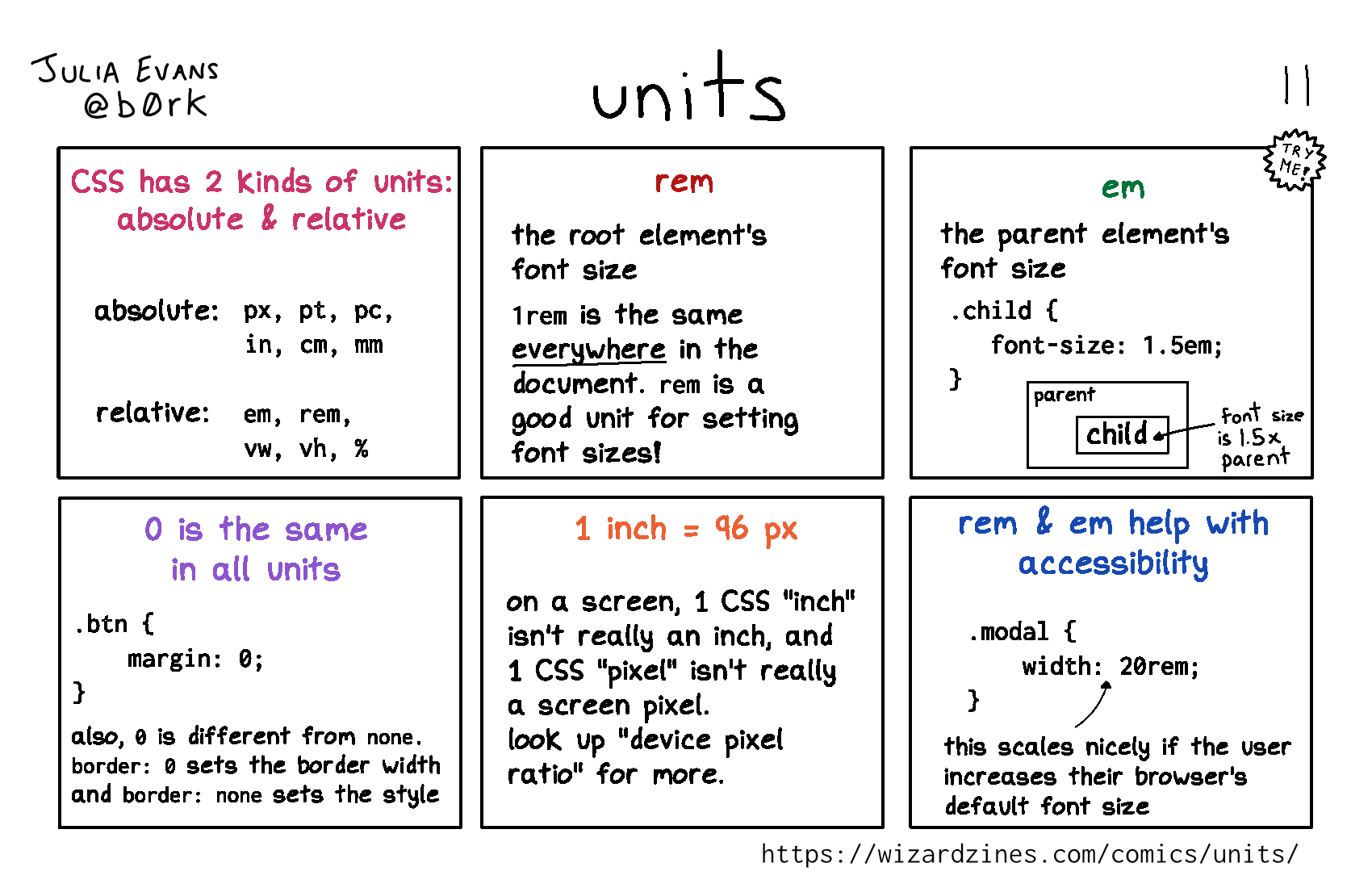
For reference, the section on lengths in "CSS Values and Units Module Level 3" is quite readable.
Comics: selectors
Selector specificity looks intimidating until you see the rules laid out clearly:
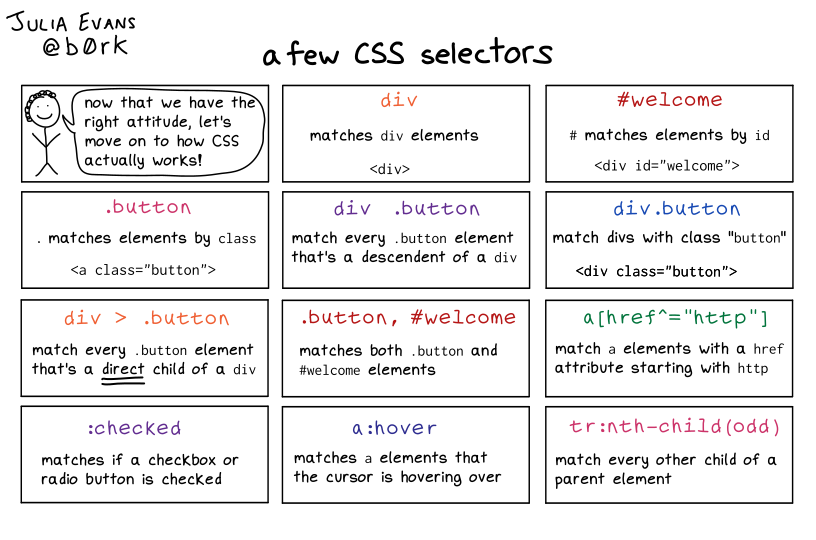
The details are in sections 6.4.1 through 6.4.3 of the CSS2 spec.
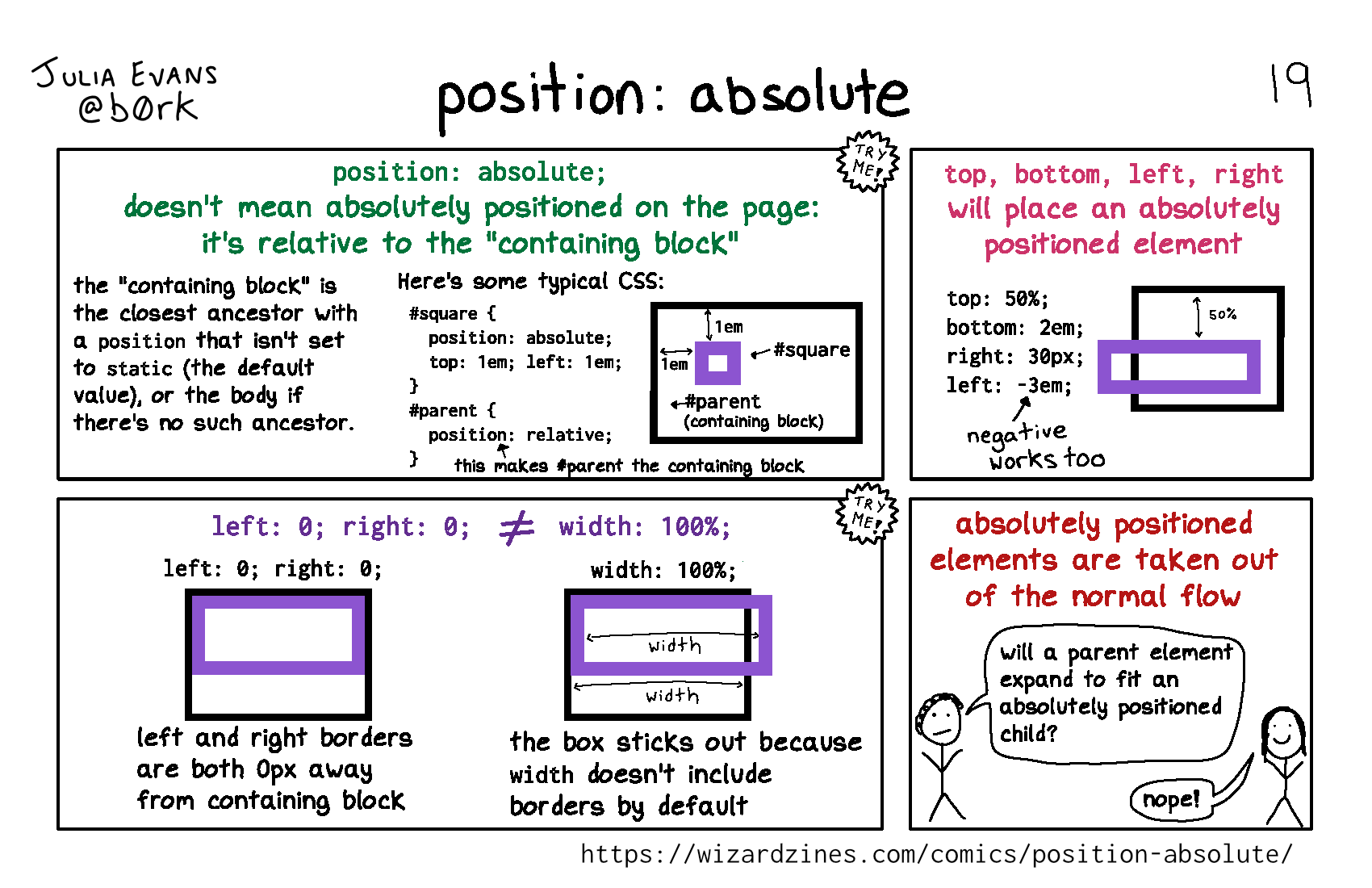
Comics: position: absolute
Contrary to what the name suggests, position: absolute doesn't position elements relative to the page:
Comics: inline vs. block
The distinction between inline and block elements explains a lot of layout behavior:
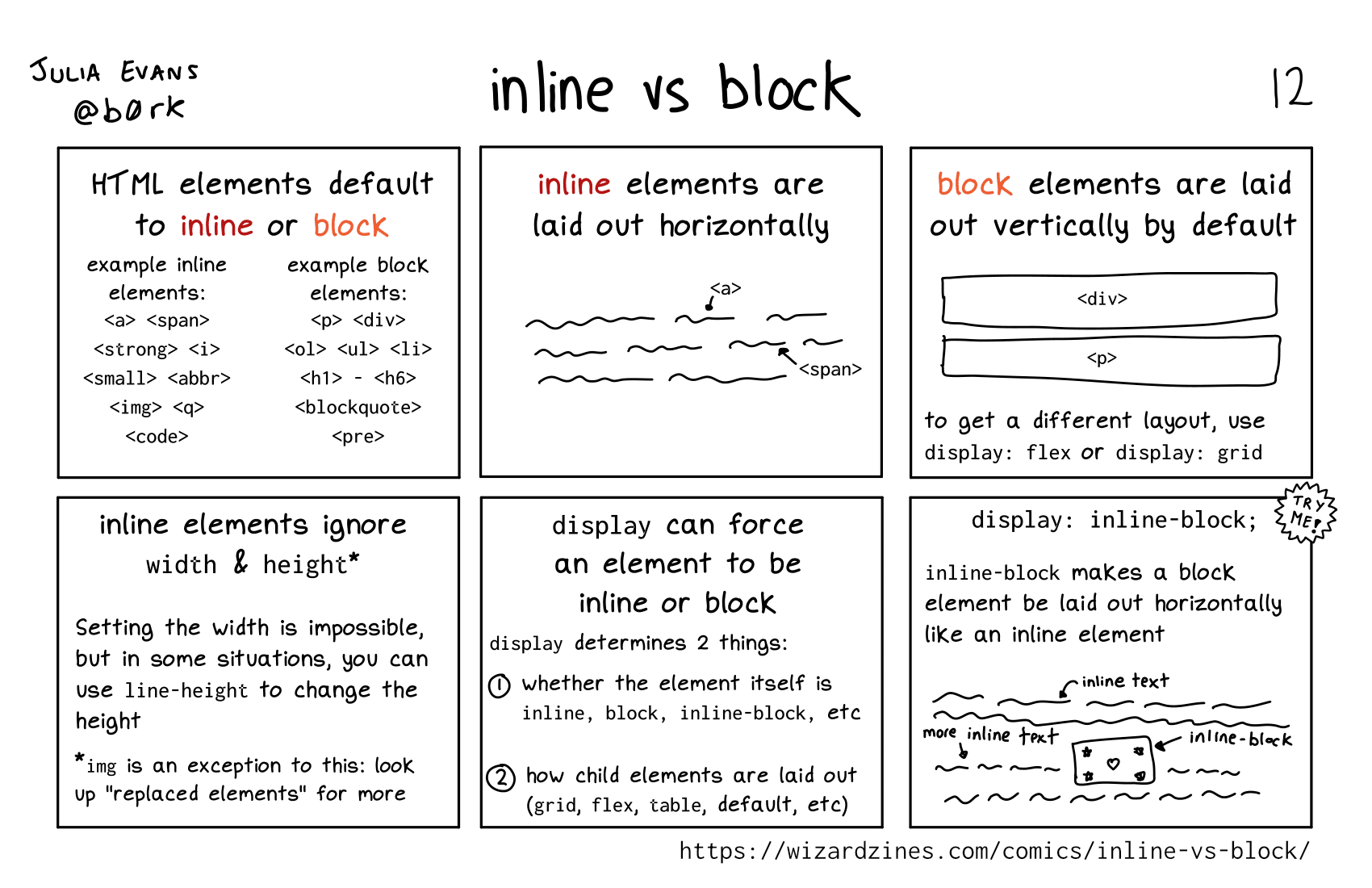
One correction to the comic: you can set the width on an inline element if it's a "replaced" element, like an image.


