
The CSS-Tricks Almanac has been rebuilt to hold more than selectors and properties. Since 2009 the reference section had published only those two groups, not because CSS stopped growing but because the WordPress architecture behind the Almanac had no room for anything else. The refresh adds pseudo-class selectors, functions and at-rules alongside the existing property and selector lists. Content is still thin in the new sections, but the structure exists and can scale further.
Why pages, and why that hurt
The Almanac runs on WordPress, where content splits into pages and posts. Pages are hierarchical, which suits a reference organized like a sitemap and sorted alphabetically: a property entry such as aspect-ratio sits at Almanac → Properties → A → Aspect Ratio. The downside is that pages are harder to query in a template than posts and carry much less metadata for filtering. Every page must also be created by hand — unlike tags and categories, which generate archives automatically.
The deeper limit was that the Almanac only ever supported two groups. That is why nothing else was published there, and why general and pseudo selectors ended up sharing a bucket. Adding more groups was the scope of the rework, with some visual restyling along the way.
From one template to several
A single template originally served both the Almanac index and the alphabetical pages. On the index it checked whether the current page was the top of the hierarchy and, if so, printed selector and property results in two columns.
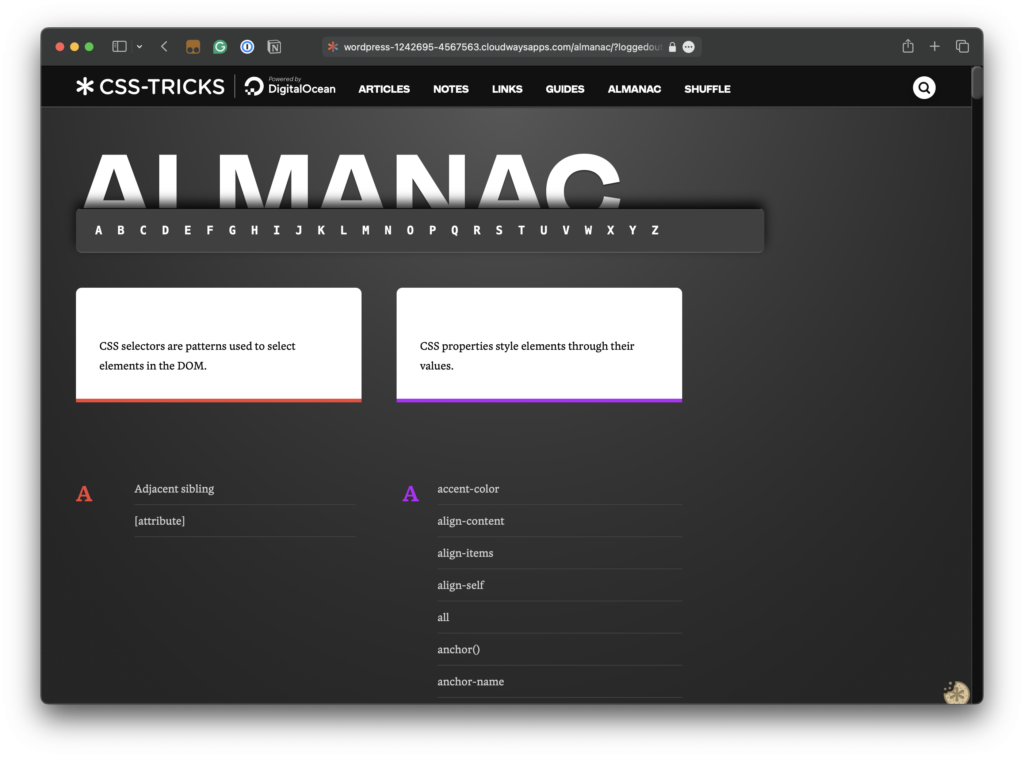
The template then looped over a second query for $property_query after the selector one, and called the output function 26 times — once per letter — passing the letter and the page IDs of its child pages.
<?php
function letterOutput($letter, $selectorID, $propertyID) {
  $selector_query = new WP_Query(array(
    'post_type' => 'page',
    'post_status' => 'publish',
    'post_parent' => $selectorID,
    'posts_per_page' => -1,
    'orderby' => 'title',
    'order' => "ASC"
  ));

  $html = '<div class="almanac-group">';
  $html .= '<div class="group-letter"><a id="letter-' . $letter . '">' . $letter . '</a></div>';
  $html .= '<div class="group-list">';

  while ($selector_query->have_posts()) : $selector_query->the_post();

    $html .= '<details id="post-' . get_the_id() . '" class="link-item"><summary>';
    $html .= '<h2><code>';
    $html .= get_the_title();
    $html .= '</code></h2>';
    $html .= '</summary>';
    $html .= get_the_excerpt();
    $html .= '<pre rel="CSS" class="almanac-example"><code class="language-css">';
    $html .= get_post_meta(get_the_id(), 'almanac_example_code', true);
    $html .= '</code></pre>';
    $html .= '<a class="button" href="' . get_the_permalink() . '">Continue Reading</a>';
    $html .= '</details>';
endwhile;

  $html .= "</div>";
  $html .= "</div>";

  return $html;
}
On any other page, the same template printed the alphabetical list of that section's child pages.
The author considered extending letterOutput() with additional page IDs but rejected it, reducing the function to a single page ID argument instead and splitting the template into one for the index and one for each sub-section. That means more templates in the theme, traded for the ability to detect which index is being viewed and fetch only its child pages. The function's markup also sits entirely inside a while() loop, so an if() cannot simply be dropped in without triggering a PHP fatal error or notice — and rewriting it wholesale was not on the table.
Seventy-eight new letter pages
Each section needs an empty page per letter, attached to the correct parent — work done manually, on the clock, because converting pages to posts did not appeal. Three new sections at 26 letters each added 78 pages.
These letter pages are not archives in WordPress terminology, but they function as such. Users reach them through an entry's breadcrumbs or by clicking a large letter on a section page. They exist for structure, were never formally styled, and remain placeholders — which made them a natural place to apply the oversized headings and heavy shadows used elsewhere on the site.
<?php
  echo letterOutput("A", 14146, 13712);
  // B, C, D, E F, G, etc.
?>
Index navigation and inline definitions
The main index now carries a section navigation replacing the alphabetical one at the top, so the page can be edited in WordPress rather than worked around in code. It is hardcoded rather than a managed WordPress menu, which the author flags as unfinished. Freeing the index from printing full selector and property lists let it act as a genuine index for the growing set of sections.
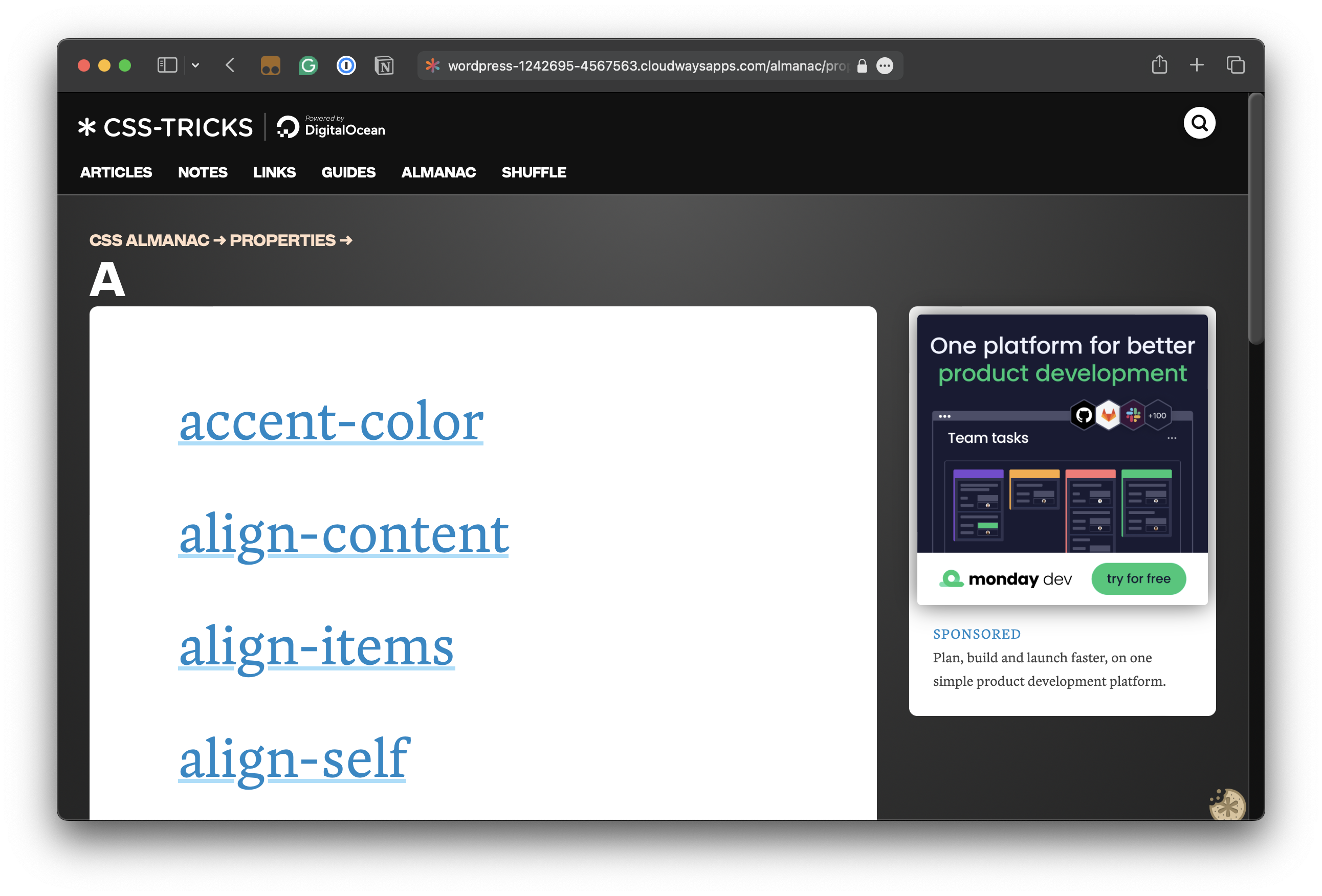
The new sections also appear in the existing left sidebar on individual Almanac pages, allowing jumps between entries without returning to the index.

On any subpage — Selectors, Properties, Pseudos, Functions, At-Rules — each item now shows a snippet and a high-level definition in place, without a jump to the full entry.
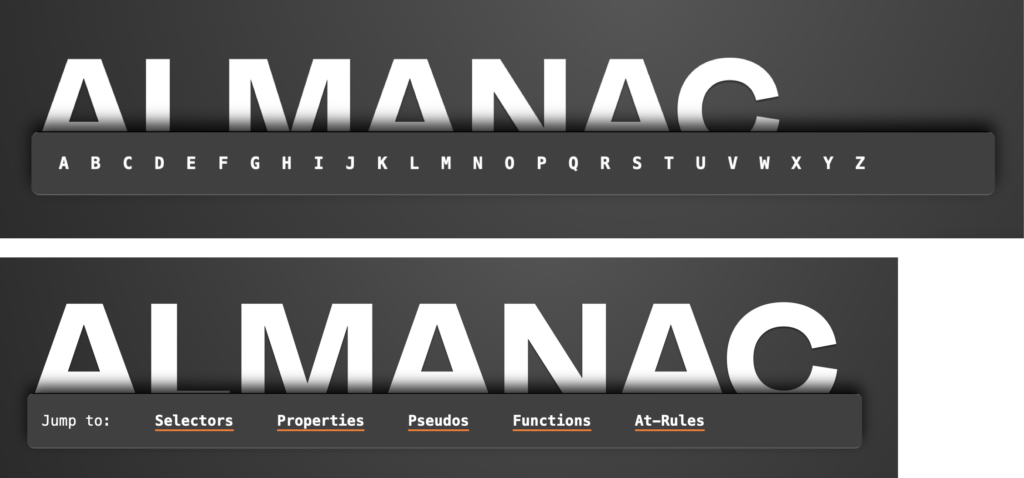
Beyond the hardcoded menu, the main page remains a work in progress: it once listed every entry across both sections, and finding a way to restore that for all sections is planned. Further CSS topics are also intended — general terminology, media and user preference queries, possibly specifications.



