

Why roll your own newsletter stack?
Email is one of the few communication channels that reliably reaches everyone, and it supports rich media over open standards. That makes it an attractive publishing medium, even as RSS fades and social platforms consolidate content discovery. The author wanted to stay in touch with friends and family while supporting the independent web — and, crucially, didn’t want to hand over content to a centralized service.
The obvious route is a newsletter platform like MailChimp or TinyLetter. But those services tend to force a branded footer, a WYSIWYG editor, or both. They also don’t provide a natural way to archive past issues on the web, which means bolting a custom layer on top of the service anyway. The alternative is using a service that exposes the right primitives: full control over visuals, with subscription management handled elsewhere.
Mailgun fits that bill. It has a well-designed API that has proven reliable in production use at Heroku and Stripe, and it offers mailing list management. For low-volume newsletters, it’s likely to stay within the free tier. The author tested the Go SDK by sending a few messages to himself and was ready to go.
// Sample code working with the Mailgun SDK -- build a
// message, add HTML and plaintext content, and send away.

mg := mailgun.NewMailgun(mailDomain, conf.MailgunAPIKey, "")

message := mailgun.NewMessage(
    fromAddress,
    fmt.Sprintf("Passages & Glass %s — %s",
        passage.Issue, passage.Title)
    passage.ContentRaw,
    recipient)
message.SetReplyTo(replyToAddress)
message.SetHtml(html)

resp, _, err := mg.Send(message)
if err != nil {
    log.Fatal(err)
}
log.Printf(`Sent to: %s (response: "%s")`, recipient, resp)
The reality of email CSS
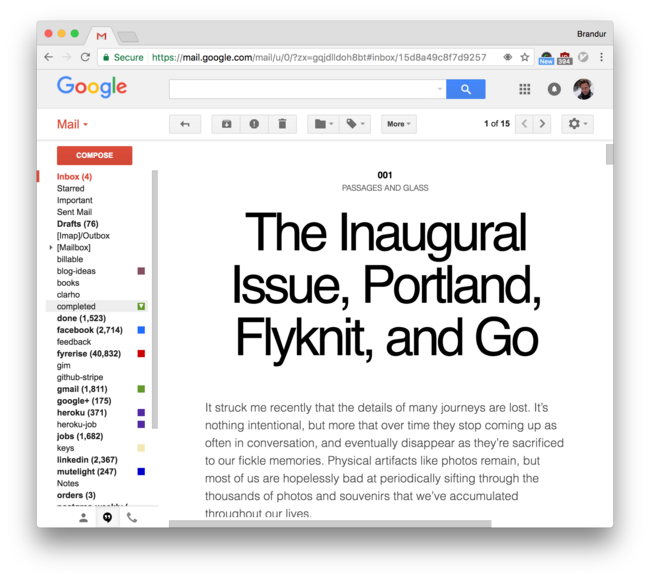
Modern browsers render HTML and CSS with remarkable consistency — but email clients don’t. The campaign for standards compliance stalled years ago, and the result is a fragmented landscape where each client is noncompliant in its own way. Ironically, some of the most technically advanced companies run some of the most regressive email clients. Gmail, for instance, would barely render a yellow pixel if you threw Acid2 at it.
The industry’s response is a kind of “pidgin CSS”: the lowest common denominator of what all major clients will handle. Campaign Monitor’s CSS support matrix shows just how divergent feature support is. Best practice is to keep things extremely basic:
floatis risky,flexandgridare out entirely, and<table />remains the state of the art for complex layouts.- Gmail, which represents a huge fraction of readers, doesn’t support
<style></style>tags — all CSS must be inlined as<p style="..."></p>. - Negative margins don’t work.
- Descendant selectors (
#wrapper p) and child selectors (#wrapper > p) can’t be used, along with most other selector types. remand other ergonomic niceties are out.
After some trial and error, the author settled on the simplest layout that still looks decent: a single centered column. Templates are written with normal <style></style> tags, and Douceur handles inlining for email.
The newsletter build pipeline
To keep component count down, the author reused the code from sorg, the project that renders his main website. This same codebase produces the newsletter’s HTML and archives.
Development iteration is driven by fswatch, which feeds file change events to a build executable so content and design can be refined quickly. A separate compile executable then produces the final HTML, inlines the CSS, and generates a list message via Mailgun’s API.
By default, the build sends a single test email to the author’s personal address. This acts as a final check for content and for email-specific rendering problems. Passing the -live flag sends the message to the actual mailing list.
Managing subscriptions without a form
Mailgun handles list management on the unsubscribe side — it generates person-specific unsubscribe links automatically. There’s no equivalent for opt-in, however. New addresses can be added manually through the control panel, but Mailgun won’t host a signup form.
The author’s site is static, so he built a small Go executable that serves that single function. Running a separate service for such a mundane task isn’t ideal, but the service is small enough to ignore most of the time. Go was chosen for its API stability and minimal upgrade churn, with the hope that the service will run for years with little intervention.

The newsletter: Passages & Glass
The finished product is Passages & Glass, a digest covering travel, ideas, products, and software — with a more personal tone than a typical blog post. The author positions it as a low-frequency publication, sent to subscribers who are interested in those topics with a personal touch.


