Safari 15 and the desktop arrival of theme-color
Safari 15 brought support for the theme-color <meta> tag to both macOS and iOS, making it the first desktop browser to honor the tag. It also implements the media attribute and the prefers-color-scheme media feature on it. Support briefly vanished in Safari Technology Preview 127 but returned in release 128.
The simplest and most common form is a plain hex value in the content attribute:
<meta name="theme-color" content="#319197">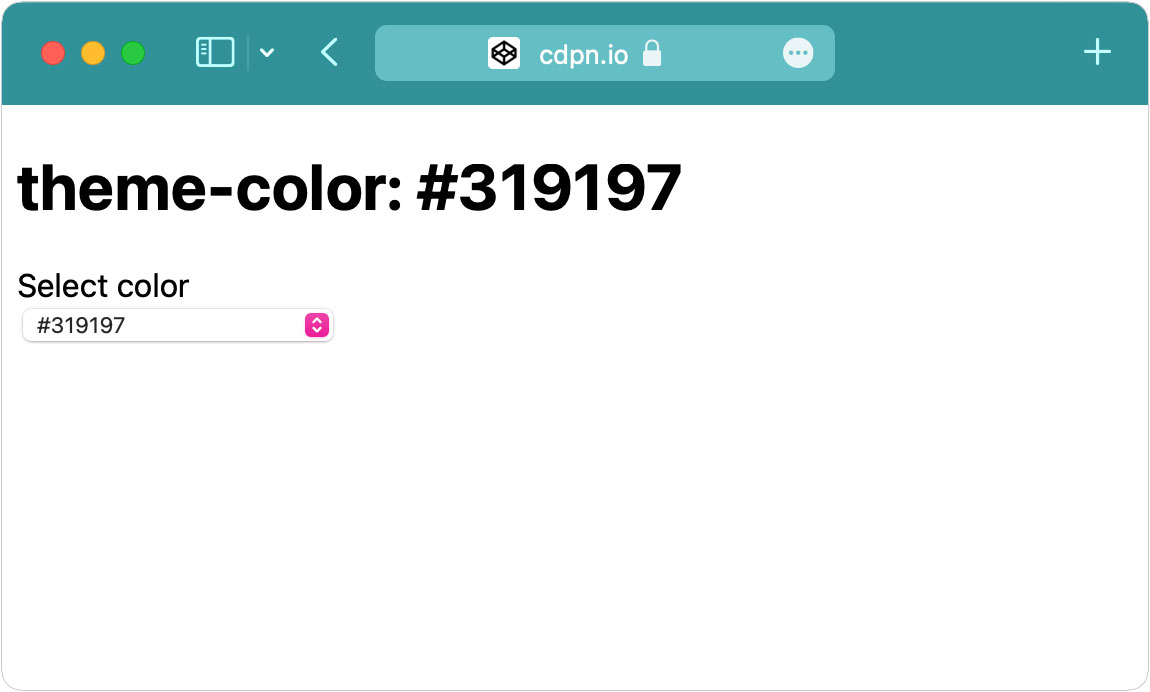
Per earlier testing, this form works in Chrome, Brave and Samsung Internet on Android, in installed Chrome PWAs, and in Safari Technology Preview.
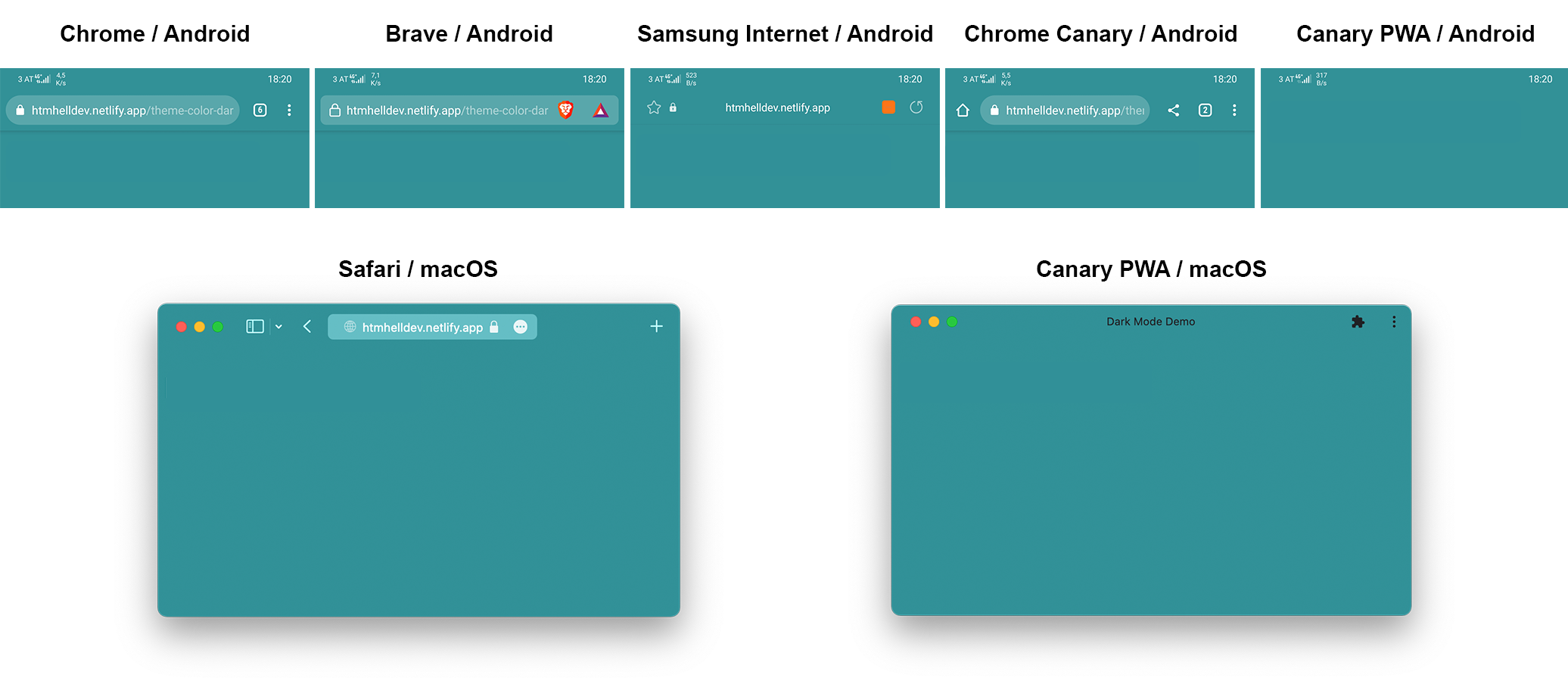
Which color values actually work
The HTML spec allows any CSS color as the attribute value. Supported browsers accept keywords, hsl() and rgb() as well as hex, which opens the door to manipulating the color from JavaScript.
<meta name="theme-color" content="hsl(24.3, 97.4%, 54.3%)">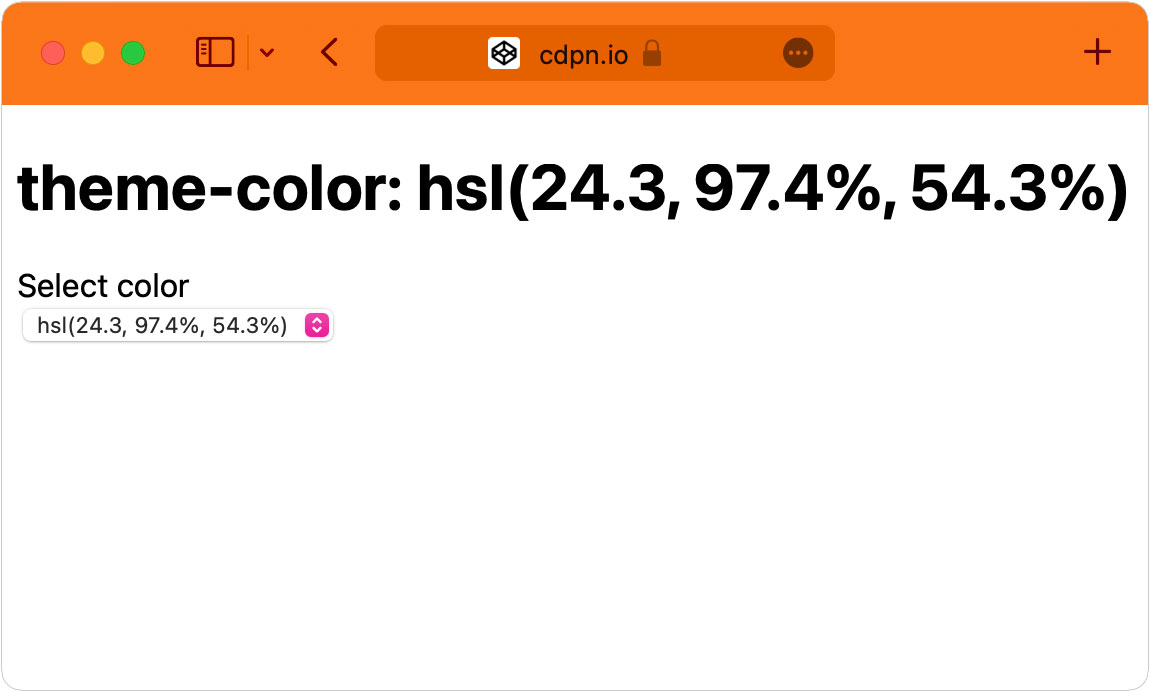
theme-color meta tags supports CSS colors in any form: keywords, rgb(), hsl() or hex code.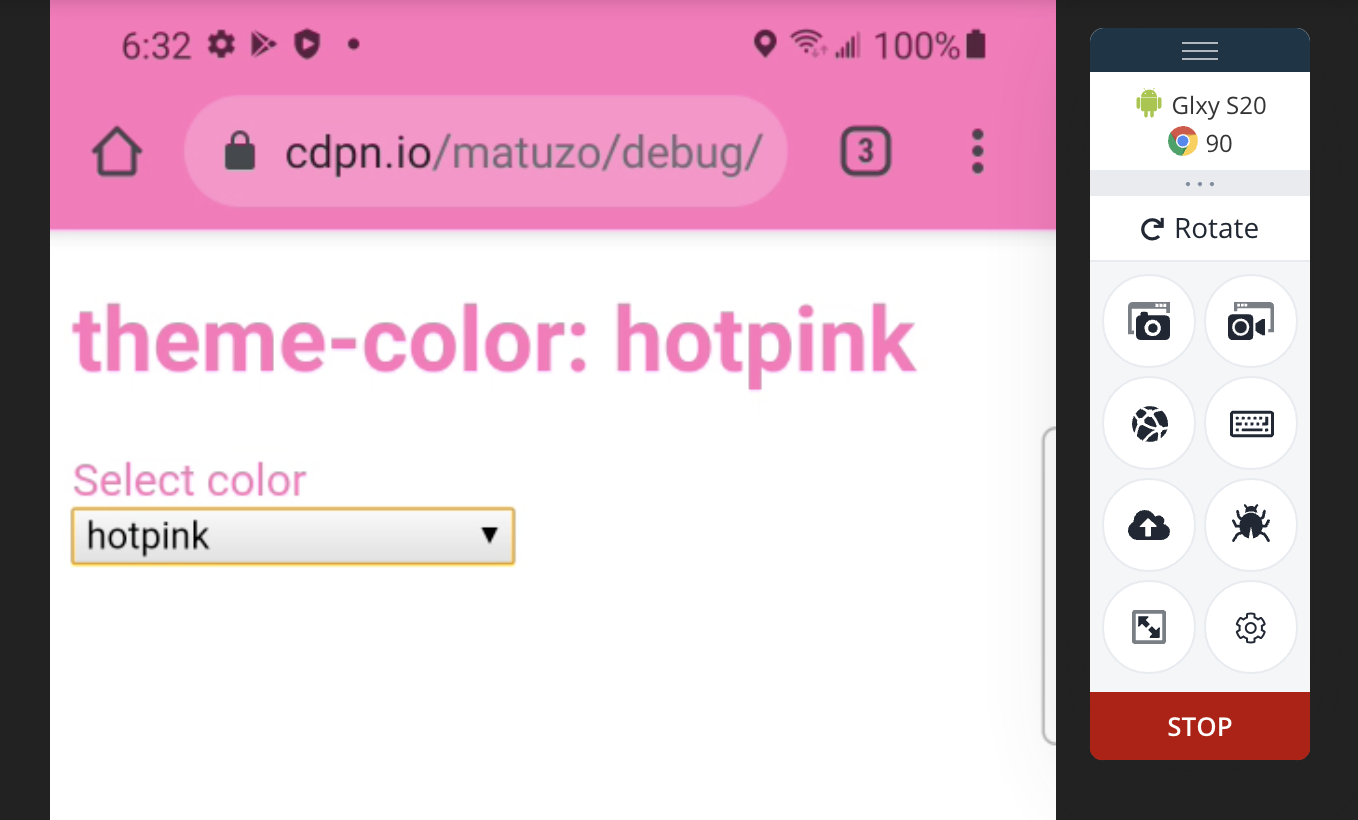
Transparency is where consistency breaks down. All regular mobile browsers ignore transparent and keep their default tab bar, while Safari on macOS and the Chrome Canary PWA on macOS render the tab bar black; the Android PWA falls back to the color in manifest.json.
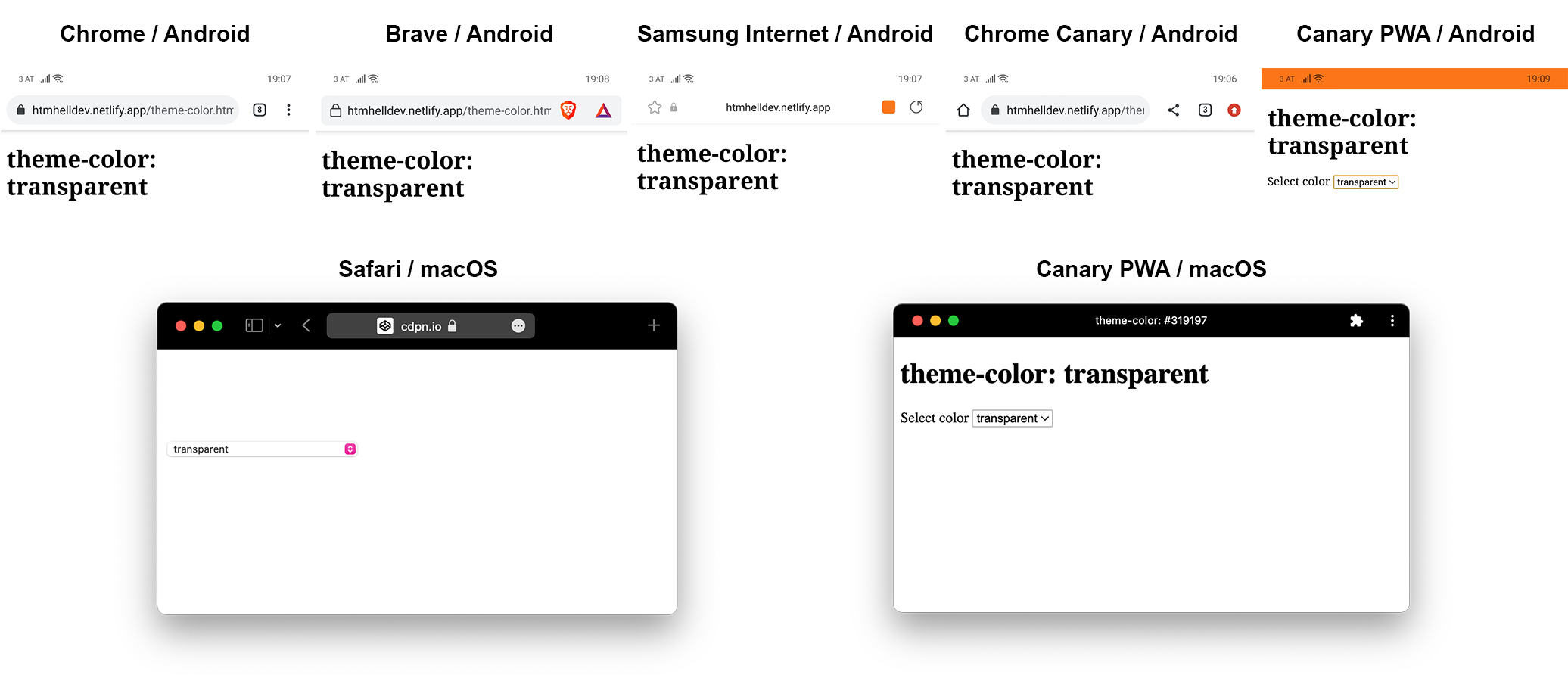
theme-color meta tagWith hsla() and rgba(), every browser sets the alpha to 1 — except Safari on macOS, which respects transparency against what appears to be a black baseline, turning a light orange into a dark one.
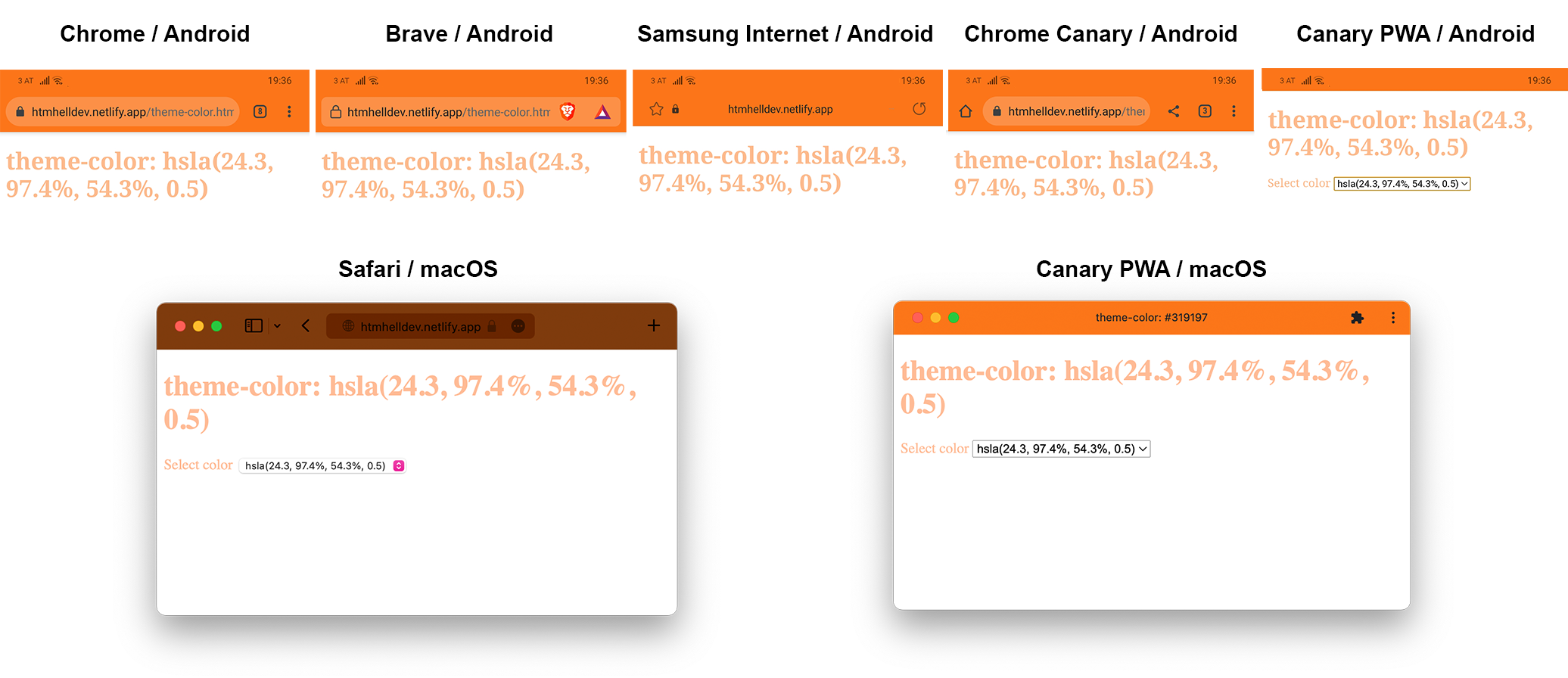
hsla() applied to the theme-color meta tagThe new color functions are a separate gap. Safari 15 is the first browser to support lab(), lch() and hwb(), and they work in CSS:
body {
  background-color: hwb(27 10% 28%);
  background-color: lch(67.5345% 42.5 258.2);
  background-color: lab(62.2345% -34.9638 47.7721);
}
In the theme-color meta tag, none of them are interpreted; Safari falls back to its own color-picking algorithm, likely derived from the <body> background. At the time of writing, Safari 15 was also the only browser supporting these functions at all.
<meta name="theme-color" content="lab(29.2345% 39.3825 20.0664)">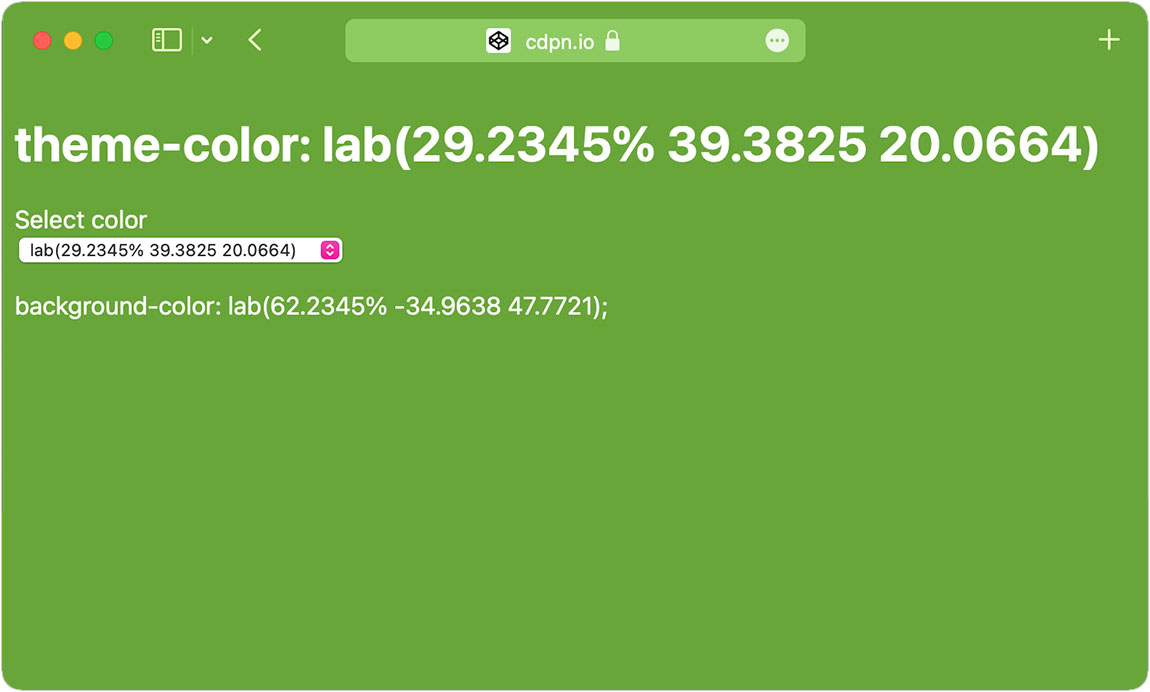
currentColor is likewise unsupported in every browser tested, even though it would seem a natural fit for inheriting the body or root color. A WebKit bug ticket, "<meta name="theme-color" content="..."> should also support CSS currentcolor," leaves room for future change.
<style>
  body {
    color: blue;
  }
</style>

<meta name="theme-color" content="currentColor">
Custom properties are equally a dead end: defining a color as a custom property and referencing it in the meta tag failed in all browsers.
<style>
  :root {
    --theme: blue;
  }
</style>

<meta name="theme-color" content="var(--theme)">
A Safari-specific exception
Testing keywords turned up an oddity: red does not work, while blue, hotpink and green do. Safari rejects a narrow set of colors that would interfere with its interface — red sits too close to the close-button background in the tab bar. No other supported browser shows this limitation.
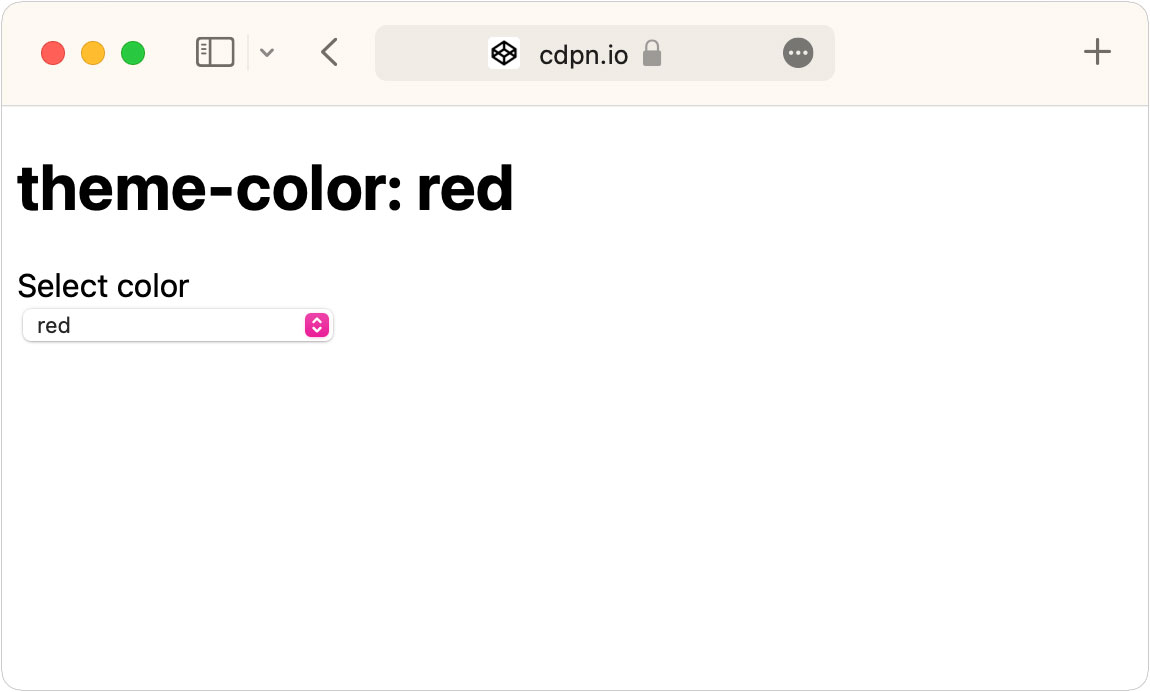
theme-color to red, Safari uses any color it deems appropriate.Dark mode in the tab bar
Multiple theme-color tags let you provide light and dark variants, with browsers selecting the first tag that matches. Safari 15 was the first desktop browser to support media and prefers-color-scheme here; Chrome 93 added it for installed PWAs only.
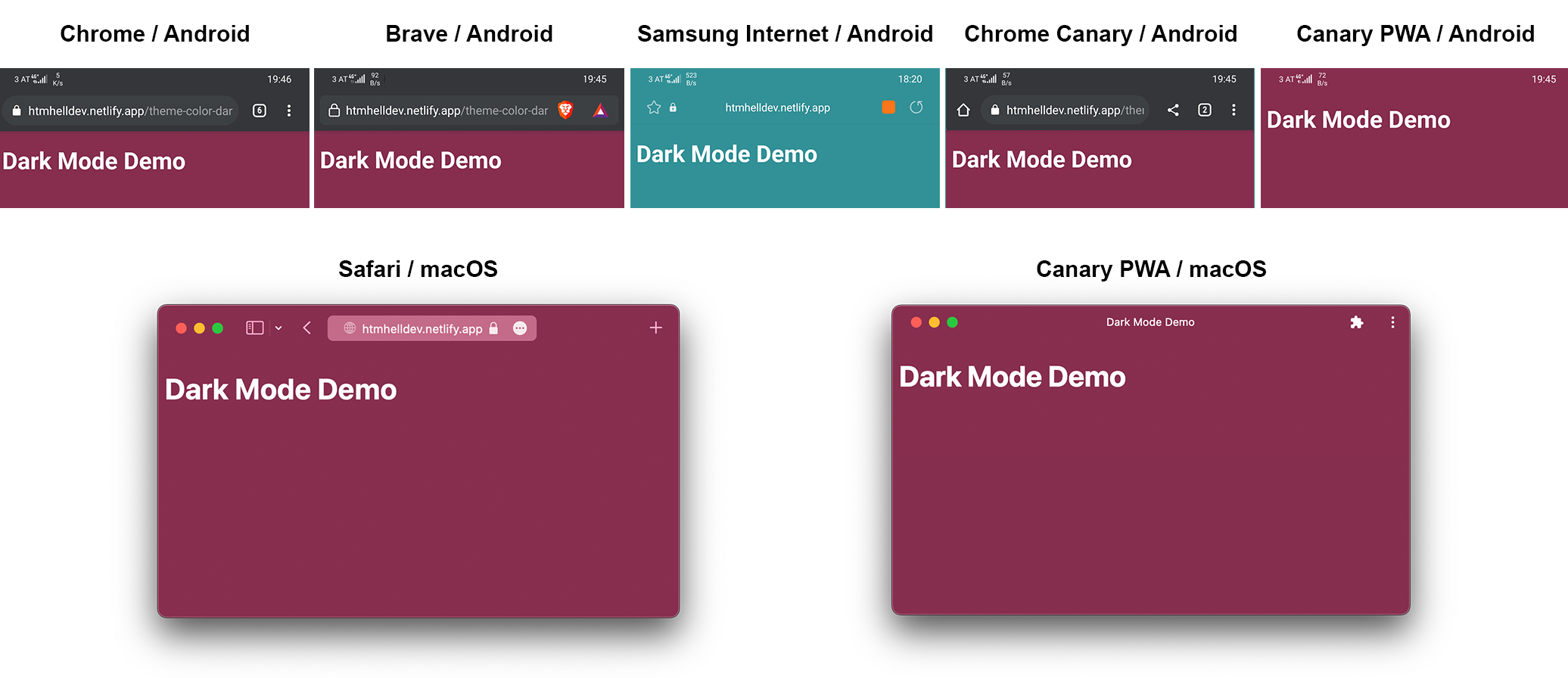
<meta name="theme-color" content="#872e4e" media="(prefers-color-scheme: dark)">In light mode the behavior is uniform: whether or not a browser understands the media attribute, it uses the first meta tag.
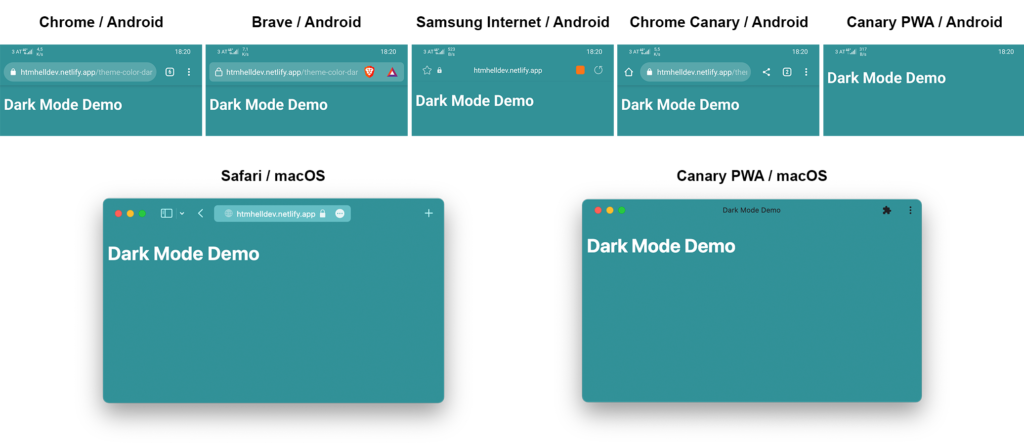
Dark mode produces more variation. The Canary PWA and Safari show the dark color. Mobile browsers mostly apply their own default dark tab bar, with Samsung Internet the exception — it uses the light styling because it does not support the prefers-color-scheme media feature, a limitation expected to change soon.
A page defining only a dark-mode theme color behaves differently again:
<meta name="theme-color" content="#872e4e" media="(prefers-color-scheme: dark)">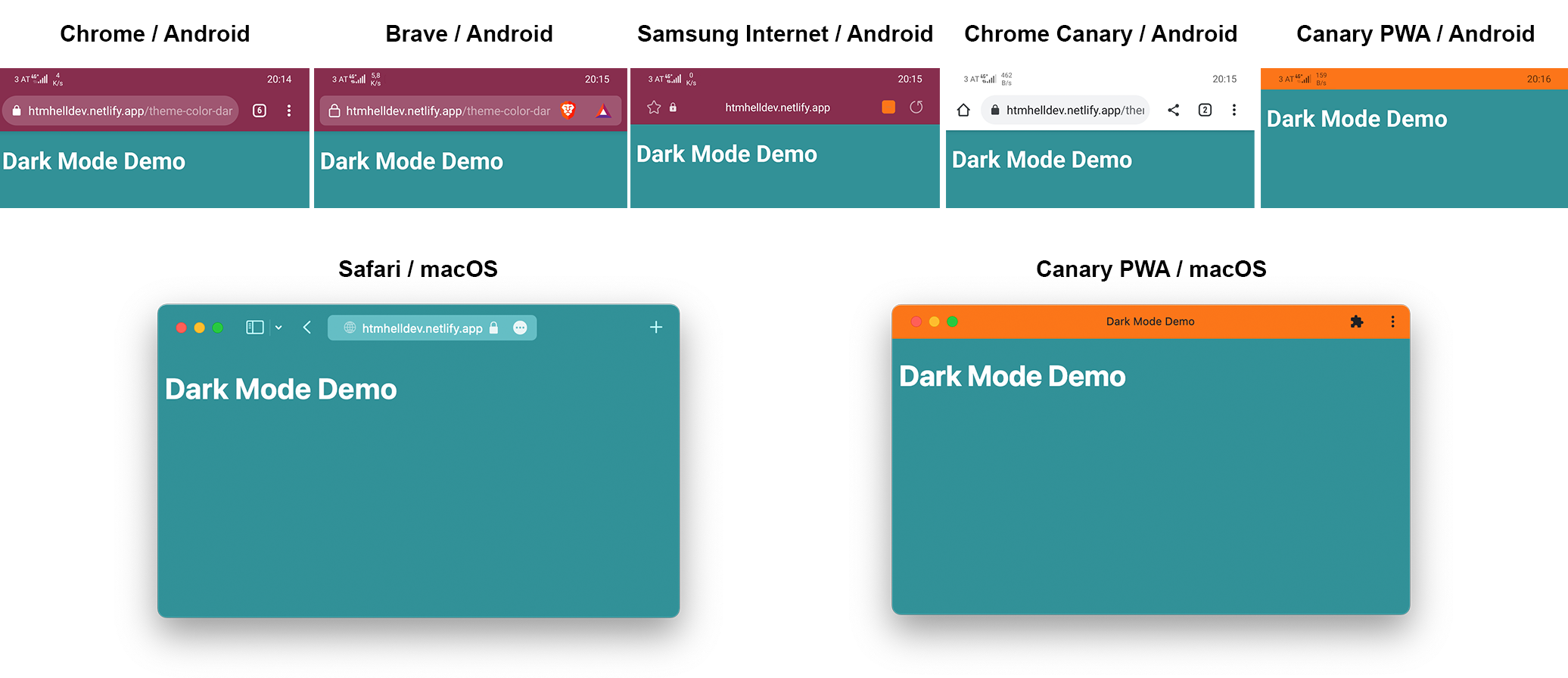
Ordinary Chrome Canary ignores the entire meta tag despite lacking media support, and both Canary PWAs fall back to the manifest color. Safari still displays a color it picks itself, here the page background, though it may also draw on the <header> background.
For both modes, the reliable pattern is to declare both colors and keep the first tag as a fallback:
<meta name="theme-color" content="#319197" media="(prefers-color-scheme: light)">
<meta name="theme-color" content="#872e4e" media="(prefers-color-scheme: dark)">
Changing the color at runtime
Because the value can be updated with JavaScript, the tag supports more than static page chrome. Examples worth studying:
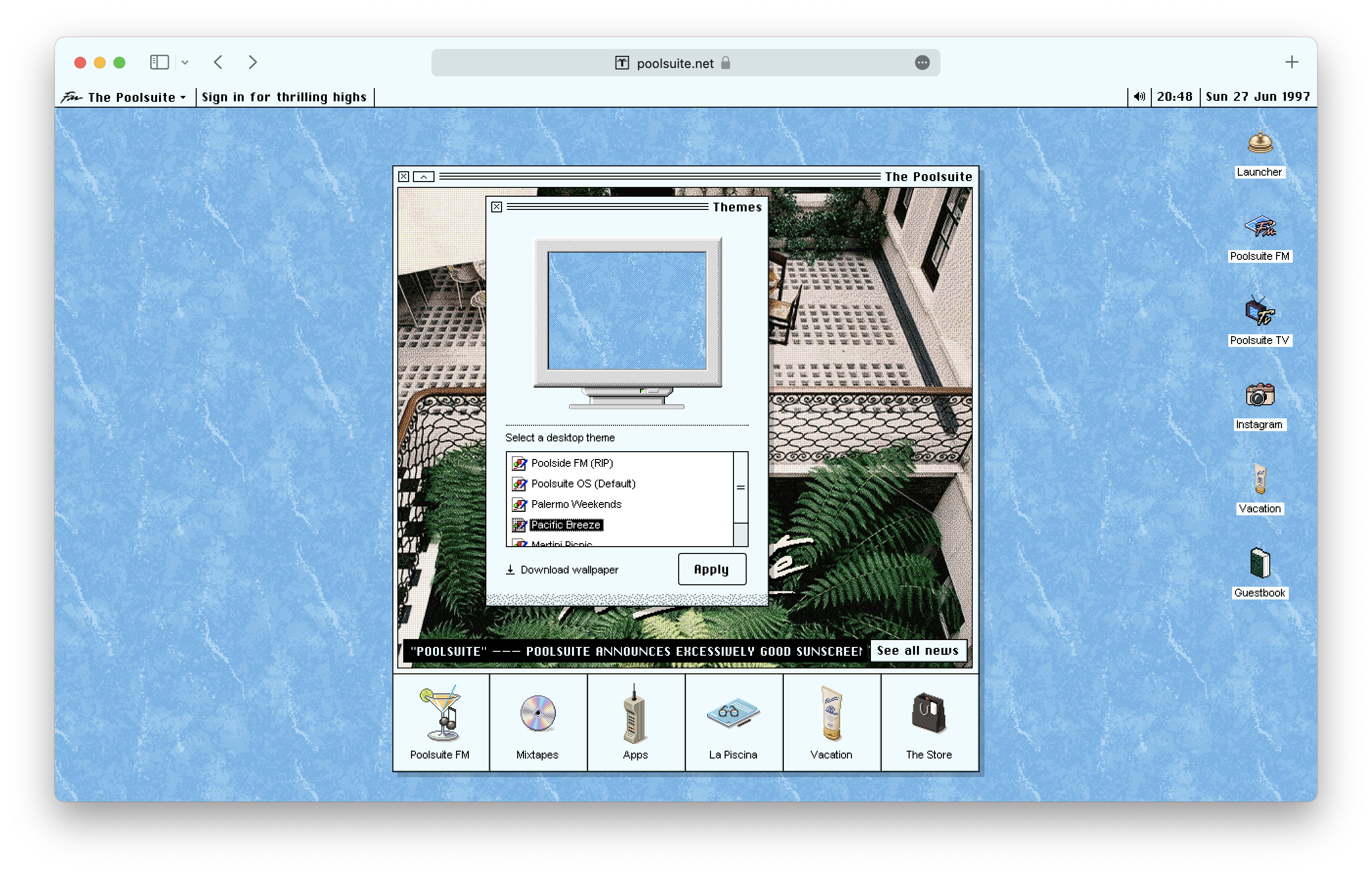
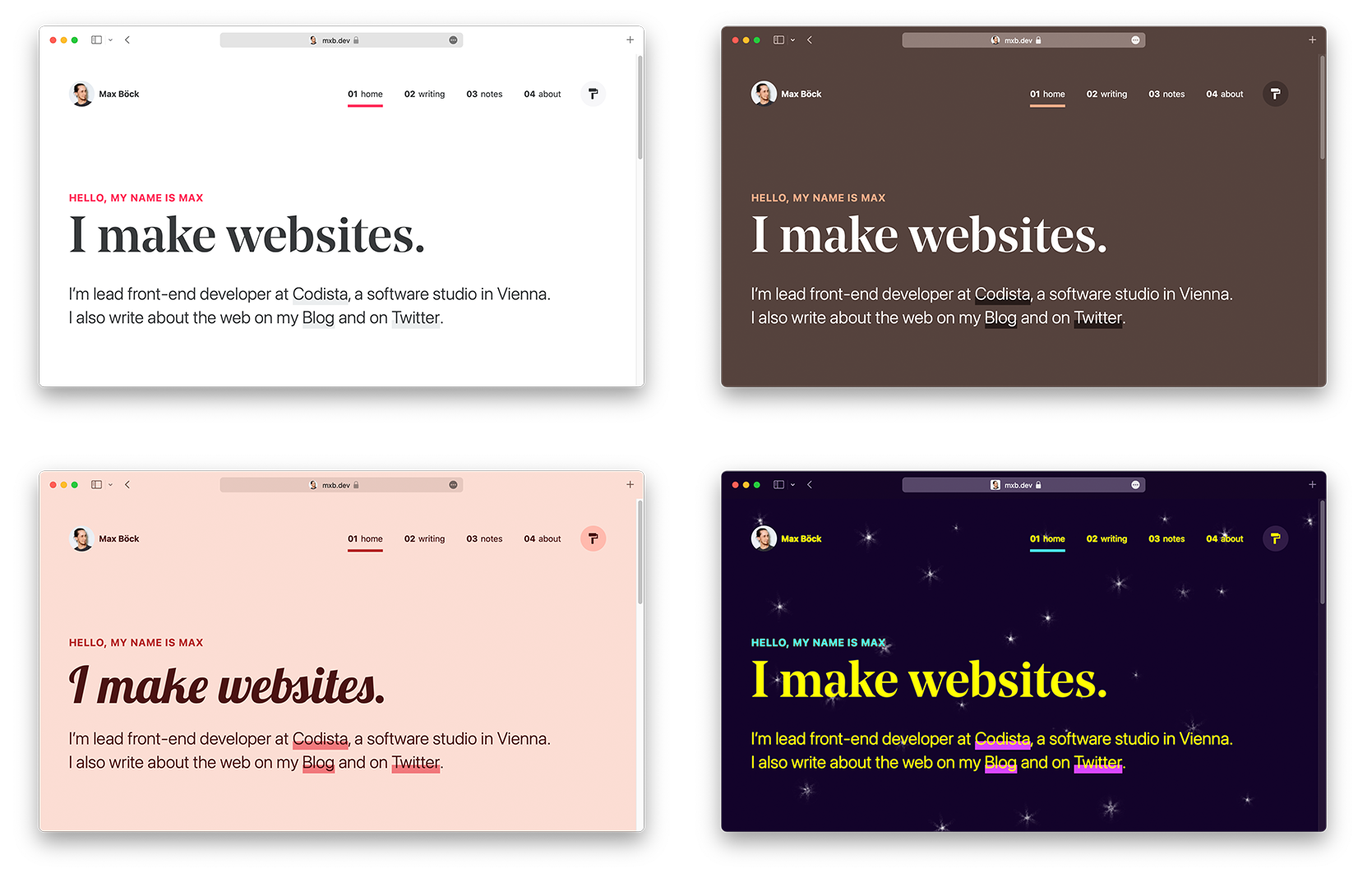
- Theming. poolsuite.net swaps its
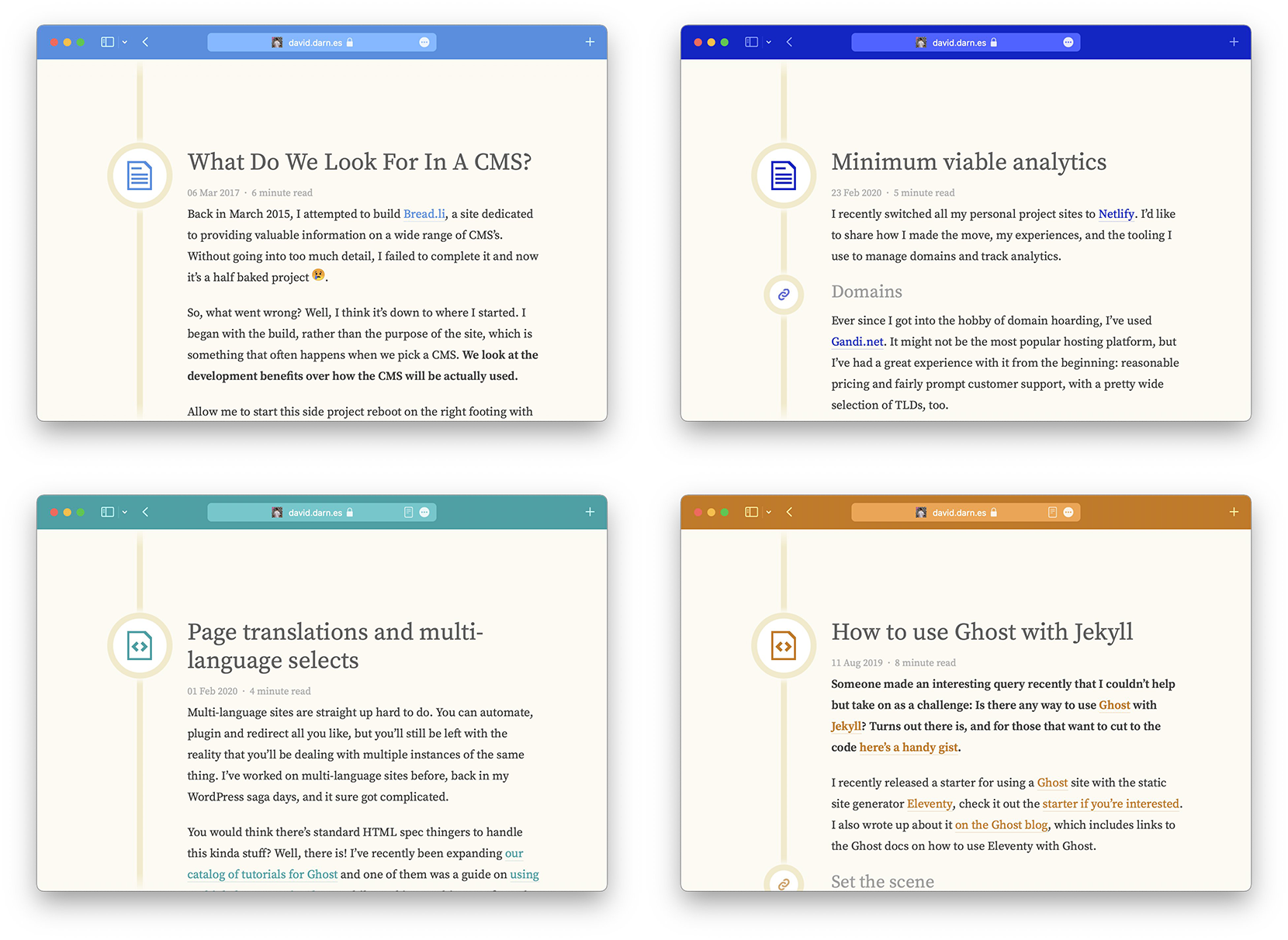
theme-coloralong with its site themes; Max Böck does the same on his site. - Per-page coloring. Dave uses different key colors per blog post for links and icons, and in the tab bar too.
- Gradients. The meta tag accepts no gradients, but matching its color to the start color of a full-bleed background gradient ties the styling together.
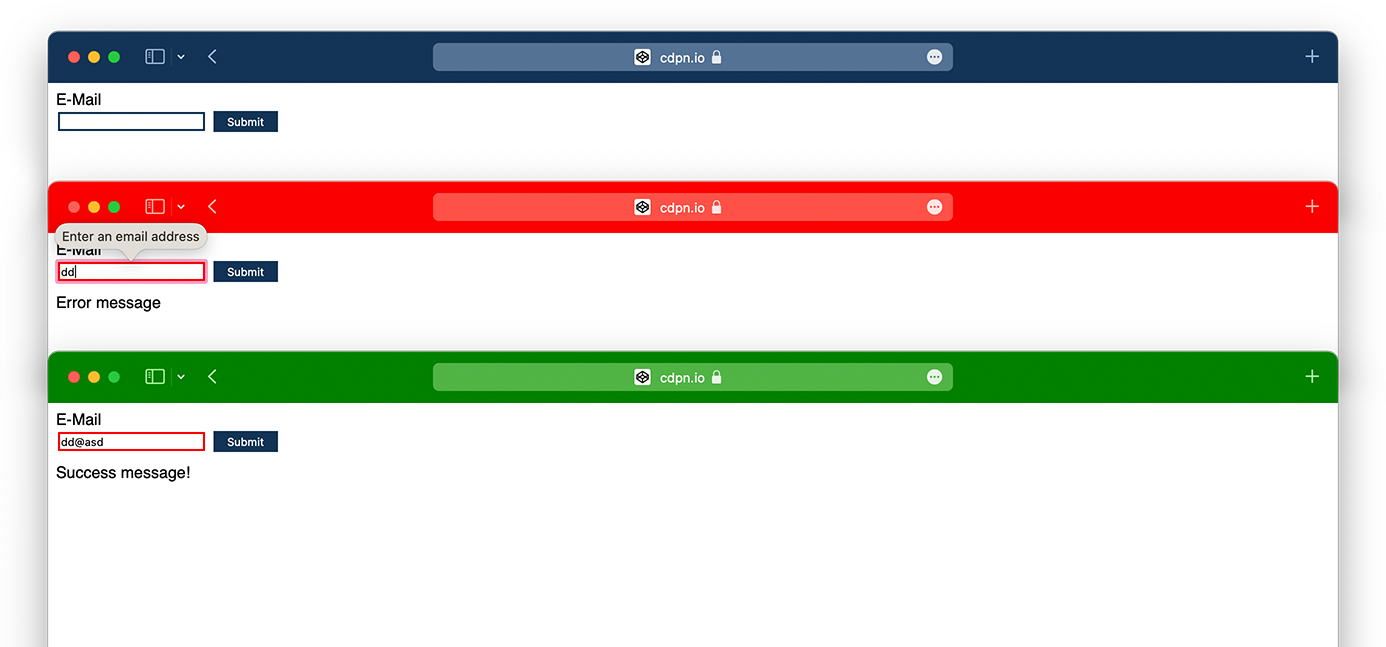
- Form validation. A proof-of-concept form starts with a blue tab bar and turns it red for invalid submissions and green for valid ones.
- Scrolling. Stuart suggested changing the color on scroll; prototypes use
setIntervalwithhsl(), and Max's demo uses Intersection Observer to follow the background color of the section in view. Only do this if it does not hurt performance. - Disco mode. Combining
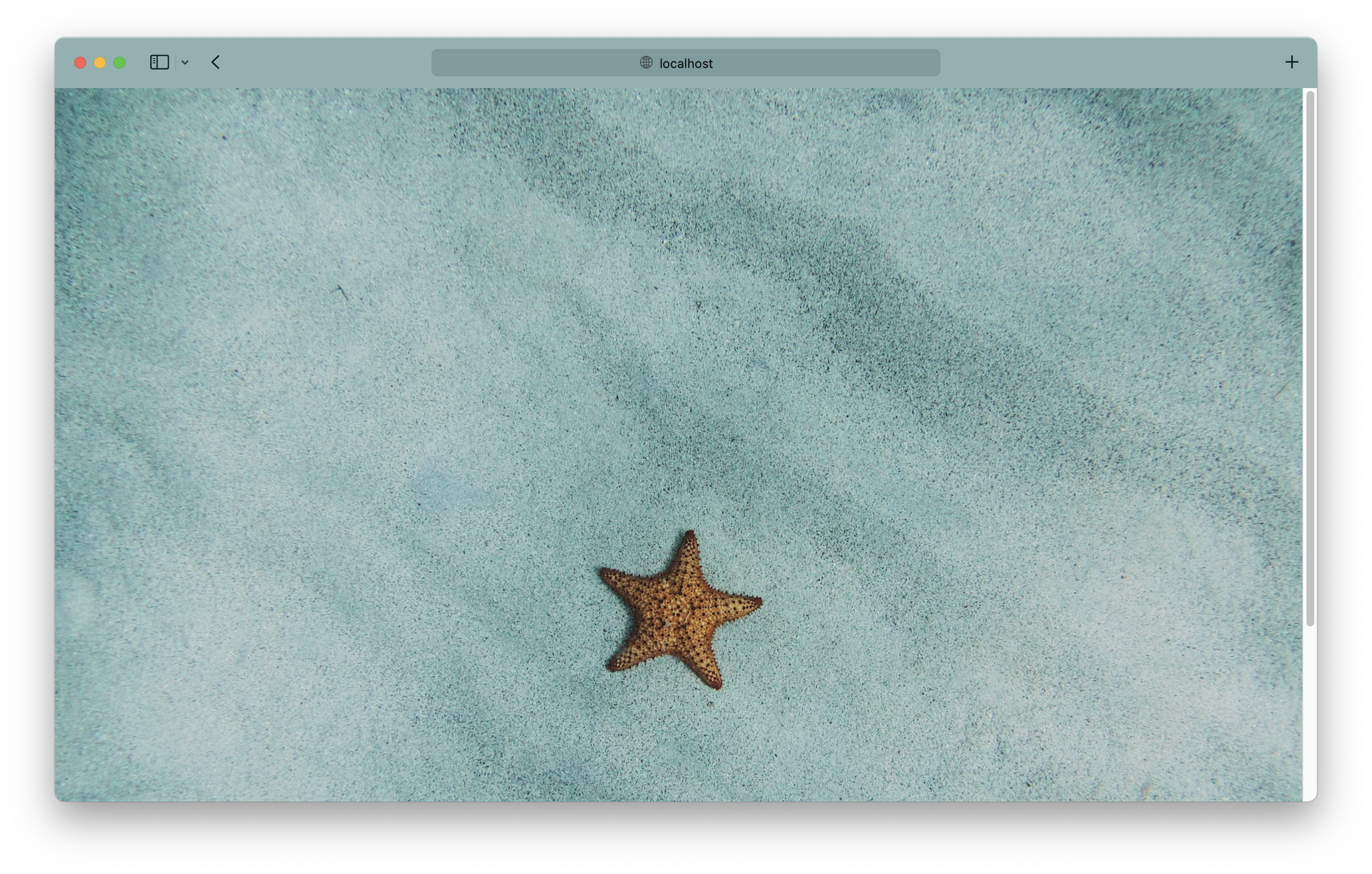
setIntervalandhsl()colors can strobe the tab bar, should you want that. - Extracted color. The dominant or average color of a header image can be computed automatically and applied as the
theme-color.
<meta name="theme-color" content="rgb(0, 235, 255)">

<style>
  body {
    background: linear-gradient(rgb(0, 235, 255), #08124a);
  }
</style>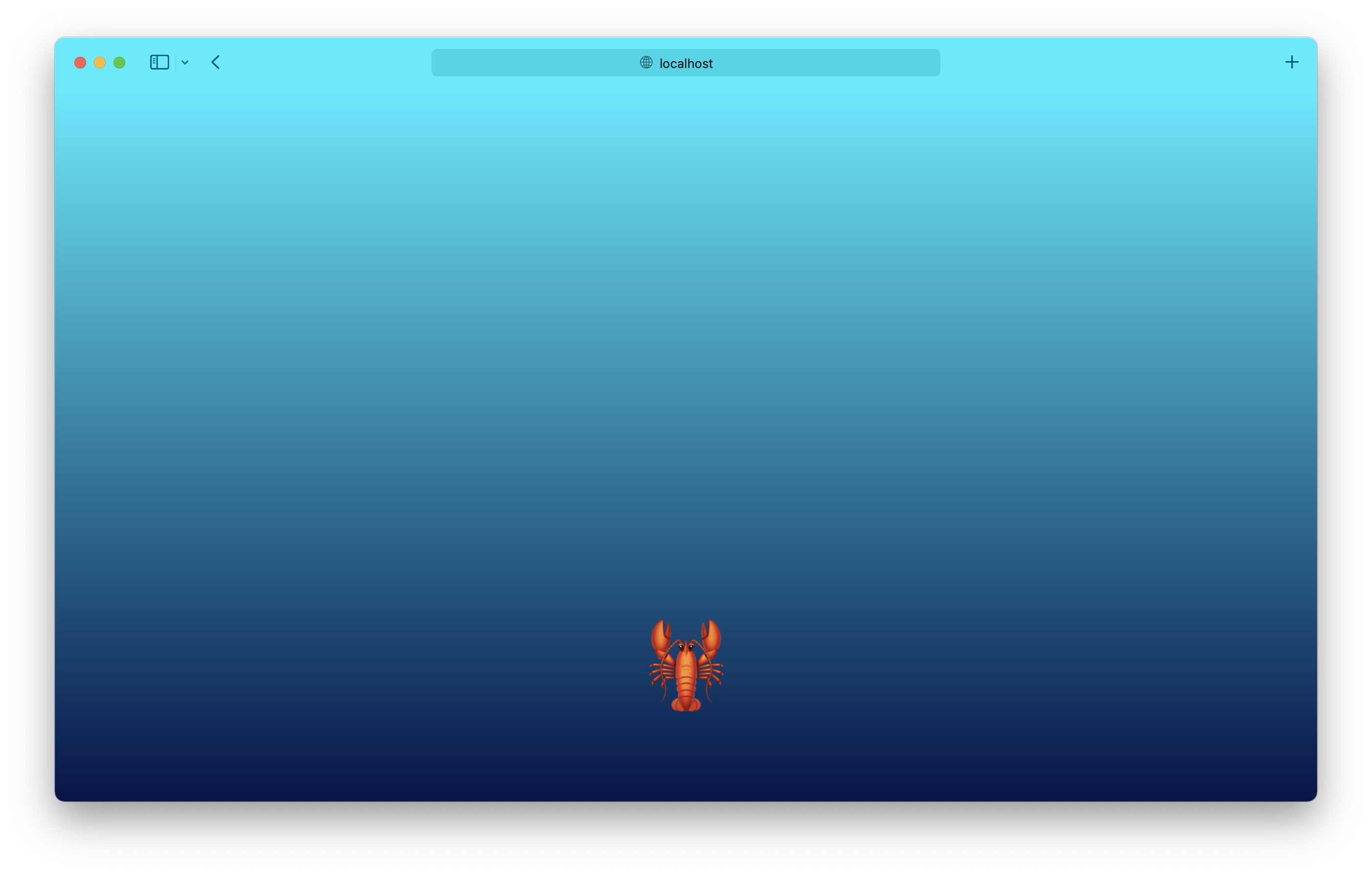
const email = document.querySelector('input')
const themeColor = document.querySelector('meta[name="theme-color"]')
const msg = document.querySelector('[aria-live]')
let color = '#FA0000'
let message = 'Error message'

document.querySelector('button').addEventListener('click', (e) => {
  e.preventDefault()

  email.reportValidity()
  email.setAttribute('aria-invalid', true)

  if (email.validity.valid) {
    color = '#00FF00'
    message = "Success message!"
    email.setAttribute('aria-invalid', false)
  }

  msg.textContent = message
  themeColor.setAttribute('content', color)
});
/*
Inspired by https://twitter.com/argyleink/status/1408184587885309952
*/
const motion = window.matchMedia("(prefers-reduced-motion: no-preference)");
// Check if users don't have a preference for reduced motion
if (motion.matches) {
let scheme = document.querySelector('meta[name="theme-color"]')
let hue = 0
let color
setInterval(() => {
color = `hsl(${hue+=5} 50% 30%)`
document.body.style.background = color;
scheme.setAttribute('content', color)
}, 50)const setThemeColor = (color) => {
const meta = document.querySelector('meta[name="theme-color"]')
if (meta) {
meta.setAttribute('content', color)
}
}
if ("IntersectionObserver" in window) {
const observer = new IntersectionObserver(entries => {
entries.forEach(entry => {
const { isIntersecting, target } = entry
if (isIntersecting) {
const color = window.getComputedStyle(target).getPropertyValue("background-color");
setThemeColor(color)
}
})
}, {
root: document.getElementById('viewport'),
rootMargin: "1px 0px -100% 0px",
treshold: 0.1
})
document.querySelectorAll('.section').forEach(section => {
observer.observe(section)
})
}
<script type="module">
  import fastAverageColor from "https://cdn.skypack.dev/[email protected]";
  const fac = new fastAverageColor();

  fac.getColorAsync(document.querySelector('img'))
    .then(color => {
      document.querySelector('meta[name="theme-color"]').setAttribute('content', color.rgba)
    })
    .catch(e => {
      console.log(e);
    });
</script>

<img src="https://css-tricks.com/amy-humphries-2M_sDJ_agvs-unsplash.jpg" alt="A sea star on blue sand." />



