

Managing GitHub Work from a Phone
GitHub Mobile has grown beyond simple notifications and merge checks. Two features in particular—Issue Composer and customizable Shortcuts—make it practical to handle real project administration without opening a laptop.
Filing Issues with Metadata, No Laptop Required
Issue Composer lets you create issues, log bugs, propose features, and join discussions from your mobile device. A recent addition called the Property Bar extends that workflow by letting you attach metadata at creation time: assignees, labels, milestones, and projects are all selectable before you hit submit. That removes the usual friction of creating a rough issue on the go and tidying it up later back at a desk.

Shortcuts for the Home Screen
Instead of drilling through menus to check on a specific pull request or issue filter, GitHub Mobile's Shortcuts feature places those views directly on the app's home page. Set-up starts with a "Get started" button, after which you can pick from suggested shortcuts or build your own from scratch.
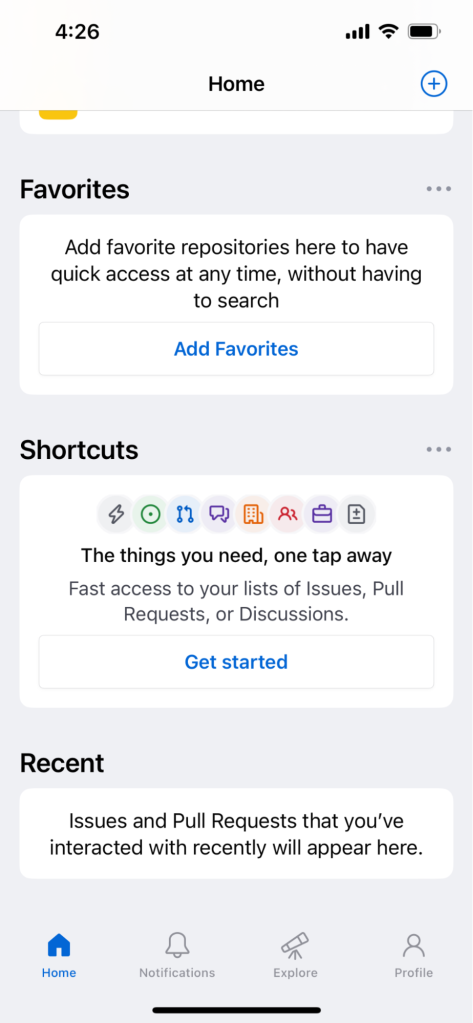
The customization options are broad, letting you narrow down exactly what appears in each shortcut. Choices include:
- Open or closed issues
- Issues that are created, mentioned, or assigned
- All, private, or public repositories
- Organization filters
- Repository filters
- Sorting categories and emoji
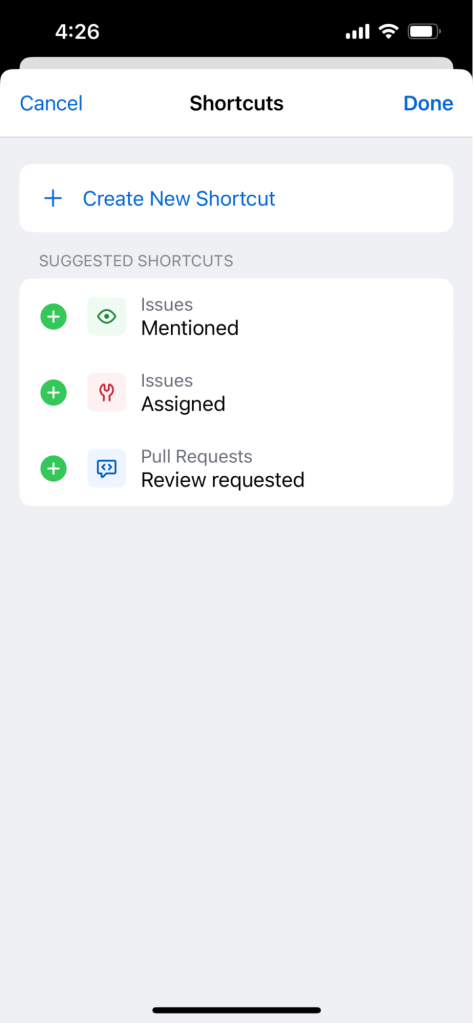
After saving, each shortcut becomes a single tap on the home screen, covering the common "where is my work right now" questions without needing a full search query.
Building Toward Mobile Power Use
The combination of Issue Composer's metadata support and configurable Shortcuts means that reviewing code, managing issues, and joining discussions are all feasible during time away from a traditional workstation. These tools close the gap between lightweight triage and full administrative control, letting developers contribute meaningfully from anywhere. For anyone ready to move past scrolling notifications, GitHub Mobile is available for download at github.com/mobile.


