

Where API Routes Fit In a Next.js Project
Next.js has supported server-side API development since version 9. Files placed inside the pages/api directory are treated as endpoints, automatically exposed at https://localhost:3000/api/your-file-name. Because the framework bundles React, Node.js, Babel, and Webpack, it can serve both client and server responsibilities without leaving the React ecosystem.
This isn't meant to replace dedicated backend frameworks. GraphQL and REST remain the right tools for standalone API projects. API Routes solve a different problem: extending an existing Next.js app with backend logic. For example, adding authentication to a Next app can be handled entirely through API Routes rather than spinning up a separate Node.js or Express service. Since these routes are server-side only bundles, they don't add bytes to the client-side bundle.
There are two important constraints to remember. First, API Routes don't send CORS headers by default, so they're restricted to same-origin requests unless you add CORS middleware manually. Second, if you export your Next.js app statically with next export, API Routes won't be available at all.
Project Setup
Start with Create Next App to bootstrap a fresh project:
npx create-next-app next-graphql-serverNext.js also offers a starter template for API Routes, but this tutorial builds from scratch. Create the following directory structure:
├── pages
|  ├── api
|  |  ├── graphql.js
|  |  ├── resolvers
|  |  |  └── index.js
|  |  └── schemas
|  |     └── index.js
|  └── index.js
├── package.json
└── yarn.lock
All server code lives in the api folder. The GraphQL endpoint will be accessible at /api/graphql. You'll need apollo-server-micro to run Apollo Server inside Next.js:
yarn add apollo-server-microFor npm:
npm install apollo-server-microDefining the GraphQL Schema
A schema declares the shape of your data graph. In api/schemas/index.js, define a User type matching the structure of a GitHub user:
import  {  gql  }  from  "apollo-server-micro";

export  const  typeDefs  =  gql`
    type  User {
        id: ID
        login: String
        avatar_url: String
    }

    type  Query {
        getUsers: [User]
        getUser(name: String!): User!
    }`
The schema declares two queries: getUsers returns an array of users, while getUser accepts a username parameter and returns a single user.
Writing the Resolvers
Resolvers contain the functions that produce responses for GraphQL queries. To fetch data from GitHub, install the axios library:
yarn add axiosOr with npm:
npm install axiosThen add the resolver logic in api/resolvers/index.js:
import axios from "axios";

export const resolvers = {
  Query: {
    getUsers: async () => {
      try {
        const users = await axios.get("https://api.github.com/users");
        return users.data.map(({ id, login, avatar_url }) => ({
          id,
          login,
          avatar_url
        }));
      } catch (error) {
        throw error;
      }
    },
    getUser: async (_, args) => {
      try {
        const user = await axios.get(
          `https://api.github.com/users/${args.name}`
        );
        return {
          id: user.data.id,
          login: user.data.login,
          avatar_url: user.data.avatar_url
        };
      } catch (error) {
        throw error;
      }
    }
  }
};
The resolver function names match the query names in the schema. getUsers calls the GitHub API to fetch all users, then returns an array shaped to fit the User type. getUser takes the username passed as a query argument and fetches a single matching record.
Combining Schema and Resolvers into a Server
With the schema and resolvers in place, create the server instance in api/graphql.js:
import  {  ApolloServer  }  from  "apollo-server-micro";
import  {  typeDefs  }  from  "./schemas";
import  {  resolvers  }  from  "./resolvers";

const  apolloServer  =  new  ApolloServer({  typeDefs,  resolvers  });

export  const  config  =  {
    api:  {
        bodyParser:  false
    }
};

export  default  apolloServer.createHandler({ path:  "/api/graphql"  });
Here, ApolloServer receives both the schema and the resolvers. Next.js needs to be told not to parse incoming requests, allowing Apollo to handle them. The handler created by apolloServer exposes the server at /api/graphql.
One difference from a standalone Apollo Server: Next.js handles the server lifecycle for you, so you don't need to call listen() or start the server explicitly.
Testing the GraphQL Endpoint
Launch the development server from the project root:
yarn devOr for npm:
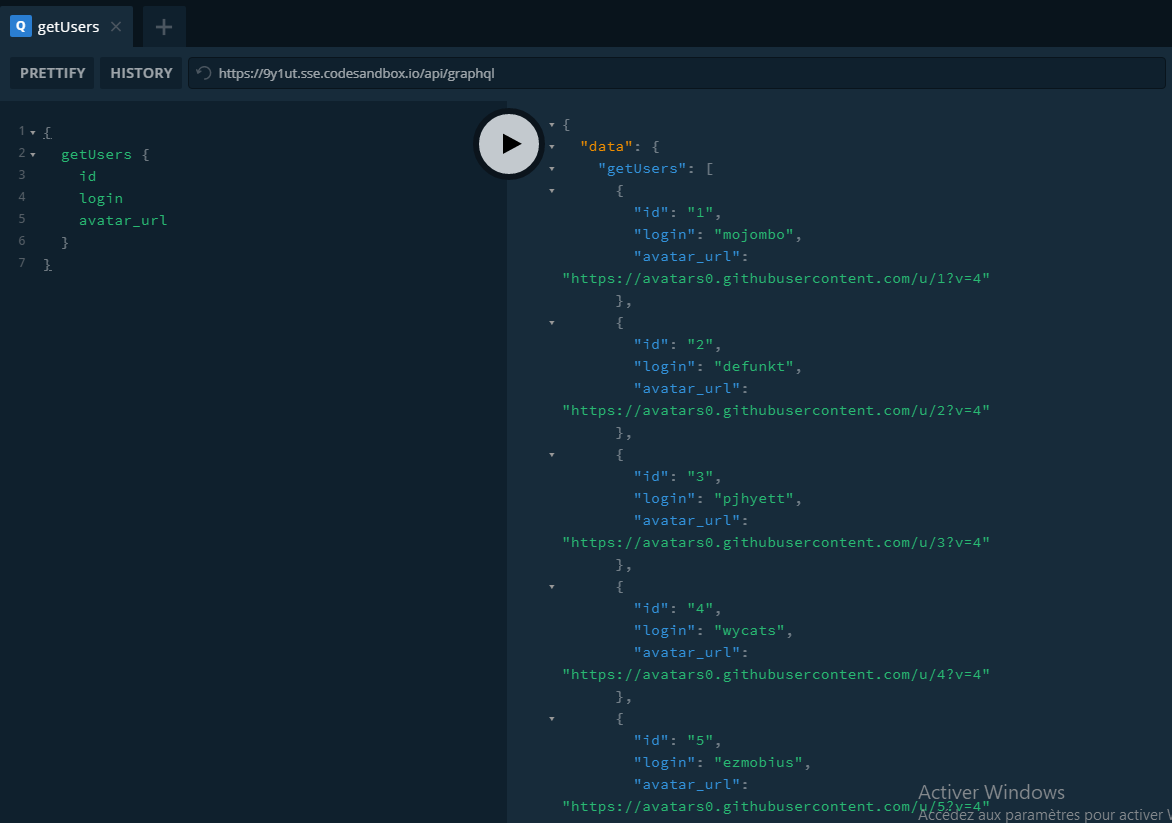
npm run devNavigate to https://localhost:3000/api/graphql. Use this query to fetch GitHub users:
{
  getUsers {
    id
    login
    avatar_url
  }
}
You can also fetch a single user by name:
query($name: String!){
  getUser(name:$name){
        login
    id
    avatar_url
  }
}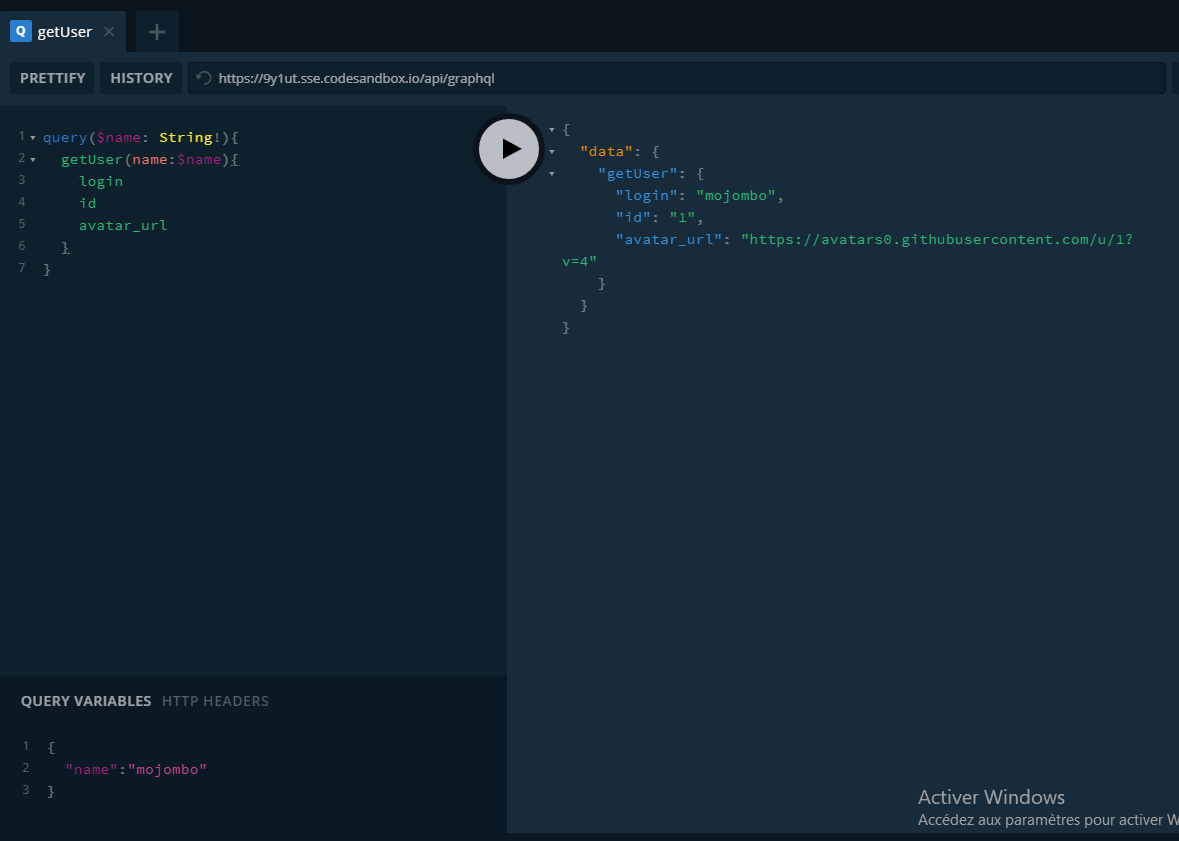
The server correctly returns data for both operations, confirming the full GraphQL stack works within Next.js API Routes.
Further Reading



