
Beyond automated SVG optimization
Compressors like SVG-Editor and SVGOMG reduce an SVG's file size within seconds. But when the graphic has to live inline, so you can animate or interact with it, there's another dimension worth attention: how legible the markup is. The <use> element doesn't fit every case, but where it does, it pays for the few extra minutes.
The example here is an Illustrator-exported design.

The raw export weighs 2.05kb. That isn't heavy, yet the file is full of empty tags, deprecated namespaces, redundant white space, commas and extra metadata added by the software, which makes the code unpleasant to scan and long to scroll through. The file does already use <use> and <defs>, just not optimally — and that's not the tool's responsibility. Every astronaut gets a clipping mask, an invisible circle acting as a window onto the character; without it the suit would spill outside the circle. Illustrator offers ways around this, such as cropping the excess with a pathfinder operation, which would save a few bytes and remove a circle that exists only as clipping data. Compression can start in the drawing software. Even so, there's plenty left to improve when the original file shouldn't be edited.
Running the file through SVGOMG with the default options takes no effort and yields 1.46kb, a 30% reduction, with identical visuals.
Restructuring around a template
The repeated component is the astronaut inside the circle, and that's the piece to compress with SVGOMG. The result looks roughly like this:
<svg xmlns="http://www.w3.org/2000/svg" xmlns:xlink="http://www.w3.org/1999/xlink" viewBox="0 0 95.8 95.8">
<style>.st3,.st4{fill:#ffcb2f;stroke:#12192c;stroke-width:1.4891;stroke-miterlimit:10}.st4{fill:#69b2b1}</style>
<circle cx="47.9" cy="47.9" r="47.9" fill="#12192c"/>
<circle cx="47.9" cy="47.9" r="40.7" fill="#f6a2a4"/>
<defs><circle id="SVGID_1_" cx="47.9" cy="47.9" r="40.7"/></defs>
<clipPath id="SVGID_2_"><use xlink:href="#SVGID_1_" overflow="visible"/></clipPath>
<g clip-path="url(#SVGID_2_)">
<path class="st3" d="M63.9 45.6H32c-4 0-7.2 1.9-7.3 4.3l-.8 26.6H72l-.8-26.6c-.2-2.5-3.4-4.3-7.3-4.3z"/>
<path class="st4" d="M74.3 86.9L66 88.2C53.8 90 41.4 90 29.1 88.1l-7.7-1.2v-14c0-4 3.2-7.2 7.2-7.2h38.5c4 0 7.2 3.2 7.2 7.2v14z"/>
<path class="st3" d="M31.8 47.3h-.6c-.7 0-1.2-.6-1.2-1.2V23.2c0-.7.6-1.2 1.2-1.2h.6c.7 0 1.2.6 1.2 1.2v22.9c0 .7-.6 1.2-1.2 1.2z"/>
<circle class="st4" cx="31.5" cy="20.7" r="2.8"/>
<circle class="st4" cx="47.9" cy="51.4" r="20.3"/>
<path d="M64.5 53.1c0 8-7.4 11.2-16.5 11.2S31.4 61 31.4 53.1s7.4-14.4 16.5-14.4 16.6 6.4 16.6 14.4z" fill="#13192d" stroke="#12192c" stroke-width="1.489" stroke-miterlimit="10"/>
<path fill="none" stroke="#12192c" stroke-width="1.489" stroke-linecap="round" stroke-linejoin="round" stroke-miterlimit="10" stroke-dasharray="9.6793,3.7228" d="M65.9 88V76.9"/>
<path fill="none" stroke="#12192c" stroke-width="1.489" stroke-linecap="round" stroke-linejoin="round" stroke-miterlimit="10" d="M29.6 87.9v-11"/>
</g>
</svg>
A few adjustments follow:
- Move the
<style>contents into a CSS file, assuming the SVG is inline and the document links a stylesheet. - Rename IDs to something meaningful.
- Round awkward numbers, e.g.
stroke-width="1.489"down tostroke-width="1.5"— a typical artifact of resizing vectors in Illustrator with border scaling enabled. - Drop
stroke-miterlimit="10", sincestroke-linejoinis round. - Treat the code as the astronaut template: wrap it all in a group, give that group an ID and put it inside
<defs>. The existing<defs>with a circle inside becomes redundant, since it will merge into the larger<defs>block.
The first two circles are filled shapes of different radius and color. Keep the smaller one and give it a stroke wide enough to reproduce the same visual — something a bordered circle in Illustrator would have avoided from the start.
The current viewBox is also too small for the composition, so enlarge it and add negative space on the X axis, allowing the astronaut to be cloned from the center. For a deeper treatment of viewBox, see Amelia Wattenberger's guide to scaling SVG. The markup ends up like this:
<svg xmlns="http://www.w3.org/2000/svg" xmlns:xlink="http://www.w3.org/1999/xlink" viewBox="-400 0 1000 5000">
 <defs>
  <g id="astronaut">
   <circle cx="94.5" cy="48" r="44" fill="currentColor" stroke="#12192c" stroke-width="8"/><clipPath id="a"><circle cx="94.5" cy="47.9" r="40"/></clipPath>
   <g clip-path="url(#a)"><path class="st3" d="M110.5 45.6H78.6c-4 0-7.2 1.9-7.3 4.3l-.8 26.6h48.1l-.8-26.6c-.1-2.5-3.4-4.3-7.3-4.3z"/><path class="st4" d="M121 86.9l-8.3 1.3C100.4 90 88 90 75.8 88.1l-7.7-1.2v-14c0-4 3.2-7.2 7.2-7.2h38.5c4 0 7.2 3.2 7.2 7.2v14z"/><path class="st3" d="M78.4 47.3h-.6c-.7 0-1.2-.6-1.2-1.2V23.2c0-.7.6-1.2 1.2-1.2h.6c.7 0 1.2.6 1.2 1.2v22.9c0 .7-.5 1.2-1.2 1.2z"/><circle class="st4" cx="78.1" cy="20.7" r="2.8"/><circle class="st4" cx="94.5" cy="51.4" r="20.3"/><path d="M111.1 53.1c0 8-7.4 11.2-16.5 11.2S78 61 78 53.1s7.4-14.4 16.5-14.4 16.6 6.4 16.6 14.4z" fill="#13192d" /><path fill="none" stroke="#12192c" stroke-width="1.5" stroke-linecap="round" d="M112.5 88V76.9"/><path fill="none" stroke="#12192c" stroke-width="1.5" stroke-linecap="round" d="M76.3 87.9v-11"/></g>
  </g>
 </defs>
</svg>
Anything inside <defs> doesn't render on its own. To clone the astronaut, reference its ID from a <use> element:
<use xlink:href="#astronaut"/>xlink:href has been deprecated since SVG2, but remains preferable for compatibility: plain href works in modern browsers, yet failed in Safari when tested at the time of writing. With xlink:href, the SVG tag must carry xmlns:xlink="http://www.w3.org/1999/xlink — unnecessary if href is used.
Positioning clones and drawing connectors
Text can now be paired with the first figure and aligned via the transform attribute. Both elements should sit in a group, so later instances can be moved into position as a unit:
<g transform="translate(-95 210)">
  <use xlink:href="#astronaut"/>
  <text transform="translate(25 130)">Tech Leader</text>
</g>
The connecting lines are plain shapes drawn directly with <path>. Paths look intimidating, but straight lines are simple:
<path class="line" d="M-4 200v-25h200"/>The d="" attribute holds the data, i.e. the commands. M moves the starting point without drawing; -4 200 places that point four units left and 200 units below the viewBox origin, following the SVG coordinate system. v then draws a vertical line ending 25 units up, and h draws horizontally 200 units to the right — the mental model is closer to a Logo writer than to graphics software.
The lines were split across three paths, though one path suffices: a new M value after a series of commands repositions the "pen" and continues drawing from another coordinate.
The finished document weighs 779 bytes across 12 lines of readable, scalable code.
Color and inheritance in clones
Any value declared in the attributes of an element inside <defs> can't be overridden in its clones, given how <use> works. That's why the main circle's fill becomes currentColor, which lets CSS control the background of every replication: currentColor inherits the CSS color of the element or any ancestor. In the SVG, some replicated astronauts get a class, and a matching color value is set in CSS, so all <use> instances carrying that class change together. Sara Soueidan's article on styling <use> content with CSS covers the subject thoroughly.
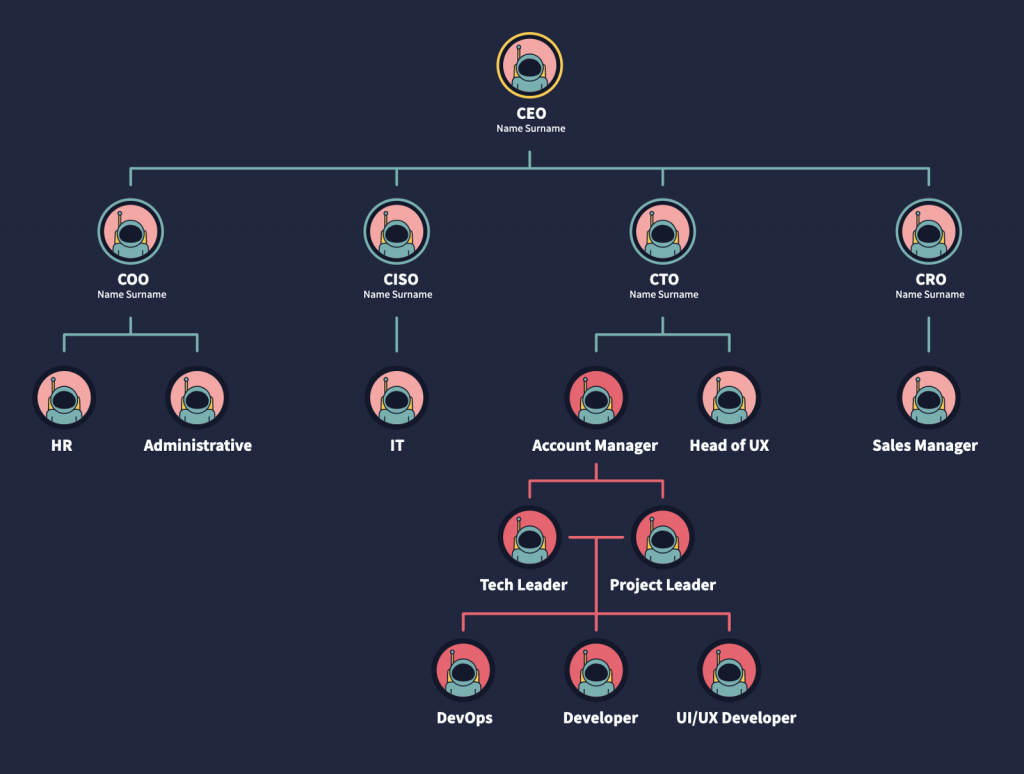
With this structure in place, scaling the graphic up becomes much easier:
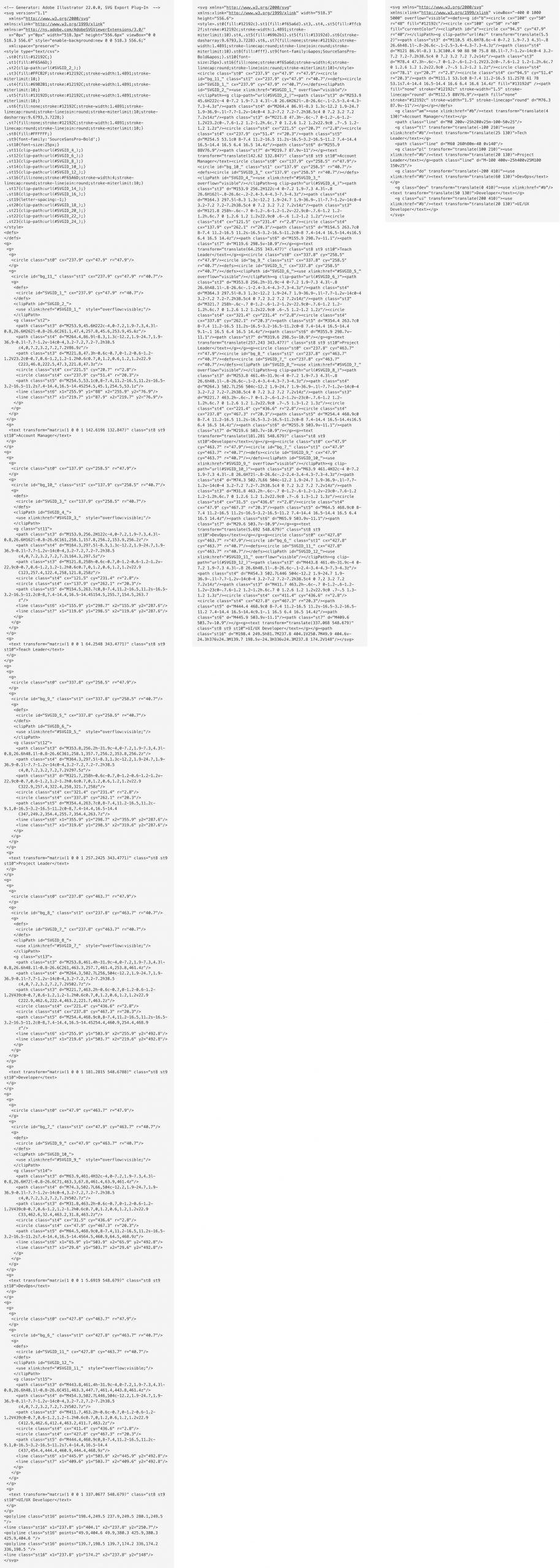
Comparing the three versions side by side, going from 241 to 10 tidy lines shows the gain in legibility and code volume: