
Gradient text on hover, and the glyph it catches along the way
CSS-Tricks popularized a hover treatment for links: the text renders in an ordinary blue until the pointer lands on it, at which point a linear gradient fills the letterforms.


The mechanism is short. On hover, the link receives a linear-gradient background, that background is clipped to the text, and the text fill becomes transparent so the gradient shows through:
a {
  color: #007db5;
}

a:hover {
  background: linear-gradient(90deg,#ff8a00,#e52e71);
  -webkit-background-clip: text;
  -webkit-text-fill-color: transparent;
}
The -webkit- prefix is currently required. That is the whole trick for the purpose of this discussion.
Emojis are glyphs too
Brad Westfall called in to point out that the same effect applies to emojis inside a link, since an emoji is a glyph in a font file like any other character and inherits the transparent fill on hover. He spotted it on a link in one of the site's posts.

The behavior is logical. An emoji is a glyph in a font file, just a color font that presents like an image. When the fill is hollowed out, there is no reason to expect it to be spared.
Workarounds, ranked by annoyance
If preserving the emoji's color is a requirement, wrapping it in a span and resetting the fill to its initial value works. Writing a span every time an emoji appears in a link is a poor trade, though. 👎
Pure CSS offers no direct answer. The CSS Fonts Module Level 4 draft defines a proposed font-variation-emoji property, but documentation is thin and it does not appear designed for this use case; discussion around the proposal points toward controlling when browsers or systems automatically convert Unicode to emoji. The same draft defines font-palette for controlling color fonts — which is what emojis are — but that is not the fix either.
Absent a span, JavaScript is the remaining path. WordPress, Dropbox, Facebook and Twitter all ship custom emoji sets as images:
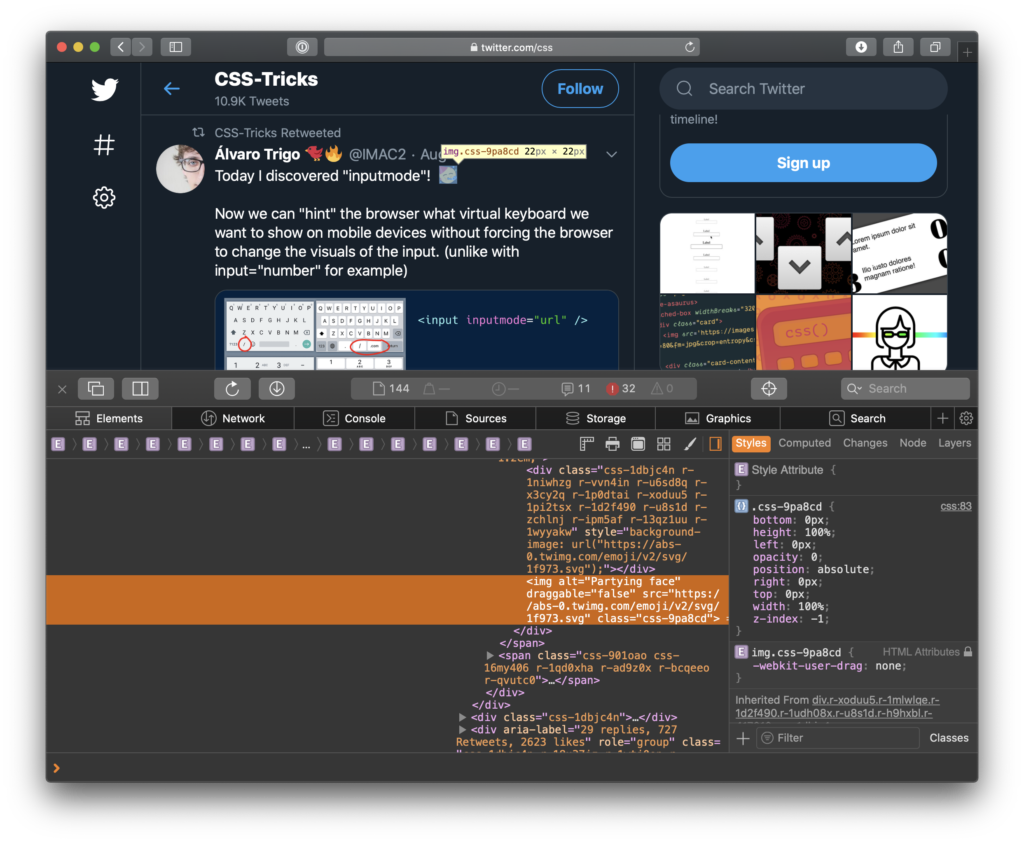
Swapping an emoji for an image (an SVG in that example) excludes it from being filled with the surrounding link text.
The simplest fix is to avoid the situation: put the emoji outside the link. That is probably what should have been done from the start, but an emoji can land in the middle of a link rather than at either end — which is exactly why finer-grained control would be useful.



