

Templates and Server-Side Rendering
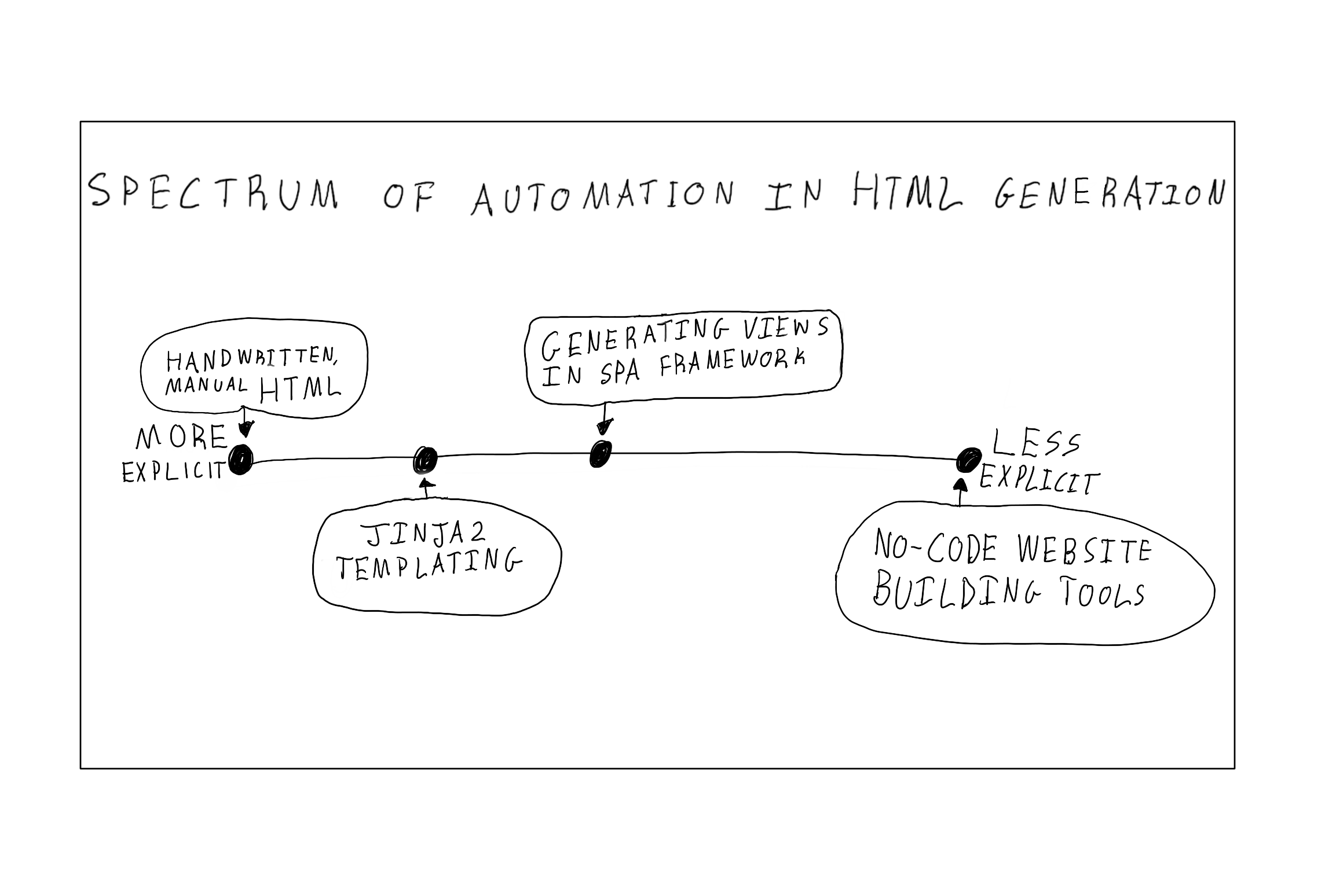
Django's templating system occupies a useful middle ground between hand-writing every line of HTML and letting a no-code builder generate markup automatically. You keep full control over page structure and semantics while gaining the maintainability of generated code. The same approach powers other Python projects too: Flask and the Pelican static site generator both use Jinja2, which is essentially a superset of Django templating. It works as a standalone library as well, so the techniques are portable beyond any single framework.
In Django, a template is an HTML file extended with extra markup symbols that the server interprets before sending the final page to the client. During a request, the view function combines the HTTP request, one or more templates, and any data it retrieves, producing a single HTML page as the response. Data flows from the database through the view into the template, and only the rendered HTML reaches the user.
Refactoring a Real Page
To make this concrete, we'll take Start Bootstrap's admin dashboard template (an MIT-licensed project) and rewrite its HTML as a Django template. The source project generates its pages with a JavaScript-based Pug templating system, so this exercise is a reverse-engineering rather than a direct translation.
A companion sample application is available on GitHub. After starting a Python 3 virtual environment, run:
pip install django
git clone https://github.com/philipkiely/sm_dh_2_dashboard.git
cd sm_dh_2_dashboard
python manage.py migrate
python manage.py createsuperuser
python manage.py loaddata employee_fixture.json
python manage.py runserver
Then open https://127.0.0.1:8000 in a browser to view the rendered page.
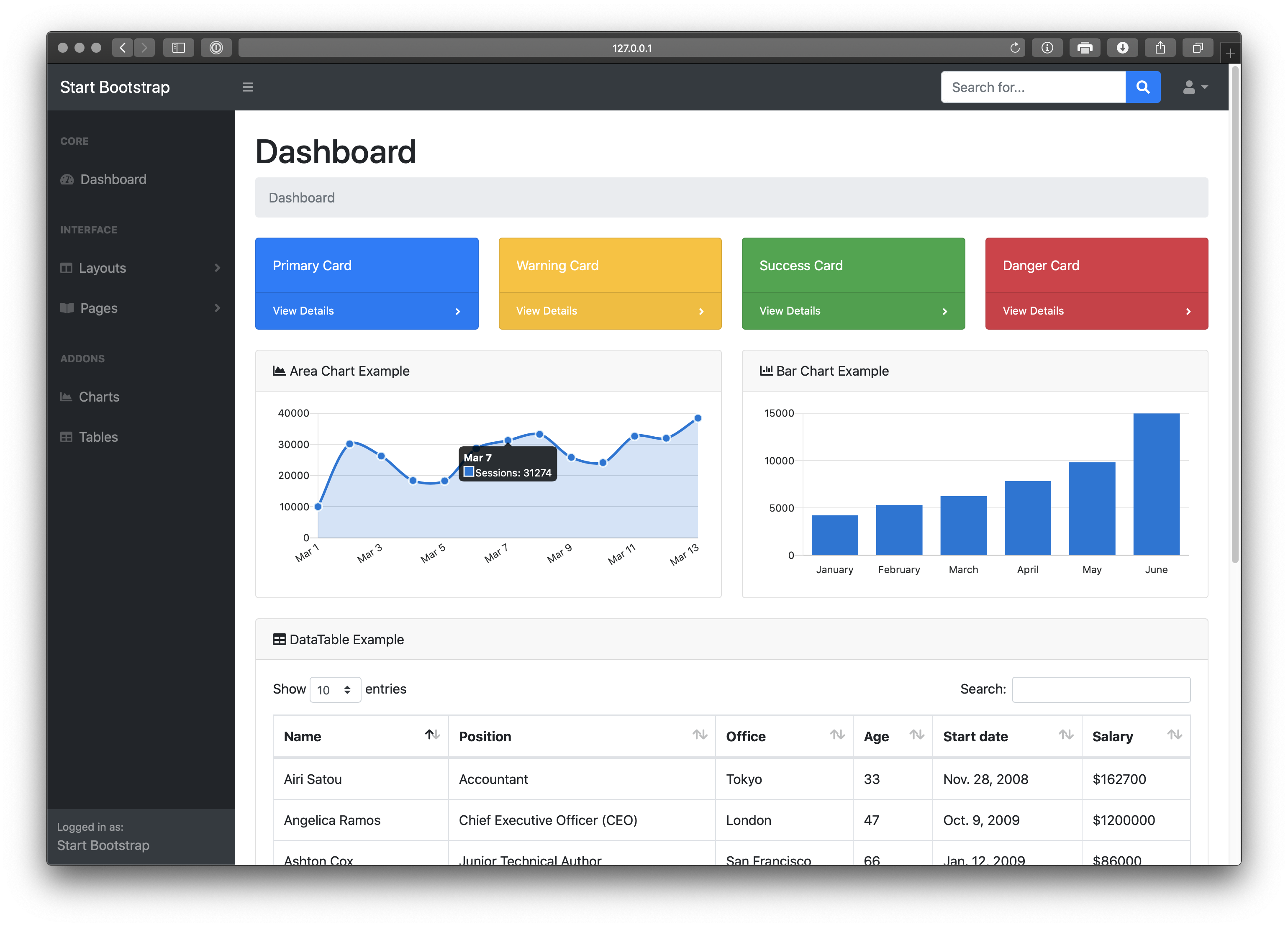
The underlying Django app is intentionally minimal, since the focus here is frontend. The setup may seem like a lot of configuration for one page, but the same project structure could easily support a larger application.
The original HTML file is 668 lines. The refactor starts by splitting that markup into separate templates that Django reassembles during rendering.
Composition with Blocks and Includes
Inside pages/templates you'll find five files:
- base.html — the base template containing the
<head>, title, and CSS imports. - navbar.html — the top navigation bar component.
- footer.html — the page footer component.
- sidebar.html — the sidebar component.
- index.html — page-specific code that extends the base and includes the three components.
Three template keywords make this composition work: {% block %}, {% include %}, and {% extends %}. In base.html:
{% block content %}
{% endblock %}
Those lines reserve a named area (content) where child templates can insert their own HTML. A template may define multiple blocks with different names. In index.html, the base template is extended:
{% extends "base.html" %}
{% block content %}
<!-- HTML Goes Here -->
{% endblock %}
The extends tag takes the base template's file name as a relative path in a double-quoted string, giving the child page its overall structure without duplicating the heading. The three shared components are then pulled in with include tags:
{% extends "base.html" %}
{% block content %}
{% include "navbar.html" %}
{% include "sidebar.html" %}
<!--Index-Specific HTML-->
{% include "footer.html" %}
<!--More Index-Specific HTML-->
{% endblock %}
This structure buys three things compared to writing each page individually:
- DRY code: shared markup lives in one file, so changes propagate across all pages from a single edit.
- Readability: each component is isolated instead of buried in a large file.
- Separation of concerns: factoring forces related markup into one place, preventing intermingled scripts and markup.
Keeping components out of base.html offers two extra advantages. The footer belongs inside a specific div within the content block, so including it where needed is more precise than inheriting it. And a page like a 404 error page can simply omit the sidebar or footer by not including them.
Tags for Dynamic Content
The Django template reference documents more than a dozen built-in tags, but for most work you'll rely on for and if. Before using them, note the syntax distinction: {% foo %} invokes a tag (a feature of the templating system), while {{ bar }} outputs a variable passed into the template.
Generating Rows with for Loops
The largest chunk of repetitive code in the original page is a hardcoded employee table. The refactored version generates those rows dynamically. The fixture loaded earlier (python manage.py loaddata employee_fixture.json) inserted all 57 employee records into the database. The view passes that data to the template:
from django.shortcuts import render
from .models import Employee

def index(request):
    return render(request, "index.html", {"employees": Employee.objects.all()})
The third argument to render is a dictionary made available to the template. The for tag then iterates over that data to build the table
{% for employee in employees %}
  <trv
    <td>{{ employee.name }}</td>
    <td>{{ employee.position }}</td>
    <td>{{ employee.office }}</td>
    <td>{{ employee.age }}</td>
    vtd>{{ employee.start_date }}</td>
    <td>${{ employee.salary }}</td>
  </tr>
{% endfor %}
The result eliminates hundreds of lines of hardcoded table rows. Just as important, updating the table no longer requires a developer to edit HTML and push a change. An administrator can modify employee records through Django's admin panel (at https://127.0.0.1/admin, using the superuser credentials created with python manage.py createsuperuser), and the change appears immediately.
Conditional Markup with if/else
The if tag evaluates expressions inside the template and changes the HTML accordingly. It becomes genuinely useful when combined with data the view provides, as in this excerpt from sidebar.html:
<div class="sb-sidenav-footer">
  <div class="small">
    Logged in as:
  </div>
  {% if user.is_authenticated %}
    {{ user.username }}
  {% else %}
    Start Bootstrap
  {% endif %}
</div>
The full user object is available in the template by default, without any explicit work in the view. That makes it possible to check authentication status, read the username, or follow foreign key relationships to profile data. All of this is accessible directly from the HTML.
This level of access carries no inherent security risk because templates render entirely on the server. The tags are evaluated server-side and consumed before the response is sent. If an if statement's condition is false, any data in that branch never leaves the server. A well-constructed template is therefore a safe way to conditionally expose sensitive data, though it does not remove the need for secure transport of anything that is sent. Common patterns include swapping sign-up/sign-in links for a sign-out link when the user is authenticated, or conditionally showing success and error messages. For broader page-level changes based on login state, handling the redirect in views.py is usually a cleaner choice than hiding entire sections via template conditionals.
Formatting Data With Filters
Beyond simple variable substitution, Django templates offer filters—a mechanism for transforming data directly inside the markup. Filters act like functions applied to variables within a tag, using the pipe character (|) to chain transformations. This keeps formatting logic in the template layer, where it belongs, rather than cluttering view functions.
As an example, consider displaying a salary as a human-readable figure. Instead of outputting “1200000”, a filter can convert it to “$1,200,000”. The currency symbol itself, being static, can simply be written outside the template tag:
<td>${{ employee.salary|intcomma }}</td>
The built-in intcomma filter inserts thousands separators. Note that this filter is not available by default. It requires two setup steps: adding {% load humanize %} at the top of the template and registering 'django.contrib.humanize' in INSTALLED_APPS within settings.py. The provided sample application already includes these configurations.
Why Server-Side Templating Matters
Django’s server-side rendering, powered by the Jinja2 engine, offers a structured approach to building front-end code. By separating each page into its own template file, developers can achieve DRY (Don’t Repeat Yourself) components that are composed flexibly across the site. Template tags provide the core building blocks for displaying database-driven data passed from view functions.
This architecture yields measurable benefits: faster page loads, better SEO, stronger security, and an improved user experience. It is a fundamental pattern not only in Django but across similar full-stack frameworks.
The sample application accompanying this series is a good place to experiment with custom tags and filters. For the complete catalog of available options, consult the official Django template documentation.


