
Why Physical CSS Properties Fail RTL Layouts
Localization is one of the richest sources of UI complexity: text length changes with language, reading direction flips or rotates, and alignment conventions differ. For years, adapting a layout to Right-To-Left (RTL) languages like Arabic, Hebrew, or Farsi meant either shipping a second CSS file dedicated to RTL overrides, or scattering [dir="rtl"] .float-left { float: right; }-style surcharges throughout the stylesheet. Both approaches work but carry real costs: an extra file to keep in sync, heavier selectors, specificity battles, and code that reads unnaturally.
The CSS Logical Properties module replaces that machinery with a single abstraction. Instead of reasoning about left, right, top, and bottom, you think in terms of start/end for the inline axis and block/inline dimensions. The same stylesheet then adapts automatically to direction, writing-mode, and text-orientation, or the dir HTML attribute — covering horizontal LTR, horizontal RTL, and vertical writing modes alike.
Logical Properties In Practice
The shift is conceptually small. Margins, padding, positioning, floats, text alignment, and borders each have logical counterparts:
| Classical Property | Logical Property |
|---|---|
width | inline-size |
height | block-size |
min-width | min-inline-size |
min-height | min-block-size |
max-width | max-inline-size |
max-height | max-block-size |
| Classical Property | Logical Property |
|---|---|
margin-top | margin-block-start |
margin-bottom | margin-block-end |
margin-left | margin-inline-start |
margin-right | margin-inline-end |
| Classical Property | Logical Property |
|---|---|
top | inset-block-start |
bottom | inset-block-end |
left | inset-inline-start |
right | inset-inline-end |
| Classical Property/Value | Logical Property |
|---|---|
float: left; | float: inline-start; |
float: right; | float: inline-end; |
text-align: left; | text-align: start; |
text-align: right; | text-align: end; |
border-top | border-block-start |
border-bottom | border-block-end |
border-left | border-inline-start |
border-right | border-inline-end |
Border radius behaves slightly differently but follows the same principle:
| Classical Property | Logical Property |
|---|---|
border-top-left-radius | border-start-start-radius |
border-top-right-radius | border-start-end-radius |
border-bottom-left-radius | border-end-start-radius |
border-bottom-right-radius | border-end-end-radius |
The value-level features are where things get genuinely useful. Some notation simplifies considerably, producing less code that still gives full RTL support:
| Classical Property/Value | Logical Property |
|---|---|
margin-left: auto;margin-right: auto; | margin-inline: auto; |
margin-top: 0;margin-bottom: 0; | margin-block: 0; |
margin-top: 1em;margin-bottom: 2em; | margin-block: 1em 2em; |
top: 0;left: 0;bottom: 0;right: 0; | inset: 0; 🎉 |
left: 10%;right: 10%; | inset-inline: 10%; |
Where The Module Still Falls Short
Missing Flow-Relative Syntaxes
Level 1 of the spec is still young; several constructs need Level 2. A concrete case from our work at Proton is the toggle component, which relies on CSS transforms for smooth state transitions. There is no flow-relative transform syntax, so when a child element must shift from the inline start to the inline end, you cannot write a single logical rule. The workaround is to target the physical property, then override it for RTL contexts:
.element {
   transform: translateX(#{$toggle-width - $toggle-width-button});
}
[dir='rtl'] .element {
    transform: translateX(-#{$toggle-width - $toggle-width-button});
}
The open issues on CSS Logical Properties track similar gaps.
Shorthand Limitations
Shorthand notations with multiple values, such as four-value margin, do not yet respect logical direction:
| Classical Property/Value | Logical Property |
|---|---|
margin: 1em 2em; | margin-block: 1em; /* top and bottom */margin-inline: 2em /* left and right */ |
margin: 1em 2em 3em; | margin-block: 1em 3em; /* top, bottom */margin-inline: 2em /* left, right */ |
margin: 1em 2em 3em 4em; | margin-block: 1em 3em; /* top, bottom */margin-inline: 4em 2em /* left, right */ |
Trying to use those classic shorthand forms with logical intent silently fails. With logical properties it’s better to write each side explicitly — more verbose, but unambiguous and actually functional.
Real-World RTL Pitfalls And Fixes
Images With Meaningful Reading Direction
Some visuals are not direction-agnostic. In Proton’s theme cards, each thumbnail represents an interface mockup. Flipping the page to RTL reorders the cards correctly, but the images inside remain LTR layouts, which contradicts the user’s expectation — the order says RTL, while each image still reads as an interface built for LTR users.
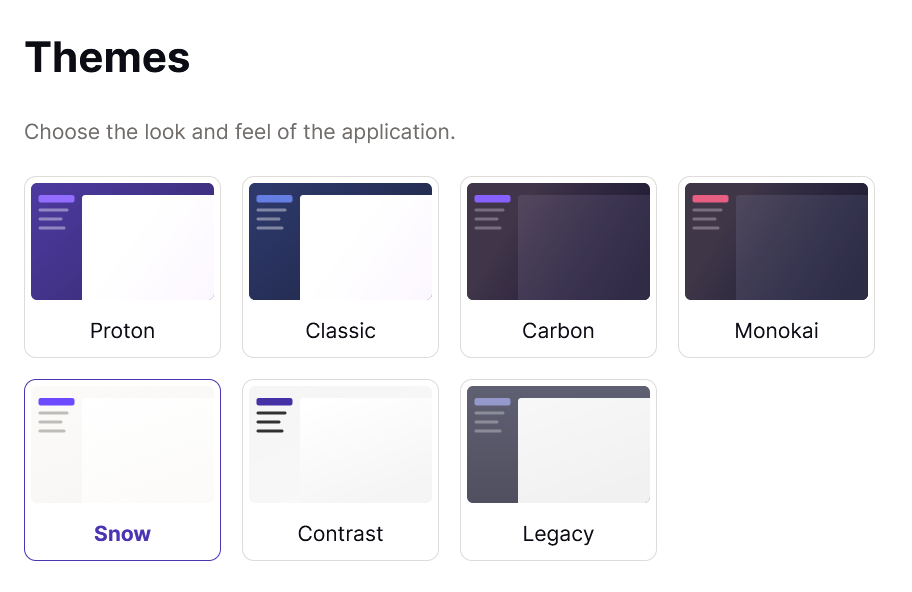
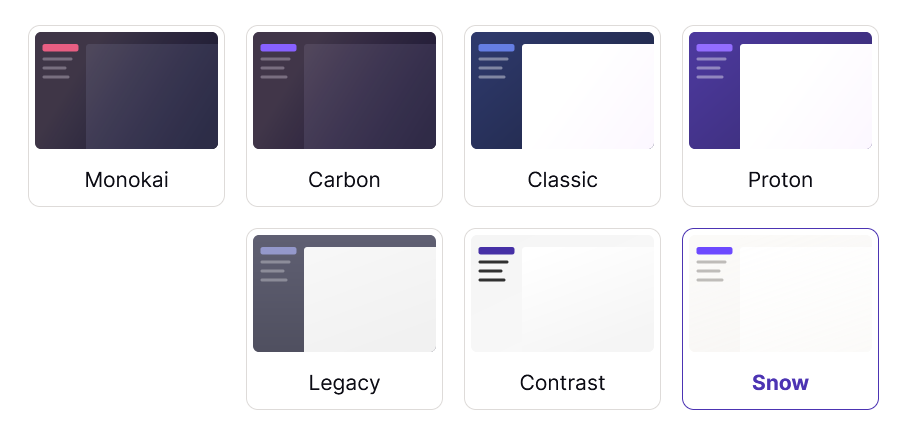
The fix is to mirror those images:
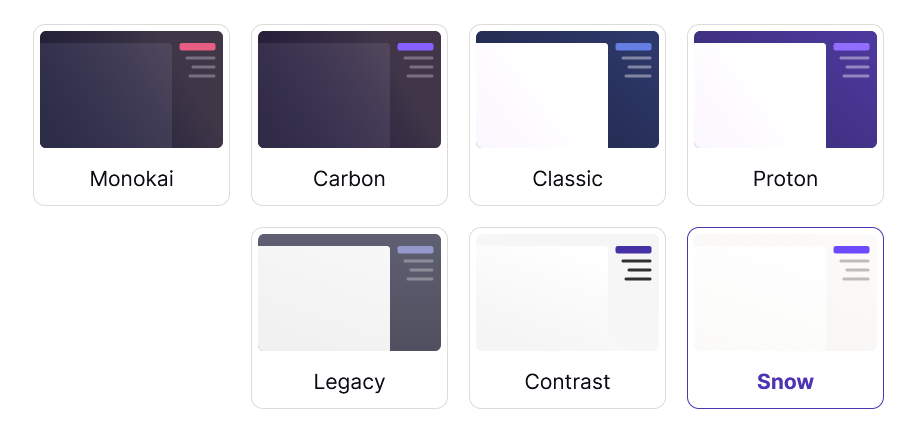
[dir="rtl"] .on-rtl-mirror {
  transform: rotateY(180deg);
}
The same caveat applies to any directional icon, such as arrows or chevrons that point somewhere meaningful.
JavaScript-Computed Values
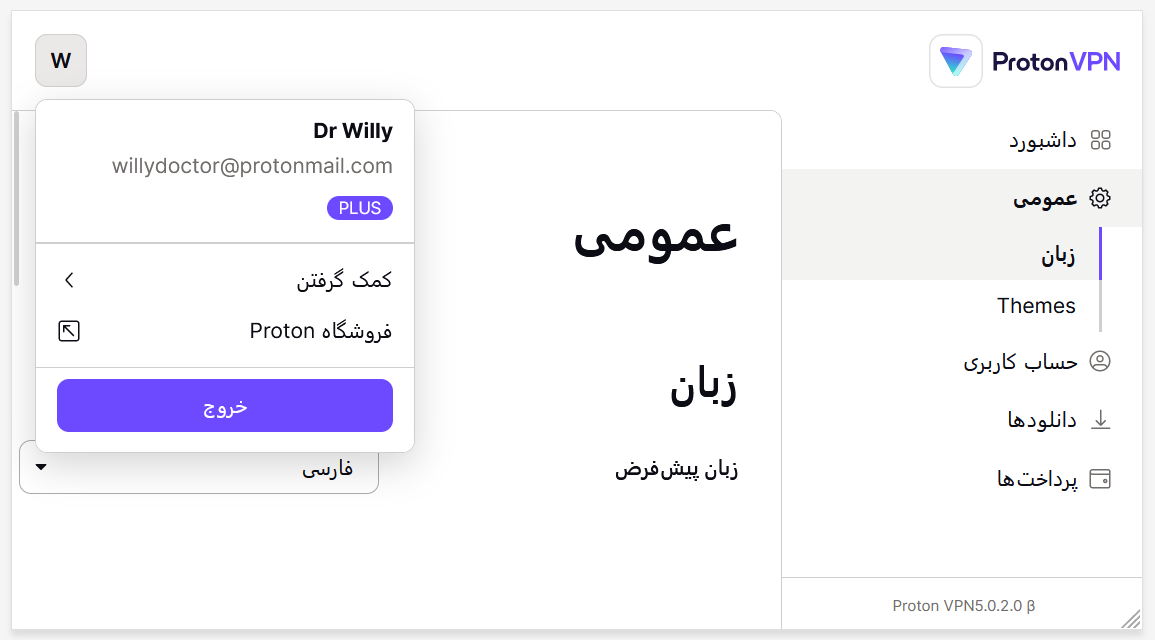
Third-party libraries often expose only physical coordinates. The dropdown library used in Proton’s clients returns a left value regardless of text direction; we pass that into CSS via a custom property. Applying a logical property like inset-inline-start: calc(var(--left) * 1px) positioned the dropdown incorrectly:
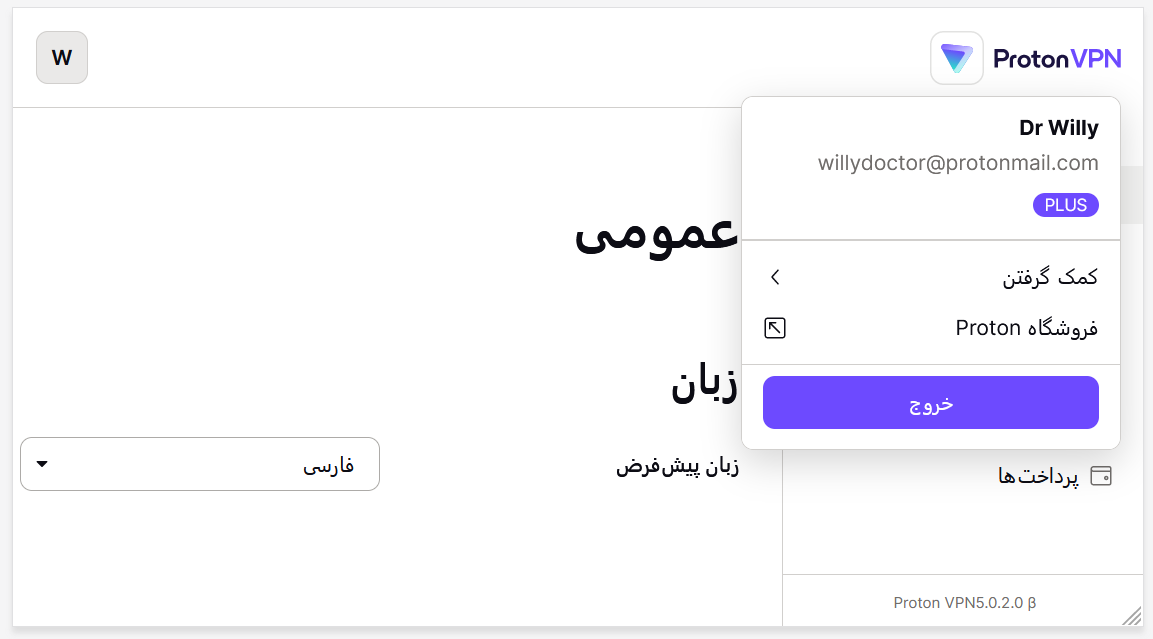
The straightforward solution is to keep the physical property for this single case:
/* stylelint-disable */
top: calc(var(--top) * 1px);
left: calc(var(--left) * 1px); // JS provide left value only
/* stylelint-enable */
We then disable linting for that specific rule, acknowledging the deliberate exception.
Mixing RTL Layout With LTR Content
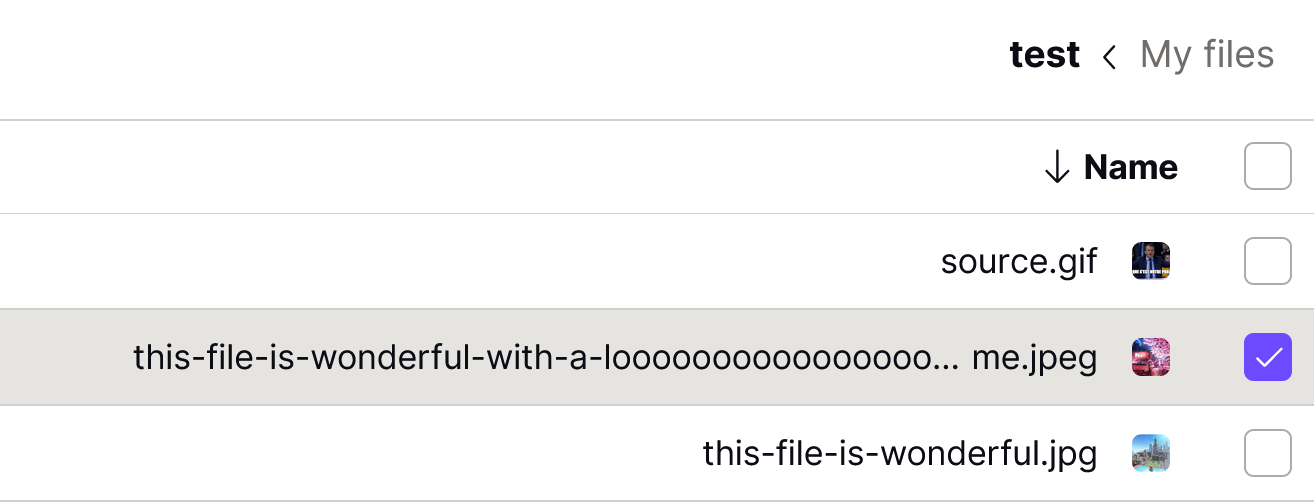
Even sound logical styling breaks down when content direction and container direction disagree. Proton Drive’s MiddleEllipsis component truncates a filename before its extension, producing my-filename-blahblah…blah.jpg. Under an RTL container with LTR filename content, the browser’s bidi reordering produced something visually confusing:
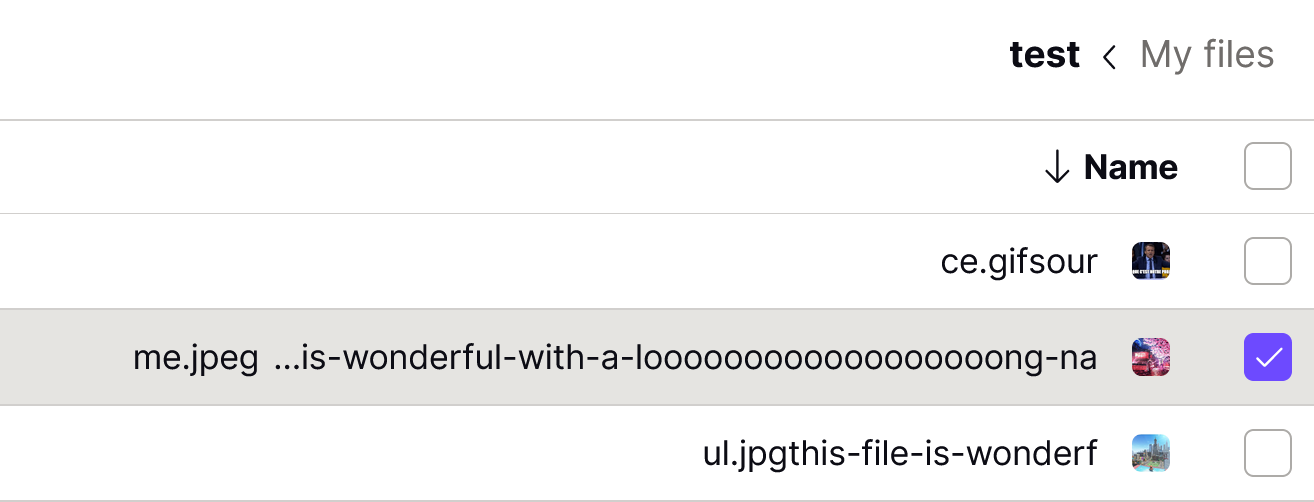
The browser is technically behaving correctly, but the result makes no sense to a reader. Since the content is LTR and the text itself carries the meaning, Proton kept the filename in LTR while aligning it to the block end under the RTL layout:
Content That Is Naturally LTR
User-generated LTR content often reads better when left as LTR. Phone numbers are the clearest case: Western numerals are inherently LTR, and applying RTL alignment to +33 6 12 34 56 78 produces a number that, while technically not wrong, is awkward to parse:
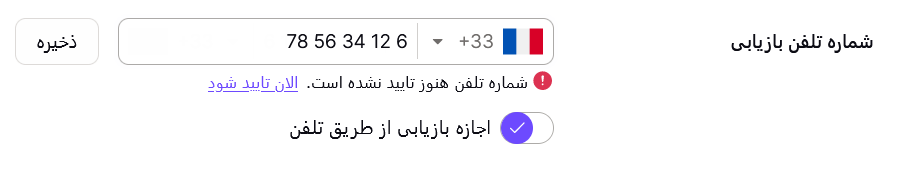
Proton chose to keep phone numbers LTR-aligned by default. The same logic would apply to a 2FA code input or an IPv4 address split across four fields — reversing those would render 1.0.163.192 where 192.163.0.1 is meant.
Browser Compatibility Strategy
Modern browser support is solid, but older versions — many Safari releases in particular — lack support. Worse, logical properties fail without graceful degradation, so an unsupported declaration breaks the layout outright. Can I Use tables for Logical Properties make the gap clear:
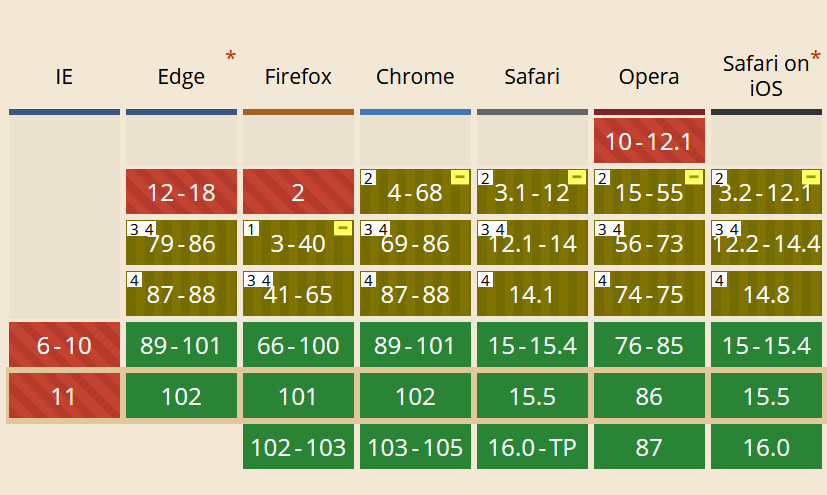
Two viable approaches exist: serving separate CSS builds for modern versus legacy browsers, or transpiling logical properties into physical ones at build time. Proton did the latter when first merging logical properties, and later adopted a two-build pattern for launching the Farsi VPN account:
- Build two CSS files: one with logical properties, one legacy.
- Load the modern file.
- Probe for support of
border-start-start-radius. - If unsupported, swap in the legacy build.
Logical Properties As A Long-Term Investment
Adopting logical properties reduces the amount of CSS you write and eliminates a whole category of future RTL work. Even when facing gaps, the direction is right. Proton also experimented with vertical RTL rendering to push the module further:
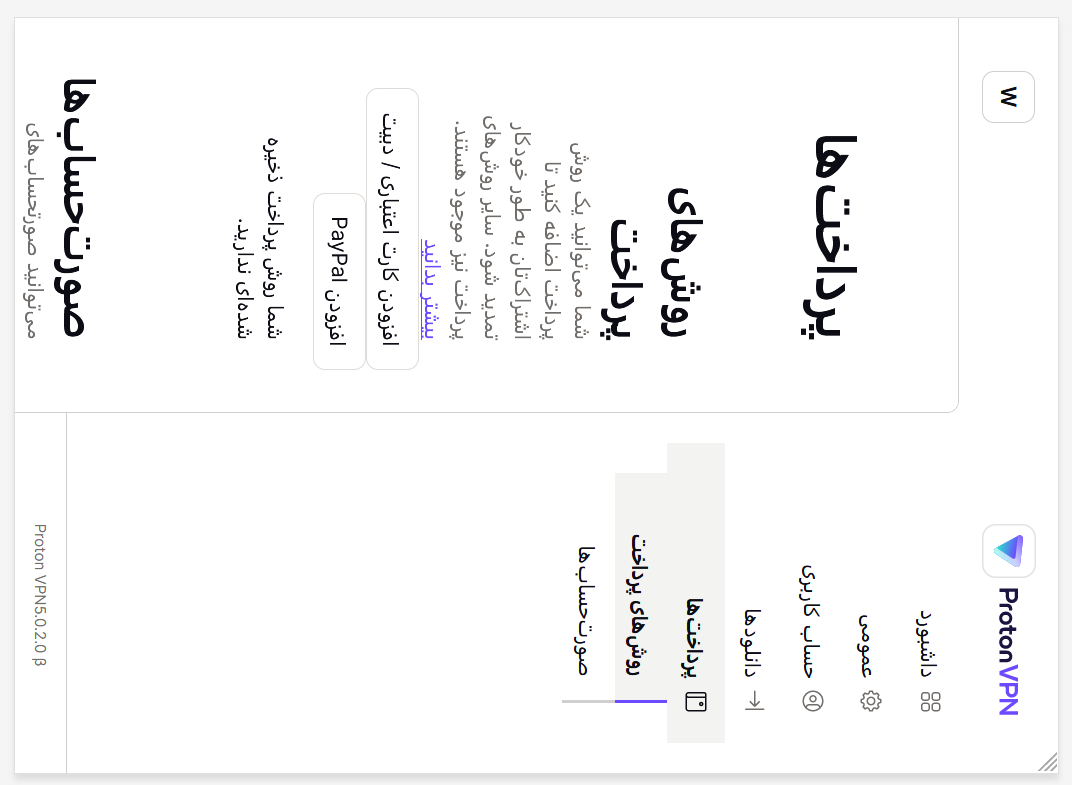
The results are promising — one stylesheet, many writing modes.


