
Why CSS blocks rendering
CSS files are render-blocking resources: the browser must download and process them before it can paint anything on screen. Pages with unnecessarily large style sheets therefore take longer to reach First Contentful Paint (FCP). By deferring non-critical CSS, you can shorten the Critical Rendering Path.
Consider a page with an accordion containing hidden paragraphs, each styled by a different class. The page's stylesheet defines eight classes, but only some are needed to render the visible content—the title, subtitle, and accordion buttons. The rest only affect content that isn't immediately visible.
Measuring the impact
To see the problem in action, open the demo in Chrome and use DevTools:
- Open Chrome DevTools.
- Select the Performance panel and reload the page.
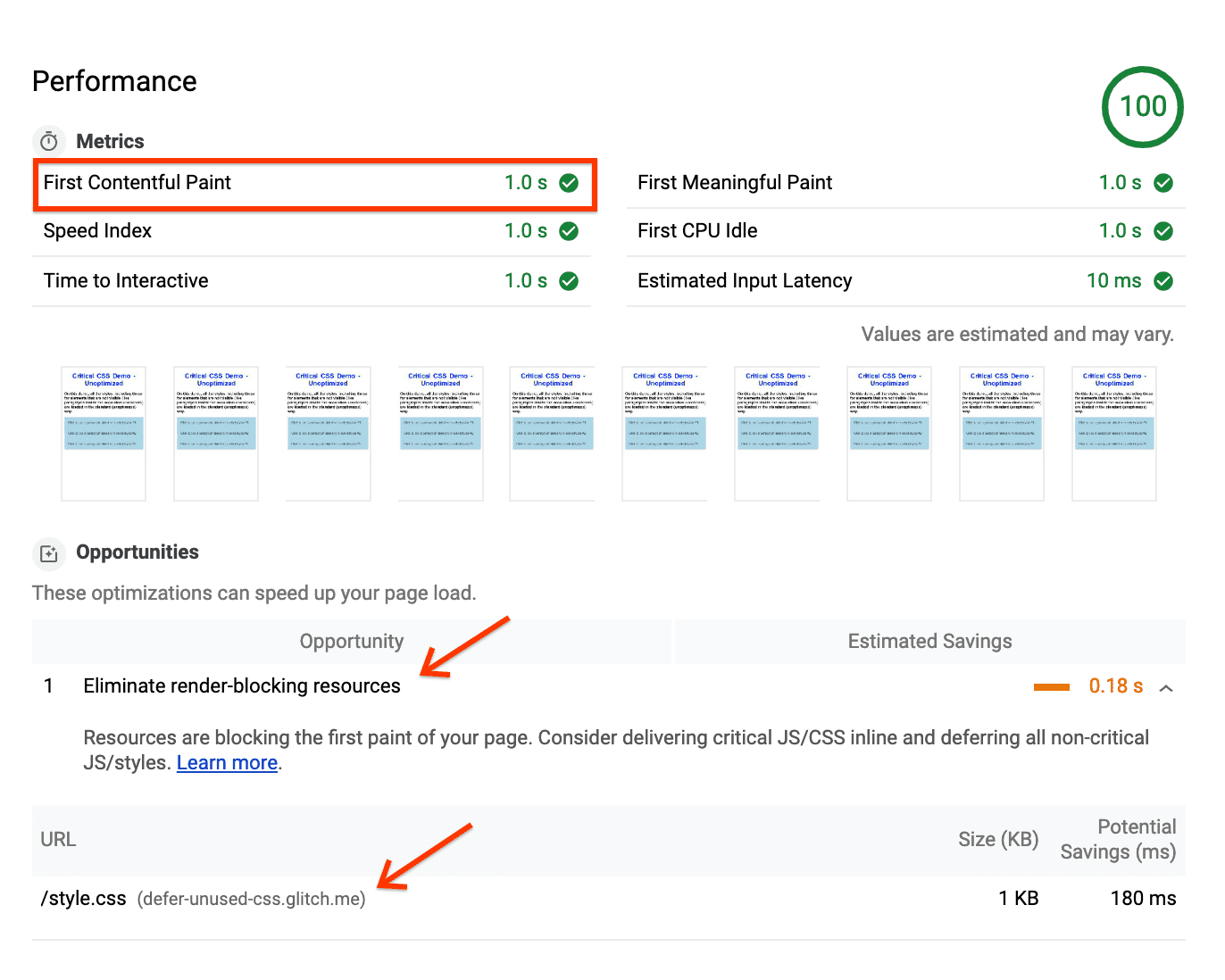
The report shows an FCP of "1s" and flags Eliminate render-blocking resources, pointing at style.css. In the trace, the FCP marker appears only after the CSS finishes loading—the browser waits for all styles before painting a single pixel.
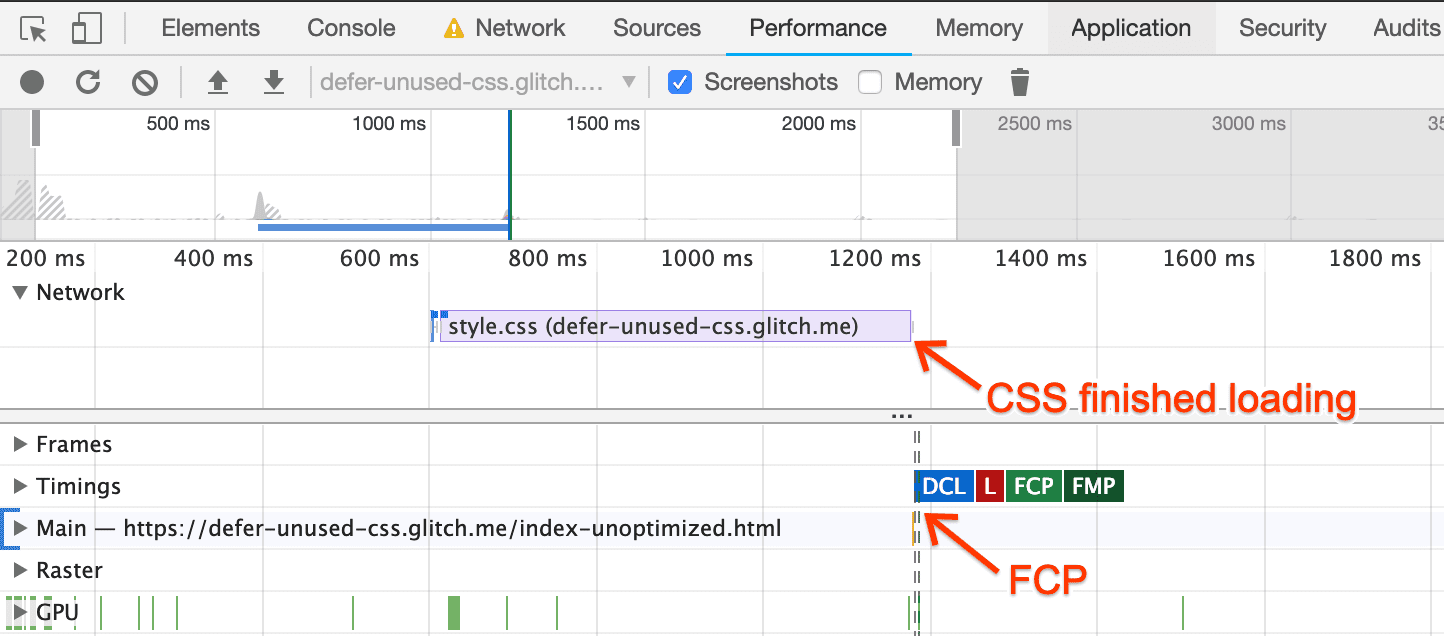
Separating critical from non-critical styles
Use DevTools' Coverage Tool to identify which classes are actually required for initial render:
- Open the Command Menu with
Control+Shift+PorCommand+Shift+P(Mac). - Type "Coverage" and select Show Coverage.
- Click Reload to start capturing coverage.

In the report, classes marked in green are critical—they style visible content. Classes marked in red are non-critical, affecting only content that is not immediately visible, such as the hidden paragraphs.
Inlining critical CSS
Extract the green classes and place them inside a <style> block in the document head:
<style type="text/css">
.accordion-btn {background-color: #ADD8E6;color: #444;cursor: pointer;padding: 18px;width: 100%;border: none;text-align: left;outline: none;font-size: 15px;transition: 0.4s;}.container {padding: 0 18px;display: none;background-color: white;overflow: hidden;}h1 {word-spacing: 5px;color: blue;font-weight: bold;text-align: center;}
</style>
Loading the rest asynchronously
Load the remaining classes with a non-blocking pattern:
<link rel="preload" href="styles.css" as="style" onload="this.onload=null;this.rel='stylesheet'">
<noscript><link rel="stylesheet" href="styles.css"></noscript>
This differs from standard CSS loading. Here's what each piece does:
link rel="preload" as="style"fetches the stylesheet asynchronously.- The
onloadattribute tells the browser to process the CSS once the download completes. - Setting
onloadtonullafter it runs prevents some browsers from re-invoking the handler when they switch therelattribute. - The
noscriptreference provides a fallback for browsers without JavaScript.
Production considerations
For production, prefer a purpose-built helper like loadCSS, which encapsulates this behavior and handles cross-browser edge cases. These functions also support Content Security Policy, which may disallow inline onload JavaScript.
An alternative is placing the CSS link at the bottom of the page so content can render before the stylesheet arrives. However, browsers still prioritize the stylesheet, so it can continue to block critical content.
Verifying the result
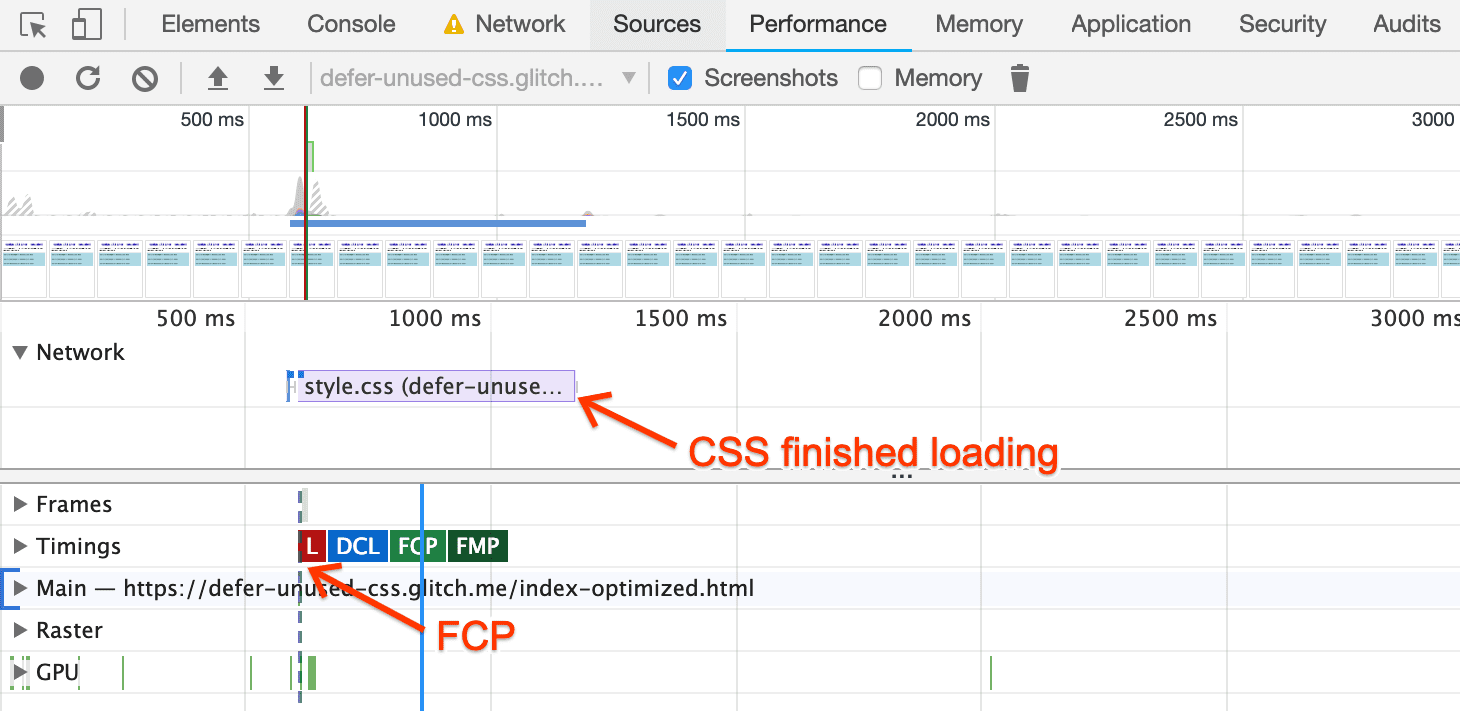
Run another Performance trace on the optimized page. The FCP marker now appears before the browser even requests the CSS, since it no longer waits for those styles to render:
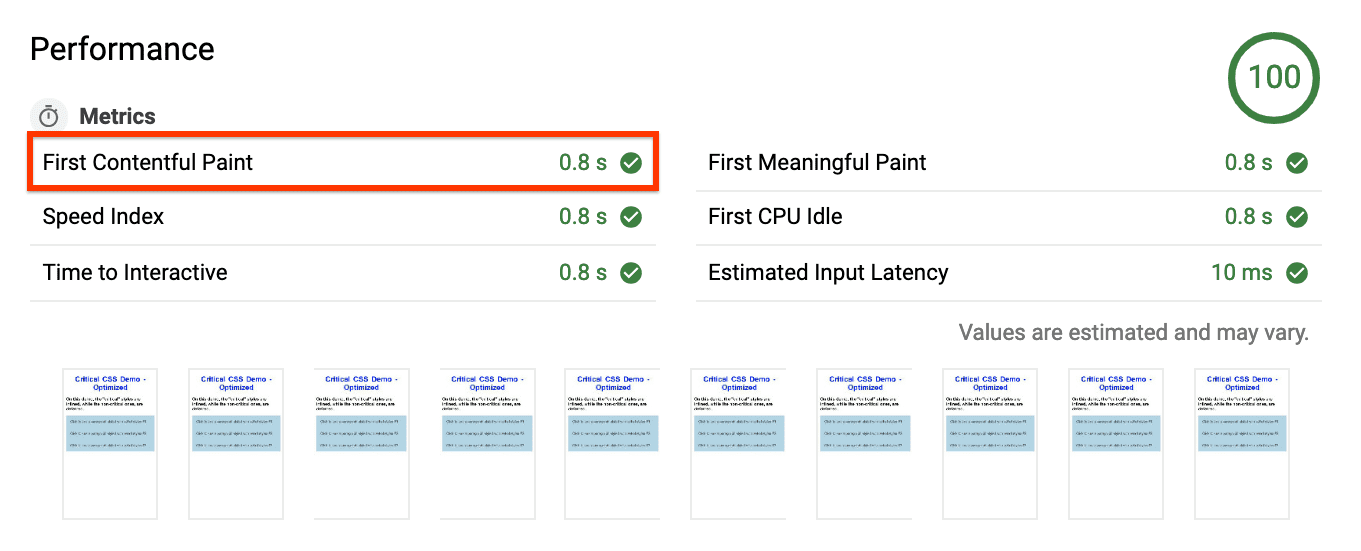
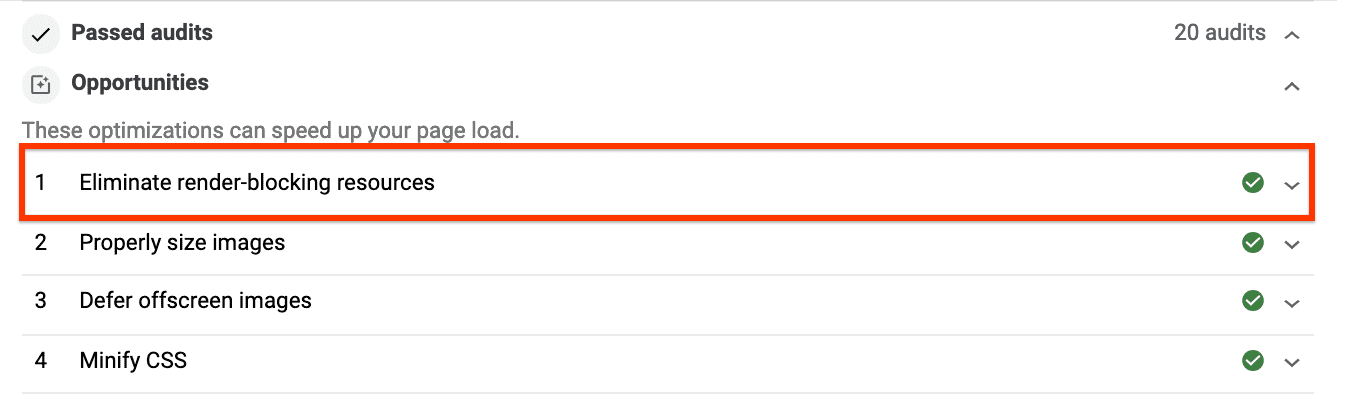
A final Lighthouse run shows FCP reduced by 0.2s—a 20% improvement—and Eliminate render-blocking resources now appears under Passed Audits rather than Opportunities:
For more complex setups, the extract critical CSS guide covers popular tooling for automating this process, with a codelab to see those tools in practice.


