
CSS and the question of typing
Languages are often sorted by how strongly or weakly typed they are, meaning whether variables are known at compile time. A familiar weak-typing case is adding an integer to a string that holds an integer:
result = 1 + "1";That string might have come from a tangled chain of logic, or from a deliberate single source of truth. Despite what "weak" and "strong" suggest, strong typing is not automatically better: some situations call for flexibility over rigidity. There is also no formal definition of either term, so perceptions vary between people and shift over time.
Why TypeScript arrived
JavaScript is weakly typed, and that flexibility helped it spread on the web. As the web industrialized, workflows grew more complex, and TypeScript emerged to graft strong typing onto the language — functioning as a kind of "plugin." It is useful for complicated setups such as data-heavy e-commerce single-page applications, and its popularity means many new projects start with TypeScript by default.
Where the checking happens
Compile time is when a language is converted into machine code, before runtime, when the computer performs that code. On the web this gets murky. A TypeScript setup stitches together JavaScript pieces and compiles them into one JavaScript file for the browser. Compilation happens at combination, with TypeScript acting as an overseer that objects to broken typed conventions before that occurs.
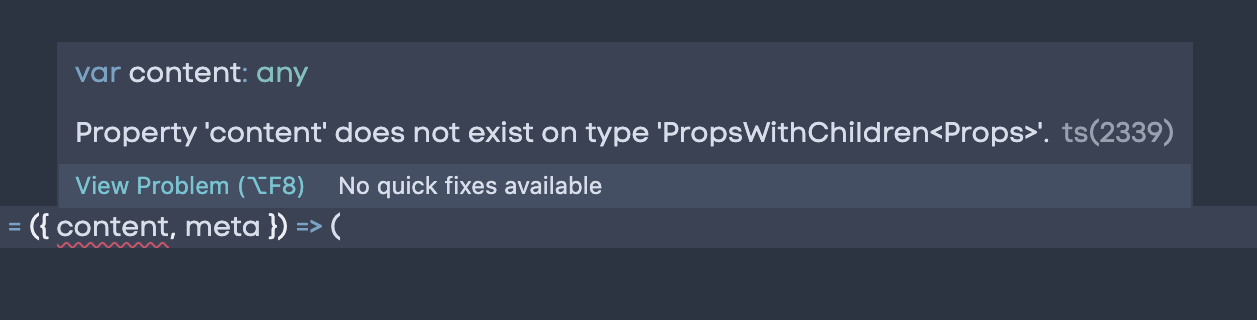
The browser then ingests the combined file and applies its own compile time, which varies with the device, the browser's other work, and what other programs on the device are doing. TypeScript never reaches the browser directly, but its influence does: JavaScript is fragile, and TypeScript tries to catch errors upstream in the editor so they are less likely to stop a site or app from working.
CSS is declarative and strongly typed
CSS is a declarative, domain-specific programming language, and it is strongly typed. Values largely stay as authored, and when a value is invalid the browser discards the entire property.
The type system
The catalog of CSS types is extensive, and includes:
- Textual types: globally scoped keywords (
initial,inherit,unset,revert); custom idents, e.g. forgrid-areanames; strings like"hello"; URLs; and dashed idents (--), which create custom properties. - Numeric types: integers (0–9), real numbers such as
3.14, percentages such as25%, dimensions (a number with a unit, e.g.100pxor3s), ratios such as16/9, andflex, a variable length used in grid calculation. - Quantity types: lengths — absolute (pixels, centimeters), relative (root ems, viewport height) and time such as
200ms— plus angles such as15deg, frequencies such as16Hz, and resolution such as96dpi. Dimensions may contain percentages; lengths cannot. - Color types: keywords (named colors like
papayawhip,transparent,currentColor); RGB in hex (#FF8764) or functional form (rgba(105, 221, 174, 0.5)); HSL/HSLA such ashsl(287, 76%, 50%); and system colors such asButtonText. - Image types: image references to files or gradients,
color-stop-list(two or more stops),linear-color-stop(a color and length),linear-color-hint(a length percentage used to interpolate color), andending-shape, thecircleorellipsekeyword for radial gradients. - 2D positioning types: the keywords
top,right,bottom,left,center, and percentage lengths such as25%.
What authoring CSS involves
Most CSS work is writing selectors and then declaring properties with their values; a collection of selectors gives content its visual form the way a collection of JavaScript logic creates a feature. CSS also has functions, and can do calculation, conditional logic, algorithmic expressions, state and mode-based behavior. Custom properties act as variables whose values can be updated dynamically. One can even solve fizzbuzz in CSS. And as with other languages, a "meta" layer exists in the thinking about how to organize and maintain code.
Silent failures, by design
CSS errors do not print warnings in the console: an invalid declaration simply produces visuals that fail to update as expected. This is resilience at work. CSS prioritizes showing content at all costs and renders every other valid declaration it can, in keeping with the language's design principles, the platform's principles, and the web's mission.
Demonstrations
Three examples show the guardrails holding: a simple declaration, a calculation, and a redefined custom property.
- Property/value mismatch. When a
.bannerblock declaresborder-style: potato, the browser doesn't recognize the type. The other declarations in.bannerstill render, and swapping in the valid valuedottedbrings the border back. The property expects a globally scoped keyword or a dashed ident for a custom property. calc()with the wrong type. Apselector'sfont-sizeneeds a numeric dimension like1.5rem, but if the secondcalc()argument is the string"2rem", the function yields an invalid value for the property. The paragraph then falls back to the next applicable ancestor, thebody's1.5rem. Combining two custom properties insidecalc()can also fail, sincecalc()does not accept dashed ident textual types — for instance multiplying--big: 500pxby--small: 1em.- A redefined custom property. In
:root,--color-cyanis set to#953FE3; in.squareit is redefined totop.topis a valid typed value, but not a typebackground-coloraccepts. The redefinition is scoped to.square, leaving other uses (the right-hand border on the phrase "Don't play to type") untouched, and removing it from.squarerestores the cyan background. Contrived, but it shows how redefining custom properties can slip out of control — a pattern seen in poorly communicated projects, larger CSS codebases, and preprocessing setups that generate custom properties at scale.
Tooling that narrows the gap
The absence of console warnings for CSS is arguably a flaw that has fueled negative perceptions of the language: expecting developers to spot a subtle visual shift asks too much and doesn't meet them where their other tools do. Two initiatives address this.
stylelint lints CSS and CSS-like preprocessor languages, and integrates with code editors, task runners, command line tools and GitHub actions:

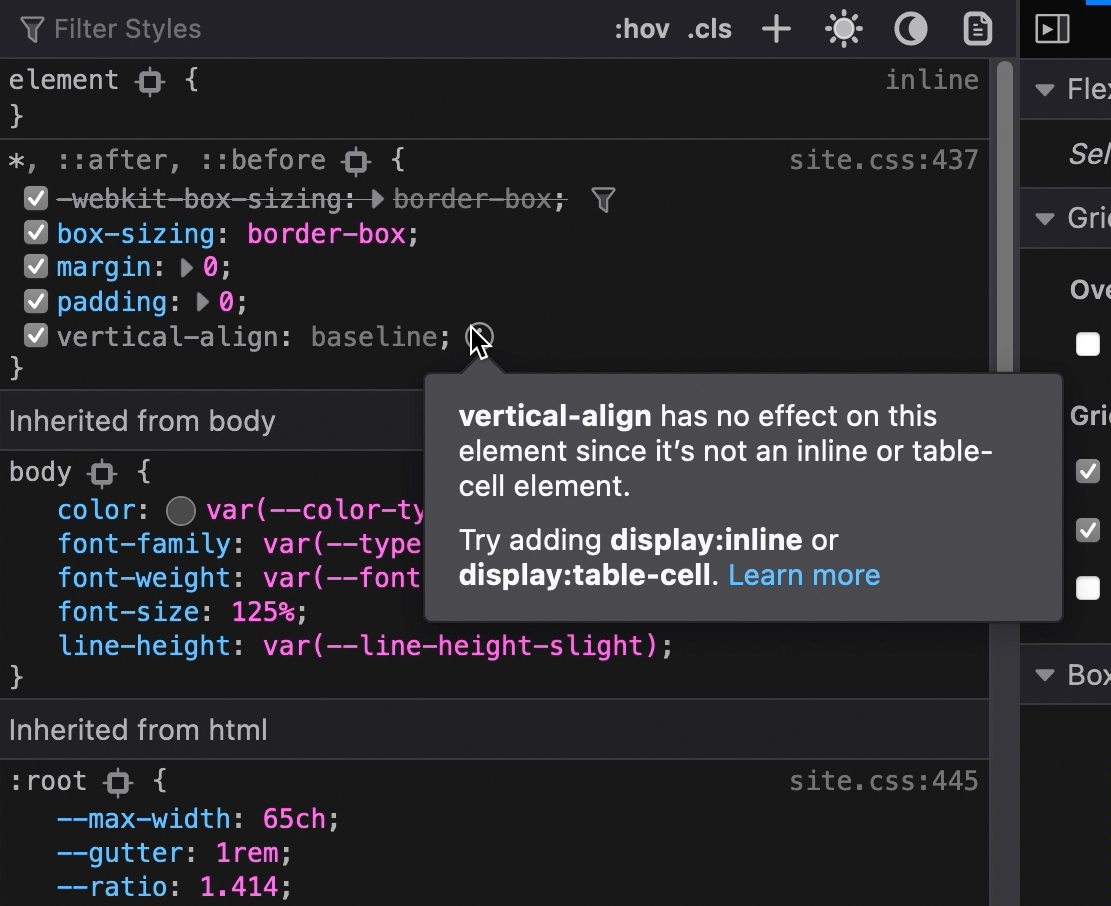
Firefox's Developer Tools offer a strong suite of CSS inspection options, notably the ability to flag unused CSS — useful for finding selectors affected by a type mismatch:
The takeaway
CSS has been strongly typed for as long as it has existed, and it has matured considerably of late, with new features available today. As strongly typed JavaScript grows more common, the hope is that it helps developers get comfortable with CSS's firm but flexible approach.




