
Type-checking With Custom Props
React's PropTypes.checkPropTypes lets us validate data passed between components, but a logging library that is meant to serve many teams can't hardcode its prop definitions. The solution is to let each team bring its own configuration:
import PropTypes from 'prop-types';

export const dataTagPropTypes = {
   page: PropTypes.string,
   section: PropTypes.string,
   component: PropTypes.string,
   action: PropTypes.string,
   elementType: PropTypes.string,
   elementName: PropTypes.string,
   elementIndex: PropTypes.number,
   // etc...
};
That configuration plugs directly into the Log component's propTypes, so the data tag keys and types are validated without the library knowing about any team's specific schema:
import PropTypes from 'prop-types';
import { dataTagPropTypes } from './configuration';

const propTypes = {
   children: PropTypes.node,
   logImpression: PropTypes.bool,
   validateTagPropTypes(props) {
       PropTypes.checkPropTypes(dataTagPropTypes, props, 'prop', 'Log');
   },
};

const defaultProps = {
   children: null,
   logImpression: false,
};
This abstraction means errors in log data are caught at development time, regardless of what props a team defines.
Custom Payload Shapes
Flat payloads are not always the right format for your data warehouse. Teams may need to nest data tags under parent keys. A shape object in the configuration describes that structure, with values pointing to the prop names:
export const shape = {
   page: 'page',
   section: 'section',
   component: 'component',
   ui_properties: {
       action: 'action',
       element_type: 'elementType',
       element_name: 'elementName',
       element_index: 'elementIndex',
   },
};
The shape needs to be flattened into paths before you can build the payload programmatically:
{
   page: 'page',
   action: 'ui_properties.action',
   elementType: 'ui_properties.element_type',
   // etc...
}
With the flattened shape in hand, wrap the original sendLog with logic that reconstructs the nested structure. For each data tag prop, look up its path in the flattened shape and use lodash's set to place the value:
import { set, forEach } from 'lodash';
import { shape } from './configuration';

export const sendLog = (props) => {

   const finalPayloadShape = {};

   forEach(props, (propValue, propKey) => {
       if (propValue) {
           const tagPath = shape[propKey];
           set(finalPayloadShape, tagPath, propValue);
       }
   });

   // our original pretend sendLog function
   console.log('sending log:', finalPayloadShape);
};
This guarantees data keys are named and nested consistently in the warehouse.
Where Did They Come From?
A page impression is more useful when you know how the user got there. Storing the most recently triggered log event in window.sessionStorage lets you enrich the next event with the referring event's data:
{
   page: 'home',
   action: 'impression',
   referring_data: {
       page: 'settings',
       section: 'header',
       action: 'click',
       elementType: 'button',
       elementName: 'go home',
   },
}
window.sessionStorage is the right choice over in-memory caching because the data survives navigation between different applications, yet is cleared when the browser tab or window closes.
Seeing the Events
Developers using the library need a way to inspect what an event actually logs without hunting through code. The library ships with a viewer that renders a pulsing dot next to any component configured to log an event:
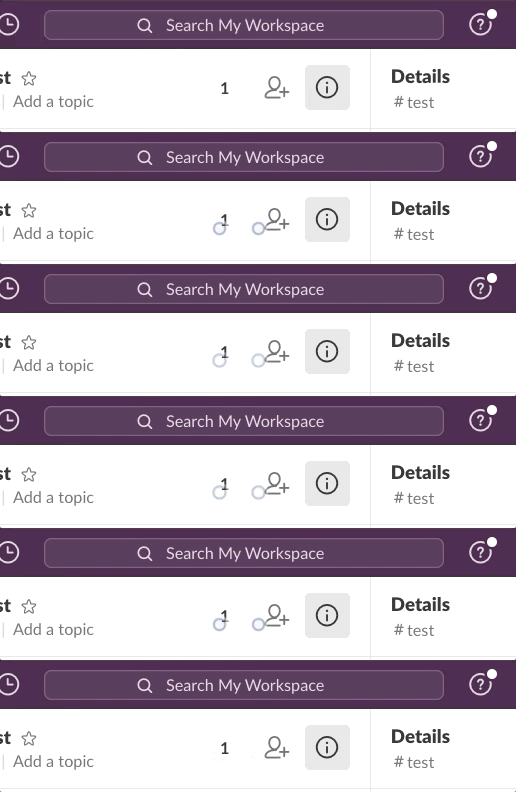
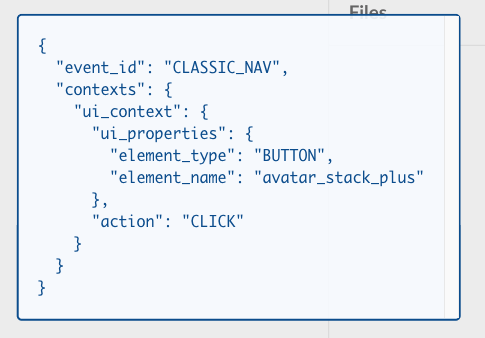
Clicking a dot reveals the full set of information that a particular event sends:
As users interact, the viewer appends to a list so you watch events fire in real time:
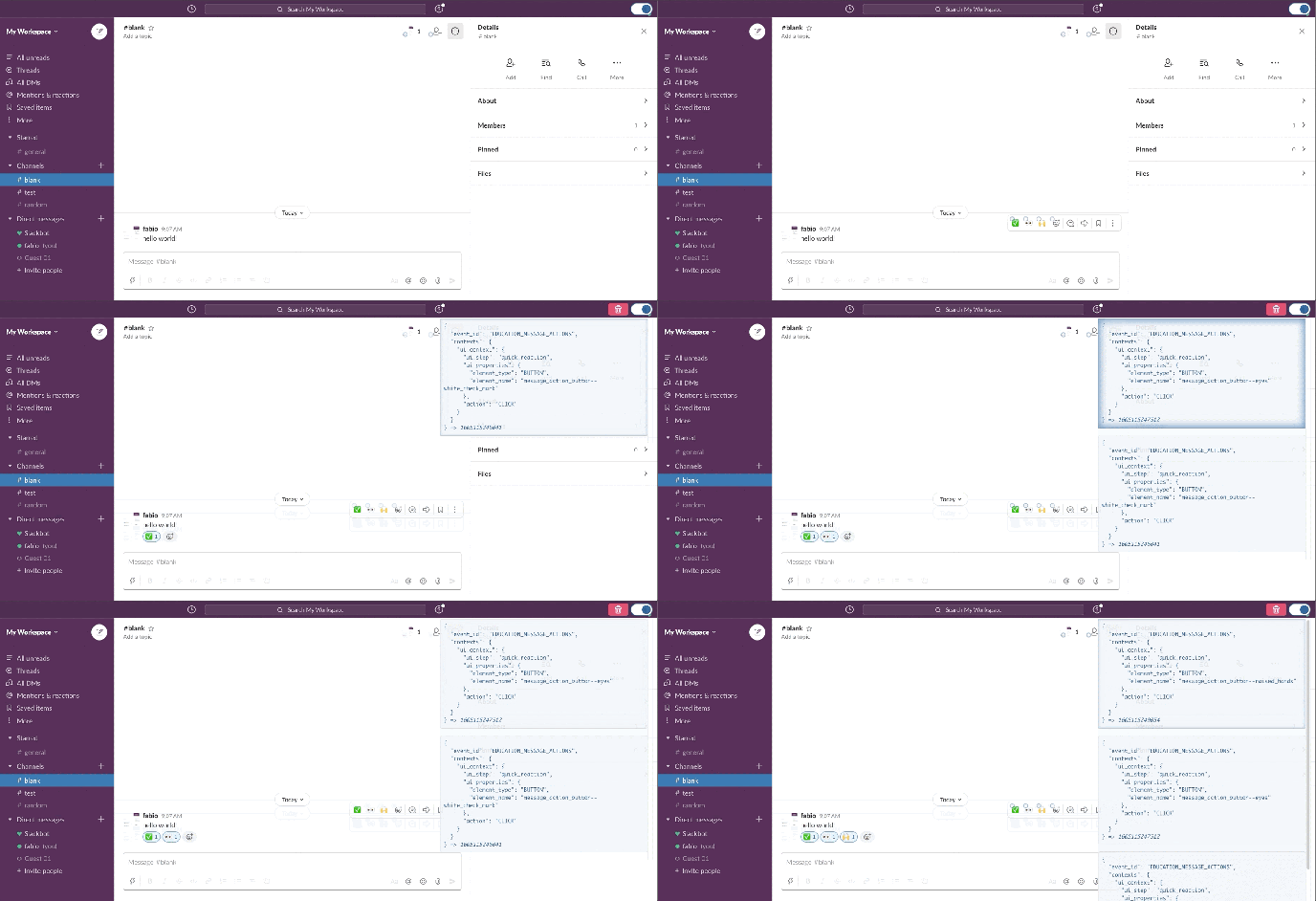
The viewer is simple to build because the library already knows exactly where each log event is configured. It renders the indicator components at those locations and keeps a running array of triggered events. The LogContext instance shared by all components for data props is also what makes that global event list possible.
Impact at Slack
The library has shortened the time between deciding to log an event and shipping it, with a 66% decrease in the lines of code required and a 75% decrease in development hours spent on setup.
Data quality has also improved: because event data is generated and validated programmatically against the team's own schema, the library produces consistent records that are easier to analyze.
The built-in viewer also gives anyone—not just the developer who wrote the code—fast, reliable access to what is being logged, which improves collaboration across teams that need to verify the data they depend on.


