

CSS has a few ways to produce color values at runtime, and color-mix() is the direct one: give it two color values of any kind, optionally set their proportions, and it returns a blend.
background-color: color-mix(#000 30%, #fff 70%);Relative color syntax covers a related need — moving a color between color spaces and altering it there. The most common use is adding opacity to values that can't carry alpha on their own, such as named colors.
background-color: hsl(from black h s l); /* hsl(0 0% 0%) */
background-color: hsl(from black h s l / 50%); /* hsl(0 0% 0% / 50%) */
Overlaying one opaque element on another is the crude option. Applying mix-blend-mode to stacked elements reaches roughly the same place.
The animation shorthand's lesser-known member
There is a less obvious route through the animation shorthand, which bundles a long list of properties — one of them being animation-composition. That property decides how a keyframe effect is folded into the value a property already has, known as the underlying value. Animations ignore that underlying value by default: keyframes build a stack of effect values that sets render order, and composite operations govern how the underlying effect is combined with the keyframe effect value.
The property takes three values. replace swaps the underlying value for the keyframe effect value, accumulate combines multiple values, and add composites them. For color work, add is the interesting one: rather than replacing an underlying background-color with the keyframe's effect value, the color type values are combined into new colors.
What the composited color looks like
With add, the two colors blend as one transitions into the other. The transition is noticeably smoother than what replace produces, at the cost of ending at the 100% mark with an entirely new color instead of the one declared in the keyframes.
Pausing the animation partway raises the question of whether the resulting color can be pulled out as a value. In Ryan's demo, hovering an element pauses the animation, so forcing the :hover pseudo-state in DevTools lets you read the composited value from the Computed tab.
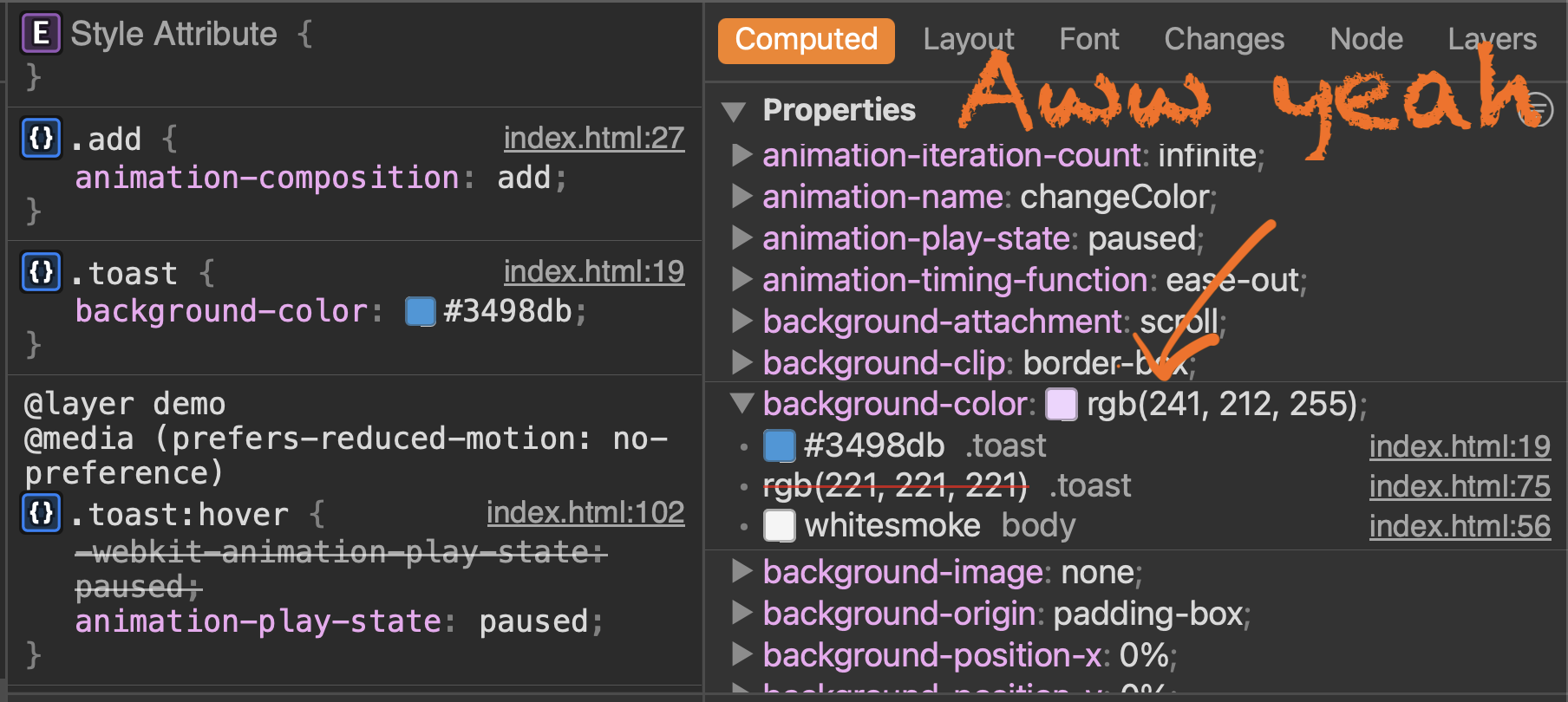
The computed output shows RGB conversions along the way, presumably because adjusting individual color channels is simpler than converting hex to hex.
Revisiting an older color interpolation demo with animation-composition applied showed no visible difference — plausibly because that demo only shifts HSL's hue channel, where changes are subtle. Either way, the property can yield new computed color values; what those get used for is left to the reader.



