Animation can do more than decorate a page. The Twitter "Like" button is the usual proof: colorful bubbles spread around the heart while it morphs into a circle and settles into its red fill, a sequence far more satisfying than an outline flipping to solid. Lottie is what makes that class of animation practical on the web.
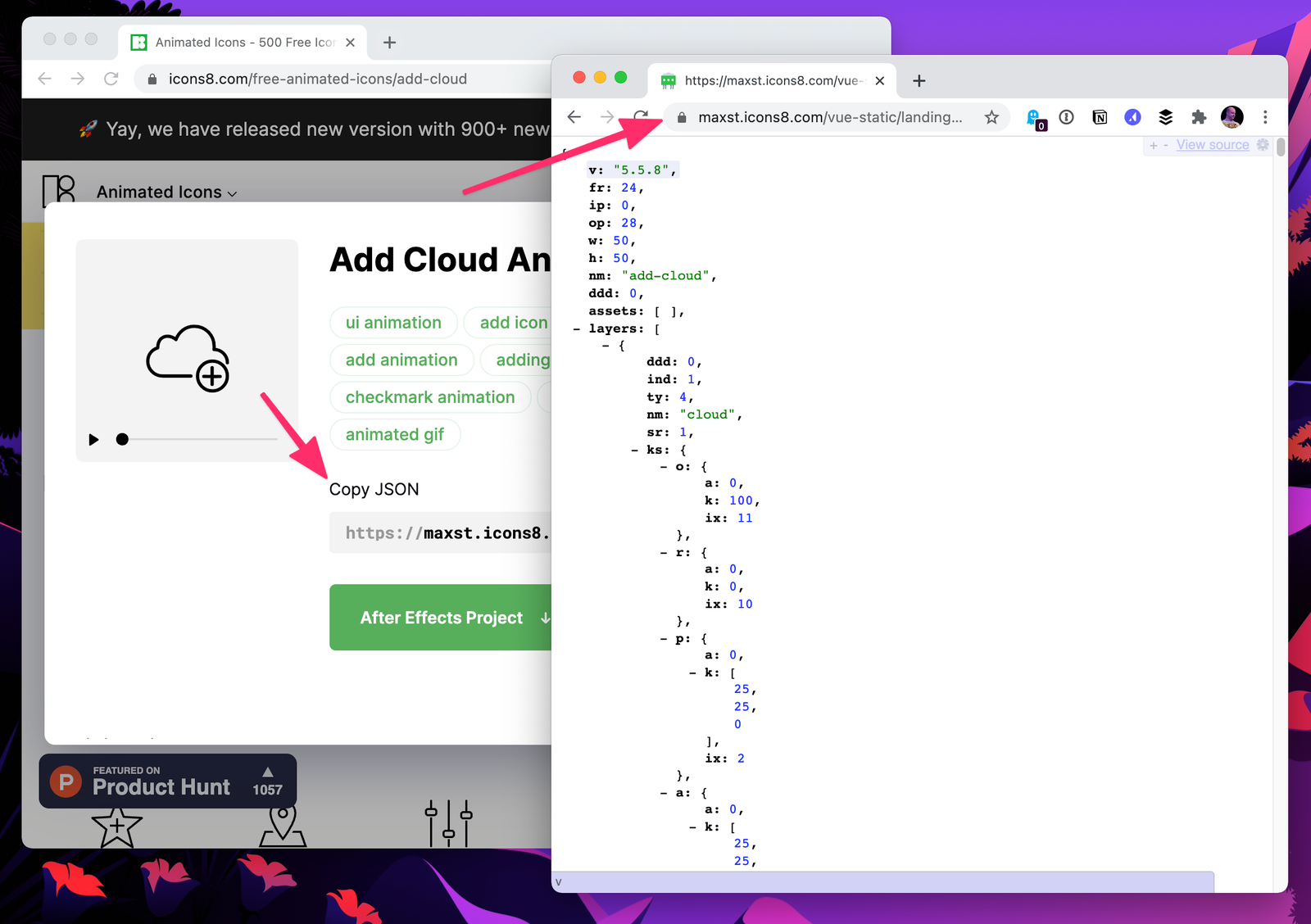
The pipeline starts in Adobe After Effects, where the Bodymovin plugin exports an animation to JSON. Lottie, the library Hernan Torrisi created, renders that JSON natively on mobile and in the browser. You don't need to work in After Effects yourself—plenty of ready-made JSON files exist—but someone has to produce the export.
The obvious alternatives each have a cost. Hand-coding an animation is slow, particularly at the complexity that Lottie handles well. Animated GIFs can show anything, but their file size is typically double that of the JSON Bodymovin produces.
Free animated icons in JSON, GIF and After Effects formats are available from Icons8 as a starting point.
Wiring the player into a page
Load the Bodymovin player's JavaScript library in your HTML and call its loadAnimation() method with a configuration object:
<div id="icon-container"></div>

<script src="https://cdnjs.cloudflare.com/ajax/libs/bodymovin/5.7.4/lottie.min.js">

<script>
  var animation = bodymovin.loadAnimation({
  // animationData: { /* ... */ },
  container: document.getElementById('icon-container'), // required
  path: 'data.json', // required
  renderer: 'svg', // required
  loop: true, // optional
  autoplay: true, // optional
  name: "Demo Animation", // optional
});
</script>
The configurable properties are:
container: the DOM element the animation is loaded intopath: the relative path to the JSON file holding the animationrenderer: the rendering format—SVG, canvas or HTMLloop: boolean, whether the animation repeatsautoplay: boolean, whether playback starts on loadname: a name for future reference to the animation
In the example above the animationData property is commented out. It is mutually exclusive with path; it holds the exported animation data directly as an object.
The player is statically hosted on cdnjs and can be dropped straight into the HTML, or installed as a package:
npm install lottie-web ### or yarn add lottie-webOnce installed, reference the script from the dist folder of the package. Importing the library as a module from Skypack is also an option:
import lottieWeb from "https://cdn.skypack.dev/lottie-web";Triggering playback instead of looping
Wiring up the animated play/pause control from Icons8 shows how this comes together:
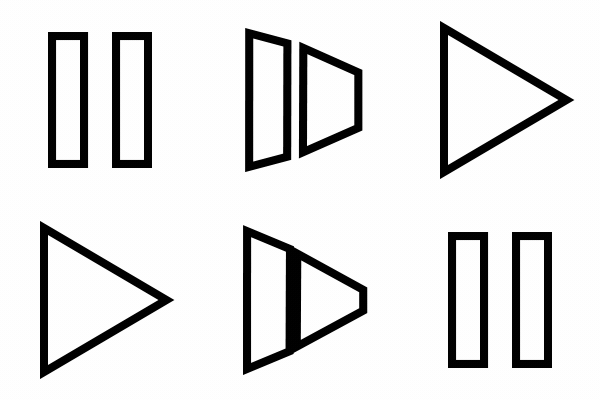
In its default state the control loops and plays automatically, which isn't what an interactive control needs. Turning autoplay off leaves a static pause icon, because that is the state exported from After Effects. Lottie's animation instances expose methods for driving the animation manually—the Lottie site documents them, and the npm package docs for lottie-web are more thorough.
The goal is straightforward: show the "play" state when the page loads, animate to "paused" on click, and toggle between the two on every subsequent click. Three things are needed:
- Show the play state initially
- Animate to the paused state on click
- Animate between the two states on later clicks
goToAndStop(value, isFrame) handles the first. Called on the loaded animation, it jumps to the given value and halts there. The second argument is a boolean that says whether the value refers to time or frame, and defaults to false—a time-based value. Since the play state is defined by a frame, it is set to true.
The distinction matters. A time-based value points to a position on the timeline: the beginning of this animation, while paused, sits at 1. A frame-based value points to a numbered frame, an individual still within the sequence. Setting a frame value of 5 lands on the fifth frame. Experimentation showed this animation plays across frames 11 through 16, so 14 was chosen as a safer midpoint.
For the toggle, use playSegments(segments, forceFlag). segments is an array of two numbers: the first and last frame to read. forceFlag is a boolean controlling whether the call fires immediately; with false, the animation waits until playback reaches the first frame in segments, and with true it plays the segment right away. A flag tracks which direction to go each time—play to pause, or pause to play—and forceFlag is set to true for an immediate transition.
Renderer choice and events
SVG is the preferred renderer here: it scales and produces the sharpest result. Canvas renders somewhat less cleanly and doesn't scale. Anyone needing to draw into an existing canvas has extra setup to handle. Animation instances also emit events that can be used to configure behavior—the npm package docs list all of them.