

A Different Approach to Data Fetching
Most React applications have settled on either the Fetch API or Axios for making HTTP requests. Both work well, but they share a limitation: once the response arrives, the job is done. Caching, pagination, and keeping UI state in sync with the server are left entirely to the developer.
SWR, a lightweight library from Vercel, addresses this by wrapping data fetching in a React Hook that handles more than just the request. The name expands to stale-while-revalidate, which describes its core behavior: return cached data immediately (the stale part), fire the fetch request in the background (the revalidate part), then swap in fresh data when it arrives.
The main hook, useSWR, manages all of this automatically. You provide a key (usually an API endpoint) and a fetcher function, and the hook returns the data plus a set of states you can use to drive your UI.
What Else SWR Brings to the Table
Beyond basic retrieval, SWR includes features that would otherwise require hand-rolled logic:
- Backend-agnostic design — works with any data source, not just REST endpoints
- Revalidation on window focus, so stale data refreshes when the user returns to the tab
- Request deduplication, preventing duplicate calls for the same resource
- Pagination support via the
useSWRPageshook - Dependent fetching, where one request waits on data from another
- Scroll position recovery when navigating back to a page
- Local mutation for optimistic UI updates
- Interval polling for realtime data
- Support for React Suspense, SSR, TypeScript, and React Native
Notably, SWR uses the Fetch API under the hood. It's not a replacement for Fetch or Axios in the way you might think; rather, it's a layer on top that adds reactivity and built-in state management. Fetch and Axios return a response and stop. SWR keeps your data fresh and your UI responsive without extra code.
Making the Case for SWR
The advantage of SWR becomes clear in common UI patterns. Without it, showing data typically means displaying a spinner while a request is in flight. With SWR, the user sees cached content instantly, and the new data replaces it seamlessly once the network request completes. This perceived performance improvement comes without any manual cache management on your part.
For applications with complex data needs — multiple endpoints, pagination, or dependencies between requests — SWR reduces both code size and complexity. You don't manage caching layers or write logic to refetch on focus; the library handles those concerns.
Setting up SWR requires little effort. After creating a new React project, install the package:
npx create-react-app react-swrMove into the project directory and install swr:
yarn add swrOr use npm:
npm install swrA project built around SWR can stay lean. For demonstrating these features, a simple structure works well:
src
├── components
|  └── Pokemon.js
├── App.js
├── App.test.js
├── index.js
├── serviceWorker.js
├── setupTests.js
├── package.json
├── README.md
├── yarn-error.log
└── yarn.lock
The components folder contains presentational components — for example, a Pokemon component that displays a single result once data arrives from the API. With the project in place, the next step is putting useSWR to work fetching live data.
Local vs. Global SWR Configuration
The previous setup demonstrates a local configuration: every component that needs remote data must import and define its own fetcher function. This quickly becomes redundant, as App.js and Pokemon.js both replicate the same logic.
SWR provides SWRConfig, a provider component that lets you define shared settings—most importantly, the fetcher—once, at any level of the component tree. This eliminates the need to declare the function in every file.
Setting Up a Global Configuration
The cleanest place for global configuration is in index.js, where your React app is rendered. You would wrap the root component with SWRConfig:
import React from 'react'
import ReactDOM from 'react-dom'
import { SWRConfig } from 'swr'
import App from './App'
import './index.css'

const fetcher = (...args) => fetch(...args).then((res) => res.json())

ReactDOM.render(
    <React.StrictMode>
        <SWRConfig value={{ fetcher }}>
            <App />
        </SWRConfig>
    </React.StrictMode>,
    document.getElementById('root')
)
In this example, the fetcher is defined once and passed via the value prop. The shorthand fetcher is equivalent to fetcher: fetcher. With this in place, all child components automatically inherit the fetcher.
Updating Components to Use the Global Config
With the global configuration established, components only need to pass the url to useSWR:
import React from 'react'
import useSWR from 'swr'
import { Pokemon } from './components/Pokemon'

const url = 'https://pokeapi.co/api/v2/pokemon'

function App() {
    const { data: result, error } = useSWR(url)

    if (error) return <h1>Something went wrong!</h1>
    if (!result) return <h1>Loading...</h1>

    return (
        <main className='App'>
            <h1>Pokedex</h1>
            <div>
                {result.results.map((pokemon) => (
                    <Pokemon key={pokemon.name} pokemon={pokemon} />
                ))}
            </div>
        </main>
    )
}
export default App
The fetcher function is no longer needed in individual files. The hook retrieves it from SWRConfig under the hood. The Pokemon component can be simplified similarly:
import React from 'react'
import useSWR from 'swr'

export const Pokemon = ({ pokemon }) => {
    const { name } = pokemon
    const url = 'https://pokeapi.co/api/v2/pokemon/' + name

    const { data, error } = useSWR(url)

    if (error) return <h1>Something went wrong!</h1>
    if (!data) return <h1>Loading...</h1>

    return (
        <div className='Card'>
            <span className='Card--id'>#{data.id}</span>
            <img
                className='Card--image'
                src={data.sprites.front_default}
                alt={name}
            />
            <h1 className='Card--name'>{name}</h1>
            <span className='Card--details'>
                {data.types.map((poke) => poke.type.name).join(', ')}
            </span>
        </div>
    )
}
A More Flexible Custom Hook
While this is cleaner, it still requires repeating the base URL for every API request. You can build a custom hook to centralize this logic and improve reusability.
Create a file, for example useRequest.js:
import useSwr from 'swr'

const baseUrl = 'https://pokeapi.co/api/v2'

export const useRequest = (path, name) => {
    if (!path) {
        throw new Error('Path is required')
    }

    const url = name ? baseUrl + path + '/' + name : baseUrl + path
    const { data, error } = useSwr(url)

    return { data, error }
}
This hook takes a path and an optional name parameter, concatenates them to the base URL, and passes the full URL to the SWR hook. It also throws an error if no path is provided.
Now, the App component can be simplified to use the custom hook directly:
import React from 'react'
import { useRequest } from './useRequest'
import './styles.css'
import { Pokemon } from './components/Pokemon'

function App() {
    const { data: result, error } = useRequest('/pokemon')

    if (error) return <h1>Something went wrong!</h1>
    if (!result) return <h1>Loading...</h1>

    return (
        <main className='App'>
            <h1>Pokedex</h1>
            <div>
                {result.results.map((pokemon) => (
                    <Pokemon key={pokemon.name} pokemon={pokemon} />
                ))}
            </div>
        </main>
    )
}
export default App
The logic is more concise and the configuration is centralized. The Pokemon component also benefits from the abstraction:
import React from 'react'
import { useRequest } from '../useRequest'

export const Pokemon = ({ pokemon }) => {
    const { name } = pokemon
    const { data, error } = useRequest('/pokemon', name)

    if (error) return <h1>Something went wrong!</h1>
    if (!data) return <h1>Loading...</h1>

    return (
        <div className='Card'>
            <span className='Card--id'>#{data.id}</span>
            <img
                className='Card--image'
                src={data.sprites.front_default}
                alt={name}
            />
            <h1 className='Card--name'>{name}</h1>
            <span className='Card--details'>
                {data.types.map((poke) => poke.type.name).join(', ')}
            </span>
        </div>
    )
}
By passing the Pokemon's name to useRequest, the hook handles the URL construction, making the component code much leaner.
Implementing Pagination with useSWRPages
SWR offers a dedicated hook, useSWRPages, to easily handle pagination. This allows you to fetch a specific page of data and request more on demand without complex state management.
Create a new custom hook in a file named usePagination.js:
import React from 'react'
import useSWR, { useSWRPages } from 'swr'
import { Pokemon } from './components/Pokemon'

export const usePagination = (path) => {
    const { pages, isLoadingMore, loadMore, isReachingEnd } = useSWRPages(
        'pokemon-page',
        ({ offset, withSWR }) => {
            const url = offset || `https://pokeapi.co/api/v2${path}`
            const { data: result, error } = withSWR(useSWR(url))

            if (error) return <h1>Something went wrong!</h1>
            if (!result) return <h1>Loading...</h1>

            return result.results.map((pokemon) => (
                <Pokemon key={pokemon.name} pokemon={pokemon} />
            ))
        },
        (SWR) => SWR.data.next,
        []
    )

    return { pages, isLoadingMore, loadMore, isReachingEnd }
}
The useSWRPages hook takes four arguments:
- A key for the request, used for caching.
- A function to fetch data and return the UI for the current page.
- A function that receives the current SWR object and returns data for the next page.
- An array of dependencies.
It returns values like pages (a React component with rendered data), isLoadingMore, loadMore, and isReachingEnd, which are essential for controlling pagination.
The App component can then be updated to use this custom hook:
import React from 'react'
import { usePagination } from './usePagination'
import './styles.css'

export default function App() {
    const { pages, isLoadingMore, loadMore, isReachingEnd } = usePagination(
        '/pokemon'
    )

    return (
        <main className='App'>
            <h1>Pokedex</h1>
            <div>{pages}</div>
            <button
                onClick={loadMore}
                disabled={isLoadingMore || isReachingEnd}
            >
                Load more...
            </button>
        </main>
    )
}
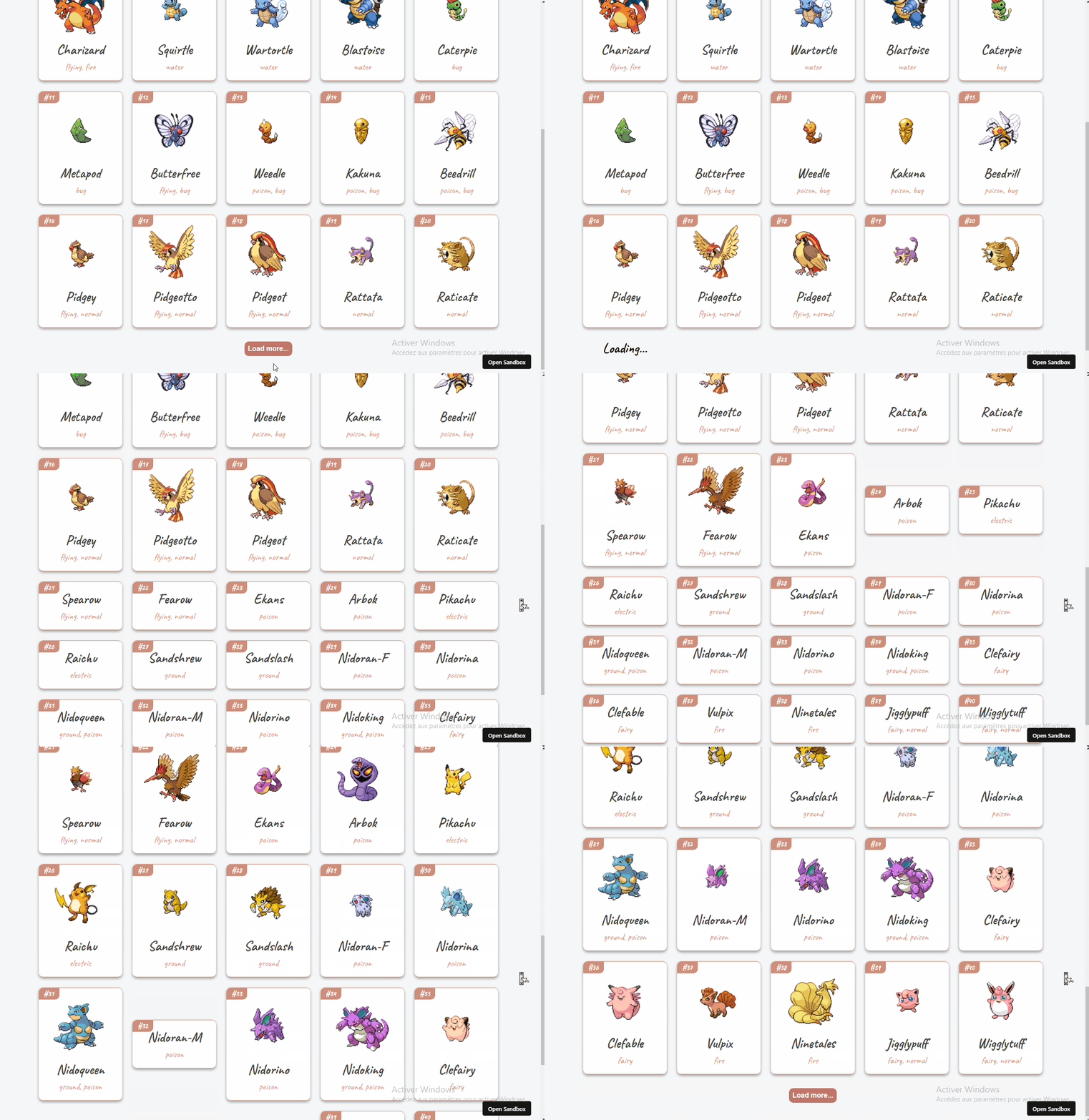
The loadMore function is wired to a button to fetch the next set of data, and the button is disabled when a request is in progress or when there is no more data to load.
To verify the implementation, run the development server from the project root:
yarn startOr if you’re using npm:
npm startClicking the button will fetch and display the next page of Pokemon data.
What Else SWR Offers
Beyond pagination and caching, SWR provides several features to improve the data-fetching experience and app usability.
Focus Revalidation
When you re-focus a tab or switch back to a page, SWR automatically re-fetches the data by default. This keeps data fresh and is ideal for information that changes frequently.
Refetch on Interval
SWR can be configured to poll a data source at a set interval. This is valuable for real-time dashboards or any data that updates at a high frequency.
Local Mutation
For optimistic UIs or an offline-first approach, you can set a temporary state that automatically reconciles with newly fetched, revalidated data.
Scroll Position Recovery
When dealing with extensive lists, SWR helps you maintain the user's scroll position when they navigate back to the page, significantly improving usability.
Dependent Fetching
SWR is capable of fetching data that depends on other data, fetching one request and using the result to fetch the next. This avoids unnecessary waterfall delays and helps with relational data.
In summary, SWR simplifies data retrieval, boosts performance, and introduces robust features that effectively enhance the user experience of React applications.
You can preview the finished project here.
For more details, explore the official SWR documentation and its GitHub repository.


