
Beyond sRGB: what is changing in CSS color
Until now, CSS has effectively offered a single color model, RGB, along with several color spaces that map it in different ways: rgb() treats that model as a cube of linear coordinates, while hsl() maps the same model as a cylinder. All of it, however, stayed inside the sRGB gamut. The incoming changes bring new color models and new functions that map those models differently, so the space of possibilities grows on more than one axis at once.
Wider gamut and perceptual uniformity
Display-P3 unlocks more saturated color
Modern monitors can show far more colors than classic HEX, RGB and HSL syntaxes can express, especially highly vibrant ones. Display-P3 gives access to that wider range.
body {
  background: color(display-p3 1 0.08 0); /* super red! */
}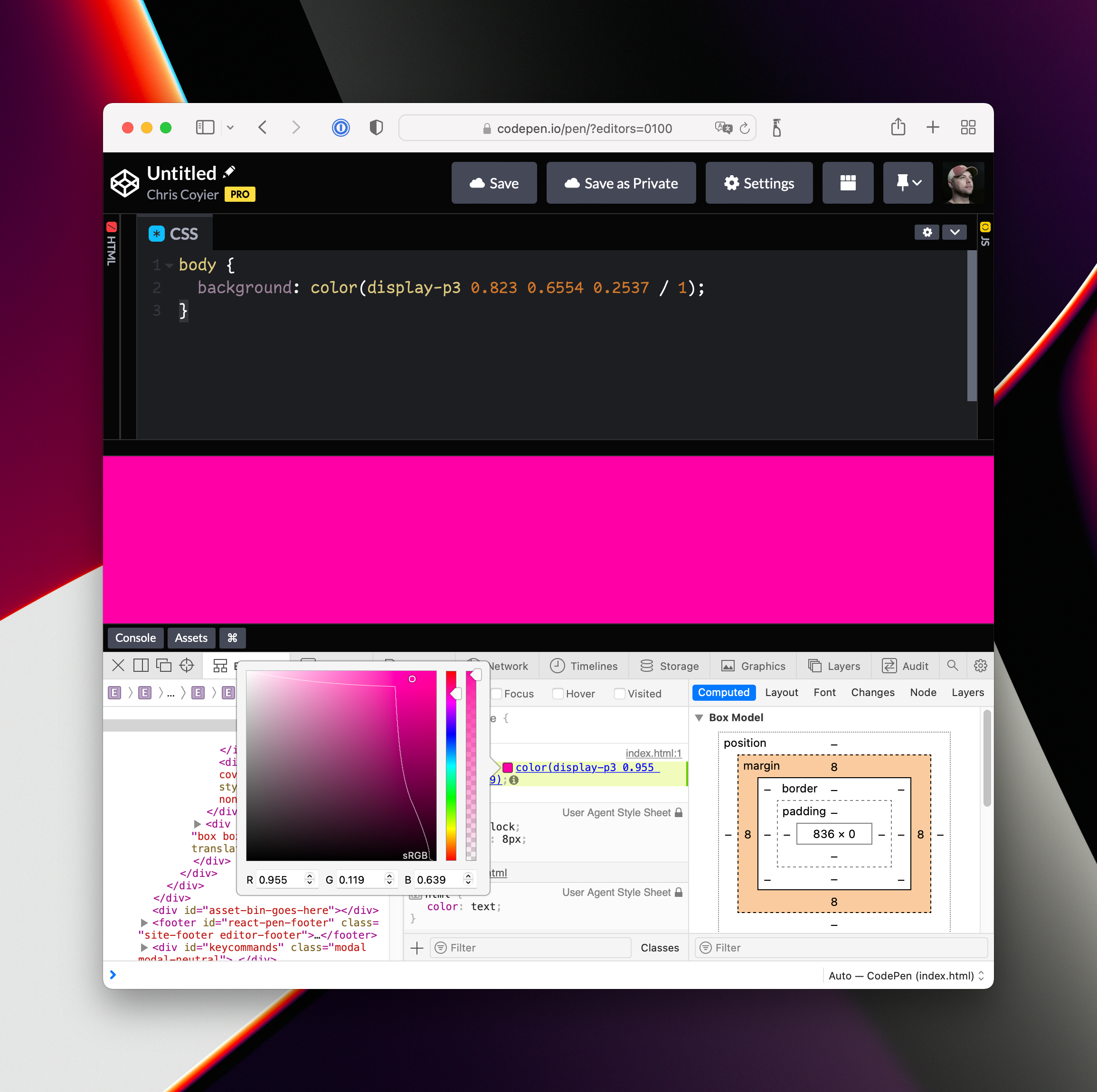
Panic adopted P3 colors early and described them, alongside WebGL, as part of the site's "secret weapon" pile. Jen Simmons has demonstrated the switch to P3, including how to find a fallback color for browsers that don't support it, working inside Safari Web Inspector. Background reading: the WebKit blog post on wide-gamut color and Ollie Williams' article on the expanding gamut.
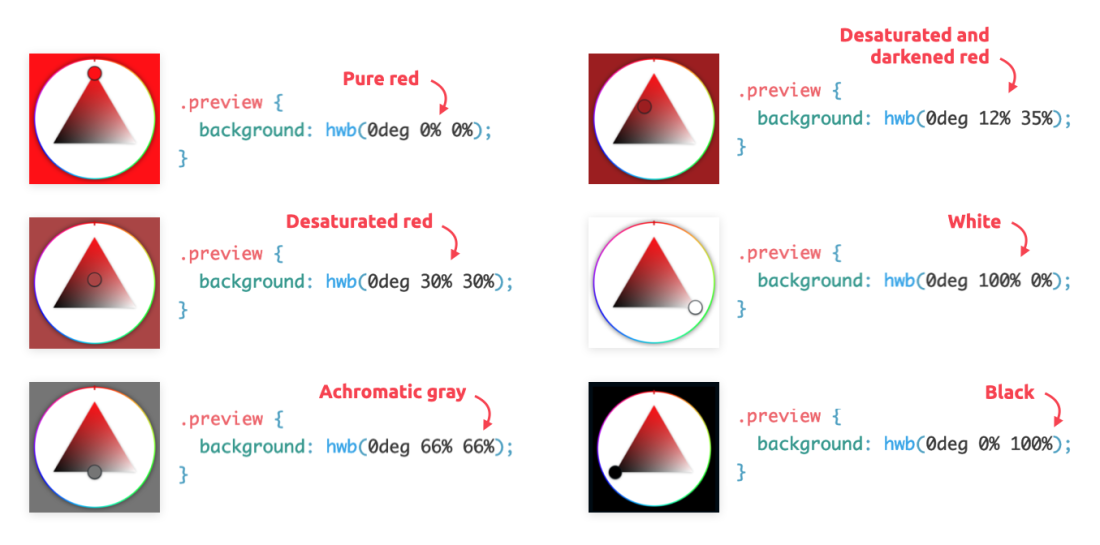
HWB: whiteness and blackness instead of saturation and lightness
hwb() keeps Hue (as in HSL) and replaces saturation and lightness with Whiteness and Blackness. Adding equal amounts of white and black keeps the hue but drains saturation, up to the achromatic point at hwb(0deg 50% 50%). Whether that is actually more human-friendly than HSL is debatable, and it can feel more abstract than simply adjusting lightness or saturation. It also stays inside the sRGB gamut, so no new colors are gained.
LAB and LCH: the wide-gamut relatives of RGB and HSL
LAB has the same structure as RGB — three linear components, where lower numbers mean less of a quality and higher numbers mean more — but it covers a much wider gamut. As Eric Portis describes it, you can specify the brightest, greenest green, and it will look bright green everywhere, only brighter and greener on displays with wider gamuts. LCH is the polar counterpart, akin to HSL, with Lightness, Chroma and Hue; hue sits on a circle, so complementary-color math becomes trivial.
div {
  background: lab(150% -400 400);
}
The second gain is perceptual uniformity, which sRGB lacks: an identical mathematical step produces different perceived effects depending on where you are in the space. In HSL, two colors with the same lightness value can feel wildly different, while in LCH colors with equal lightness are equally perceptually light and colors with equal chroma are equally perceptually saturated. LAB and LCH are also specced as device-independent colors, which matters when a screen color must match something like a T-shirt print. Programmatic color work becomes far saner, and palettes are easier to choose — which is why lch() may become a designer favorite.
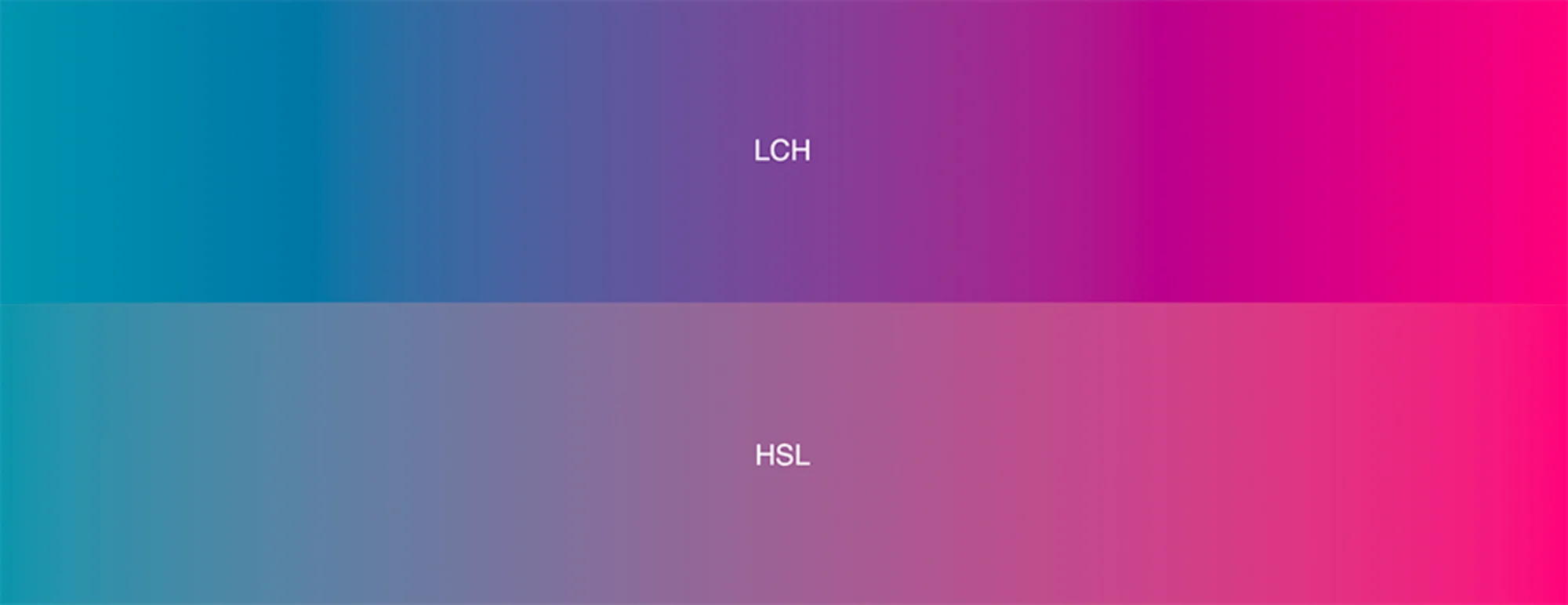
The gray dead zone in CSS gradients is another casualty of perceptual uniformity: two rich colors should no longer transition through non-rich territory.
Problems the older approaches never solved
LAB feels new to CSS, but it dates back to the 1940s. Adam Argyle's summary is apt: every color space has an Achilles' heel. For sRGB it is the limited gamut and the gray dead zone; for LAB, a blue-to-white gradient travels awkwardly through purple. In December 2020 Björn Ottosson published OKLAB, and both oklab() and oklch() are already specced for CSS. The general pitch is that they are simply better, though that is best taken as a working assumption rather than a proof.
Functions, syntax and relative colors
Why color() for Display-P3
The color() function appears to be newer, and that is how Safari shipped P3 support. Whether Display-P3 ever gets a dedicated function, or everyone just uses color(), is an open question.
/* This is how you use Display P3 */
color(display-p3 1 0.08 0);
/* But this doesn't work */
color(oklch 42.1% 0.192 328.6);
/* You gotta do this instead 🤷♀️ */
oklch(42.1% 0.192 328.6);
/* But you can use the color space within a gradient... */
background-image: linear-gradient(
to right
in oklch,
lch(50% 100 100),
lch(50% 100 250)
);Relative color syntax
Relative color syntax lets you take an existing color apart while converting it to another format. Starting from a HEX value, you can restate it in HSL:
body {
  background: hsl(from #f06d06 h s l);
}
That becomes genuinely useful the moment you need alpha: there is no other way to apply alpha to an existing HEX color.
body {
  background: hsl(from #f06d06 h s l / 0.5);
}
You can also modify the components before using them — for instance, boosting saturation before adding opacity to compensate for the dulling effect of transparency, using calc() on the implied variables:
body {
  background: hsl(from #f06d06 h calc(s + 20%) l / 0.5);
}
The technique is not tied to HSL; a named color like red can be decomposed and manipulated in LCH the same way:
body {
  background: lch(from red l calc(c + 15) h / 0.25);
}
The approach is at its most useful when combined liberally with custom properties.
Alpha without dedicated functions
Dedicated functions for alpha are no longer needed. Within a color function, the alpha value follows a forward slash rather than a comma:
/* Old! */
rgb(255, 0, 0);
rgba(255, 0, 0, 0.5);

/* New! */
rgb(255 0 0);
rgb(255 0 0 / 0.5);
hsl(0deg 40% 40%)
hsl(0deg 40% 40% / 90%) /* can be percentage rather than 0.9 or whatever */

/* The New color stuff ONLY has the single base function, no alpha secondardy function */
lab(49% 39 80)
lab(49% 39 80 / 0.25)

/* Display P3, with the color function, essentially works the same way with the slash */
color(display-p3 1 0.08 0 / 0.25);
Custom color spaces
Defining your own CSS color space is also possible — a step beyond what is practical to reason about here.




