

What “Quality” Means When the User Is the Judge
Quality assurance, as defined by Merriam-Webster, is “a program for the systematic monitoring and evaluation of the various aspects of a project, service, or facility to ensure that standards of quality are being met.” It is a cornerstone of industries where failure carries serious consequences — aeronautics, automotive, health, even video games. The web, despite its centrality to modern life, has been slower to adopt the discipline.
The starting point for any QA effort is a deceptively simple question: What does quality mean for a web user? The ISO definition of quality — “the degree to which a set of inherent characteristics of an object fulfills requirements” — frames the problem in terms of user requirements. But those requirements are heterogeneous. Working from that definition, a model emerged that organizes them into five fundamental categories:
- Visibility — the ability of a site to be encountered by its potential users.
- Perception — the ability to be usable and positively perceived by its users.
- Technical — the ability to function correctly.
- Content — the ability to deliver quality information.
- Services — the ability to offer, accompany, and/or generate quality services.
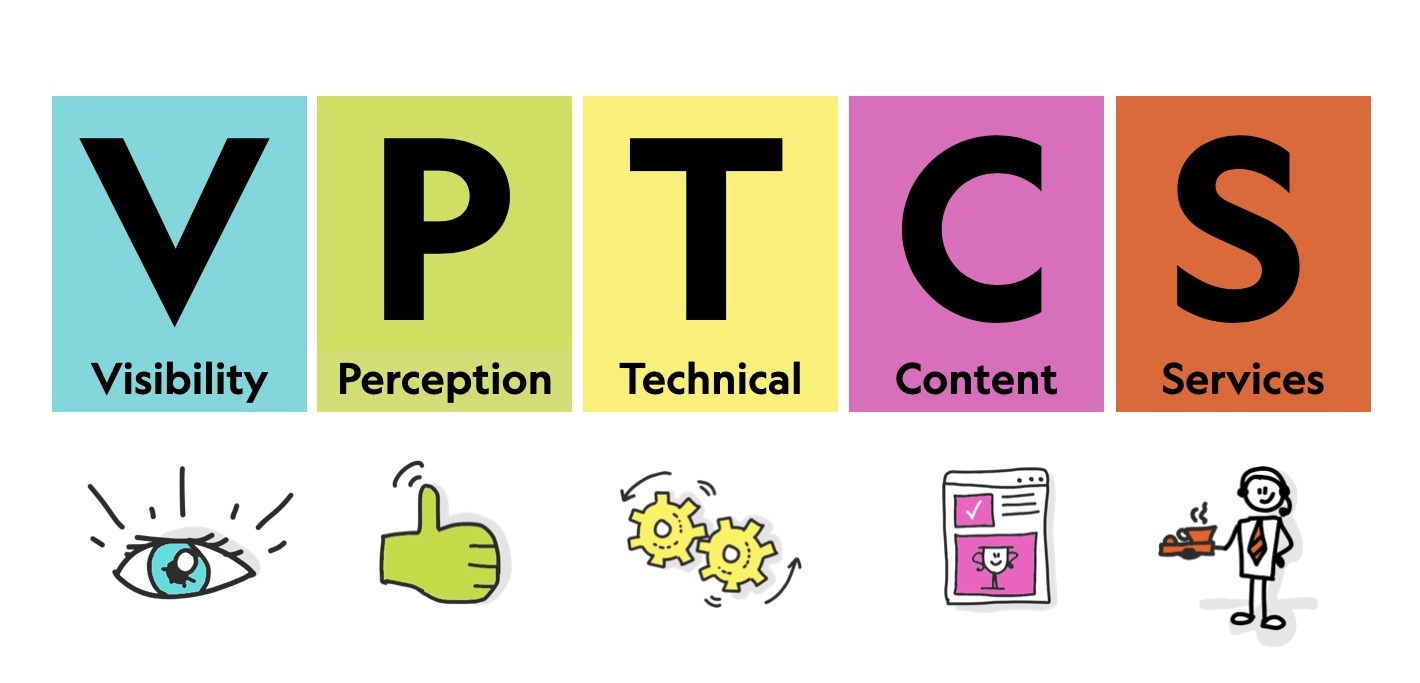
The model, called VPTCS, deliberately omits emotional factors such as pleasure or attachment. It focuses instead on the success of fundamental requirements — not exhaustive, but sufficient to classify and order them. Whatever the product, service, or audience, the same logic applies: users need to find the site, use and perceive it correctly, see it function correctly, find high-quality content, and have a good experience after the visit.
Where UX Ends and UI Begins
Applying the VPTCS model also clarifies the relationship between the total user experience (UX) and the user interface (UI). The model reads chronologically across the user’s journey, split into three phases. Visibility covers before the visit; Perception, Technical, and Content cover during; and Services covers after.
UI is only the middle slice — Perception, Technical, and Content. UX starts before the interface is ever encountered. How a site is described in search engine results, or how people talk about it on social media, shapes the experience before the first click. At the other end, Services extends past the final page load. On an e-commerce site, the experience continues when a package arrives damaged, when customer support is unreachable, or when a product description proves inaccurate — moments where the user is no longer interacting with the interface at all, but with the real-world consequences of the service.
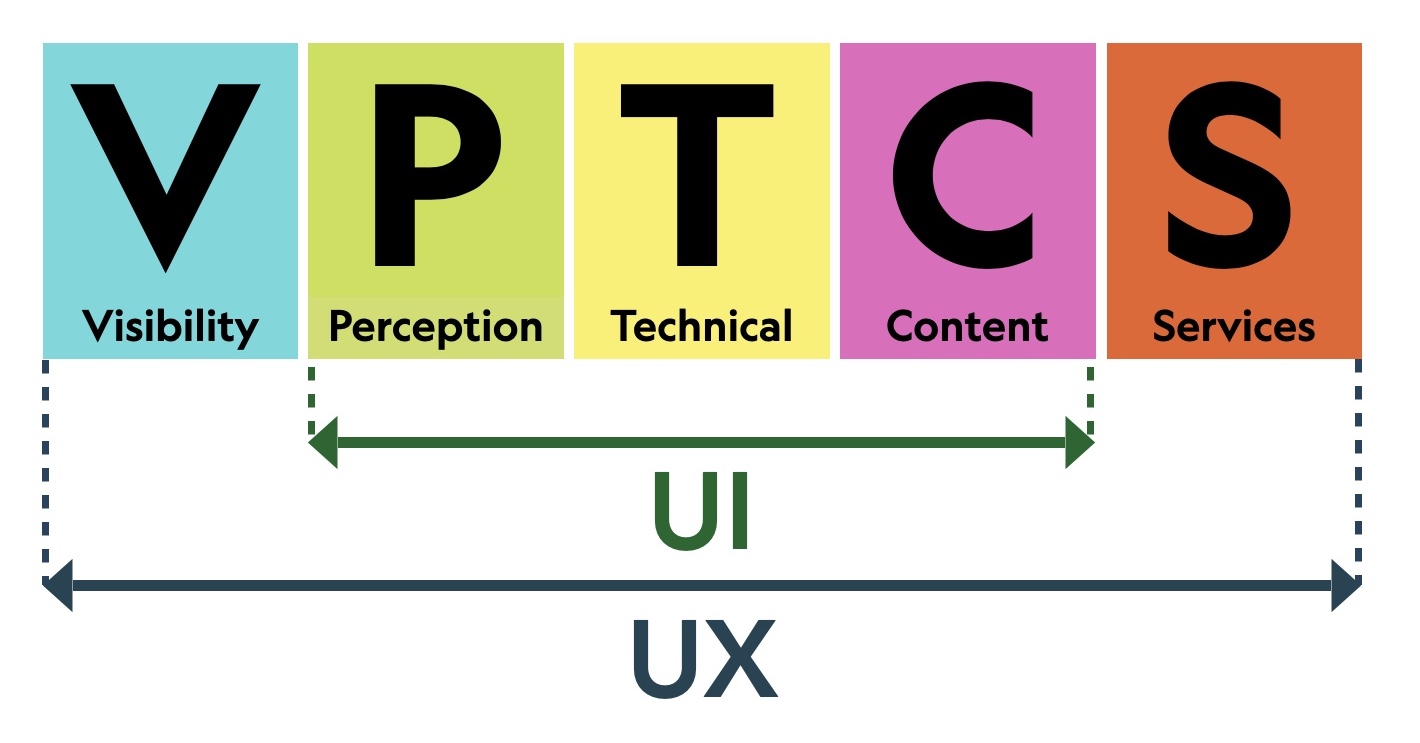
That distinction matters for one reason: the VPTCS model describes what a website is from the user’s perspective, but QA also requires understanding who is responsible for each part of the experience on the production side.
The Multidisciplinary Nature of Web QA
Don Norman and Jakob Nielsen have noted that high-quality user experience requires “a seamless merging of the services of multiple disciplines, including engineering, marketing, graphical and industrial design, and interface design.” This holds for the web as much as for any other product. Mapping the VPTCS requirements to the trades involved in a web project — designers, developers, content producers, marketers, support staff — reveals that every discipline is necessary, and all share the user as their common reference point.
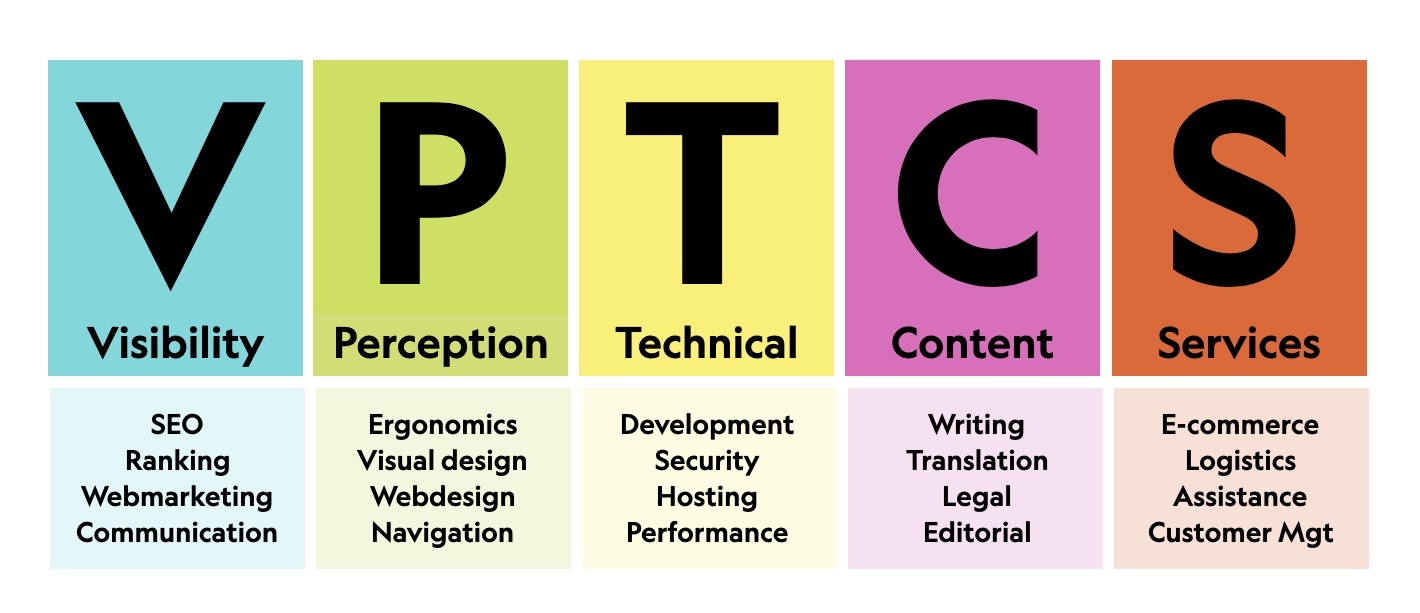
Quality, however, is never fully objective — each user weighs different aspects differently. One is sensitive to technical glitches, another to shallow content, a third to poor service. The path from general user requirements to actionable practice runs through checklists, which convert subjective expectations into verifiable rules.
Building Rules That Endure
The challenge is devising rules that pass a sanity test. They must have a described impact on users, be realistic, enjoy consensus, be universal, and be directly verifiable by end-users. Since 2004, a community of web professionals has been refining such a checklist. Over four versions — 2004, 2010, 2015, and 2020 — more than 10,000 comments were collected, over a thousand candidate rules were discarded, and 240 survived.
The community process is deliberately strict. One early lesson: rules cannot contain numeric figures. A 2004 rule that the homepage plus images must not exceed 150 ko seemed sensible at the time, but was obsolete within a year. Rules must stay relevant for at least five years to gain consensus, so numeric limits were banned from the sanity check.
The resulting list is not a replacement for dedicated accessibility, security, SEO, or ecodesign standards. It is meant to be universal and complementary. Distribution under an open CC-BY-SA license keeps the barrier to adoption low and encourages buy-in across web professions.
The 240 rules touch every role on a team, from developers to customer support, from management to operations. The breakdown spans multiple domains: 35 rules relate to ecodesign, 23 to security, 37 to SEO, 126 to accessibility, and 38 to e-commerce.
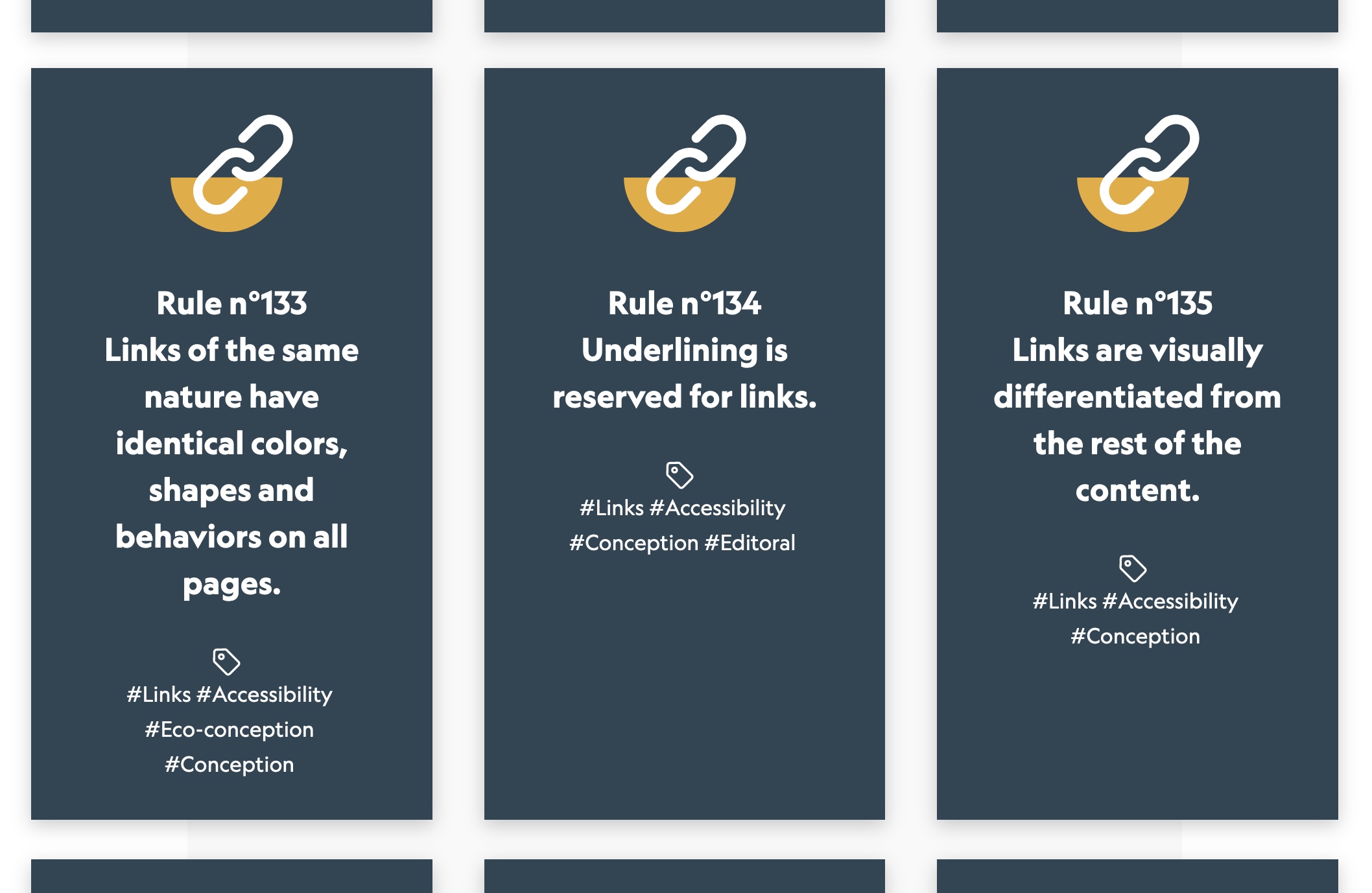
Checklists like this work best in two modes: as a pre-launch or audit instrument during conception, and as a shared vocabulary for the entire team before work begins. Audits alone rarely launch a sustainable quality process. The team must first understand the rules and why they exist — even when a rule seems outside a particular job description. Acceptance across all web professions is the key to turning a checklist from a static document into a working quality assurance program.
Reading a Quality Rule in Context
A quality rule is only useful if you understand why it exists. Consider Rule n°233: “The text of internal PDF documents can be selected.” Beyond the literal requirement, the rule identifies five distinct user contexts where it matters:
- The content can be vocalized with a screen reader.
- The content can be indexed by search engines.
- The content can be searched within the document.
- The content can be translated.
- The content can be copy-pasted.
These contexts map to five types of users: a blind user relying on a screen reader, someone finding the document via search, a user hunting for a specific section, a non-native speaker needing a translation, and someone wanting to reuse the material. They may also converge in a single person—for instance, a blind Bulgarian scientist who finds an English PDF via search, locates their own citation, auto-translates the page, and copies a passage into a portfolio.
One rule out of 240, then, reveals multiple scenarios where it benefits the user. The point is not merely to implement the rule but to grasp what it addresses, who it helps, and why it exists. That awareness is what lets teams make informed trade-offs when resources are limited.
Web professionals must be able to objectively assess a site’s quality, justify that assessment, identify risks, and arbitrate with full knowledge of the facts. Quality assurance should be a reflex across the whole organization—designers, developers, marketing, sales, and support alike—because everyone involved shapes the user experience.
Knowing the rules is a start, but integrating quality assurance into a project’s processes requires understanding where the major risks actually lie.
Locating the Critical Risks
“A risk assessment is the combined effort of identifying and analyzing potential (future) events that may negatively impact individuals, assets, and/or the environment (i.e. hazard analysis); and making judgments 'on the tolerability of the risk on the basis of a risk analysis' while considering influencing factors (i.e. risk evaluation).”
— Risk assessment, Wikipedia
The web industry has learned that its activities carry real risks, just like aeronautics, automotive, or health. Each must be classified as critical or not, though the judgment is always partly subjective. Four subjects stand out as especially critical. Accessibility, security, and privacy carry major consequences for users and can damage brand, revenue, and legal standing. The fourth, ecodesign, is critical from a systemic standpoint, with consequences for personal and professional life.
Other problems—poor performance, weak UX, insufficient SEO—can certainly hurt business, but they tend to do less damage than the four below. These risks are present in every web project:
- Accessibility
Is my site accessible to people with disabilities? Am I discriminating? If so, what are the risks?
A report by Accessibility.com estimated that 265,000 website accessibility demand letters were sent to businesses in 2020 alone, costing U.S. companies potentially billions in legal fees (Source: BOIA). - Security
Is my project endangering my organization, colleagues, or users? If so, what are the risks?
According to govtech.com, compromised records from data breaches rose 141% in 2020 compared to 2019, the most exposed in a single year on record. The average cost of a breach reached $3.86 million as of 2020 (Source: IBM). - Privacy
Am I putting company, user, or employee data at risk? What are the consequences?
The GDPR, in effect since May 2018, permits fines up to €20 million ($24.1 million) or 4% of annual global turnover, whichever is higher. Penalties under the GDPR totaled €158.5 million ($191.5 million) (Source: Tessian). - Ecodesign
What is the environmental impact of my project? To what extent does it contribute to climate change?
The Shift Project, reviewing nearly 170 international studies, found digital technologies’ share of global CO2 emissions grew from 2.5 to 3.7 percent between 2013 and 2018. The Borderstep Institute, comparing studies, puts greenhouse gas emissions from producing, operating, and disposing of digital devices and infrastructure at 1.8 to 3.2 percent of global emissions as of 2020 (Source: RESET).
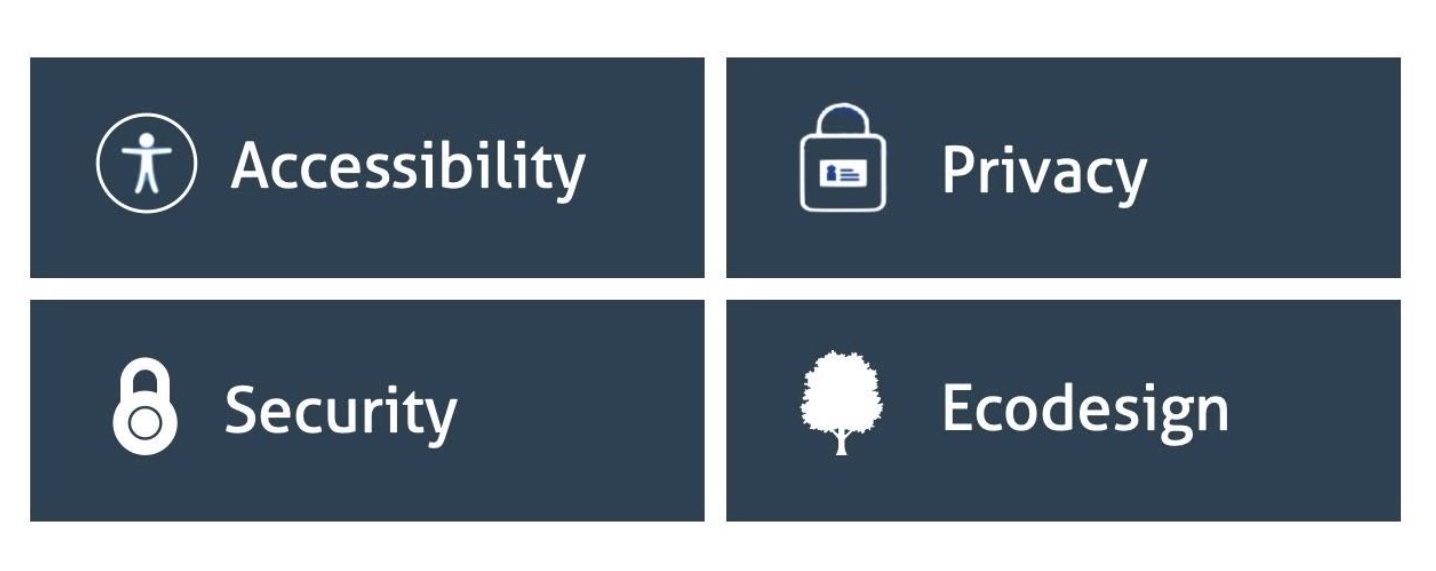
None of these risks can be ignored. Over the past decade they have driven up costs, caused redesign failures, lawsuits, cyber attacks, staff burnout, and environmental damage. The financial, human, social, and environmental costs are real and avoidable.
The web is going through a classic maturation phase for a young industry: standards, methods, and frameworks emerge as customers demand higher quality and providers set quality goals. Areas like accessibility, ecodesign, performance, security, and privacy are becoming structured, standardized, and subject to law—just as they did in established industries facing similar quality management challenges.
Toward Integrated Web Quality Management
In the 1980s, quality professionals worked mainly with the ISO 9000 standard. Around 1990, quality control, assurance, and management were the core topics. Meanwhile, other groups handled different risk domains with their own standards: ISO 14000 for the environment and ISO 27000 for IT security.
In industrial companies, these standards were deployed by separate departments. Eventually, because the standards overlapped and many tasks could be shared, organizations created HQSE (Health Quality Security Environment) services. This is known as an “integrated management system”:
“Once upon a time, there was an H&S (health and safety) manager whose role expanded to an HSE (health, safety and environment) manager. At that same time, there was a quality manager whose roles were completely separate from the HSE supervisor. But as technology got more and more integrated into the workflow and as demand for speedy quality service and products increased, the roles have merged into one QHSE manager.”
— Let’s Build, Houdayfa Cherkaoui
Quality management and integrated management systems do not “produce” quality or guarantee environmental or security compliance. They help the rest of the organization control and improve these areas. The people in these roles do not replace experts; they supply tools, standards, and automation, keep everyone current, and interface with clients when a company must demonstrate its ability to deliver a certain level of quality.
The pattern is likely to repeat. Just as aeronautics, automotive, and medicine introduced quality assurance in response to perceived risk, web teams already manage accessibility, security, privacy, and ecodesign separately. Because users are affected by all of them at once, a cross-disciplinary approach is needed. A new layer of web quality assurance will likely emerge to assemble, sustain, and connect the different web disciplines and practices.
Building A Sustainable Quality Culture
Deploying web quality assurance requires teams to first understand user requirements and the consequences those have for each web trade involved in a project. Looking back at the VPTCS model, the Visibility and Services categories are the ones most frequently underestimated by web teams, especially by website owners. Yet the two requirements delivering the highest value to users are exactly those: content and services.
Ironically, the professionals working in Visibility, Perception, and Technical roles are often treated as the most important contributors to a project. That perception is backward. Those roles cannot function without high-quality content and services — support, logistics, delivery, and everything else — properly integrated into the project team. Similarly, UI is frequently considered a purely visual and ergonomic discipline. In reality, UI is a blend of perception, technical, and content concerns. Recognizing that mix helps reduce misunderstandings between teams working remotely and points toward the need for unified teams where all trades collaborate.
Checklists Are Only A Starting Point
The web industry already has many forms of quality assurance: regulations, unit testing, functional testing, automatic tools, manual audits, checklists, and more. Quality assurance is gradually improving, but we are still at the very beginning of the road. Checklists are simple tools that help teams reach compliance and share a common culture and vocabulary. In practice, however, if the goal is better compliance that lasts, it is more effective to first build a web quality culture with a shared vocabulary and a foundational framework to bootstrap from — rather than relying on checklists alone.
“63% of people who are in a digital transformation process say that culture is the number one barrier….56% stated cross-department collaboration as their 3rd largest challenge.”
— Altimeter & Capgemini study
The aim is to establish a cultural foundation where risks — like the ones described throughout this series — and responsibilities are shared, all oriented toward serving users. A global set of rules can empower web teams and create a common culture and vocabulary, but it must be paired with a mutualized risk management system. That system would oversee standards, rules, and tools, and know when to bring in specialized experts for complex problems.
Done well, web quality assurance produces more responsible professionals — trained and empowered as quality custodians who represent the interests of users, customers, and citizens.
Resources For Going Further
- Quality Management — Wikipedia
- VPTCS: A UX And Web QA Model (2001) — Elie Sloïm, Medium
- The Web Quality Assurance Checklist — Opquast
- Integrated Management Systems — ISO


